AI & Automation
AI Receptionist for Lagree Studios: An Operator Playbook
See how an AI receptionist for Lagree studios handles leads, books intro classes, follows up, and collects dues without adding more front-desk workload.
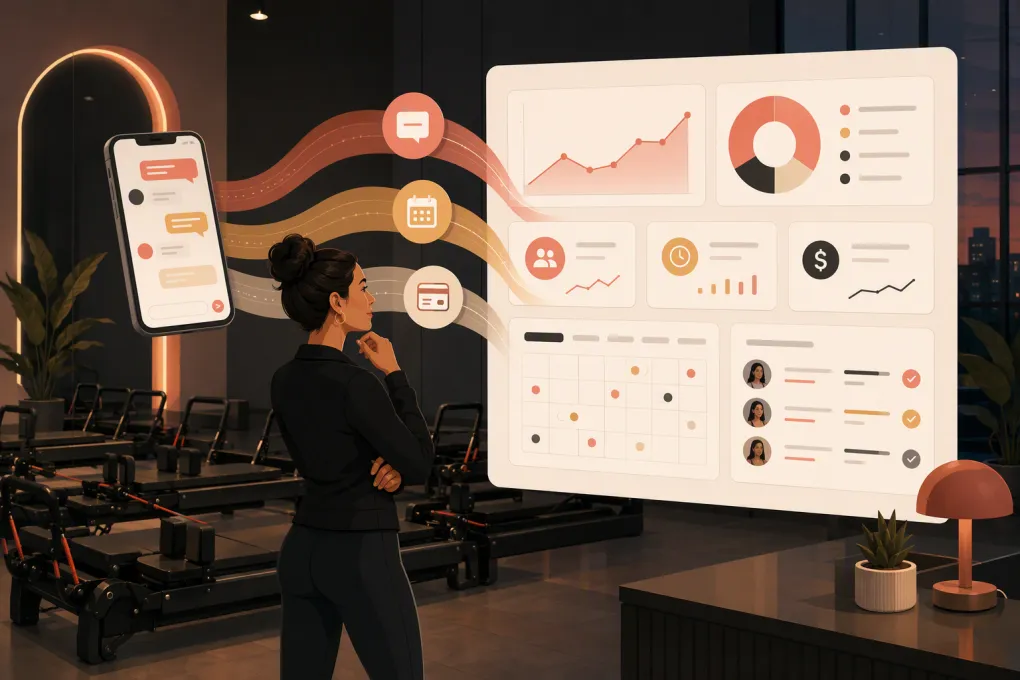 Watch · 20s
A prospect sees your Lagree studio on Instagram at 9:30 p.m. She wants to know whether beginners can take the next morning’s class, what she should bring, and how to book. If the answer waits until the front desk opens, she may keep searching. If she gets a vague automated reply, she still may not book.
That is the real job of an AI receptionist for Lagree studios: not simply replying faster, but turning a specific question into the correct next action without creating cleanup work for staff.
Lagree operations add complexity. Class suitability matters. First-timers need clear preparation instructions. Policies vary by location. Waitlists move quickly. Leads may confuse Lagree with Pilates or assume every class is appropriate for a beginner. An effective AI receptionist must handle those details while knowing when a human needs to take over.
See how Fitty handles after-hours Lagree inquiries and bookings →
What an AI receptionist should do for a Lagree studio
An AI receptionist is more than a website chatbot. It should function as a controlled front-line operator across the channels where prospects and members contact your business.
Depending on the system and your setup, that can include phone calls, text messages, website conversations and lead follow-up. The receptionist should connect each conversation to a business outcome, such as:
- Booking an introductory or beginner-appropriate class
- Sending a trial or introductory offer link
- Confirming location, schedule and arrival instructions
- Explaining grip sock, clothing and check-in requirements
- Joining or explaining a waitlist
- Recovering an abandoned inquiry
- Following up after a missed intro session
- Routing membership, billing or cancellation issues
- Collecting overdue dues through an approved payment workflow
- Escalating sensitive or unusual requests to staff
The goal is not to make AI answer every possible question. The goal is to automate repeatable conversations and route exceptions correctly.
Where Lagree studios lose leads and staff time
After-hours inquiries
Prospects often research fitness options outside normal desk hours. Their questions are usually practical: Is this suitable for beginners? Is there parking? Which class should I choose? Do I need grip socks?
A static autoresponder acknowledges the message but leaves the decision unresolved. A properly configured AI receptionist can answer the question, check availability and guide the prospect to a booking while interest is active.
Inconsistent first-timer guidance
A first visit carries more operational risk than a routine member booking. The prospect may choose the wrong class level, arrive too late for orientation or misunderstand what the workout involves.
Your AI should recognize first-timers before recommending a class. It can then apply your rules around introductory sessions, class eligibility and required arrival time. If your studio requires new clients to attend a specific class or orientation, the AI should never bypass that rule just to secure a booking.
Repetitive front-desk questions
Directions, parking, grip socks, waitlists, late arrivals and cancellation windows consume staff attention because they are important, not because they are difficult.
These questions are strong automation candidates when the answers come from a maintained studio knowledge base. The AI should use the policy for the correct location rather than improvising a general response.
Leads that receive one follow-up and disappear
A lead who does not book immediately is not necessarily uninterested. They may be comparing schedules, waiting for payday or unsure which class to take.
An AI receptionist can run an approved follow-up sequence, answer replies and stop when the person books, opts out or needs human help. That last part matters: automation should react to the conversation, not continue sending the same message regardless of context.
The core workflows to configure
1. New lead qualification and booking
The receptionist should collect only the information needed to recommend the next step. A useful flow might ask:
- Have you taken Lagree before?
- Are you looking for a specific location or time?
- Do you have any scheduling constraints?
- Would you like to book the recommended intro option?
Avoid turning this into a long intake form. Health concerns, injuries, pregnancy and medical restrictions require careful handling. The AI should not diagnose, provide medical clearance or promise that a workout is safe. It should explain the studio’s process and escalate the conversation when appropriate.
2. Class selection
The AI needs a defined map of your schedule and class types. For each class, document:
- Intended experience level
- Whether first-timers can attend
- Prerequisites, if any
- Required early arrival time
- Instructor or location-specific notes
- Capacity and waitlist rules
Without this structure, an AI may provide a friendly answer but still send the client to the wrong session.
3. Pre-class preparation
Once a booking is made, the receptionist should send concise instructions covering the essentials:
- Address, parking and entry details
- Recommended arrival time
- Clothing and grip sock policy
- Check-in process
- Late-entry policy
- How to reschedule or cancel
Keep these messages short enough to read on a phone. Link to longer policies rather than pasting several paragraphs into a text.
4. No-show and unconverted lead follow-up
Build separate follow-up paths for different situations. Someone who asked about pricing needs a different message from someone who booked and missed class.
For a missed intro, the AI might acknowledge the missed visit, offer eligible rebooking options and explain any applicable policy. It should not waive a fee or make a policy exception unless you have explicitly authorized that action.
See how WTF Go and Fitty connect lead response, booking and follow-up →
5. Billing and overdue dues
Billing outreach is another repetitive but sensitive workflow. An AI receptionist can notify a member, answer basic account questions and direct them to a secure payment method. Fitty is designed to help operators follow up and collect dues without relying entirely on staff reminders.
Do not ask members to send full card details through ordinary text or chat. Payment collection should use a secure, approved payment flow. Disputes, hardship requests, refund demands and account discrepancies should move to a human.
How to build the studio knowledge base
AI performance depends heavily on the operating information behind it. Start with the questions your staff answers every week, then document the approved response and required action.
Create sections for:
- Locations, hours, parking and access
- Class names and experience requirements
- Intro offers and eligibility
- Memberships and package basics
- Booking, waitlist and cancellation policies
- Late-arrival and no-show rules
- Grip socks and studio amenities
- Instructor substitutions
- Billing escalation
- Safety boundaries and human handoffs
Assign one person to own updates. When a policy, schedule or offer changes, the AI knowledge base should be updated alongside your website and booking system. Conflicting sources create poor customer experiences and unnecessary staff intervention.
For multi-location studios, separate universal brand rules from location-specific details. The receptionist should confirm the client’s location before answering questions about parking, schedules, amenities or promotions.
Set clear escalation rules
An AI receptionist needs boundaries. Define when it must stop automating and create a staff task, transfer a call or request a callback.
Common escalation triggers include:
- Injury, pregnancy or medical suitability questions
- Angry or distressed clients
- Refunds and charge disputes
- Membership cancellation requests requiring review
- Repeated booking or payment failures
- Accessibility accommodations
- Private event or partnership inquiries
- Questions not covered by approved information
Also define ownership. A handoff is not complete if the message lands in an inbox nobody monitors. Assign each category to a role and set an internal response expectation.
A practical rollout plan
Do not automate every conversation on day one. Start with a narrow workflow that has clear rules and meaningful volume.
Phase 1: Audit
Review recent calls, texts, emails and social messages. Group them by intent: beginner questions, booking help, pricing, policies, billing and cancellations. Note where staff repeatedly copy the same answer.
Phase 2: Configure
Load approved answers, class rules, offers and escalation paths. Connect the booking and customer records the AI needs to complete its assigned tasks. Confirm which system is the source of truth for availability and account status.
Phase 3: Test
Test realistic conversations, not just perfect ones. Include misspellings, vague questions, changed locations, full classes, ineligible offers and requests for policy exceptions. Verify that bookings appear correctly and human handoffs contain the conversation context.
Phase 4: Launch and review
Launch one channel or workflow, review conversations frequently and refine unclear answers. Add broader responsibilities only after the initial workflow performs reliably.
Measure business outcomes, not message volume
A large number of automated replies does not prove the system is useful. Track the operational results that matter:
- Time from inquiry to first meaningful response
- Percentage of qualified inquiries that book
- Intro bookings that attend
- Leads requiring human intervention
- Reasons conversations are escalated
- No-shows that rebook
- Overdue accounts resolved through the workflow
- Booking errors or policy exceptions caused by automation
Compare performance with your own pre-launch baseline. Review failed and escalated conversations for patterns. If prospects repeatedly ask a question the AI cannot answer, either improve the knowledge base or intentionally route that topic to staff.
Choosing an AI receptionist for your Lagree studio
Look beyond whether the product can generate natural-sounding messages. Ask whether it can operate inside your actual business rules.
Your evaluation checklist should include:
- Can it answer and act across the channels your leads use?
- Can it distinguish prospects, active members and former members?
- Can it book against current class availability?
- Can it follow different rules by class and location?
- Can staff review conversation history and take over?
- Can follow-up stop automatically after booking or opt-out?
- Can it route payment through a secure process?
- Can you control its claims, tone and escalation boundaries?
- Who maintains integrations and handles implementation issues?
Fitty, WTF Go’s AI receptionist and agent, is built around the revenue and service work fitness and wellness operators face every day: answering leads, booking classes, following up and collecting dues around the clock. The value is not simply having AI available. It is giving that AI the workflows, business context and guardrails required to complete useful work.
Explore Fitty for your Lagree studio’s lead and front-desk workflows →
Frequently asked questions
Can an AI receptionist book Lagree classes directly?
Yes, when it is connected to the appropriate booking workflow and has access to current availability. It should also enforce your rules for first-timers, prerequisites, capacity and location.
Can AI replace a Lagree studio’s front-desk team?
AI can handle many repetitive inquiries, bookings and follow-ups, but human staff are still needed for exceptions, sensitive issues, hospitality and in-studio support.
How should an AI handle injury or pregnancy questions?
It should avoid medical advice, explain the studio’s approved process and escalate the conversation when needed. Medical clearance and workout suitability decisions should not be improvised by the AI.
Can an AI receptionist follow up with leads by text?
It can run consent-based text follow-up when the system is configured for the channel. Messages should identify the business, respect opt-outs and stop or change course when the recipient replies.
What information does an AI receptionist need before launch?
At minimum, provide schedules, class eligibility, intro offers, location details, booking rules, cancellation policies, preparation instructions and clear human escalation paths.
Keep reading



Run your gym on autopilot with WTF Go
Fitty — your AI receptionist — answers calls and DMs, fills classes, follows up with every lead, and collects dues while you coach.