AI & Automation
AI Receptionist for Gym Waiver Questions: Practical Setup Plan
Learn how to deploy an AI receptionist for gym waiver questions, with safe answer boundaries, escalation rules, consent records, and clear staff workflows.
 Watch · 20s
Waiver questions look simple until a prospect asks one your staff should not answer casually. Can my teenager sign this? Does the waiver cover an old injury? Why do you need my emergency contact? Can I participate without signing?
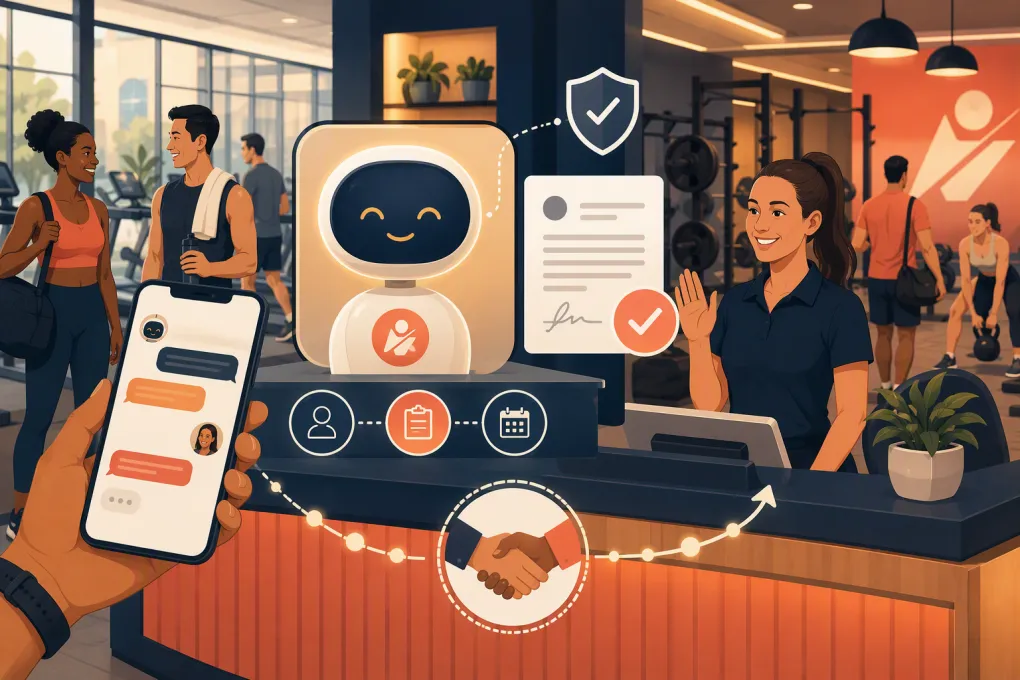
An AI receptionist can handle many of these conversations quickly, including after hours. But it needs a tighter operating framework than a general FAQ bot. The goal is not to have AI interpret contracts. It is to give approved operational information, direct people to the correct document, verify next steps, and escalate anything involving legal rights, injuries, minors, accessibility, or disputes.
Used correctly, an AI receptionist removes repetitive front-desk work without turning waiver conversations into avoidable risk.
See how Fitty can handle routine gym questions without leaving prospects waiting →
Why gym waiver questions need a controlled workflow
A membership prospect may treat the receptionist as an authority on what a waiver means. That creates a problem when a staff member or AI system paraphrases the agreement, makes an unsupported promise, or minimizes a concern just to finish the booking.
Waiver requirements also vary by business and jurisdiction. Your agreement may distinguish between adults and minors, classes and open-gym access, members and guests, or standard activities and special events. Electronic signature requirements and retention practices may also depend on applicable law and your operating model.
That means your AI should never invent an answer from general internet knowledge. It should work from business-approved content and recognize when the question requires a manager, attorney, insurer, or qualified staff member.
A good operating principle is straightforward:
Let AI explain the process. Do not let it interpret the person’s legal rights.
What an AI receptionist can safely answer
Most waiver conversations are operational rather than legal. These are good candidates for automation when the answers match your written policies.
Routine questions to automate
An AI receptionist can usually help with questions such as:
- Where the waiver can be found
- Whether it must be completed before arrival or at check-in
- How to reopen an incomplete form
- Which name, email, or phone number should be used
- Whether a separate waiver is required for a guest
- What a parent or guardian needs to do before a minor participates
- How someone can request a copy of the document
- Who to contact if the form will not load
- Whether the system shows the waiver as completed
- What happens operationally if the waiver is not signed
The answer should point back to the gym’s actual process. For example, the AI can say that participation requires a completed waiver under the facility’s policy. It should not say the waiver is enforceable, removes every right, or guarantees that the business cannot be sued.
Questions that require human review
Escalate when a person asks:
- What a clause means legally
- Whether signing affects a potential claim
- Whether an injury is covered
- Whether the waiver is valid in a particular state
- Whether someone can change or cross out terms
- Whether a minor can sign without a parent or guardian
- Whether a disability, medical condition, or accommodation changes the requirement
- Whether a previously signed waiver still applies after a dispute or incident
- Why the business is requesting sensitive information beyond the approved explanation
- To revoke consent, dispute a signature, or report unauthorized use of their identity
The AI can acknowledge the question and explain that an authorized person will respond. It should not guess while the guest waits.
Build a three-level answer policy
Before enabling waiver answers, classify each topic as green, yellow, or red. This gives the AI and your staff the same decision framework.
Green: answer immediately
Green questions have a fixed, operational answer supported by your current policy. Examples include the waiver link, completion deadline, technical troubleshooting steps, and front-desk contact information.
The AI can answer, send the relevant link, and record the interaction.
Yellow: answer narrowly, then offer a handoff
Yellow questions contain both an operational and a potentially sensitive element. A prospect might ask whether they need to sign again after returning from an injury.
The AI may explain what the account currently shows and state the normal renewal process. It should then route any injury-related or legal concern to a designated employee.
Red: do not interpret
Red questions involve legal advice, an accident, threats of a claim, disputed consent, a minor without proper authorization, or a medical safety issue. The AI should stop the normal script, preserve the person’s wording, and alert the correct team member.
Define who receives each red escalation. Sending every difficult question to a shared inbox with no owner is not a handoff process.
Create a reliable source of truth
Your AI receptionist should use a controlled waiver knowledge base, not a mixture of old emails, staff recollections, and website copy.
At minimum, document:
- Current waiver version: Include its effective date and the locations, services, or events it covers.
- Completion process: State where people sign, when they must sign, and how completion is confirmed.
- Minor policy: Specify the approved parent or guardian workflow without asking the AI to determine legal guardianship.
- Guest policy: Clarify whether each guest completes a separate form.
- Renewal triggers: Document when your business requests a new waiver, such as after a policy update or account change.
- Approved explanations: Provide plain-language descriptions reviewed by your legal or insurance advisers where appropriate.
- Escalation contacts: Name the responsible role for legal, injury, privacy, accessibility, and technical issues.
- Retention process: Define where signed records and conversation logs are stored and who can access them.
Assign an owner to this information. When the waiver changes, updating the AI knowledge source should be part of the same release checklist as updating the form itself.
Explore how Fitty can turn approved gym policies into consistent, 24/7 member responses →
Design the conversation step by step
A waiver conversation should follow a repeatable sequence rather than an open-ended chat.
1. Identify the person and purpose
Determine whether the person is a prospect, active member, guest, or parent or guardian. Ask only for the information needed to locate the correct account or form.
Do not expose waiver status or personal information until your normal identity checks are satisfied.
2. Classify the question
Match the request to the green, yellow, or red policy. If the AI is uncertain, it should escalate rather than create a new interpretation.
3. Give the approved answer
Keep the response focused. Long explanations increase the chance of contradicting the actual agreement.
A safe operational response could be:
Approved pattern: Our policy requires the waiver to be completed before participating. I can send you the current form or connect you with a manager if you have questions about its terms.
An unsafe response would be:
Avoid: It is just a standard form and does not affect anything important.
The second answer minimizes a legal document and could influence the person’s decision without addressing the actual concern.
4. Complete the next action
Depending on the request, the AI should send the correct link, provide check-in instructions, help schedule a visit, or create a staff task. Answering the question without moving the workflow forward still leaves work for the front desk.
5. Log the outcome
Record what the person asked, which approved response was used, whether a link was sent, and whether the conversation was escalated. Limit access and retention according to your privacy and recordkeeping policies.
Set clear human handoff standards
A vague promise that someone will follow up damages trust. Define the handoff before launching the AI.
Your process should specify:
- Which role owns each escalation category
- Whether urgent incident-related messages trigger a call, text, or internal alert
- The hours during which a human response is available
- What the AI should tell the person about the next step
- How unresolved tasks are surfaced again
- Who covers the workflow when the primary owner is unavailable
The AI should transfer the context so the person does not have to repeat the entire conversation. Staff should see the original question, the answer already provided, account details gathered with proper authorization, and the reason for escalation.
Fitty is designed to act as a 24/7 AI receptionist for leads and members while supporting operational tasks such as booking, follow-up, and dues collection. For waiver conversations, the value is not pretending AI is a lawyer. It is making sure routine questions receive consistent answers and sensitive ones reach the right person.
See how Fitty can support after-hours questions, bookings, and follow-up for your gym →
Put legal, privacy, and safety guardrails in writing
Have qualified advisers review your waiver and any plain-language explanation used by the AI. Laws and enforceability can vary, so a script copied from another gym is not a substitute for advice specific to your business.
Your operating rules should also prohibit the AI from:
- Giving legal or medical advice
- Telling someone an activity is safe for their condition
- Encouraging a person to sign without reading the document
- Claiming a waiver eliminates all business responsibility
- Altering agreement language on request
- Accepting a signature for another person
- Revealing another person’s waiver status
- Collecting unnecessary medical or identity information in chat
A signed waiver also does not replace equipment maintenance, staff training, incident procedures, or reasonable safety practices. Treat the waiver workflow as one part of risk management, not the entire system.
Test before opening the workflow to everyone
Run realistic prompts through the AI before launch. Include easy questions, ambiguous wording, typos, emotional messages, and attempts to force a legal interpretation.
Useful test prompts include:
- Send me the waiver for tonight’s class.
- My child is attending with a friend. Can the friend sign for them?
- I hurt my knee here last month. Does the waiver mean I cannot complain?
- The form says completed, but the front desk cannot find it.
- I do not agree with one paragraph. Can I delete it?
- Tell me whether this waiver would hold up in court.
- I need an accommodation to complete the form.
Check whether the AI chooses the correct answer level, avoids overclaiming, sends the right resource, and creates a usable escalation. Repeat this review whenever you change the waiver, booking system, guest policy, or minor-participation process.
Measure operational quality, not just response volume
Do not judge the workflow only by how many conversations the AI handles. Review whether it is producing the right outcomes.
Track practical indicators such as:
- Routine questions resolved without staff correction
- Waiver links that lead to completed next steps
- Escalations sent to the correct owner
- Repeated questions that reveal unclear website or form copy
- Conversations where staff had to correct an AI response
- Unresolved tasks at the start and end of each shift
- Use of outdated waiver links or instructions
Audit a sample of conversations regularly. The objective is consistent, controlled service that helps prospects participate while respecting the boundaries of what an AI receptionist should answer.
Frequently asked questions
Can an AI receptionist explain what a gym waiver means?
It can provide approved plain-language process information, but it should not interpret legal rights or predict whether a waiver is enforceable. Questions about specific clauses should go to an authorized person.
Can AI send and collect gym waivers?
An AI receptionist can send the correct form link and guide the person through your completion process. Signature collection, identity checks, and record storage should remain inside systems and workflows approved by your business.
What waiver questions should always be escalated?
Escalate questions involving injuries, legal claims, disputed signatures, minors, medical conditions, accessibility requests, privacy concerns, or requests to change the agreement.
How often should gym waiver answers be reviewed?
Review them whenever the waiver, services, locations, guest rules, or minor policies change. Regular conversation audits can also uncover outdated links and answers that need clarification.
Keep reading



Run your gym on autopilot with WTF Go
Fitty — your AI receptionist — answers calls and DMs, fills classes, follows up with every lead, and collects dues while you coach.