AI & Automation
AI Receptionist for Gym Personal Training Consultations
See how an AI receptionist for gym personal training consultations captures leads, qualifies prospects, books appointments, and follows up reliably 24/7.
 Watch · 20s
A personal training lead rarely arrives at a convenient time. Prospects submit forms during work, call after the front desk closes, or ask questions while your team is coaching. By the time someone responds, the prospect may have booked elsewhere—or simply lost the motivation to act.
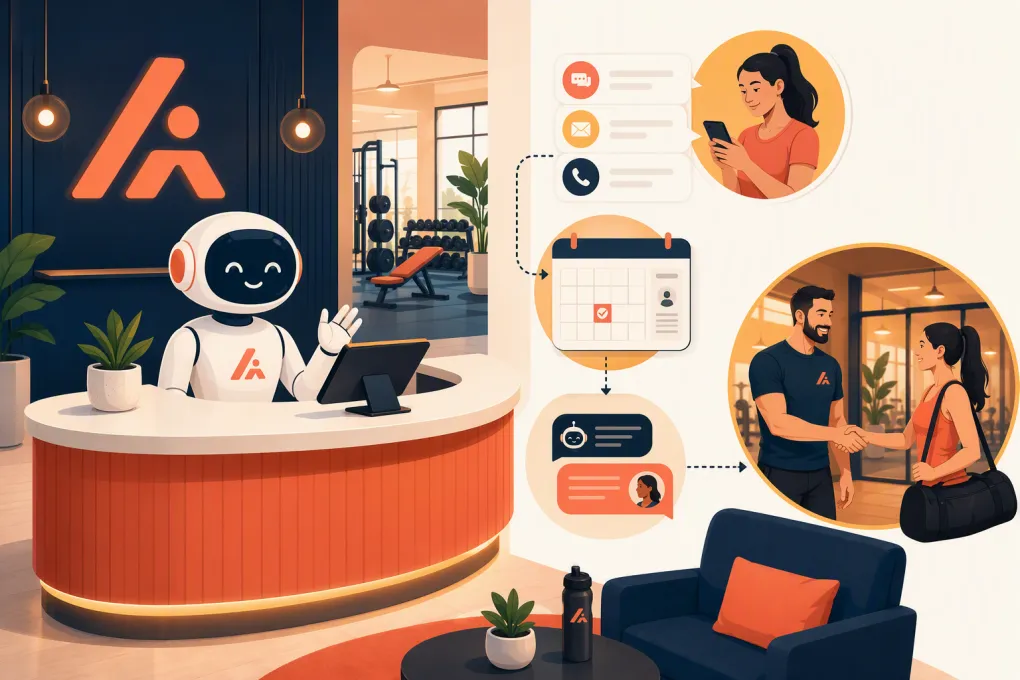
An AI receptionist closes that coverage gap. It can respond when the inquiry arrives, answer routine questions, qualify the prospect, schedule a consultation, and keep following up until the lead books, declines, or needs a person.
The goal is not to replace the personal trainer who conducts the consultation. It is to remove the delays and administrative friction that prevent qualified prospects from reaching that trainer.
Why personal training consultation funnels break
Most gyms do not have a lead shortage at every hour of every day. They have a response and follow-up problem.
Common breakdowns include:
- Web inquiries sitting untouched overnight
- Missed calls that never receive a useful response
- Staff answering questions without asking for the appointment
- Leads receiving one follow-up attempt and then disappearing
- Consultations booked outside trainer availability
- Prospects forgetting the appointment or arriving unprepared
- No-show leads falling out of the pipeline without a rebooking attempt
- Sales conversations scattered across inboxes, phones, and staff notes
These are operational failures, not necessarily marketing failures. Buying more leads does not fix an inconsistent process after those leads arrive.
See how Fitty handles personal training inquiries and books consultations →
What an AI receptionist should handle
A useful gym AI receptionist needs to do more than send an instant greeting. It should move the prospect toward the next appropriate action while preserving a clean handoff to your staff.
Capture the lead in one working record
Every inquiry should create or update a prospect record containing the information your team needs, such as:
- Name and contact details
- Location of interest
- Primary goal
- Preferred training schedule
- Consultation status
- Assigned trainer or sales representative
- Conversation history
- Consent and communication preferences
- Next follow-up action
Duplicate records create confusion. Before starting a new conversation, the system should identify whether the person is already a member, former member, active lead, or scheduled prospect.
Respond to intent, not just keywords
A prospect asking about personal training prices may actually be asking whether your service fits their budget. Another asking about trainer availability may be ready to book immediately.
The AI receptionist should recognize common intents and respond accordingly:
- General interest: Explain the consultation process and offer times.
- Pricing question: Give approved information or explain that recommendations depend on goals and frequency, then offer a consultation.
- Schedule question: Check actual consultation availability rather than promising a callback.
- Trainer preference: Capture relevant preferences without making unsupported guarantees.
- Existing member request: Route the conversation to the correct service workflow.
- Sensitive or complex question: Escalate to a qualified staff member.
The conversation should remain focused. A lead does not need a lengthy interrogation before seeing the calendar.
Qualify without creating unnecessary barriers
Qualification helps trainers prepare, but every added question creates another point where a prospect can disengage.
For most gyms, a short set of questions is enough:
- What would you like help accomplishing?
- Have you worked with a trainer before?
- Which days or times are usually best?
- Which location do you prefer?
- Are there any accessibility or scheduling needs we should know about?
Avoid asking an AI receptionist to diagnose injuries, recommend treatment, or determine whether someone is medically cleared to exercise. Health concerns should be handled through your approved forms and by appropriately qualified people.
Book against real availability
A consultation is not booked until it is placed on the correct calendar with the correct rules.
Your booking workflow should account for:
- Trainer and sales-team availability
- Appointment duration
- Buffers between consultations
- Location and room availability
- Minimum booking notice
- Same-day booking rules
- Rescheduling and cancellation policies
- Whether a deposit is required
- Virtual versus in-person appointments
If no suitable time is available, the AI receptionist should collect preferences and trigger a human follow-up instead of inventing availability.
Continue follow-up after the first conversation
Many prospects are interested but distracted. They may open a message during a meeting, ask a spouse, or intend to check their calendar later. A reliable system keeps the next step visible without bombarding them.
A practical follow-up sequence might include:
- An immediate response to the original inquiry
- A later reminder containing the booking link or available times
- A next-day check-in that addresses a common question
- A final direct message asking whether the lead wants to book, pause, or opt out
- A separate rebooking workflow after a cancellation or no-show
The exact timing should reflect the lead source, communication channel, consent, and your sales cycle. Every sequence needs a clear stop condition when the prospect books, opts out, or requests a person.
A practical consultation conversation flow
The best automated conversations sound organized, not theatrical. They move through a small number of clear stages.
1. Acknowledge the request
Confirm what the prospect asked and identify the business. Do not open with a paragraph of marketing copy.
Example:
Thanks for contacting Northside Fitness about personal training. I can help you find a consultation time. What would you like your trainer to help you work toward?
2. Ask only useful questions
Each question should affect scheduling, routing, or trainer preparation. If the answer will not change the next step, consider removing the question.
3. Answer approved FAQs
Build a controlled knowledge base covering topics such as:
- What happens during the consultation
- Consultation length and location
- Parking and arrival instructions
- General training formats
- Trainer availability
- Accessibility
- Cancellation policy
- What the prospect should bring
Pricing answers need special care. If packages vary, the AI should explain the pricing structure honestly without inventing a recommendation or withholding all useful information merely to force an appointment.
4. Present bookable times
Offer a manageable set of valid options. If the prospect rejects them, ask for a preferred window and search again.
5. Confirm and prepare
The confirmation should include the date, time, location, assigned staff member when known, and instructions for rescheduling. Any required forms should be sent before the appointment.
6. Hand off the context
The trainer should not have to ask the prospect to repeat everything. Pass the lead’s stated goal, relevant preferences, questions, and conversation history into the staff workflow.
Use Fitty to qualify leads, book consultations, and preserve the conversation context →
Configure the system around gym operations
AI is only as useful as the operating rules behind it. Before activating an AI receptionist, document the decisions your front desk already makes.
Define pipeline stages
Use clear statuses that describe what should happen next. A workable pipeline could include:
- New inquiry
- Contacted
- Engaged
- Consultation offered
- Consultation booked
- Consultation completed
- No-show or canceled
- Joined
- Not ready
- Closed or opted out
Assign an owner and next action to every active stage. A status without an action becomes a parking lot for forgotten leads.
Build escalation rules
Send the conversation to a person when the prospect:
- Explicitly requests a staff member
- Has a complaint or billing dispute
- Describes an emergency
- Asks for medical or injury advice
- Needs an exception to policy
- Has a complex accessibility request
- Repeatedly misunderstands the automated response
- Is a high-intent lead the sales team wants to handle directly
Escalation should include the conversation history and a clear notification. Simply telling the lead that someone will respond is not enough if no staff task is created.
Protect consent and trust
Follow applicable calling, texting, email, privacy, recording, and automated-communication requirements. Keep records of consent, honor opt-outs promptly, and identify the business clearly. Depending on the channel and applicable law, you may also need to disclose that the prospect is interacting with an automated system.
Do not upload sensitive information to an AI workflow unless your system, policies, permissions, and vendors are appropriate for that information.
Measure the complete consultation funnel
Fast responses matter, but response speed alone does not tell you whether the workflow produces attended consultations and new clients.
Track:
- Time to first response
- Percentage of leads successfully contacted
- Consultation booking rate by lead source
- Time from inquiry to booking
- Confirmation and reminder delivery
- Reschedule and cancellation rate
- Consultation show rate
- Consultation-to-membership or training conversion
- Human escalation volume and reasons
- Opt-out and complaint volume
Review transcripts or conversation logs regularly. Look for repeated questions, confusing answers, booking dead ends, and cases where the AI should have escalated sooner. Use those findings to update the knowledge base and workflow.
Fitty is built to connect the receptionist work with the rest of gym operations: answering leads, scheduling the next step, following up, and keeping the record usable by staff. That matters because a standalone chatbot can create another inbox to monitor rather than removing work.
See how WTF Go and Fitty can run your consultation follow-up workflow →
What to look for before choosing an AI receptionist
Ask vendors to demonstrate your actual consultation process rather than a generic chatbot conversation. Test whether the system can:
- Use live availability and follow your booking rules
- Separate prospects from existing members
- Answer only from approved business information
- Handle multiple locations correctly
- Stop automation when a person takes over
- Record the conversation in the lead profile
- Trigger reminders and no-show follow-up
- Respect opt-outs across connected workflows
- Escalate urgent or sensitive conversations
- Report on bookings, attendance, and outcomes
Also test failure cases. Remove all calendar availability, ask an unusual pricing question, request a policy exception, and pretend to be an existing member. The system’s behavior when it cannot complete a task is as important as its best-case demo.
An AI receptionist should not make your personal training sale for you. It should make sure more legitimate prospects receive a prompt answer, reach the correct calendar, arrive prepared, and give your trainers a real opportunity to close the relationship.
Frequently asked questions
Can an AI receptionist book personal training consultations automatically?
Yes, if it is connected to accurate availability and configured with your duration, location, buffer, notice, and assignment rules. It should escalate rather than promise a time when no valid slot exists.
Should the AI discuss personal training prices?
It can provide approved pricing information or explain how your packages are structured. It should not invent prices, hide basic information unnecessarily, or make recommendations that require a trainer’s assessment.
Will an AI receptionist replace gym sales staff?
It is better used to cover repetitive receptionist work: responding, qualifying, booking, reminding, and re-engaging. Staff should still handle nuanced objections, sensitive issues, policy exceptions, and the consultation itself.
How should a gym handle personal training no-shows?
Trigger a prompt rebooking message, offer valid alternative times, and create a staff task when personal outreach is appropriate. Track repeated no-shows separately so the workflow can follow your deposit or booking policy.
Can Fitty support multi-location consultation booking?
Fitty can be configured around location-specific workflows so prospects are routed toward the appropriate schedule and next step. Confirm your exact calendars, assignment rules, and operational requirements during setup.
Keep reading



Run your gym on autopilot with WTF Go
Fitty — your AI receptionist — answers calls and DMs, fills classes, follows up with every lead, and collects dues while you coach.