AI & Automation
AI Receptionist for Gym Membership Upgrade Inquiries Guide
Learn how an AI receptionist for gym membership upgrade inquiries answers questions, recommends plans, routes exceptions, and captures more revenue 24/7.
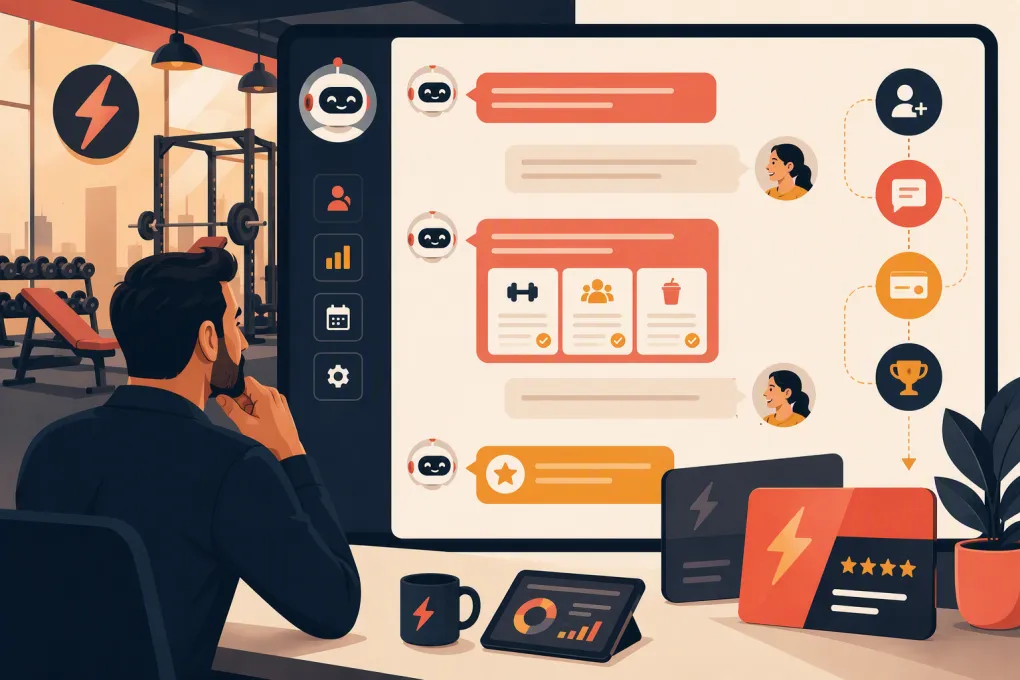 Watch · 20s
Membership upgrade inquiries look simple until they reach the front desk at the wrong time.
A member asks whether premium classes are included. Someone wants access to another location. A parent wants to add a family member. Another member sees an upgrade option online but needs to understand the commitment before making a change.
If nobody responds promptly, the member may stay on the lower plan, abandon the request, or ask again through another channel. If an employee answers without checking the applicable policy, the gym can end up with a billing dispute or a promise it cannot honor.
An AI receptionist gives gyms a consistent way to answer routine upgrade questions, capture intent, and move qualified members toward the correct next step—even when the front desk is closed. The goal is not to pressure every member into a more expensive plan. It is to remove friction when a member already wants more value.
See how Fitty can handle gym membership conversations around the clock →
What an AI receptionist should do with upgrade inquiries
A useful AI receptionist does more than identify the word “upgrade.” It should determine what the member is trying to accomplish and use approved membership information to guide the conversation.
Common upgrade-related requests include:
- Adding open-gym, class, recovery, childcare, or premium-area access
- Moving from a limited plan to an unlimited plan
- Adding a spouse, partner, child, or household member
- Gaining access to additional locations
- Changing from monthly billing to a longer-term membership
- Adding personal training, small-group coaching, or wellness services
- Asking whether an upgrade changes billing dates or contract terms
- Comparing the member’s current benefits with another tier
The AI should then perform one of four actions:
- Answer: Explain benefits, eligibility, and published terms.
- Qualify: Ask what access or service the member needs.
- Advance: Send the approved change form, payment flow, booking link, or staff task.
- Escalate: Route exceptions and sensitive account issues to a person.
That last action matters. A good AI workflow knows where its authority ends.
Separate questions from authorized account changes
An inquiry is not always permission to modify an account. Your automation should distinguish between explaining an option and executing a binding change.
For example, these are information requests:
- What does the premium plan include?
- Can I use the downtown location?
- Would unlimited classes be cheaper for how often I attend?
These indicate potential authorization but may still require verification or acceptance of terms:
- Upgrade me starting next month.
- Add my spouse to my account.
- Switch me to unlimited classes today.
Before an automated system changes a membership, define the required controls. Depending on your policies and software, those may include identity verification, acceptance of revised terms, a prorated charge, a new billing authorization, or staff approval.
Do not let the AI invent an effective date, waive a fee, or promise a billing adjustment. If the underlying system cannot safely complete the change, the AI should collect the request and create a clear handoff.
Build the upgrade workflow around member intent
The strongest workflow begins with a short diagnostic conversation rather than a long sales pitch.
1. Identify the desired outcome
Ask one focused question, such as:
- Are you looking for more classes, broader facility access, or an additional person on the account?
- Which location or service are you trying to use?
- How often do you expect to attend the premium sessions?
This helps the receptionist recommend the relevant option without listing every plan.
2. Confirm the current membership
The recommendation may depend on the member’s existing tier, home location, agreement, or billing arrangement. The system should verify the member using the approved account-matching process before exposing account-specific details.
If no reliable match is available, the AI can provide general plan information and ask an employee to confirm the account-level terms.
3. Explain the difference clearly
Keep the response operational. Members usually want to know:
- What additional access they receive
- When that access begins
- How billing will change
- Whether the commitment changes
- Whether any current discounts remain valid
- What they must do to approve the upgrade
Avoid describing one tier as “better” without connecting it to the member’s stated need. A plan with more benefits is not automatically the right choice for every member.
4. Provide one next action
Once the member understands the option, the AI should offer a specific step: accept revised terms, follow a secure payment link, book a consultation, or confirm that a membership employee should contact them.
Too many links create a new decision problem. Give the member the action that matches the workflow.
5. Follow up if the process stops
A member may ask detailed questions and then disappear before completing the upgrade. The receptionist should record the conversation and follow up through an approved channel without restarting the entire exchange.
A useful follow-up refers to the requested outcome—for example, access to unlimited classes—not merely a generic reminder to upgrade.
Create a reliable upgrade knowledge base
AI output is only as dependable as the information and permissions behind it. Before turning on upgrade conversations, document each plan in a structured format.
| Information to document | Operational question it answers |
|---|---|
| Included access | Which classes, rooms, services, or locations can the member use? |
| Eligibility | Can any member select the plan, or are there restrictions? |
| Effective-date rules | Does access begin immediately, on the next billing date, or after approval? |
| Billing treatment | Is the change prorated, charged immediately, or applied later? |
| Commitment terms | Does the upgrade create or extend an agreement? |
| Discount rules | Do corporate, founder, household, or promotional rates carry over? |
| Downgrade rules | What happens if the member later wants to reverse the change? |
| Approval requirements | Can automation complete it, or must an employee approve it? |
| Exception owner | Which person or team handles unusual cases? |
Assign an owner to this information. Whenever pricing, access, or contract language changes, that person should update both the member-facing materials and the AI knowledge source.
Do not rely on scattered PDFs, old front-desk notes, and employees’ memories. Contradictory source material produces contradictory answers.
Set guardrails for billing and sensitive requests
Upgrade conversations often touch payment and contract information, so the workflow needs stricter controls than a general hours-and-directions chatbot.
Use these guardrails:
- Send members only to approved, secure billing or authorization flows.
- Do not request full card details in ordinary chat or text conversations.
- Require appropriate verification before sharing account-specific information.
- Preserve the member’s acceptance of revised terms when required.
- Escalate disputes about prior charges, freezes, cancellations, or refunds.
- Prevent the AI from creating discounts or making policy exceptions.
- Log the conversation and resulting action for staff review.
If a member mentions an injury, financial hardship, dissatisfaction, or an intent to cancel, do not treat the message as a standard upsell. Route it into the appropriate retention, medical, billing, or management workflow.
Use Fitty to answer, follow up, and move approved membership requests into the right next step →
Decide when a human should take over
Automation works best on repeatable questions. Human judgment remains valuable when the request involves negotiation, emotion, conflicting account records, or unusual financial treatment.
Create an immediate handoff for:
- A disputed charge or claimed unauthorized change
- A request for an unpublished discount
- Conflicting membership or household records
- Corporate and employer-sponsored memberships with special terms
- Medical, accessibility, or accommodation questions
- Cancellation language during an upgrade conversation
- A high-value custom package that requires consultation
- Any question the knowledge base cannot answer confidently
The handoff should include the member’s identity, current plan if verified, desired outcome, questions already answered, and the unresolved issue. Making an employee reread a raw conversation—or ask the member to repeat everything—undercuts the value of automation.
Measure whether the workflow is actually working
Do not judge the AI receptionist only by how many conversations it handles. Track whether it creates accurate, completed outcomes.
Useful operating metrics include:
- Number of upgrade inquiries by channel and time of day
- Most frequently requested benefits or add-ons
- Percentage of inquiries matched to a verified member account
- Completed upgrades from AI-assisted conversations
- Drop-off point in the upgrade process
- Time from inquiry to completed change or staff response
- Handoff rate and reason for escalation
- Billing corrections or disputes tied to upgrade workflows
- Members who ask again because the first answer was incomplete
Review conversation samples regularly. Look for unclear plan descriptions, repeated objections, missing account data, and handoffs that sit untouched. Those findings should improve both the automation and the membership offer itself.
A practical rollout plan for gym operators
Start with one narrow, high-volume upgrade path rather than automating every membership exception at once.
- Choose a commonly requested change, such as limited-to-unlimited classes.
- Document benefits, billing rules, effective dates, and exclusions.
- Decide what the AI may answer, initiate, and complete.
- Create an escalation owner and response process.
- Test with active, frozen, discounted, and unmatched accounts.
- Review the exact confirmation members receive.
- Launch on one channel or location.
- Audit conversations and account changes before expanding.
For multi-location operators, test location-specific access rules carefully. A plan name may appear identical across clubs while including different amenities or billing terms. The AI should use the correct location and membership record, not assume that every site follows the same policy.
Fitty, WTF Go’s AI receptionist, is designed to keep member and lead conversations moving when employees are coaching, serving clients, or off the clock. It can answer questions, follow up, book next steps, and collect dues within the workflows you establish.
See how Fitty can support membership upgrade inquiries without adding more front-desk work →
The real opportunity is not aggressive upselling. It is making sure a member who wants more access receives an accurate answer and a clear path to get it. When policies, permissions, handoffs, and follow-up are built correctly, an AI receptionist turns upgrade inquiries from scattered front-desk interruptions into a controlled operating process.
Frequently asked questions
Can an AI receptionist complete a gym membership upgrade automatically?
It can complete an upgrade when connected to an approved workflow that handles verification, terms, billing, and account changes. Requests outside that workflow should be captured and routed to staff.
What information does the AI need to answer upgrade questions?
It needs current plan benefits, eligibility rules, billing treatment, effective dates, contract terms, discount policies, approval requirements, and escalation instructions.
Should an AI receptionist recommend a specific membership tier?
Yes, when the recommendation is based on the member's stated needs and accurate plan rules. It should explain the relevant differences rather than automatically pushing the most expensive option.
How should billing disputes be handled during an upgrade conversation?
The AI should avoid promising credits, refunds, or exceptions. It should document the issue and transfer it to the employee authorized to review the account.
Can this work across multiple gym locations?
Yes, but each location's access, pricing, amenities, and approval rules must be mapped correctly. The workflow should verify the member's home location and applicable plan before answering.
Keep reading



Run your gym on autopilot with WTF Go
Fitty — your AI receptionist — answers calls and DMs, fills classes, follows up with every lead, and collects dues while you coach.