AI & Automation
AI Receptionist for Gym Membership Inquiries That Convert
Use an AI receptionist for gym membership inquiries to answer leads, book tours, follow up safely, and create clean handoffs for your sales team.
 Watch · 20s
A prospective member calls after the sales team has left. They ask about beginner classes, pricing, and tomorrow’s tour availability. If the call becomes a voicemail or an unworked contact form, your gym has created a delay at the moment of highest intent.
An AI receptionist for gym membership inquiries can close that gap—but only when it is connected to accurate operating data, given clear boundaries, and assigned to an employee who owns the outcome. Installing a chatbot without fixing calendars, CRM fields, consent rules, and escalation paths simply automates existing disorder.
The right goal is not “let AI run sales.” It is to answer approved questions, capture useful information, book valid next steps, and hand staff a complete record when judgment is required.
See how Fitty can support after-hours gym inquiries and booking →
What the AI receptionist should own
Give the system a defined job instead of asking it to handle every possible conversation.
For membership inquiries, appropriate workflows often include:
- Answering approved questions about memberships, facilities, hours, classes, trials, and locations
- Identifying the prospect’s service interest and preferred location
- Offering eligible tours, intro sessions, or trial classes
- Booking against available inventory when the required connection is configured
- Sending permitted confirmations and follow-ups
- Recording conversation details in the correct CRM fields
- Escalating exceptions, sensitive issues, and explicit requests for a person
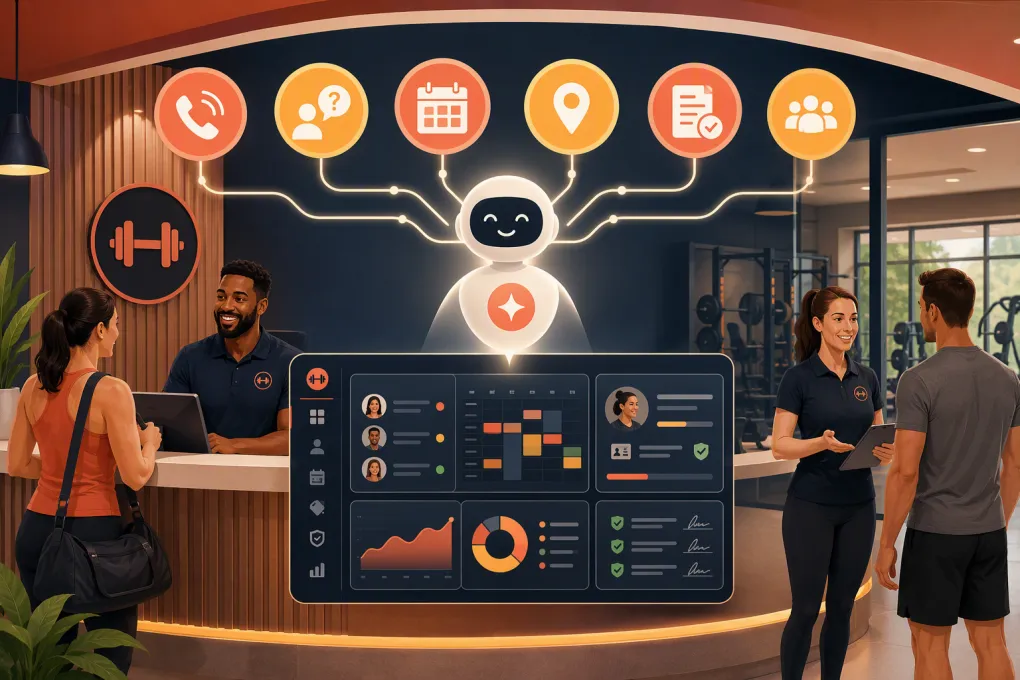
Fitty, WTF Go’s AI agent, is built to support lead response, booking, follow-up, and dues workflows. What it can complete in a specific business depends on the enabled channels, system connections, configured rules, accurate source data, and staff availability for escalations. No AI agent should promise a booking, payment outcome, or immediate human response that the operating setup cannot deliver.
Design the inquiry decision tree
A short decision tree prevents meandering conversations. Use this as a starting point and adjust it for your offers.
Step 1: Identify intent
- Membership or pricing question: Answer from the approved knowledge base, then offer the preferred next step.
- Class or service question: Confirm location, experience level, and relevant eligibility before offering availability.
- Existing-member issue: Route to the member-service workflow rather than creating a duplicate lead.
- Complaint, injury, accessibility question, contract exception, or charge dispute: Escalate without improvising.
- Human requested: Start the handoff immediately.
Step 2: Select one conversion action
Map each intent to a primary action:
- Open-gym membership → tour
- Group fitness → intro class
- Personal training → consultation
- Spa or recovery service → appropriate appointment
- Corporate inquiry → assigned manager
Offer an alternative only when the first action is unavailable or the prospect declines it.
Step 3: Validate before confirming
Before stating that anything is booked, the system should check:
- Correct location and time zone
- Live availability or the most current supported schedule
- Capacity and waitlist status
- Staff, room, and equipment constraints where applicable
- Lead eligibility, such as age or first-visit rules
- Whether the booking write-back succeeded
If availability changes during the conversation, the AI should apologize, refresh the options, and offer another time. If the calendar cannot be reached or the write-back fails, it should label the request as pending—not confirmed—and notify the responsible employee.
Map conversations into usable CRM records
A transcript is not a sales pipeline. Decide where each answer belongs so staff can filter, assign, and act on leads.
A practical field map includes:
| Conversation data | CRM destination | Handling rule |
|---|---|---|
| Name, phone, and email | Contact fields | Search for an existing record before creating one |
| Location interest | Location field | Use controlled values, not free text |
| Service interest | Lead-interest field | Map synonyms to standard categories |
| Goal or stated need | Notes or goal field | Save the prospect’s wording without adding assumptions |
| Preferred start date | Timeline field | Use a consistent date format or defined range |
| Tour or trial | Appointment record | Store status, location, time, and source |
| Consent and opt-out | Communication-permission fields | Store channel, timestamp, source, and status |
| Escalation reason | Task or case field | Assign an owner and due time |
Set duplicate rules before launch. A returning lead who uses a different email but the same phone number should not automatically become an unrelated contact. Also define which system is authoritative when booking, CRM, and membership records disagree.
See how WTF Go connects inquiry handling, lead records, and follow-up →
Build handoffs that cannot disappear
“Send to staff” is not a complete escalation policy. Every handoff needs an owner, service expectation, fallback, and visible status.
For each escalation type, document:
- Primary employee or role
- Hours that person is available
- Expected response window
- Notification channel
- Backup owner if the task is unaccepted
- Message the prospect receives while waiting
- Trigger for management review
Test failed handoffs deliberately. Disable a notification, leave a task unaccepted, and route an inquiry outside staffed hours. Confirm that the fallback fires and that the customer is not told someone will respond “right away” when nobody is available.
A useful staff dashboard should distinguish new, AI working, booked, waiting for staff, failed delivery, opted out, and closed. One employee—typically a sales or operations lead—should own daily exception review. Marketing can own copy, but operations must own accuracy and resolution.
Treat consent and privacy as operating requirements
Automated calls and texts are regulated differently from ordinary front-desk conversations. Applicable requirements can depend on the channel, purpose, technology, recipient, location, and how consent was obtained. In the US, operators should review federal rules such as the Telephone Consumer Protection Act, Do Not Call requirements, and state telemarketing and privacy laws with qualified counsel. This is an operational overview, not legal advice.
Before automated outreach:
- Record the exact form, checkbox, keyword, call, or other source of consent.
- Preserve the consent language shown at collection and its timestamp.
- Separate operational messages from promotional marketing where required.
- Honor channel-specific opt-outs promptly and propagate them across connected systems.
- Include clear opt-out instructions in automated texts where appropriate.
- Configure quiet hours based on the recipient’s local time and applicable law.
- Suppress reassigned, invalid, or disputed numbers.
- Do not assume that a prior inquiry authorizes unlimited marketing outreach.
Create a retention schedule for recordings, transcripts, lead data, consent evidence, and deleted-account requests. Limit employee access by role. Document which vendors process the data, where it flows, and how deletion or correction requests reach connected systems. If calls are recorded or transcribed, review federal and state consent requirements before enabling that feature.
Protect payment and dues workflows
Dues collection is not just another follow-up sequence. Payment authorization, account access, and card data require stricter controls.
An AI agent should never ask a member to send full card details through ordinary text, email, or an unsecured chat. Use a payment provider and hosted payment flow appropriate to your compliance obligations. Keep sensitive payment credentials out of AI transcripts and CRM notes.
Define what the system may do:
- Explain an approved balance or payment status
- Send a secure payment link through an authorized channel
- Confirm whether the connected payment system reports success or failure
- Offer approved payment options
- Route disputes, refunds, hardship requests, and authorization questions to staff
It should not alter a balance, waive a fee, retry a payment outside approved rules, or claim payment succeeded without confirmation from the payment system. Use role-based access, audit logs, multifactor authentication for staff, and documented procedures for suspected fraud or exposed data. Review your setup with your payment provider and qualified PCI compliance or legal advisers.
Run a controlled launch
Do not switch every inquiry channel on at once. Start with one location, one channel, or one lead type and compare the results with your existing process.
Prelaunch checklist
- Approve membership, pricing, policy, amenity, and location content
- Assign an owner and backup for knowledge updates
- Map CRM fields, statuses, duplicate rules, and system ownership
- Verify calendars, capacity rules, time zones, buffers, and write-back behavior
- Configure consent evidence, opt-outs, quiet hours, and suppression lists
- Define escalation categories, owners, deadlines, and fallbacks
- Secure payment links and remove sensitive data from transcripts
- Set data-access and retention rules
- Prepare staff to recognize and claim AI-created tasks
Test scenarios before launch
Run realistic tests instead of only asking easy FAQ questions:
- Two prospects attempt to take the final appointment
- A class becomes full during the conversation
- The calendar or CRM connection is unavailable
- A returning member is mistaken for a new lead
- The prospect changes locations or time zones
- A minor asks about enrollment
- Someone reports an injury or disputes a charge
- A lead opts out during an active sequence
- A human handoff goes unaccepted
- A payment link fails or expires
Check both sides: what the prospect sees and what staff receive. A polished reply is not a successful test if the CRM record, booking, consent status, or task is wrong.
Review performance every week
Track outcomes rather than conversation volume. Review response time, valid bookings, booking write-back failures, duplicate contacts, unattended escalations, opt-outs, incorrect answers, attendance, and movement from inquiry to enrollment.
Read a sample of completed and failed conversations. Update the knowledge base when staff repeatedly correct the same answer. Adjust the decision tree when leads stall at the same question. Assign every change to a named owner and log when it was published.
An AI receptionist becomes valuable when it behaves like a disciplined operating process: accurate information, valid bookings, permission-aware communication, secure payment handling, and accountable human backup. WTF Go brings those workflows into one system, while Fitty can execute the configured front-line work across supported channels and integrations.
Explore Fitty for configured gym inquiry, booking, and follow-up workflows →
Frequently asked questions
Can an AI receptionist book gym tours automatically?
Yes, if it has a supported connection to accurate availability and permission to create the booking. If the connection or write-back fails, the request should remain pending and be routed to staff rather than presented as confirmed.
Do gyms need consent for automated follow-up calls or texts?
Consent requirements vary by channel, message purpose, technology, and jurisdiction. Record how consent was obtained, honor opt-outs and quiet hours, and have qualified counsel review your process under applicable federal and state rules.
Can an AI receptionist collect overdue gym dues?
It can support an approved workflow by explaining a reported balance and sending a secure payment link. It should not collect full card details in ordinary messages, make unauthorized account changes, or confirm payment without payment-system verification.
Who should own the AI receptionist after launch?
Assign one operations or sales leader to own accuracy, failed bookings, escalations, and weekly reviews, with a named backup. Marketing may maintain messaging, but operational ownership should remain explicit.
How long does it take to launch an AI gym receptionist?
Timing depends on data quality, integrations, workflow complexity, and compliance review. A controlled launch should not proceed until calendars, CRM mapping, consent handling, escalations, and failure scenarios have been tested.
Keep reading



Run your gym on autopilot with WTF Go
Fitty — your AI receptionist — answers calls and DMs, fills classes, follows up with every lead, and collects dues while you coach.