AI & Automation
AI Receptionist for Gym Day Pass Inquiries That Convert
Learn how an AI receptionist for gym day pass inquiries can answer questions, qualify visitors, collect payment, and book visits 24/7 without staff delays.
 Watch · 20s
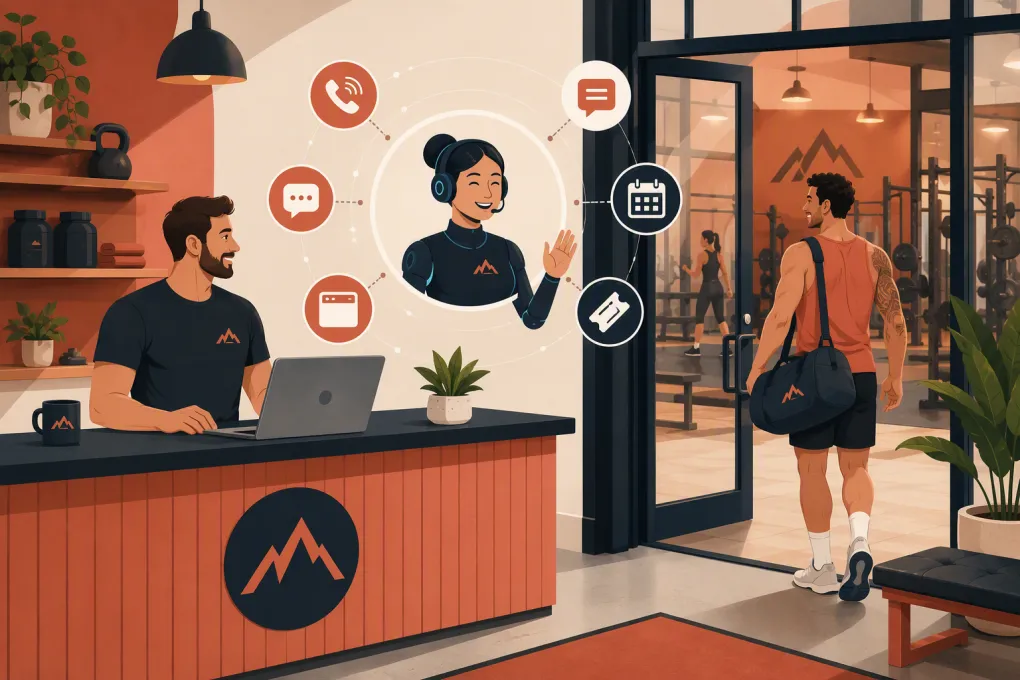
A day pass inquiry looks simple: What does it cost, when can I come in, and what do I need to bring? Operationally, it is a time-sensitive sales conversation. An AI receptionist for gym day pass inquiries can answer those questions immediately, capture the visitor’s details, guide them into the right session, and keep following up when your staff are coaching, cleaning, selling, or off the clock.
The goal is not to replace hospitality. It is to prevent routine inquiries from sitting unanswered until the prospect has already chosen another gym.
Why day pass inquiries are easy to lose
Day pass prospects often have immediate intent. They may be traveling, considering a membership, looking for a place to train that evening, or comparing nearby facilities. Their questions arrive through phone calls, website forms, texts, social messages, and business listings.
That creates several failure points:
- A call reaches voicemail during a class or front-desk rush.
- A website form collects an email but does not answer the visitor’s question.
- Staff provide inconsistent pricing, access, or amenity information.
- The prospect is told to call back during staffed hours.
- Nobody follows up after the first response.
- A visitor arrives without knowing about ID, waiver, age, or class requirements.
Even a fast human team has coverage gaps. Coaches cannot safely interrupt sessions to answer every call, and operators should not spend their evenings responding to repetitive questions.
See how Fitty handles gym inquiries while your team is busy →
What an AI receptionist should handle
A useful AI receptionist does more than send a generic FAQ response. It should move the conversation toward a clear next step while staying within the rules you set.
Answer common questions accurately
Build a controlled knowledge base covering the information day pass visitors actually need:
- Day pass options and what each includes
- Valid access hours
- Staffed versus unstaffed entry procedures
- Class eligibility and reservation requirements
- Locker room, shower, parking, towel, and equipment availability
- Guest age and minor policies
- Required identification and waivers
- Cancellation or refund rules
- Location-specific restrictions
- Accessibility information
The AI should use approved answers rather than improvising policies. Assign someone to review the knowledge base whenever pricing, schedules, amenities, or access procedures change.
Identify what the visitor needs
Not every inquiry should receive the same offer. A practical intake flow can ask:
- Which location do you want to visit?
- What date and approximate time are you coming?
- Are you looking for open-gym access, a class, or an appointment?
- Are you a local resident or visiting the area?
- Have you trained with us before?
- Do you have any access or accommodation questions staff should address?
Keep qualification short. The visitor came for access, not an interrogation. Ask only for information needed to recommend the right option and complete the booking.
Book the correct visit
The AI should connect the inquiry to real availability whenever possible. For a class-based studio, that means showing eligible sessions and reserving a place. For an open-gym day pass, it may mean selecting a visit window and sending entry instructions.
Booking logic should account for:
- Class capacity and waitlists
- Location hours
- Coach or service availability
- Advance-booking cutoffs
- Pass eligibility
- First-visit requirements
- Blackout dates or restricted areas
An AI receptionist should never promise access that the operating system cannot confirm.
Support payment without weakening controls
If your system supports online day pass purchases, the receptionist can direct the visitor into the approved checkout flow. Payment details should be handled through your payment processor rather than written into chat logs or staff notes.
Confirm what happens after checkout. A complete flow may include a receipt, waiver link, booking confirmation, directions, parking information, and arrival instructions. If payment fails, the visitor should receive a secure retry option or a staff handoff—not a dead end.
Build the conversation around intent
The strongest day pass workflow begins with the visitor’s question, not a sales pitch.
For example, someone asking whether the gym has squat racks needs a direct answer first. The receptionist can then ask when they plan to visit and offer the relevant pass. Someone asking about a drop-in yoga class needs current availability before being sent to checkout.
A simple conversation structure is:
- Answer: Respond directly using approved business information.
- Clarify: Ask one necessary question at a time.
- Recommend: Present the appropriate pass, class, or visit option.
- Act: Book the visit or provide the secure purchase path.
- Confirm: Send the date, location, policy, and arrival details.
- Follow up: Check in if the prospect does not complete the action.
Avoid artificial urgency and aggressive scripts. A person buying temporary access may become a member, but the immediate job is to deliver a smooth visit.
Use follow-up without becoming annoying
Many prospects ask a question and get distracted before booking. Automated follow-up can recover those conversations, provided it is relevant and easy to stop.
Useful triggers include:
- The visitor received pricing but did not choose a pass.
- A booking was started but not completed.
- A waiver or required step remains unfinished.
- The visitor requested a date that is approaching.
- The day pass was used and a post-visit check-in is appropriate.
A follow-up should reference the actual inquiry. Instead of sending a vague reminder, mention the requested location, date, or class and provide one clear action.
After the visit, ask about the experience before pushing membership. If the guest is local and interested in returning, route the conversation toward the most relevant membership, intro offer, or staff consultation. If the guest was traveling, keep the relationship useful by making future visits easy.
Explore how Fitty answers leads, books visits, and follows up 24/7 →
Know when the AI must involve a person
Automation needs clear boundaries. Create escalation rules for situations involving:
- Injuries, medical questions, or requests for training advice
- Accessibility needs requiring staff confirmation
- Billing disputes or refund exceptions
- Complaints and safety concerns
- Minors or unclear guardian requirements
- Requests outside published access policies
- Group visits, events, or special accommodations
- Questions the approved knowledge base cannot answer confidently
The handoff should include the visitor’s contact details, original question, relevant location, intended visit time, and conversation history. Do not make the customer repeat everything.
Set ownership as well. An escalation queue without a responsible person simply creates a more organized form of neglect.
Protect the guest experience and your business
Before switching on an AI receptionist, review the operational details around it.
Be clear that the visitor is interacting with AI
Do not design the receptionist to impersonate a specific employee. A straightforward introduction sets the right expectation while still allowing a natural conversation.
Get messaging consent right
Automated calls and texts are subject to communications rules and platform requirements. Work with qualified counsel and your providers to establish appropriate consent, identification, opt-out, and recordkeeping practices. Do not assume that one inquiry grants permission for unlimited promotional messaging.
Limit access to sensitive information
Give the receptionist only the data and system permissions required for its job. Review conversation retention, staff access, payment handling, account security, and vendor responsibilities.
Test unusual scenarios
Do not test only the happy path. Ask what happens when:
- A class is full.
- The requested location is closed.
- The visitor wants to bring a minor.
- The guest cannot complete payment.
- Two policies appear to conflict.
- The AI does not know the answer.
- The customer changes dates mid-conversation.
A controlled fallback is better than a confident but incorrect answer.
Measure the workflow, not just message volume
Conversation counts do not tell you whether the system is helping. Review outcomes tied to the day pass journey:
- Inquiry source and channel
- Time to first response
- Questions the AI could not answer
- Booking or purchase completion
- Abandoned booking stage
- Staff escalation reason
- Day pass check-in status
- Repeat visit or membership interest
- Opt-outs and complaints
Listen to or read a sample of conversations regularly. Look for incorrect answers, awkward repetition, unnecessary questions, and handoffs that arrive without context. Update the workflow based on real guest language rather than internal terminology.
For multi-location operators, report by location. Different hours, amenities, parking rules, and staff practices can create very different results even when the same receptionist handles the initial inquiry.
A practical rollout plan
Start with one tightly defined workflow instead of automating every front-desk conversation at once.
- Document current day pass options and operating rules.
- List the questions staff answer repeatedly.
- Define which visits can be booked automatically.
- Connect schedules, lead records, and approved payment paths.
- Create escalation categories and assign owners.
- Test phone, text, and web conversations with realistic scenarios.
- Launch at one location or during a limited coverage window.
- Review unanswered questions and booking friction.
- Expand only after the information and handoffs are reliable.
Fitty, WTF Go’s AI receptionist and agent, is built for this kind of continuous lead coverage. It can answer leads, book classes, follow up, and help collect dues around the clock, while WTF Go keeps the surrounding customer and operating workflows together.
See how WTF Go and Fitty can run your day pass inquiry workflow →
The real value is not simply answering faster. It is creating a consistent path from first question to confirmed visit without forcing coaches, managers, or prospects to chase the next step.
Frequently asked questions
Can an AI receptionist sell gym day passes?
It can explain approved pass options, qualify the visit, connect the prospect to secure checkout, and confirm the booking when integrated with the appropriate systems. Payment data should remain inside an approved payment processor.
Can it answer phone calls as well as website messages?
Some AI receptionist platforms support voice, text, and web channels, but capabilities vary. Confirm which channels share customer context, booking access, and escalation rules before choosing a system.
What information should the AI collect from a day pass visitor?
Usually the visitor’s name, contact details, preferred location, visit date, desired activity, and any information required for booking or access. Avoid collecting information that is not necessary for the visit.
Should an AI receptionist handle refunds or safety complaints?
Routine policy explanations may be automated, but disputes, exceptions, injuries, and safety complaints should be escalated to an authorized staff member with the conversation context attached.
How does Fitty help with day pass inquiries?
Fitty can answer incoming leads, book eligible classes or visits, follow up with prospects, and support payment-related workflows 24/7 within the broader WTF Go operating system.
Keep reading



Run your gym on autopilot with WTF Go
Fitty — your AI receptionist — answers calls and DMs, fills classes, follows up with every lead, and collects dues while you coach.