AI & Automation
AI Receptionist for Gym Class Bookings: Practical Guide
Learn how an AI receptionist for gym class bookings handles calls, captures leads, fills classes, and protects the member experience around the clock.
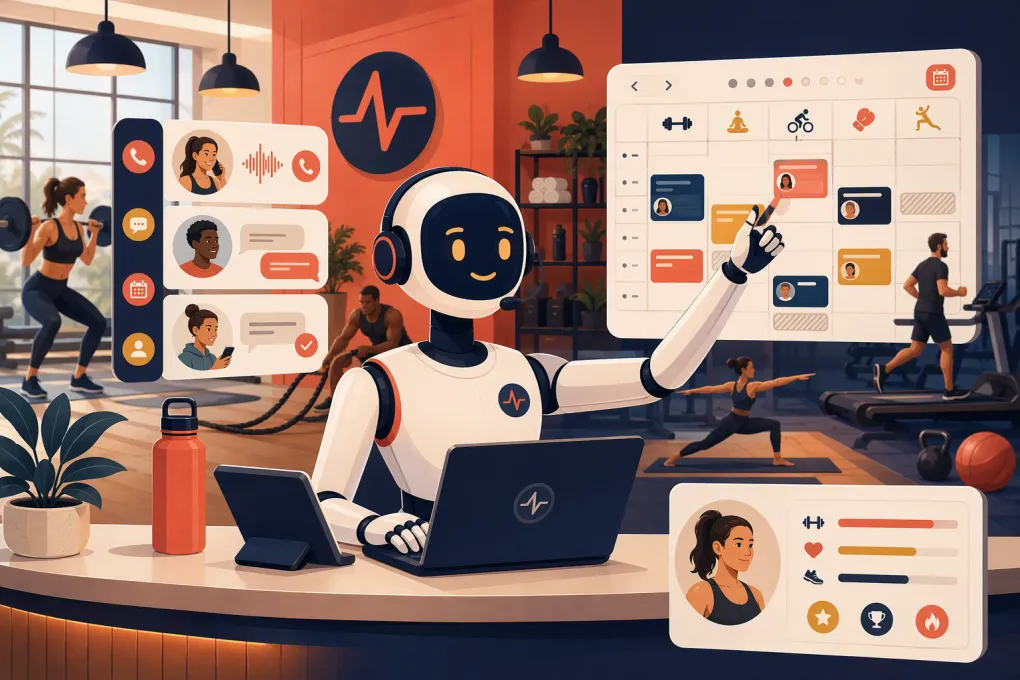 Watch · 20s
A prospect calls your gym at 7:15 p.m. They want to know whether tomorrow’s strength class is beginner-friendly, what it costs, and how to reserve a spot. Your coach is teaching. The front desk has gone home. By the time someone returns the call, that prospect may have booked somewhere else.
An AI receptionist for gym class bookings closes that operational gap. It can answer common questions, capture lead information, help the caller choose an appropriate class, complete the booking, and continue the conversation when your team is unavailable.
That does not mean handing every customer interaction to a robot. The right model is controlled automation: let AI handle predictable booking work while staff take over conversations requiring judgment, sensitivity, or a personal relationship.
See how Fitty handles gym booking inquiries after hours →
What an AI gym receptionist actually does
An AI receptionist is a conversational layer between your customers and your booking operation. Depending on the system, it may communicate by phone, text, website chat, or a combination of channels.
For class bookings, it should be able to:
- Answer questions about schedules, class formats, pricing, and basic policies
- Ask whether the person is a new lead or existing member
- Identify an appropriate location, date, and class
- Check current schedule information before offering a booking
- Collect the details needed to create or update a customer record
- Book the class through the connected management system
- Send a confirmation and relevant arrival instructions
- Follow up when a lead does not complete the booking
- Transfer or flag conversations that require a staff member
The distinction between a useful AI receptionist and a generic chatbot is execution. Giving someone a link to your schedule is not the same as helping them choose and book the right class.
Why gym class booking inquiries are easy to lose
Booking conversations look simple until you examine what the customer is really asking.
“I want to try a class” can require several decisions:
- Which location is convenient?
- Which class matches the person’s goals or experience?
- Is there space available?
- Do they need an intro session first?
- Is a trial, drop-in, or membership required?
- What should they bring, and when should they arrive?
A static booking page forces the customer to answer those questions alone. A busy staff member may answer them well, but only when available. An AI receptionist can keep the conversation moving without pulling a coach away from the floor.
It also creates consistency. Every lead can receive the same required questions, approved policy explanation, and next step instead of getting a different answer depending on who picks up the phone.
How the ideal booking conversation should work
A strong booking workflow should be short enough to preserve momentum but thorough enough to avoid bad bookings.
1. Identify the customer
The receptionist should first determine whether the person is:
- A new prospect
- An active member
- A former member
- A guest already associated with another customer
This matters because each person may have different booking permissions, pricing, and next steps. It also helps prevent duplicate contact records.
2. Understand intent
The system should ask a focused question such as, “Are you looking for a specific class, or would you like help choosing one?”
Useful follow-up topics include:
- Preferred location
- Desired day and time
- Training goal
- Previous experience
- Class format preference
- Relevant participation requirements
The receptionist should not diagnose injuries or make medical promises. Questions involving pain, pregnancy, rehabilitation, contraindications, or unusual accommodations should go to a qualified staff member.
3. Present a small number of valid options
Do not make customers listen to or read the entire weekly schedule. Offer a few suitable options based on their answers.
Each option should include the essential details:
- Class name
- Date and start time
- Location
- Instructor, if relevant
- Availability
- Price or eligibility requirement
Most importantly, the options must come from current schedule data. An AI system disconnected from your live operating system can confidently offer a class that is full, canceled, or restricted.
4. Complete the booking
Once the customer selects a class, the receptionist should finish the transaction rather than ending with “Visit our website.” That may involve collecting contact details, recording consent, creating the reservation, or sending a secure payment link.
Avoid having customers provide full card details through an unsecured message or an improvised staff process. Payments should run through an appropriate payment provider and follow your organization’s security requirements.
5. Confirm expectations
The confirmation should explain what happens next. Include only information relevant to that booking, such as:
- Arrival time
- What to wear or bring
- Parking or entry instructions
- Waiver requirements
- Cancellation policy
- Contact method for help
Clear expectations reduce preventable front-desk questions and awkward first visits.
The capabilities operators should evaluate
AI demos can sound impressive while avoiding the difficult operational details. Test systems against real customer scenarios before making a decision.
Live schedule access
Ask where the AI gets availability information and how quickly schedule changes are reflected. Confirm what happens when a class fills during the conversation.
Customer record handling
The system should distinguish new and existing customers, avoid unnecessary duplicates, and write useful information back to the correct record.
Policy control
You need a reliable way to define approved answers for trials, refunds, age restrictions, late arrivals, cancellations, and membership eligibility. Staff should own the policy; AI should apply it.
Human escalation
Define when the receptionist should stop automating and bring in a person. Common escalation triggers include:
- Injury or medical questions
- Complaints and refund disputes
- Accessibility requests requiring coordination
- Billing issues the system cannot verify
- Unusual membership exceptions
- Repeated confusion or customer frustration
Escalations should include a summary of the conversation so the customer does not need to start over.
Follow-up
A lead who asks about a class but does not book should not disappear into a shared inbox. The system should record the inquiry and trigger a relevant follow-up based on what the person requested.
See how WTF Go connects AI conversations, lead follow-up, and booking workflows →
Guardrails your gym should set before launch
The quality of an AI receptionist depends on the operating rules behind it. Do not launch with a pile of outdated FAQs and expect a clean customer experience.
Build a controlled source of truth covering:
- Current class descriptions
- Location details and hours
- Trial and drop-in rules
- Membership and package eligibility
- Booking and cancellation windows
- Age or experience restrictions
- Waiver requirements
- Escalation contacts
- Approved pricing explanations
Assign an owner to each category. When a policy changes, update the AI’s source material as part of the same operational change—not weeks later.
You should also disclose when customers are interacting with an automated assistant rather than pretending it is a human employee. Review applicable calling, texting, recording, consent, privacy, and opt-out requirements with qualified counsel. Requirements can vary by communication method and jurisdiction.
A practical rollout plan
Start with a narrow workflow and expand after reviewing real conversations.
Phase 1: Map demand
Review recent calls, texts, emails, and social messages. Group booking inquiries into categories such as schedule questions, first-class requests, pricing questions, cancellations, and billing issues.
This gives you a realistic automation priority list instead of relying on assumptions.
Phase 2: Define the booking path
Write the exact information required to book each major class type. Remove unnecessary questions. Identify which situations require staff approval.
Phase 3: Test realistic scenarios
Have staff members test the receptionist as different customers:
- A beginner who does not know which class to choose
- A member trying to book a full class
- A lead contacting the wrong location
- A parent asking about age requirements
- A customer with an injury question
- A caller who changes their mind midway through booking
- A person asking for a policy exception
Check not only whether the answer sounds natural, but whether the correct record and booking action appear in your system.
Phase 4: Launch during controlled hours
You might begin with after-hours inquiries or overflow calls. Review transcripts, outcomes, failed bookings, and escalations regularly. Fix unclear policies before expanding the scope.
Phase 5: Add follow-up and payment workflows
Once booking accuracy is dependable, connect incomplete inquiries to follow-up. Payment or dues collection should use secure, approved workflows and clear escalation rules.
Fitty, WTF Go’s AI receptionist, is designed to answer leads, book classes, follow up, and collect dues around the clock. Because those conversations sit within a broader operating system, the goal is not simply to answer more messages. It is to move the customer toward a completed, recorded next step.
Explore Fitty for gym class booking and lead response →
What to measure after implementation
Do not judge the system by how human it sounds. Judge it by whether it improves the operation without damaging the member experience.
Track:
- Booking inquiries received by channel and time of day
- Inquiries that result in completed bookings
- Conversations requiring staff escalation
- Failed or abandoned booking attempts
- Duplicate or incomplete customer records
- Incorrect answers reported by staff or customers
- Time between inquiry and first response
- Leads awaiting human follow-up
- Cancellations or complaints tied to unclear expectations
Review the underlying conversations, not just dashboard totals. A completed booking can still be a poor outcome if the customer was placed in the wrong class or given inaccurate instructions.
The real value is operational coverage
An AI receptionist for gym class bookings is most useful when it removes a specific constraint: customers want immediate help, while your staff need to coach, sell, clean, solve problems, and run the facility.
The objective is not to eliminate the front desk. It is to stop using skilled staff for repetitive schedule lookups and routine data collection while valuable leads wait unanswered.
Choose a system that can act on current booking information, follow your policies, document the outcome, and hand off edge cases cleanly. That is what turns AI from a website novelty into part of the gym’s operating infrastructure.
Frequently asked questions
Can an AI receptionist book gym classes without staff approval?
Yes, when it has access to current schedules, availability, customer eligibility, and approved booking rules. Exceptions and sensitive requests should still be escalated to staff.
Can an AI receptionist answer gym calls after hours?
Yes. An AI receptionist can handle routine questions, capture lead information, and complete supported booking workflows when the front desk is closed.
Will an AI receptionist replace my front-desk team?
It is better used to cover repetitive and missed interactions, not replace human judgment. Staff should handle complaints, exceptions, medical concerns, and relationship-driven conversations.
What information does an AI need to book classes accurately?
It needs current schedules, availability, class descriptions, customer records, pricing or eligibility rules, cancellation policies, and clear escalation instructions.
How should a gym evaluate an AI receptionist?
Test it with real booking scenarios and review booking accuracy, response time, escalations, abandoned conversations, record quality, and incorrect answers.
Keep reading



Run your gym on autopilot with WTF Go
Fitty — your AI receptionist — answers calls and DMs, fills classes, follows up with every lead, and collects dues while you coach.