AI & Automation
AI Receptionist for Gym Childcare Reservations Playbook
Learn how an AI receptionist for gym childcare reservations can handle questions, enforce rules, reduce no-shows, and protect staff handoffs at scale.
 Watch · 20s
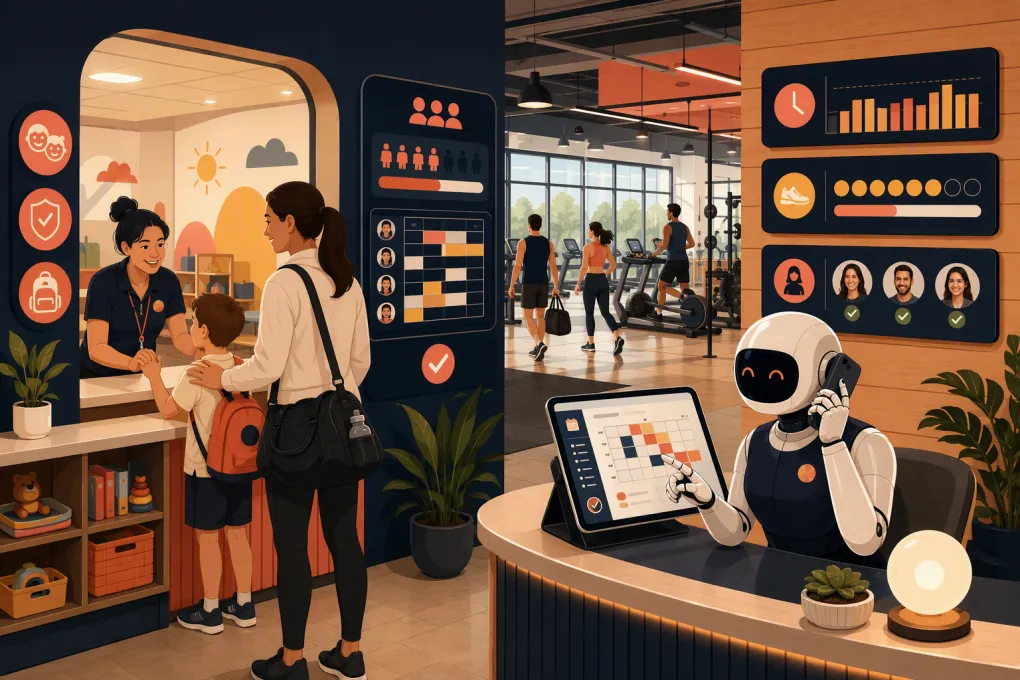
Childcare can be one of a gym’s strongest retention amenities—and one of its hardest services to manage at the front desk. Parents need fast answers about availability, ages, hours, policies and cancellations. Staff must protect room capacity, required staffing levels and child-specific instructions. When those conversations happen across phone calls, texts and direct messages, mistakes become easy.
An AI receptionist can remove much of that administrative load, but only if it operates inside clear rules. Gym childcare is not simply another class on the schedule. The workflow involves children, authorized adults, health information, capacity limits and safety-sensitive handoffs.
The goal is not to let AI supervise childcare or make judgment calls. The goal is to let it handle repetitive communication and reservation work while routing exceptions to trained employees.
See how Fitty can manage childcare reservation conversations around the clock →
What an AI receptionist should handle
A useful AI receptionist covers the predictable parts of the member journey before, during and after a childcare reservation.
Answering policy and availability questions
Parents commonly ask:
- Is childcare available today?
- What ages do you accept?
- How long may a child stay?
- Does the parent need to remain in the building?
- What should the child bring?
- How do cancellations and late arrivals work?
- Can siblings share a reservation?
- Who is allowed to pick up the child?
An AI agent can answer these questions consistently from an approved knowledge base. That reduces interruptions for the front desk and prevents employees from giving conflicting answers.
The knowledge base should use the gym’s actual policy language. Do not ask an AI tool to infer rules from scattered website pages or old staff documents. Assign an operator to maintain one approved source of truth.
Creating, changing and canceling reservations
The agent should be able to identify the member, find the eligible child profile, present available times and record the booking in the system employees use.
A complete booking flow should confirm:
- Location and date
- Start and end time
- Child or children attending
- Age eligibility
- Available capacity
- Parent or guardian contact information
- Applicable fees or membership entitlements
- Required acknowledgments
- Final reservation status
A request is not a reservation until the booking system confirms it. Avoid workflows where the AI sends a friendly confirmation before the underlying record has been created.
Sending reminders and follow-ups
Automated reminders can restate the details that cause operational problems: arrival time, cancellation deadline, check-in location and items the parent must bring.
After a cancellation, the agent can offer another opening. After a missed reservation, it can explain the no-show policy and direct the member to rebook. If the gym maintains a waitlist, the agent can contact the next eligible member according to the club’s documented process.
Collecting approved charges
If childcare has a reservation fee, add-on charge or outstanding balance, the receptionist can direct the member through the business’s approved payment workflow. Payment details should be handled by the payment provider rather than exposed in general chat transcripts.
The agent also needs rules for failed payments, disputed charges and refund requests. Those cases may require employee review instead of an automatic decision.
Where AI should stop and a person should take over
Childcare workflows need firmer escalation boundaries than ordinary class booking.
An AI receptionist should not independently decide:
- Whether a sick or injured child may be admitted
- Whether an allergy or medical condition can be accommodated
- Whether staffing may exceed an established child-to-staff limit
- Whether an unauthorized adult may pick up a child
- How to respond to a custody dispute
- Whether to waive a safety or check-in requirement
- How to handle an active emergency or incident
Those decisions belong to trained staff following written policy and applicable requirements. Rules can vary by state, local jurisdiction, facility type and service model, so operators should review childcare practices with qualified legal, insurance and compliance professionals.
Configure the agent to recognize high-risk phrases such as injury, allergic reaction, missing child, custody order, unauthorized pickup or emergency. It should immediately provide the gym’s approved emergency direction and alert the appropriate employee. AI is a routing layer in these situations, not the decision-maker.
Build the reservation rules before adding automation
Automation exposes weak processes. If employees do not agree on capacity, eligibility or cancellation rules, an AI receptionist will not resolve the disagreement.
Document the following before launch.
Service eligibility
Specify which memberships include childcare, whether drop-ins may book, the accepted age range and whether a child profile must be completed first. Define how trial members and guests are handled.
If rules differ by location, do not combine them into one generic answer. The agent should identify the facility before quoting hours, availability or policy.
Capacity and duration
Set capacity by room, time block and location. If capacity depends on scheduled staff, the reservation inventory must reflect that dependency.
Also define minimum booking increments, maximum stay, booking windows and limits on simultaneous sibling reservations. Employees need a documented process for taking space offline when staffing changes.
Cancellation, late-arrival and no-show rules
State when a reservation may be canceled, whether a fee applies and how long a spot is held after the scheduled start time. The AI should quote the rule before applying a charge or releasing a reservation.
Managers should retain a controlled override process. The override should be visible in the reservation history rather than handled through an undocumented text message.
Parent and child records
Decide what information belongs in the core member record, the childcare profile and a restricted staff-only area. Collect only what the business needs to operate the service.
Access should follow employee roles. A salesperson may need to explain childcare availability without seeing sensitive notes about a child. Review how transcripts, profile data and consent records are stored and retained.
Explore how WTF Go connects AI conversations with member and booking workflows →
The ideal booking conversation
A strong conversation is short, specific and difficult to misunderstand. It might follow this structure:
- Identify intent: New reservation, change, cancellation or policy question.
- Confirm identity: Match the parent to the correct member record using the gym’s approved verification method.
- Select location: Essential for multi-location operators with different hours or policies.
- Identify the child: Use an existing eligible profile or explain what must be completed.
- Check live inventory: Offer only bookable times from the system of record.
- Surface relevant rules: Mention deadlines, duration and check-in requirements before confirmation.
- Complete the transaction: Create the reservation and process any required payment through the approved workflow.
- Send written confirmation: Include child, location, date, time and cancellation instructions.
- Record the interaction: Make the outcome visible to employees.
The agent should ask one clear question at a time. Long messages containing several policy paragraphs make it easier for parents to miss the action they need to take.
Operational requirements that matter
The quality of the AI response is only one part of the system. Operators should evaluate the underlying controls.
One source of availability
The AI, member app and front desk must read from the same reservation inventory. Separate calendars create double bookings and inconsistent answers.
If real-time integration is unavailable, be explicit about the limitation. The agent can collect a request for staff confirmation, but it should not present the request as a confirmed booking.
Durable staff handoffs
When escalation is required, staff should receive the member’s identity, location, requested time, child profile and reason for escalation. Making the parent repeat the entire conversation defeats much of the benefit.
Define who receives each type of handoff and what happens outside staffed hours. A non-urgent policy exception can wait for a manager; a safety-related message cannot sit in a general inbox.
Auditability
Managers should be able to review what the agent said, what rule it used and what action occurred. This is important for disputed fees, failed bookings and policy corrections.
Create a routine for reviewing conversations. Look for unanswered questions, avoidable escalations, incorrect knowledge and places where members abandon the process.
Multi-location controls
Multi-location operators need global standards without erasing local differences. Keep brand-wide language for issues such as tone and identity verification, then maintain location-level hours, capacity, contact paths and service rules.
Permissions matter too. A local manager should not accidentally change childcare policy for every facility.
How to launch without disrupting the kids club
Start with a narrow, measurable rollout rather than opening every workflow at once.
Phase 1: Questions and lead capture
Let the AI answer approved childcare questions, explain membership access and collect requests. Review transcripts to identify missing or ambiguous policies.
Phase 2: Existing-member reservations
Enable booking for straightforward cases: eligible child profile, available capacity, valid membership and no exception request. Route everything else to staff.
Phase 3: Changes, payments and waitlists
Add cancellations, rescheduling, approved charges and waitlist outreach after the core reservation flow is reliable.
Before each phase, test scenarios such as:
- Two siblings with different age eligibility
- A parent contacting the wrong location
- A full time block
- A canceled booking with a waitlist
- An expired membership
- A failed payment
- A late-arrival request
- A medical or allergy question
- An unauthorized pickup question
- A message received after staffed hours
Use test accounts rather than real child information whenever possible.
Measure the workflow, not just message volume
A high number of automated conversations does not prove the system is working. Review operational outcomes such as completed reservations, abandoned requests, staff escalations, booking errors, no-shows and corrections made by employees.
Separate healthy escalations from failures. Sending a medical accommodation question to a manager is correct behavior. Escalating every basic availability request suggests the agent lacks access or usable rules.
Fitty, WTF Go’s AI receptionist, is designed to answer leads and members, book services, follow up and support payment collection around the clock. For childcare, the important implementation question is not merely whether AI can chat. It is whether the agent can follow your location-specific rules, use the right booking data and hand sensitive exceptions to staff.
See how Fitty can support your gym’s childcare booking and follow-up process →
The best setup gives parents faster service without weakening operational control. Automate the repeatable work, make confirmations unambiguous and keep trained people firmly responsible for safety-sensitive decisions.
Frequently asked questions
Can an AI receptionist book gym childcare reservations automatically?
Yes, if it can access current availability, verify eligibility and write the confirmed reservation to the gym's system of record. Otherwise, it should collect a request and clearly state that staff confirmation is required.
Can AI manage childcare capacity and waitlists?
It can enforce documented capacity and waitlist rules when connected to reliable booking inventory. Employees should control capacity changes caused by staffing or safety requirements.
What childcare questions should always go to gym staff?
Medical conditions, illness, injuries, allergies, custody issues, unauthorized pickup, policy exceptions and emergencies should be routed to trained staff under written procedures.
Does an AI receptionist replace childcare or front-desk employees?
No. It handles repetitive questions, reservations, reminders and approved payment workflows, while employees remain responsible for supervision, exceptions, safety and in-person check-in.
What should a gym prepare before automating childcare reservations?
Document eligibility, age limits, capacity, booking windows, cancellation rules, check-in requirements, escalation paths and location-specific differences. The AI also needs a reliable source of booking availability.
Keep reading



Run your gym on autopilot with WTF Go
Fitty — your AI receptionist — answers calls and DMs, fills classes, follows up with every lead, and collects dues while you coach.