AI & Automation
AI Receptionist for Fitness Studio Missed Calls: Playbook
Learn how an AI receptionist for fitness studio missed calls can answer leads, book sessions, handle FAQs, and give staff a reliable follow-up system.
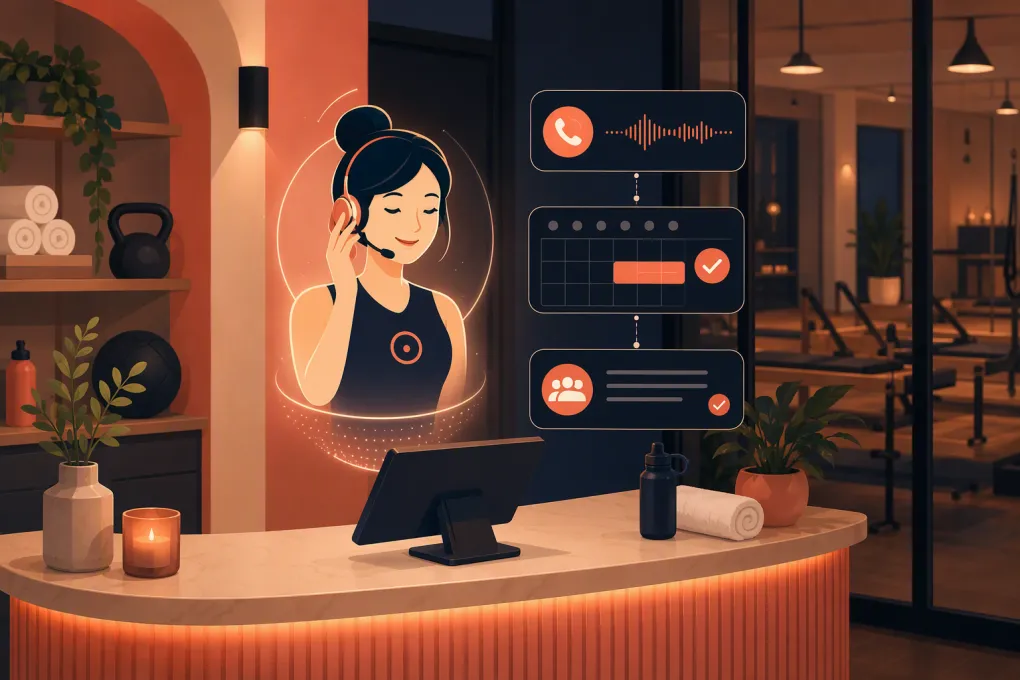 Watch · 20s
A prospective member calls your studio between classes. The coach is on the floor, the front desk is helping a member, and nobody answers. By the time someone checks voicemail, the caller may have contacted another studio or simply moved on.
That is the real missed-call problem. It is not just the unanswered ring. It is the delay, inconsistent follow-up, lost context, and extra administrative work created afterward.
An AI receptionist can close that gap by answering common questions, capturing intent, booking eligible sessions, and escalating conversations that need a person. But it only works well when the system is built around your actual operating rules—not a generic chatbot script.
Why fitness studios miss high-intent calls
Calls often arrive when staff members are least able to respond:
- During peak class check-in
- While coaches are teaching or training clients
- Before the first shift or after the final class
- When the front desk is handling waivers, retail, or account issues
- During weekends, holidays, and schedule changes
- When one employee is covering several roles
Many of these callers have immediate, practical questions. They want to know whether a beginner can join tonight, how to book an intro session, where to park, what to bring, or whether childcare is available.
A voicemail greeting does not resolve any of those questions. A callback task helps, but only if the message is clear, the lead is assigned, and someone follows up quickly.
See how Fitty handles after-hours inquiries and missed-call follow-up →
What an AI receptionist should do with a missed call
The phrase “AI receptionist” covers several different capabilities. Some tools only send an automatic text. Others can hold a conversation, access scheduling information, update a lead record, and complete a booking.
For fitness studios, a useful missed-call workflow should cover five steps.
1. Capture the caller and the reason for calling
At minimum, the system should record the caller’s contact information, time of inquiry, location, and stated need. Useful intent categories include:
- New membership inquiry
- Intro class or consultation
- Existing booking change
- Schedule or pricing question
- Membership billing issue
- Facility question
- Cancellation request
- Urgent staff escalation
Intent matters because a sales lead should not enter the same workflow as a billing dispute or class cancellation.
2. Respond while interest is active
If the call cannot be answered directly, the receptionist should trigger an approved follow-up workflow. That might begin with a text acknowledging the missed call and asking what the person needs.
A practical opening is:
Hi, this is the virtual receptionist for [Studio]. Sorry we missed your call. Are you looking to book a class, ask about membership, or get help with an existing account?
The message is short, identifies the business, and offers clear next steps. It does not pretend a human answered.
Automated calling and texting are regulated. Work with qualified counsel on consent, identification, opt-out handling, call recording, and other requirements that apply to your business and jurisdictions. A prior phone call should not automatically be treated as permission for every type of future marketing message.
3. Answer operational questions accurately
The AI should pull from a controlled studio knowledge base rather than improvise. That knowledge base should include:
- Current class types and experience levels
- Intro offers and eligibility rules
- Age requirements
- What to bring
- Arrival and late-entry policies
- Parking and entrance instructions
- Cancellation and no-show policies
- Accessibility information
- Childcare availability
- Holiday hours
- Accepted payment methods
Avoid loading vague or outdated answers. If a policy varies by location, class, membership, or instructor, the receptionist needs that distinction.
4. Complete the next action
A response is helpful; a completed task is better. Depending on the caller’s intent and eligibility, the AI receptionist should be able to:
- Book an intro class or consultation
- Offer available times
- Send registration or waiver instructions
- Reschedule an eligible appointment
- Create or update the lead record
- Assign a follow-up task
- Send payment instructions
- Escalate an account or billing issue
Fitty is the AI receptionist inside WTF Go. It can answer leads, book classes, follow up, and collect dues around the clock, keeping those actions within the broader operating system instead of leaving staff to reconcile separate inboxes and spreadsheets.
Explore how Fitty manages missed calls, bookings, and follow-up in one workflow →
5. Hand off with context
Automation should remove repetitive work, not trap people in a loop. The handoff should give staff a concise summary such as:
- Caller name and contact information
- New lead or existing member
- Reason for the inquiry
- Questions already answered
- Actions already completed
- Unresolved issue
- Requested callback time
This prevents the employee from starting the conversation over and asking the caller to repeat everything.
Build the workflow around caller intent
One generic sequence will produce awkward conversations. Set different rules for common scenarios.
New lead seeking a first visit
The receptionist should identify the person’s goal, experience level, preferred location, and availability. It can then offer the correct intro class or consultation based on your rules.
Do not force a high-intent lead through a long qualification script. Gather only what is required to recommend and book the right next step.
Existing member changing a reservation
Verify the member before exposing account information or making changes. Apply the actual cancellation window and waitlist rules. If the request falls outside policy, escalate it instead of promising an exception.
Pricing inquiry
Give approved, current information. If pricing depends on frequency, service, or commitment, explain that clearly and guide the caller toward a consultation. Avoid using “starting at” language unless the caller could realistically purchase at that level.
Billing or collections issue
The AI may be able to provide a secure payment path or collect an outstanding balance. Disputes, refund requests, hardship conversations, and unusual account histories should go to an authorized employee.
Injury or medical question
The receptionist should not diagnose conditions or make clinical promises. It can explain general class formats, direct the caller to speak with an appropriate professional, and escalate safety concerns according to your policy.
How to configure an AI receptionist for your studio
The quality of the outcome depends heavily on setup. Before going live, document the following.
Booking rules
Specify which services can be booked automatically, required lead times, capacity rules, introductory offer eligibility, age limits, and whether payment or a waiver is required before confirmation.
Escalation rules
Define what must reach a person. Common escalation triggers include refunds, injuries, threats, repeated payment failures, accessibility requests requiring coordination, and policy exceptions.
Also define ownership. “Send to staff” is not a process. Name the role or queue responsible, the expected response window, and what happens if nobody accepts the task.
Tone and boundaries
Give the receptionist plain-language guidance on how your studio communicates. More importantly, state what it cannot claim. It should never invent availability, promise results, create discounts, override policies, or represent itself as a licensed professional.
Location-specific information
Multi-location operators need separate hours, directions, schedules, offers, amenities, and escalation contacts. Confirm the location early in the interaction instead of assuming the closest branch.
Failure paths
Test what happens when the booking system is unavailable, a class is full, identity cannot be verified, or the caller asks something outside the knowledge base. A safe “I need a team member to confirm that” is better than a confident wrong answer.
Test before routing every call
Start with a controlled set of scenarios. Call from numbers that are not already in your database and test:
- A new lead asking for tonight’s beginner class
- A member trying to cancel outside the allowed window
- A caller asking about an expired promotion
- A parent asking about age requirements
- A prospect choosing between two locations
- A billing question that requires staff review
- A caller using an unexpected phrase or changing topics
- A request made while the booking system is unavailable
Review the transcript, booking result, lead record, staff notification, and follow-up timing. Fix the underlying rule or source content whenever the AI gives a weak answer. Do not rely on staff to correct the same problem manually each time.
Measure whether missed-call automation is working
Avoid judging the system only by how many messages it sends. Track the operational outcome:
- Calls answered or recovered
- Callers who respond to follow-up
- Qualified leads identified
- Intro sessions or classes booked
- Bookings that attend
- Conversations escalated to staff
- Time from inquiry to first response
- Incorrect answers or failed bookings
- Opt-outs and complaints
- Staff time spent resolving exceptions
Review failed and escalated conversations regularly. They reveal missing policies, confusing offers, and scheduling rules that may also be hurting your human front desk.
Choose a system that can finish the job
A basic missed-call text tool may be enough if you only need acknowledgment and manual callbacks. If your goal is to reduce front-desk workload and capture more bookings, look for a system that can act on the conversation.
Ask vendors whether the AI can access live availability, apply eligibility rules, preserve conversation history, distinguish locations, trigger follow-up, process approved payment workflows, and hand off with context. Also ask how administrators update answers and review mistakes.
WTF Go combines studio operations with Fitty, so the AI receptionist can work from the same customer, booking, follow-up, and dues workflows your team uses.
See how WTF Go and Fitty can replace a missed-call patchwork →
The practical goal: no dead-end inquiries
The objective is not to remove people from your studio. It is to stop making coaches and front-desk employees choose between serving the person in front of them and responding to the person on the phone.
A well-configured AI receptionist handles routine questions and transactions immediately, then gives staff the context to manage exceptions. That creates a cleaner experience for prospects, members, and the employees responsible for both.
Frequently asked questions
Can an AI receptionist book fitness classes after a missed call?
Yes, if it has access to current availability and your booking rules. It should confirm eligibility, required payment, waivers, and location before finalizing the reservation.
Should an AI receptionist tell callers that it is automated?
Clear identification is the safer operating practice and may be legally required in some contexts. Review applicable disclosure, recording, texting, and consent rules with qualified counsel.
What calls should be escalated to studio staff?
Escalate injuries, refunds, disputes, policy exceptions, complex billing issues, accessibility coordination, and anything the AI cannot answer from approved information.
Is a missed-call text the same as an AI receptionist?
No. A missed-call text acknowledges the inquiry, while a capable AI receptionist can continue the conversation, answer approved questions, book eligible services, and provide a contextual handoff.
How does Fitty help with missed fitness studio calls?
Fitty is WTF Go’s AI receptionist. It answers leads, books classes, follows up, and collects dues 24/7 within the WTF Go operating system.
Keep reading



Run your gym on autopilot with WTF Go
Fitty — your AI receptionist — answers calls and DMs, fills classes, follows up with every lead, and collects dues while you coach.