AI & Automation
AI Receptionist for Fencing Academies: A Practical Guide
Learn how an AI receptionist for fencing academies can answer parent questions, book intro lessons, follow up with leads, and collect overdue dues 24/7.
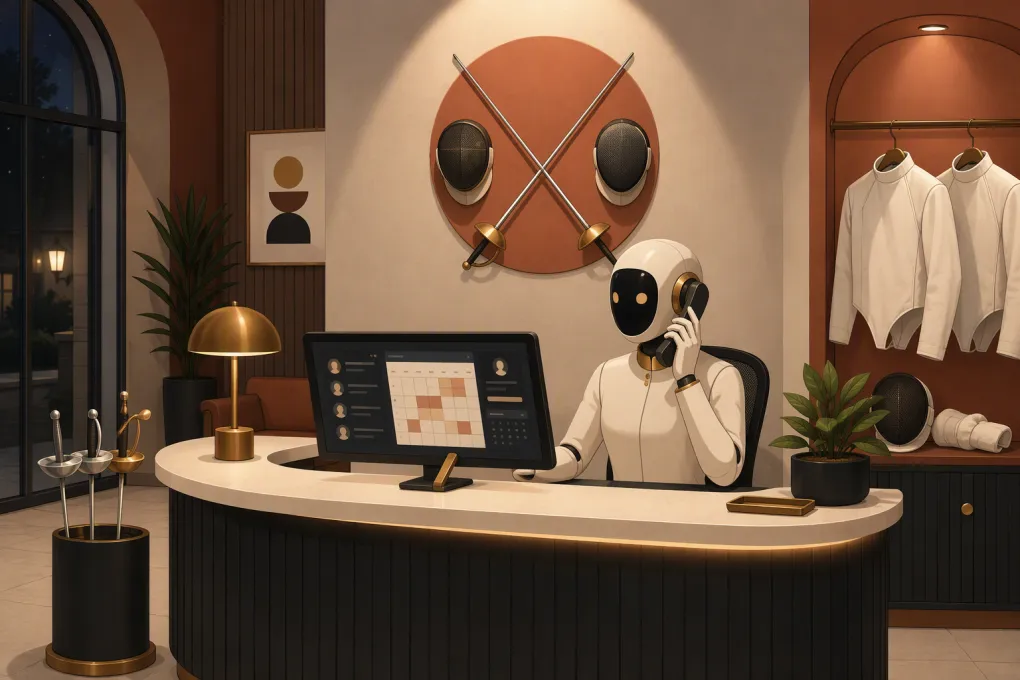 Watch · 20s
Running a fencing academy creates a front-desk problem that generic answering services rarely understand. Most inquiries come from parents or adult beginners who need guidance, not just a class schedule. They want to know which weapon to choose, whether equipment is included, what age groups you teach, and how to book a first lesson.
Meanwhile, your staff may be coaching, supervising open fencing, helping athletes gear up, or traveling to a competition. Calls go unanswered, web leads wait for a response, and prospective members move on without ever stepping onto the strip.
An AI receptionist for fencing academies can cover that gap. It can answer routine questions, qualify prospects, book introductory sessions, follow up with undecided leads, and handle common account requests without pulling a coach away from the floor.
See how Fitty can handle fencing inquiries while your coaches stay on the strip →
What an AI receptionist actually does
An AI receptionist is more than a recorded phone menu. It communicates conversationally by phone or messaging, uses information supplied by your academy, and takes approved actions inside connected business systems.
For a fencing academy, those actions may include:
- Answering calls during classes, evenings, weekends, and competition travel
- Explaining the difference between beginner, youth, adult, and competitive programs
- Collecting a prospect’s age, experience level, preferred weapon, and availability
- Booking an introductory lesson or beginner course
- Sending directions, parking instructions, waiver links, and equipment guidance
- Following up after an inquiry or trial session
- Rescheduling eligible appointments under your policies
- Answering basic billing questions and collecting overdue dues
- Routing sensitive or unusual situations to a staff member
The goal is not to replace coaching expertise. It is to keep repetitive administrative work from consuming the people whose attention belongs on instruction, safety, and member relationships.
Why fencing inquiries are easy to lose
Fencing has a higher education burden than many familiar activities. A first-time caller may not understand the distinction between foil, épée, and sabre. A parent may be unsure whether a child needs prior athletic experience. An adult prospect may worry that the club is only for serious competitors.
A simple voicemail greeting leaves those questions unresolved. A generic call center may capture a name and number, but it usually cannot guide the caller toward the right program unless its agents have detailed, current instructions.
Speed also matters operationally. A lead generated by an open house, local search, school demonstration, or social campaign is most useful while the person is actively considering a visit. If the first reply comes after several coaching blocks, the prospect may no longer be engaged.
An AI receptionist can respond immediately while following the academy’s approved enrollment path.
The highest-value workflows to automate
Intro lesson and beginner-course booking
The most valuable first workflow is usually the route from inquiry to a confirmed visit.
A useful booking conversation should collect only what is needed to choose an appropriate session:
- Is the prospective fencer a child or an adult?
- What is the participant’s age?
- Do they have previous fencing experience?
- Are they interested in recreational or competitive fencing?
- Do they have a weapon preference, or do they need guidance?
- Which available days and times work?
- Is equipment provided for the introductory session?
The receptionist can then offer eligible sessions, complete the booking, and send a confirmation. If no suitable option exists, it should create a clear handoff rather than improvising an answer.
Lead follow-up
Many prospects do not book during the first conversation. They may need to check a school calendar, consult another parent, or compare activities.
Build a follow-up sequence around specific actions rather than vague check-ins. For example:
- Send the appropriate beginner schedule immediately
- Follow up with a direct booking link
- Remind the prospect before an upcoming course start date
- Ask whether equipment, age placement, or scheduling is blocking enrollment
- Stop outreach when the person opts out, enrolls, or requests human help
Fitty, WTF Go’s AI receptionist and agent, can answer leads and continue the follow-up process around the clock instead of leaving every callback on a coach’s task list.
See how Fitty turns fencing inquiries into booked intro sessions →
Trial-session reminders and no-show recovery
Once an introduction is booked, send practical information before the appointment. Include:
- Arrival time
- Academy address and parking details
- Clothing recommendations
- Whether equipment is supplied
- Waiver requirements
- A rescheduling method
- The correct contact for accessibility or medical concerns
If someone misses the session, the system can offer approved alternatives. The message should be helpful, not accusatory. A missed trial often reflects a calendar problem rather than a lack of interest.
Dues and account follow-up
Late dues create awkward manual work. An AI agent can send approved reminders, provide a secure payment path, explain where members can update a payment method, and escalate disputes to staff.
Keep this workflow tightly controlled. The agent should not invent exceptions, waive fees, or negotiate balances unless you have explicitly configured those actions. It should also avoid exposing account information before completing the academy’s verification process.
Camp, clinic, and event questions
Seasonal programs create bursts of repetitive inquiries. Parents may ask about age ranges, experience requirements, lunch, equipment, daily schedules, refunds, or pickup procedures.
Create a dedicated knowledge section for each camp or clinic. Include registration deadlines and capacity rules, but make your booking system the source of truth for actual availability. Do not let an AI agent promise a place based on an outdated document.
What the receptionist needs to know
AI performance depends heavily on the operating information behind it. Before launch, document the answers your staff currently gives by phone.
At minimum, provide:
Programs and placement
List each youth, teen, adult, introductory, recreational, and competitive offering. Define age limits, prerequisites, supported weapons, and who makes final placement decisions.
Schedule and capacity
Connect live booking availability where possible. If certain classes require coach approval, the receptionist should collect the inquiry and escalate it rather than booking automatically.
Equipment policies
State what the academy provides, what members eventually need to purchase, and whether rental equipment is available. Avoid allowing the AI to give safety certifications or equipment advice beyond your documented policy.
Pricing and billing rules
Supply current tuition, registration fees, trial pricing, camp costs, cancellation terms, makeup policies, and accepted payment methods. Pricing should come from one maintained source so outdated amounts do not circulate.
Escalation rules
Define when a human must take over. Examples include injuries, safeguarding concerns, disputes, requests for individualized coaching advice, tournament eligibility questions, and placement into advanced programs.
Build guardrails before turning it on
A dependable AI receptionist should know both what to say and what not to say.
Use explicit guardrails such as:
- Never provide medical, injury, or return-to-sport advice
- Never offer personalized fencing instruction
- Never guarantee competitive outcomes or team placement
- Never claim a booking is confirmed until the booking system confirms it
- Never override age, capacity, cancellation, or payment policies
- Escalate complaints and safeguarding concerns immediately
- Direct emergencies to the appropriate emergency service rather than continuing the intake flow
Review recorded or transcribed interactions where legally permitted, and follow applicable consent, privacy, and communications rules. Access to recordings and personal information should be limited to authorized staff.
How to launch without creating more work
Start with one clear enrollment path rather than automating every front-desk task at once.
Phase 1: Observe
Review recent calls, emails, texts, and web inquiries. Group them by intent: beginner booking, schedule question, pricing, equipment, camp, billing, or existing-member support.
Phase 2: Configure
Load approved answers, connect booking and customer records where supported, set escalation rules, and create test profiles for different ages and experience levels.
Phase 3: Test
Have coaches and non-fencers test the receptionist. Experts will catch technical errors; beginners will reveal jargon and confusing explanations. Test after-hours calls, full classes, duplicate contacts, cancellations, and requests the system must refuse.
Phase 4: Measure
Track operational outcomes rather than call volume alone:
- Qualified inquiries that become bookings
- Time from inquiry to first response
- Intro-session attendance
- Leads requiring staff intervention
- Common unanswered questions
- Booking or routing errors
- Opt-outs and complaints
- Overdue accounts resolved through the workflow
Use those findings to improve the knowledge base and handoff rules. AI reception is an operating process, not a one-time installation.
Where WTF Go and Fitty fit
WTF Go brings lead management, booking, follow-up, and account workflows into one operating system for gyms, studios, spas, and specialized training businesses. Fitty is the AI receptionist and agent inside that system.
For a fencing academy, that means the conversation does not have to end with a message slip. Fitty can answer the inquiry, guide the prospect toward the correct introductory option, book an eligible session, continue follow-up, and help collect dues based on the workflows you approve.
The practical advantage is continuity. Staff can see the lead and its history instead of reconstructing the conversation across voicemail, personal texts, spreadsheets, and disconnected booking tools.
Explore WTF Go and build a 24/7 front desk for your fencing academy →
The right AI receptionist should make your academy easier to reach without making it feel generic. Give it accurate program information, narrow permissions, and clear escalation rules. Then let it handle the repetitive conversations while your staff focuses on coaching and the member experience.
Frequently asked questions
Can an AI receptionist explain foil, épée, and sabre?
Yes, if you provide academy-approved explanations. It should offer a basic orientation and route nuanced weapon-placement or coaching questions to a qualified coach.
Can an AI receptionist book fencing lessons automatically?
It can book eligible lessons when connected to current schedules and availability. Programs requiring an assessment or coach approval should use a human handoff.
Will an AI receptionist replace front-desk staff?
It is better used to cover repetitive inquiries, after-hours communication, booking, and follow-up. Staff should retain control of sensitive, safety-related, and judgment-based situations.
What information is needed before launching?
Prepare current schedules, program descriptions, age and experience rules, pricing, equipment policies, booking procedures, FAQs, and explicit escalation instructions.
Can Fitty follow up with fencing leads who do not book?
Yes. Fitty can continue approved follow-up, answer additional questions, and guide prospects back to an available booking option.
Keep reading



Run your gym on autopilot with WTF Go
Fitty — your AI receptionist — answers calls and DMs, fills classes, follows up with every lead, and collects dues while you coach.