AI & Automation
AI Receptionist for EMS Fitness Studios: Operator Guide
See how an AI receptionist for EMS fitness studios handles leads, books sessions, follows up, and protects staff time without losing the human touch.
 Watch · 20s
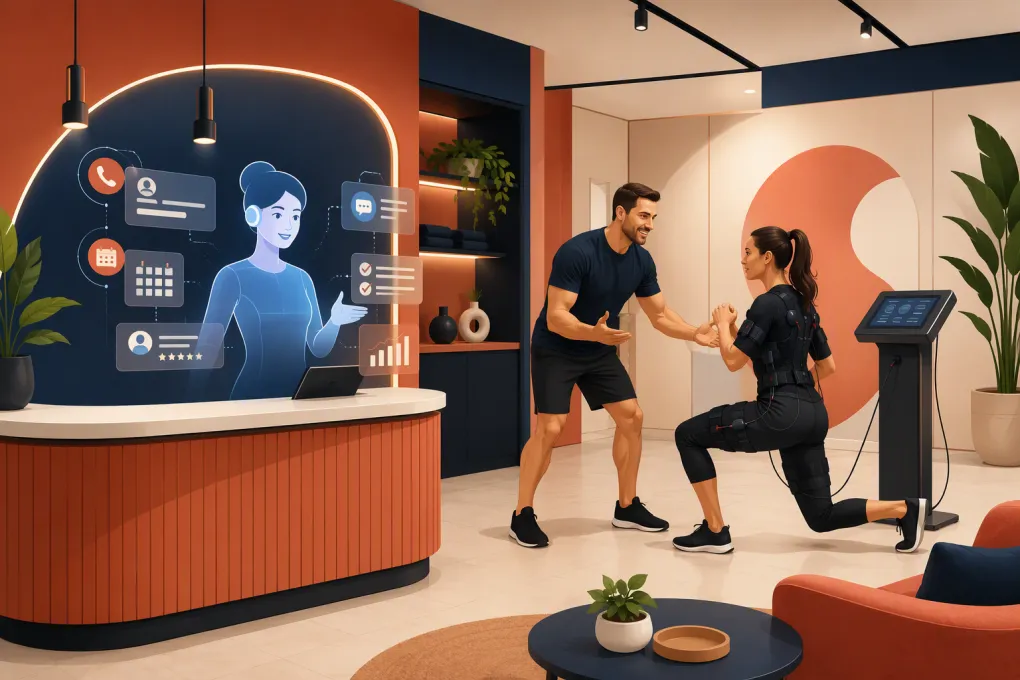
An EMS studio can lose a qualified lead in the time it takes a coach to finish one session. Prospects have questions, first visits require more explanation than a standard gym tour, and the person answering the phone is often the same person coaching on the floor. An AI receptionist for EMS fitness studios closes that coverage gap by responding immediately, handling routine questions, booking the right introductory session and keeping the conversation moving until a staff member needs to step in.
The value is not simply answering more calls. It is building a reliable front-desk process around a specialized service without asking coaches to monitor the phone between every appointment.
Why EMS studios have a distinct reception problem
EMS fitness is not always familiar to the person making the inquiry. A prospect may want to know what electrical muscle stimulation feels like, what to wear, how an introductory appointment works or whether the service is appropriate for their circumstances.
That creates longer, more detailed lead conversations. It also creates operational risk if answers are inconsistent or if an automated system wanders into medical advice.
At the same time, many EMS studios operate with lean teams and appointment-heavy schedules. Common breakdowns include:
- Calls going unanswered while staff are coaching.
- Website leads waiting until the next business day for a reply.
- Prospects receiving different answers from different employees.
- Introductory sessions being placed into the wrong appointment type.
- Leads being contacted once, then forgotten.
- Existing clients interrupting sessions with billing or schedule questions.
- Staff spending time on repetitive inquiries instead of exceptions that need judgment.
A generic voicemail box does not solve these problems. Neither does an unmonitored website form. The studio needs a system that can respond, qualify, schedule and follow up according to its actual operating rules.
See how Fitty can cover EMS studio inquiries while coaches stay with clients →
What an AI receptionist should handle
The best use of AI is not to imitate an EMS coach. It is to take ownership of predictable front-desk work and transfer conversations when the situation calls for a person.
Answer common pre-visit questions
Start by documenting the questions your team answers repeatedly. These may cover:
- What an introductory session includes.
- How long visitors should reserve for the appointment.
- What clothing or equipment the studio provides.
- When clients should arrive.
- Location, parking and entry instructions.
- Membership and package structure.
- Cancellation and rescheduling policies.
- Whether the studio offers individual, partner or small-group sessions.
The answers should come from an approved knowledge base maintained by the studio. Avoid giving the AI unrestricted freedom to describe health outcomes or decide whether a prospect is medically eligible.
Qualify without creating unnecessary friction
An inquiry form with too many questions can suppress bookings. No qualification at all can create unsuitable or poorly prepared appointments. Use a short sequence that collects only what the team needs before the first visit.
A practical flow might ask for:
- The prospect’s primary goal.
- Whether they have used EMS training before.
- Their preferred studio location, if applicable.
- General day and time availability.
- Whether they need to discuss an injury, medical concern, pregnancy or implanted device with a qualified person before booking.
That last step should trigger a handoff or established screening process. The AI should not interpret a condition, provide medical clearance or promise that training is safe for a particular individual.
Book the correct first appointment
An AI receptionist should connect the conversation to live availability and use clear scheduling rules. Those rules can include:
- Which appointment type is available to new prospects.
- Which coaches can conduct introductory sessions.
- Required buffers for setup, changing or consultation time.
- Location-specific calendars.
- Minimum notice for same-day bookings.
- Capacity limits for partner or group formats.
- Information that must be collected before confirmation.
This is where basic answering services often fall short. A message saying that someone wants Tuesday afternoon still leaves your team with another round of calls. A completed booking moves the lead forward.
Follow up after the initial inquiry
Not every qualified prospect books in the first conversation. The system should continue with a defined follow-up sequence rather than relying on a coach’s memory.
Useful follow-up moments include:
- After a prospect asks a question but does not select a time.
- After a booking link is sent but not used.
- Before an introductory session.
- After a missed or canceled appointment.
- After an intro when the person has not chosen a package.
Each message should have one clear next step. Do not stack several offers, policy explanations and scheduling choices into the same follow-up.
Build guardrails before turning on automation
An AI receptionist is only as dependable as the operating decisions behind it. Before launch, assign an owner to each of the following areas.
Approved claims and prohibited answers
Create written guidance on what the receptionist may say about EMS training. Separate operational information from health-related questions.
For example, the system can explain how your studio structures an introductory appointment. It should not diagnose a condition, guarantee a result or override your waiver and screening procedures. Questions outside the approved scope should be escalated to a trained staff member.
Handoff rules
Define exactly when a human takes over. Typical triggers include:
- Medical or safety questions.
- Complaints and refund requests.
- Requests for membership exceptions.
- Complex account or payment disputes.
- Accessibility accommodations requiring discussion.
- A prospect who explicitly asks for a person.
- Any question the system cannot answer confidently from approved information.
The handoff should preserve the conversation history. Clients should not have to repeat the same details when an employee joins.
Booking and payment permissions
Decide which actions can happen automatically. Booking a standard intro may be appropriate, while changing a contract or issuing a refund may require approval.
For dues collection, establish rules for reminders, secure payment methods, escalation and account notes. The receptionist should never ask clients to send sensitive card information in an unsecured message.
Explore how WTF Go and Fitty connect lead response, booking, follow-up and dues collection →
A practical EMS lead workflow
A good workflow feels simple to the prospect even when several systems are working behind the scenes.
Step 1: Respond immediately
Acknowledge the inquiry, identify the studio and ask one useful question. Avoid opening with a long explanation of EMS technology.
A direct opening might be: “Thanks for contacting the studio. Are you looking to book an introductory session, or do you have a question before choosing a time?”
Step 2: Resolve the main objection
Use the approved knowledge base to answer the question concisely. If the person asks about price, explain the relevant starting format or package structure instead of dodging the question. If exact pricing depends on consultation choices, say so clearly.
Step 3: Offer specific availability
Move from information to action. Offer valid appointment options based on the correct calendar, coach and location. Do not make prospects submit another form containing information they already provided.
Step 4: Confirm expectations
The confirmation should include arrival time, address, parking or access details, what to bring, cancellation rules and any required forms. Keep health screening separate and appropriately controlled.
Step 5: Manage no-shows and unclosed leads
Send reminders according to the studio’s policy. If someone misses an appointment, provide a straightforward rescheduling path. If an intro is completed without a sale, place the lead into a follow-up workflow with a clear stop condition.
How to evaluate an AI receptionist
A polished demo is not enough. Test the system against real situations from your front desk.
Ask vendors to show how the receptionist handles:
- A first-time prospect who has never heard of EMS.
- An inquiry arriving after the studio closes.
- A medical suitability question.
- A request to book at a specific location.
- A prospect changing topics halfway through the conversation.
- A cancellation, no-show or rescheduling request.
- An existing member asking about an overdue balance.
- A question that is not covered by the knowledge base.
Also review the operational side. Can your team update answers without opening a support ticket? Are conversations logged? Can staff take over? Does booking reflect live availability? Can permissions differ by location? What happens when an integration or calendar is unavailable?
Do not judge success only by message volume. Track outcomes such as response coverage, qualified conversations, intro appointments booked, attendance, unresolved handoffs and follow-up completion. Review failed conversations weekly during rollout and use them to improve rules and content.
Fitty’s role in an EMS studio
Fitty is the AI receptionist and agent inside WTF Go. It is designed to answer leads, book classes and appointments, follow up and help collect dues around the clock. For an EMS operator, that means one system can support the journey from initial question through scheduled visit and ongoing account communication.
It does not eliminate the need for coaches or responsible screening. It gives them a consistent first line of coverage, keeps routine work from piling up and makes human intervention more focused.
The strongest rollout is usually narrow at first: load approved FAQs, configure one introductory appointment, define escalation rules and test common conversations. Once those workflows are stable, add follow-up, reactivation and payment-related use cases.
See how Fitty can run the front-desk workflows your EMS studio currently handles manually →
The operating standard to aim for
Your AI receptionist should be fast without being careless, helpful without making unsupported claims and persistent without becoming intrusive. Every automated conversation should lead to one of three outcomes: a resolved question, a correctly booked next step or a clean handoff to a person.
That standard matters more than sounding impressively human. EMS prospects need accurate information and a low-friction path to visit. Your coaches need protected time and a front desk that does not stop working when a session begins.
Frequently asked questions
Can an AI receptionist book EMS introductory sessions?
Yes, if it has access to live availability and follows your rules for appointment type, coach, location, buffers and required information.
Should AI answer medical questions about EMS training?
No. It can share approved operational information, but medical suitability, contraindications and clearance questions should follow your screening process and be escalated to a qualified person.
Can an AI receptionist follow up with EMS leads after hours?
Yes. It can answer routine questions, offer booking options and continue an approved follow-up sequence when staff are unavailable.
Will an AI receptionist replace EMS studio staff?
It should replace repetitive front-desk tasks, not coaching, judgment or sensitive client conversations. Staff still need to handle exceptions, safety questions and complex account issues.
What should an EMS studio automate first?
Start with FAQs, new-lead response and one introductory booking workflow. Add reminders, unclosed-lead follow-up and dues communication after the core process is tested.
Keep reading



Run your gym on autopilot with WTF Go
Fitty — your AI receptionist — answers calls and DMs, fills classes, follows up with every lead, and collects dues while you coach.