AI & Automation
AI Receptionist for Dermaplaning Clinics: Practical Guide
An AI receptionist for dermaplaning clinics can answer leads, book appointments, reduce front-desk load, and follow up safely. See what to automate first.
 Watch · 20s
A dermaplaning inquiry rarely arrives at a convenient time. A prospective client may call between appointments, text after dinner, or submit a form while your receptionist is helping someone at checkout. If nobody responds quickly, that lead can keep searching and book elsewhere.
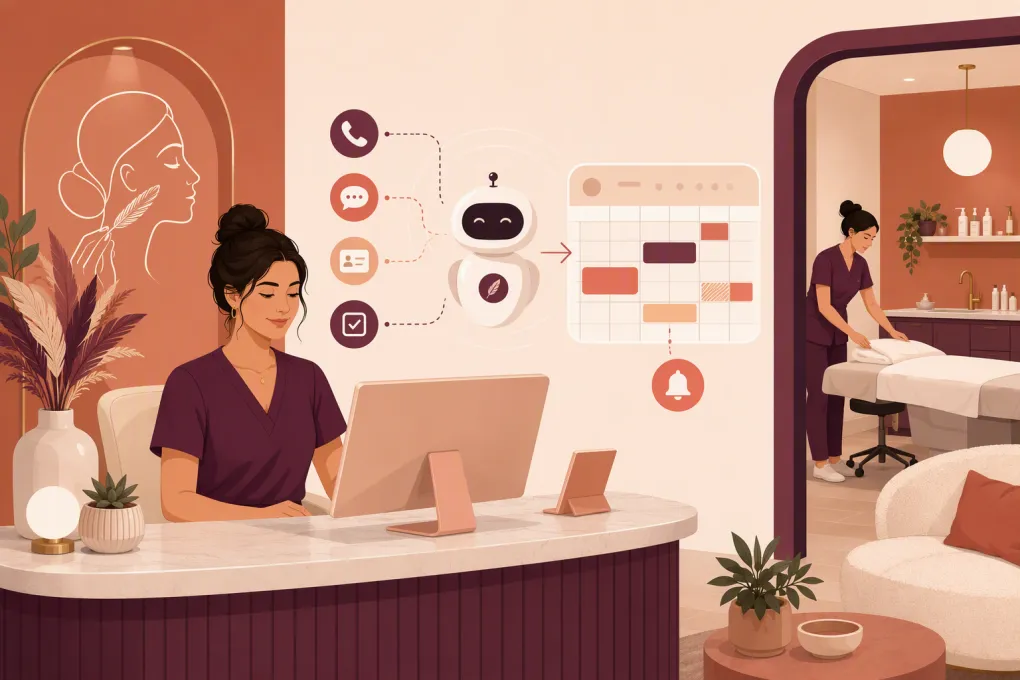
An AI receptionist gives dermaplaning clinics a way to handle routine conversations without asking the treatment team to constantly stop what they are doing. It can answer approved questions, capture lead details, book eligible services, send reminders, and follow up with clients who did not finish scheduling.
The goal is not to replace professional judgment. It is to automate the repetitive front-desk work around the appointment while escalating clinical, sensitive, or unusual questions to the right person.
See how Fitty handles dermaplaning inquiries and bookings around the clock →
What an AI receptionist should handle for a dermaplaning clinic
A useful AI receptionist needs to do more than answer the phone with a recorded greeting. It should carry the conversation forward and complete a defined next step.
For a dermaplaning clinic, med spa, or skin studio, that usually means handling these workflows:
- Answering calls, website chats, and text inquiries
- Explaining basic service information using clinic-approved language
- Capturing the client’s name, contact information, and service interest
- Checking real appointment availability
- Booking, rescheduling, or canceling appointments according to clinic rules
- Sending intake forms, preparation instructions, and location details
- Collecting a deposit or sending a secure payment link when required
- Reminding clients about upcoming appointments
- Following up with leads who asked questions but did not book
- Re-engaging appropriate past clients when another appointment may be due
- Escalating clinical questions, complaints, and exceptions to a staff member
The distinction between answering and completing matters. A chatbot that says, “Someone will contact you tomorrow,” still leaves the lead waiting. A connected AI receptionist can identify an appropriate service, offer available times, and place the appointment on the calendar during the same conversation.
Build the workflow around the dermaplaning client journey
Automation works best when it follows the actual path from first question to completed visit.
1. New inquiry and service questions
New clients tend to ask a predictable set of questions:
- What is dermaplaning?
- How long does an appointment take?
- What does the service cost?
- Is there downtime?
- Can it be combined with another treatment?
- Who performs the treatment?
- How should I prepare?
Create an approved answer library for straightforward operational and educational questions. Each answer should reflect your actual services, provider credentials, policies, and treatment times.
Avoid giving the AI broad permission to improvise treatment claims. It should not promise a specific result, diagnose a skin condition, or decide whether a treatment is medically appropriate. When a question requires professional judgment, the correct action is escalation.
A practical response might be:
“I can help with pricing, availability, and general preparation information. Because suitability depends on your skin and health history, I’ll have a licensed team member review that question.”
2. Qualification without pretending to perform a consultation
An AI receptionist can collect relevant information before booking, but it should not medically clear a client.
Your initial booking flow may ask whether the person is a new or returning client, which treatment they want, and whether they have an existing provider recommendation. If your clinical leadership requires certain concerns to be reviewed before scheduling, the AI can flag those answers for staff.
Keep the boundary clear:
- Administrative qualification: service interest, preferred location, availability, age-policy confirmation, deposit agreement, and new-client status
- Clinical evaluation: contraindications, medication implications, active skin concerns, treatment combinations, and individualized risk
Clinical evaluation belongs with appropriately licensed or authorized personnel under the rules that apply to your state and business. Scope-of-practice requirements for dermaplaning can vary, so your automation should follow the policies approved for each location.
3. Booking and deposit collection
Once the client is ready, the AI should be able to offer real openings rather than collect a vague callback request. That requires access to accurate provider schedules, service durations, room or equipment constraints, buffers, and location-specific rules.
Configure details such as:
- Which providers may perform dermaplaning
- Appointment length and cleanup buffers
- Whether new clients need a consultation
- Services that may or may not be booked together
- Minimum booking notice
- Cancellation and rescheduling windows
- Deposit requirements
- Rules for clients with prior late cancellations or unpaid balances
If payment is required, use a secure payment workflow rather than asking clients to send card information through an ordinary text conversation.
See how WTF Go connects conversations, scheduling, follow-up, and payment workflows →
4. Confirmation and pre-appointment instructions
The period between booking and arrival is where unclear instructions can create avoidable calls or appointment problems.
Send a confirmation immediately, followed by reminders on a schedule that matches your cancellation policy. Include only the information clients need:
- Date, time, provider, and location
- Parking or arrival instructions
- Rescheduling and cancellation link
- Deposit or balance status
- Link to required intake forms
- Clinic-approved preparation guidance
- A way to ask questions or reach a person
Preparation instructions should come from your clinical team. Review them whenever your protocols change, and maintain separate templates if different providers or locations use different instructions.
5. Post-appointment follow-up
After the visit, an AI receptionist can send approved aftercare information, request feedback, and route concerns. It can also prompt the client to schedule another service when appropriate under your clinic’s treatment plan and communication rules.
Post-treatment messages need careful escalation logic. If a client describes an unexpected reaction, significant discomfort, or another clinical concern, the AI should not diagnose or reassure beyond approved language. It should alert the designated staff member and provide your clinic’s instructions for urgent and emergency situations.
Set firm safety, privacy, and communication boundaries
Dermaplaning conversations can include health information. Before connecting an AI receptionist, document what data it will collect, where that data will go, who can access it, and how long it is retained.
Ask prospective vendors about:
- Whether they will sign a business associate agreement when required
- Encryption and access controls
- Conversation logging and retention settings
- Staff permission levels
- Procedures for exporting or deleting data
- How model training and data reuse are handled
- Incident response and audit capabilities
Do not label a workflow “HIPAA compliant” based only on a marketing claim. Compliance depends on the vendor, configuration, contracts, internal procedures, and how your team uses the system.
You also need a defensible approach to calls and texts. Identify the assistant as automated when appropriate, record consent where required, honor opt-outs, and separate operational appointment messages from marketing campaigns. Automated calls, texts, and call recording are regulated, and requirements can depend on the message, technology, recipient, and jurisdiction. Have qualified counsel review your communication practices.
Create escalation rules before going live
The quality of an AI receptionist is often determined by what it refuses to handle. Build explicit handoff rules rather than relying on the system to recognize every sensitive situation on its own.
Escalate conversations involving:
- Questions about contraindications or treatment suitability
- Medication, pregnancy, active skin conditions, or recent procedures
- Unexpected symptoms or possible adverse reactions
- Refunds, disputes, or complaints
- Requests for treatment guarantees
- Accessibility needs requiring staff coordination
- Minors or guardianship questions
- Repeated misunderstanding or client frustration
- Exceptions to deposits, memberships, packages, or cancellation policies
Each escalation should have an owner and deadline. For example, clinical questions might create a high-priority task for a provider, while a deposit exception goes to the clinic manager. Give the client a realistic expectation without promising an exact response time your team cannot maintain.
Measure whether the AI receptionist is improving operations
Do not judge the system only by how many conversations it handles. Track whether it produces clean bookings and better client experiences.
Useful operating measures include:
- Calls and messages answered by channel and time of day
- Leads that reach a completed booking
- Inquiries requiring human follow-up
- Time from first inquiry to booked appointment
- Booking errors or inappropriate service selections
- Reschedules, cancellations, and no-shows
- Deposits requested and successfully completed
- Unanswered or repeatedly asked questions
- Escalations resolved within your internal target
- Opt-outs, complaints, and privacy issues
Review conversation samples regularly. Look for outdated pricing, confusing phrasing, incorrect provider availability, excessive message frequency, and situations where escalation happened too late. Automation needs active ownership just like a front-desk playbook does.
How to roll out an AI receptionist without disrupting the clinic
Start with a narrow, high-volume use case rather than automating every conversation at once.
A sensible rollout looks like this:
- Document current calls and messages. List the most common questions, booking obstacles, and reasons staff must intervene.
- Clean up the schedule. Confirm service names, durations, provider eligibility, buffers, deposits, and cancellation rules.
- Approve the knowledge base. Have operational and clinical leaders review answers, preparation guidance, and escalation wording.
- Launch after-hours or overflow coverage. This gives the AI a clear role while your team monitors performance.
- Test real scenarios. Include new clients, reschedules, treatment questions, payment problems, complaints, and requests outside policy.
- Review transcripts and outcomes. Correct weak answers and booking logic before expanding channels or responsibilities.
- Add follow-up workflows. Once booking is reliable, introduce lead nurture, reminders, incomplete-booking follow-up, and appropriate rebooking prompts.
Fitty, WTF Go’s AI receptionist, is built to handle the operational chain rather than leaving leads in an inbox: answering inquiries, booking services, following up, and supporting payment collection at any hour. The surrounding WTF Go platform helps keep those conversations connected to the rest of the client journey.
Explore Fitty for your dermaplaning clinic or med spa →
What to look for before choosing a system
Before signing a contract, run each option through your actual workflows. A polished demonstration is not enough.
Verify that the system can:
- Use live availability and enforce provider-specific booking rules
- Work across your required phone, text, web, and email channels
- Maintain separate policies for multiple locations
- Transfer conversations with context instead of making clients repeat themselves
- Send secure forms and payment links
- Support staff review, corrections, and approval controls
- Report on booked outcomes, not only message volume
- Export client and conversation data when needed
- Provide clear implementation, training, and support responsibilities
Finally, listen to the client experience. The assistant should be direct, transparent, and useful. It does not need to imitate a human perfectly. It needs to answer accurately, protect clinical boundaries, and make it easier for a qualified prospect to become a prepared, properly booked client.
Frequently asked questions
Can an AI receptionist book dermaplaning appointments automatically?
Yes, if it is connected to live scheduling and configured with provider eligibility, service duration, deposit, consultation, and location rules. Clinical concerns should still be routed to qualified staff.
Can an AI receptionist determine whether a client is eligible for dermaplaning?
It can collect intake information and flag answers, but it should not diagnose, medically clear a client, or replace a consultation. Suitability decisions belong with appropriately qualified personnel.
Is an AI receptionist for a dermaplaning clinic HIPAA compliant?
That depends on the vendor, contracts, configuration, data handling, and the clinic's own procedures. Ask about business associate agreements, access controls, retention, encryption, and data reuse before sharing protected health information.
Should a clinic use AI for calls, texts, or both?
Use the channels your prospects already prefer, provided the system can preserve context and consent across them. Many clinics begin with after-hours calls or website inquiries before expanding to text follow-up and reminders.
Keep reading



Run your gym on autopilot with WTF Go
Fitty — your AI receptionist — answers calls and DMs, fills classes, follows up with every lead, and collects dues while you coach.