AI & Automation
AI Receptionist for Dance Studio Trial Bookings That Convert
Learn how an AI receptionist for dance studio trial bookings can qualify families, match classes, capture missed leads, and keep follow-up moving 24/7.
 Watch · 20s
A parent finds your studio at 9:15 p.m. Their child wants to try ballet, but the parent is unsure which level to choose, whether the class has room and what to bring. They submit an inquiry and keep searching.
If your team replies the next morning, that may feel prompt internally. To the parent, it can be one more studio response arriving after they have already booked elsewhere.
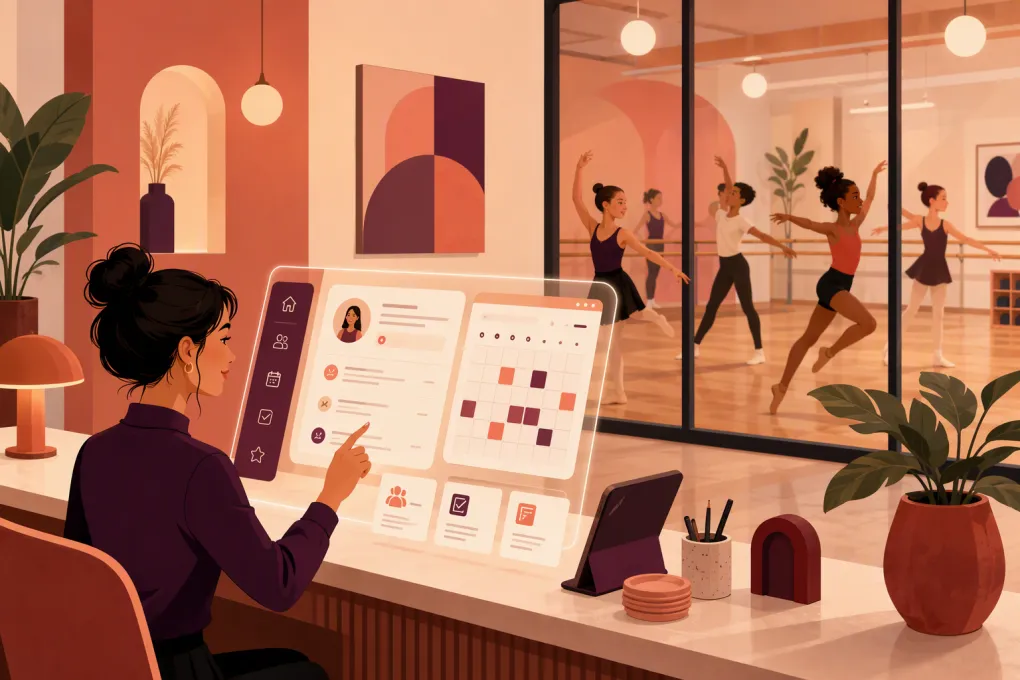
An AI receptionist for dance studio trial bookings closes that operational gap. It can respond when the inquiry happens, collect the details needed to recommend an appropriate class, book the trial and continue following up without adding another repetitive task to the front desk.
The goal is not to remove people from the enrollment process. It is to use automation for speed and consistency while preserving human judgment for placement questions, sensitive conversations and families that need extra help.
See how Fitty can respond to dance studio leads and move them toward a trial booking →
Why dance studio trial bookings are unusually easy to lose
A trial request is rarely a simple request for an open time. Dance studios have variables that make class matching more complicated:
- The dancer’s age and date of birth
- Prior dance experience
- Style or program interest
- Current skill level
- Class prerequisites
- Schedule availability
- Enrollment status and remaining capacity
- Dress code or equipment requirements
- Whether a parent must remain onsite
- Recital, competition team or seasonal commitments
Parents may also contact the studio through different entry points and describe the same need in different ways. One asks for “beginner ballet,” another asks which class is right for a six-year-old, and another wants to know whether a child can join after the term has started.
A generic contact-form acknowledgment does not resolve those questions. A useful AI receptionist should move the family toward a valid next step rather than merely confirming receipt.
What the AI receptionist should do
The best workflow covers the full path from inquiry to attendance, not just the initial reply.
1. Respond immediately and identify the intent
The first response should determine whether the person wants to:
- Book a trial
- Ask about tuition or fees
- Find an age-appropriate class
- Reschedule an existing trial
- Enroll after a trial
- Discuss a special circumstance with staff
Intent matters because each path requires different questions. Someone rescheduling should not be forced through the same qualification sequence as a new family.
2. Collect only the information needed for matching
Long interrogations create friction. Start with the minimum information required to identify a suitable option:
- Dancer’s age or birth date
- Preferred dance style
- Previous experience, if relevant
- Days or times that work
- Parent or guardian contact details when the dancer is a minor
Ask additional questions only when a program requires them. For example, an advanced placement request may need staff review, while an introductory creative movement class may not.
Avoid collecting sensitive information simply because the system allows it. The conversation should follow your studio’s privacy practices, consent requirements and recordkeeping policies.
3. Match the lead to an eligible class
The AI receptionist needs booking rules, not just a copy of the public schedule. Those rules should define:
- Eligible age ranges
- Levels and prerequisites
- Whether trials are permitted
- Trial capacity
- Booking cutoffs
- Classes that require instructor approval
- Closed enrollment periods
- Blackout dates
- Location-specific restrictions
This prevents a common automation failure: quickly booking the wrong class. If the system cannot make a confident match, it should collect the relevant details and escalate the conversation to a person.
4. Complete the booking
Once a valid class is identified, the family should receive a clear option and a direct booking step. Do not make them restart on another page or repeat information they already supplied.
The confirmation should state:
- Class name, date, time and location
- Arrival instructions
- What the dancer should wear or bring
- Whether a parent or guardian must stay
- Cancellation or rescheduling instructions
- Any trial fee or authorization required
Fitty is designed to answer leads, book classes and continue follow-up around the clock. That makes it useful for studios where inquiries arrive while instructors and desk staff are teaching, closing the facility or handling current families.
Explore how Fitty can turn after-hours dance inquiries into booked trial classes →
Build a follow-up sequence around attendance, not inbox activity
A booked trial is not the finish line. The useful operating metric is whether the dancer attends and progresses to the correct enrollment conversation.
A practical sequence can include the following touchpoints.
Immediately after booking
Send the full confirmation and remove uncertainty. Include the exact location if the studio has multiple sites or entrances.
Before the trial
Send a concise reminder with the most important preparation details. Give the parent a clear way to reschedule rather than forcing a no-show when plans change.
After a missed trial
Acknowledge the missed visit without sounding punitive. Offer available alternatives and make rebooking simple. If the family repeatedly reschedules or has a circumstance that automation cannot resolve, route the conversation to staff.
After an attended trial
The next message should reflect your enrollment process. It might offer the appropriate membership or tuition plan, explain the next enrollment step, or ask whether the family has placement questions.
Fitty can also support dues collection workflows, helping the studio continue from lead response and booking into the administrative side of the customer relationship.
Where AI should hand the conversation to staff
Good automation knows its limits. Create explicit escalation rules instead of expecting the AI receptionist to handle every edge case.
Staff should usually review conversations involving:
- Injury, medical accommodation or accessibility questions
- Advanced placement or audition requests
- Competition team eligibility
- Billing disputes or refund requests
- Custody or authorized-pickup concerns
- Complaints about an instructor or another student
- Scholarship or financial hardship requests
- Uncertain age or level matching
- A parent who specifically asks for a person
Escalation should include the conversation context and information already collected. The family should not have to repeat the entire story when a staff member takes over.
How to prepare your studio before turning it on
An AI receptionist exposes unclear policies quickly. Before launch, document the decisions your experienced front desk staff make instinctively.
Create a trial-booking rule sheet
For every class, list:
| Rule | What to document |
|---|---|
| Eligibility | Age range, level and prerequisites |
| Trial policy | Allowed, restricted or unavailable |
| Capacity | Total capacity and any separate trial limit |
| Timing | Booking cutoff and closed enrollment dates |
| Approval | Whether instructor or director review is required |
| Preparation | Dress code, footwear and arrival time |
| Conversion | Enrollment options after an attended trial |
Review these rules whenever the schedule changes. An AI system operating from last season’s class information can create more work than it removes.
Standardize common answers
Write approved answers for tuition structure, trial fees, dress code, recital participation, make-up classes, cancellation rules, parking and parent observation. Keep them short enough to use in an actual conversation.
Define ownership
Assign a person to review escalations, failed matches, booking exceptions and outdated answers. For multi-location studios, decide whether ownership sits with each location or a central team.
Test realistic scenarios
Do not test only the perfect inquiry. Try prompts such as:
- “My daughter is seven and has never danced. What should she take?”
- “Can my 12-year-old try the advanced class tonight?”
- “We booked the wrong location.”
- “My child needs an accommodation. Who can I speak with?”
- “We missed yesterday. Can we come next week?”
Check whether the system asks sensible questions, follows your eligibility rules and escalates appropriately.
Metrics that reveal whether the workflow is working
Avoid judging the AI receptionist by message volume alone. Track the stages of the trial funnel:
- New trial inquiries
- Qualified inquiries
- Trials booked
- Trials attended
- Missed trials rebooked
- Trials converted to enrollment
- Conversations escalated to staff
- Bookings later corrected because of a bad match
Review results by class, program, location and inquiry source where your systems support it. A strong booking rate can still hide a placement problem if staff frequently move dancers into different classes.
Also read conversation samples. Funnel reporting shows where people leave; conversation review helps explain why.
Questions to ask an AI receptionist provider
Before choosing a system, ask for a clear explanation of how it handles your actual workflow:
- Can it use class-specific eligibility and trial rules?
- How does it know when availability or schedules change?
- Can families book without re-entering their details?
- What happens when no eligible class is available?
- How are staff notified when human review is needed?
- Can follow-up stop when someone books, declines or asks not to be contacted?
- How does it handle separate locations and location-specific policies?
- Can staff review conversations and correct approved information?
- What controls are available for permissions, privacy and data access?
- What does implementation require from the studio team?
A polished demo matters less than whether the system can follow your placement, booking and escalation rules in daily operation.
The operational payoff
Dance studio leads often arrive when the team is least able to respond: during classes, between locations and after closing. Hiring more desk coverage is not always the right answer, especially when much of the work consists of asking the same qualification questions and coordinating the same trial details.
An AI receptionist gives the studio a consistent first-response and follow-up layer. Staff can then focus on instruction, complex family needs and enrollment conversations where a person adds the most value.
The right setup does not automate judgment blindly. It automates the repeatable path, protects the exceptions and gives every serious inquiry a clear next step.
See how WTF Go and Fitty can support your dance studio’s trial-to-enrollment workflow →
Frequently asked questions
Can an AI receptionist book dance trial classes automatically?
Yes, when it has access to current availability and clear rules for age, level, prerequisites and trial eligibility. Uncertain placements should be escalated to studio staff.
Can it answer parents outside normal studio hours?
An AI receptionist can respond and continue approved booking workflows 24/7, including when staff are teaching or the studio is closed.
Will an AI receptionist replace dance studio front desk staff?
It is better used to handle repetitive inquiries, booking and follow-up. Staff remain essential for sensitive issues, complex placement, complaints and relationship-driven enrollment conversations.
What information should a trial-booking assistant collect?
Usually the dancer’s age, dance interest, relevant experience, schedule preferences and parent or guardian contact details are enough to begin matching.
How should a multi-location dance studio use AI booking?
Maintain separate schedules, eligibility rules, arrival instructions and escalation owners for each location. The system should confirm the selected location before finalizing the trial.
Keep reading



Run your gym on autopilot with WTF Go
Fitty — your AI receptionist — answers calls and DMs, fills classes, follows up with every lead, and collects dues while you coach.