AI & Automation
AI Receptionist for Dance Studio Recital Inquiries: Playbook
Learn how an AI receptionist for dance studio recital inquiries can answer parent questions, capture leads, book trials, and reduce front-desk overload.
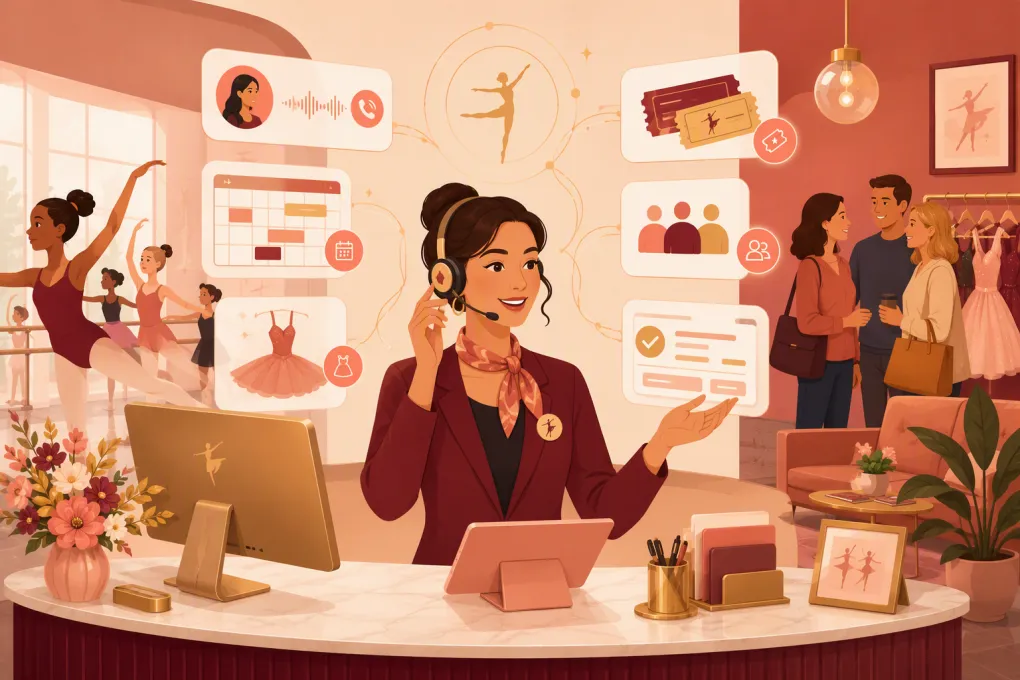 Watch · 20s
Recital season creates a predictable front-desk problem: the same urgent questions arrive through multiple channels while staff are managing rehearsals, costumes, ticketing, attendance, and last-minute changes. Parents want immediate answers, but the correct answer may depend on the dancer, class, performance, venue, or account status.
An AI receptionist can absorb much of that pressure. It can answer approved questions, collect missing details, route exceptions, follow up with prospective families, and move people toward the correct next step. But it only works when the studio treats it as an operational system—not a chatbot with a recital FAQ pasted into it.
See how Fitty can handle recital-season inquiries while your team runs the studio →
Why recital inquiries overwhelm the front desk
A recital is not one event from an operating perspective. It is a collection of overlapping schedules, policies, payments, and family-specific requirements.
Common inquiries include:
- Which performance is my dancer in?
- What time is dress rehearsal or call time?
- Where do dancers enter the venue?
- Which tights, shoes, hair, and makeup are required?
- When and where are costumes distributed?
- How do families buy tickets?
- Are tickets required for young children?
- Is the venue accessible?
- Can parents record the performance?
- What happens if a dancer misses rehearsal?
- Is there an outstanding recital or costume balance?
- Can a prospective student attend the recital or book a trial afterward?
The volume is only part of the problem. The greater risk is inconsistency. A teacher may remember last year’s policy, an email may contain an outdated call time, and a parent may ask about the wrong show. Fast but incorrect answers create more work than a delayed answer.
That is why a useful AI receptionist needs controlled information, clear boundaries, and access to the workflows it is expected to complete.
What an AI receptionist should actually do
A generic website bot retrieves information. A capable AI receptionist identifies intent, gathers context, completes routine actions, and hands the conversation to a person when judgment is required.
For recital inquiries, its job should cover five areas.
1. Answer approved logistical questions
The receptionist should provide current information about venues, parking, schedules, ticket procedures, costume requirements, photography rules, and other published policies.
Answers should come from studio-approved material. The AI should not infer a call time or improvise a policy because a related answer appears elsewhere.
2. Identify the correct dancer and performance
Many recital questions cannot be answered safely from a general FAQ. The system may need to collect:
- Parent or guardian name
- Dancer name
- Class, level, or instructor
- Performance date or show designation
- Best contact information
Collect only what is necessary. Avoid requesting sensitive information through an open conversation, and do not expose a child’s schedule or account details without an appropriate verification process.
3. Direct families to the next action
A strong answer ends with a useful action. Depending on the inquiry, that could mean opening the ticket page, reviewing a costume guide, submitting an accessibility request, contacting the studio, paying an eligible balance, or confirming that staff will follow up.
4. Protect new leads from recital-season neglect
Recital questions often come from prospective families, grandparents, venue guests, and parents considering enrollment. The front desk may see these as event questions, but some are genuine enrollment opportunities.
The AI receptionist should distinguish between an enrolled family needing support and a prospective family asking about classes. It can then capture the lead, answer basic questions, book an available trial, and continue follow-up instead of leaving the inquiry buried in recital traffic.
5. Escalate exceptions with context
Some situations belong with a person: missing costumes, disputed charges, medical accommodations, custody-related concerns, performer changes, or complaints about staff and students.
A good handoff should include the contact, dancer or class when appropriate, original request, information already provided, and the required next step. Staff should not have to restart the conversation.
Build a reliable recital inquiry system
The AI is the front door. The quality of the operation behind it determines whether families trust the answers.
Create one authoritative recital information hub
Choose one maintained location for the details the AI is allowed to use. Organize it by event and performance rather than dropping several newsletters, PDFs, and old emails into an unstructured folder.
A practical recital record should include:
| Information area | Details to maintain |
|---|---|
| Event identity | Recital name, season, venue, address, and primary studio contact |
| Performance schedule | Show dates, performance times, dancer call times, and dismissal process |
| Rehearsals | Date, location, arrival instructions, attendance policy, and required items |
| Costumes | Distribution process, alteration responsibility, accessories, shoes, tights, hair, and makeup |
| Tickets | Official purchase method, sale windows, seating rules, and support contact |
| Venue policies | Parking, accessibility, food, flowers, photography, recording, and backstage access |
| Financial policies | Applicable fees, payment process, refund rules, and staff escalation path |
| Exceptions | Weather process, illness reporting, missing items, and urgent contact route |
Assign an owner to every category. If the theater changes its parking instructions, someone must be responsible for updating the approved information—not merely emailing the staff.
Separate public, verified, and staff-only information
Not every answer should be available to every caller.
Public information can include venue directions, general ticket instructions, and published show dates.
Verified family information may include a specific dancer’s performance assignment or eligible account actions. This requires an appropriate identity check and access controls.
Staff-only information includes internal notes, private account discussions, incident reports, and sensitive family details. The AI should route these requests rather than disclose internal records.
Write answer rules, not just answers
Give the receptionist explicit instructions for uncertainty and conflict. For example:
- Never guess a dancer’s show assignment.
- Use the event date when two documents contain different instructions.
- Ask for the class or performance before providing a call time.
- Route ticket refunds to staff if the published policy does not resolve the case.
- Treat schedule changes as valid only after the designated manager approves them.
- Never promise an exception to a deadline, fee, seating rule, or attendance policy.
These rules reduce confident mistakes and make the system easier to audit.
Design workflows around real parent intent
Do not build one long recital conversation. Create short paths for the most common reasons people contact the studio.
Schedule and call-time workflow
Collect the dancer’s class and relevant performance, then provide only the matching details. Include the source date or last-updated date where useful. If the assignment cannot be verified, create a staff task instead of offering the most likely answer.
Costume workflow
Start by separating a general requirement from a missing or damaged item. General questions can use the approved costume guide. Missing pieces, incorrect sizing, or unreceived costumes should be escalated with the dancer, class, item, and deadline.
Ticket workflow
Provide the official purchase path and published venue policies. Do not let the AI claim that seats are available unless it has access to current ticket inventory. Refunds, exchanges, and accessibility arrangements should follow the actual theater or studio policy.
Balance and payment workflow
The receptionist can direct verified families to a secure payment flow or collect eligible dues when properly configured. It should never request full card details in ordinary chat or disclose account information without verification.
Prospective-family workflow
Ask whether the person has a currently enrolled dancer. If not, collect the student’s age, experience, class interest, preferred schedule, and contact details. Then offer an available trial or the studio’s approved next step.
This is where Fitty is especially useful: it can keep lead response and follow-up running while staff focus on the production. See how Fitty turns recital interest into booked studio conversations →
Test before families depend on it
Run a structured test before promoting the AI receptionist as a recital resource.
Build a test sheet with routine questions, ambiguous questions, outdated information, misspelled class names, multiple dancers in one family, and requests that should be escalated. Have an administrator, instructor, and front-desk employee review the results because each role will catch different gaps.
Test these failure conditions in particular:
- The parent provides no dancer or class information.
- Two performances have different call times.
- An old recital document remains accessible.
- A family requests an unpublished exception.
- The ticket provider is unavailable.
- A schedule changes after the first announcement.
- The inquiry concerns safety, health, custody, or a complaint.
Also define who receives escalations, during which hours, and what qualifies as urgent. Automation without ownership simply creates a better-organized backlog.
Measure whether it is helping
Avoid judging the system only by conversation volume. Review outcomes that show whether work was completed correctly:
- Common inquiry categories
- Questions the AI could not answer
- Escalations missing required context
- Incorrect or outdated answers
- Trial bookings originating from recital inquiries
- Follow-ups awaiting staff action
- Payment links or eligible balance workflows completed
- Repeated questions that indicate unclear studio communication
Review unanswered questions frequently during recital week. They often reveal a missing policy, an unannounced change, or language families do not understand. Fix the underlying information first, then update the AI.
Make recital automation useful beyond recital week
The strongest setup does not disappear after the curtain closes. Archive event-specific details, remove expired ticket and schedule links, and retain the reusable workflow structure.
The same receptionist can then return to everyday operations: answering new leads, booking classes, following up with prospects, and supporting dues collection around the clock. When the next recital approaches, your team updates a controlled event record instead of rebuilding the front desk process from scratch.
That is the operational value of an AI receptionist for dance studio recital inquiries: fewer repetitive interruptions, more consistent answers, and a clear path from every inquiry to the right action.
Frequently asked questions
Can an AI receptionist answer dancer-specific recital questions?
Yes, if it has appropriate access, identity verification, and clear permission rules. Otherwise, it should collect the necessary context and route the request to staff rather than guess.
What recital questions should always go to a staff member?
Escalate medical or accessibility needs, custody concerns, complaints, disputed charges, missing costumes, performer changes, and requests for policy exceptions.
Can an AI receptionist help convert recital interest into enrollment?
Yes. It can identify prospective families, capture student and schedule preferences, book available trials, and follow up after the initial inquiry.
How do dance studios prevent an AI receptionist from sharing outdated information?
Maintain one approved recital information hub, assign owners to each information category, remove old documents, and test answers whenever schedules or policies change.
Can Fitty handle work outside recital season?
Yes. Fitty is designed to answer leads, book classes, follow up, and support dues collection 24/7, making the same system useful throughout the studio calendar.
Keep reading



Run your gym on autopilot with WTF Go
Fitty — your AI receptionist — answers calls and DMs, fills classes, follows up with every lead, and collects dues while you coach.