AI & Automation
AI Receptionist for Dance Studio Makeup Class Requests: Guide
Learn how an AI receptionist for dance studio makeup class requests can verify eligibility, offer safe options, book spots, and reduce front-desk workload.
 Watch · 20s
Makeup class requests look simple until your front desk has to resolve one. A parent asks whether a missed Tuesday ballet class can be made up on Saturday. Staff must confirm the dancer, absence, program, age, level, available classes, capacity, deadline, and studio policy—usually while answering phones and checking in the next class.
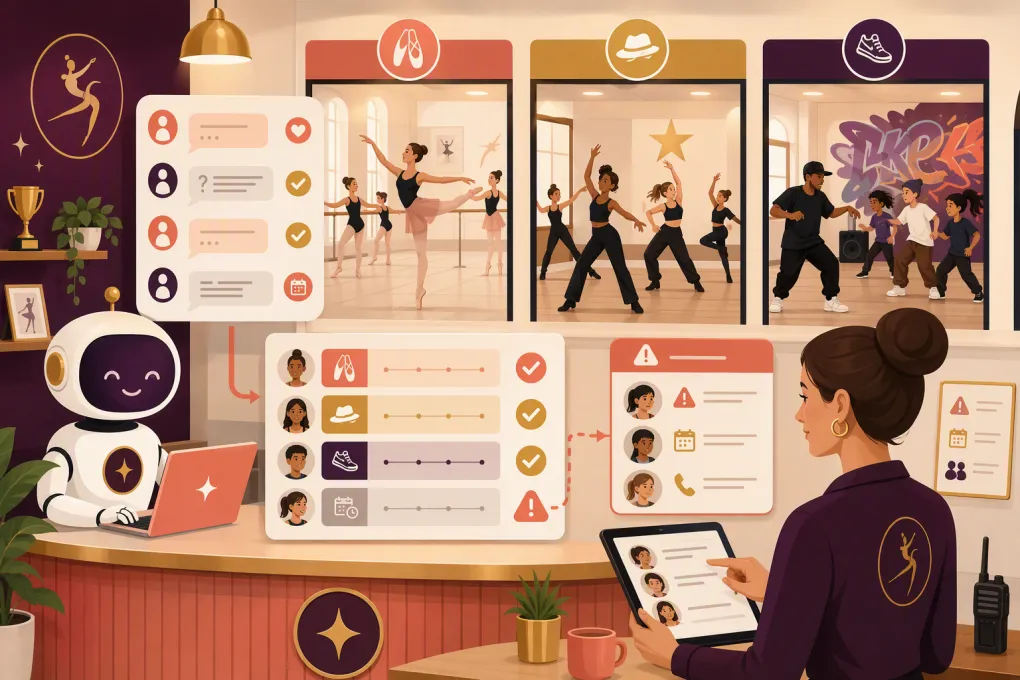
An AI receptionist for dance studio makeup class requests can handle much of that repetitive work. The goal is not to let a bot make artistic or safety decisions. It is to give families an immediate, policy-consistent response, complete routine bookings, and send unclear cases to the right person with the relevant information attached.
That distinction matters. Good automation removes administrative back-and-forth without weakening class placement standards.
See how Fitty can answer dance studio requests around the clock →
Why makeup requests create so much front-desk work
A makeup request is rarely just a scheduling question. It sits at the intersection of attendance, enrollment, instructor judgment, room capacity, and customer service.
Common complications include:
- The dancer’s absence has not been recorded yet.
- Makeups are allowed only for certain enrollment plans.
- The request falls outside the studio’s makeup window.
- A class has space administratively but is unsuitable by age or level.
- The family wants to use a makeup credit for a sibling.
- The requested class is preparing for a recital or competition.
- The parent asks to switch permanently rather than attend once.
- A trial student or drop-in does not have the same privileges as an enrolled student.
- The message arrives after the front desk has closed.
When policies live in staff members’ heads, responses become inconsistent. One parent receives an exception, another receives a denial, and neither understands why.
Before adding AI, the studio needs a clear operational policy. The receptionist—human or AI—can only enforce rules that have actually been defined.
What the AI receptionist should do
A useful AI receptionist should manage the predictable parts of the request in a defined sequence.
1. Identify the dancer and enrollment
The conversation should collect enough information to locate the correct account without asking for unnecessary personal data. That may include:
- Parent or guardian name
- Dancer name
- Current class name and day
- Date of the missed or expected absence
- Preferred makeup day or time
If the system cannot confidently match the family to a record, it should create a follow-up task rather than guessing.
2. Check eligibility against studio policy
Eligibility rules should be explicit. For example, your policy may depend on whether notice was provided before the absence, whether tuition is current, or whether the request is within a defined redemption period.
The AI should explain the applicable rule in plain language. It should not invent a credit, override an account restriction, or promise an exception because a parent pushes back.
3. Offer appropriate class options
Available does not automatically mean appropriate. The AI needs guardrails covering:
- Dance style
- Age band
- Skill or curriculum level
- Class capacity
- Enrollment type
- Instructor approval requirements
- Recital or competition restrictions
- Whether makeups are blocked during certain weeks
For beginner recreational classes, a studio may be comfortable defining direct equivalents. Advanced pointe, acrobatics, company rehearsals, and tightly sequenced choreography often require human review.
4. Book or route the request
If the dancer is eligible and an approved class has room, the AI can book the spot and send confirmation. If any requirement is unclear, it should route the case to staff.
The handoff should include a concise summary: who is asking, the missed class, eligibility status, requested option, and the reason approval is needed. Staff should not have to restart the conversation.
5. Send reminders and update the record
A confirmed makeup should trigger the same practical communication as another booking: date, time, location, dress requirements if relevant, arrival instructions, and cancellation expectations.
The attendance or credit record should also be updated in the studio’s source of truth. If the AI cannot write directly to that system, establish a reliable staff task or review queue instead of leaving the booking only in a message thread.
Build a policy the AI can actually enforce
A vague policy such as “makeups are allowed when space permits” leaves too many decisions unresolved. Translate your policy into a decision matrix before automating it.
| Policy area | Decision to define | Example of a clear rule structure |
|---|---|---|
| Eligibility | Which students receive makeups? | Define eligible memberships, programs, and absence types |
| Notice | Is advance notice required? | State the cutoff and approved notification channels |
| Redemption | How long is a credit valid? | Set a clear expiration point and any blackout periods |
| Equivalency | Which classes can substitute? | Map approved options by style, age, and level |
| Capacity | How many makeup students can attend? | Use live capacity or a separate makeup limit |
| Frequency | Are makeups capped? | Define the limit by student or enrollment period |
| Transferability | Can credits move between people? | State whether credits are student-specific |
| Exceptions | Who can approve an override? | Assign an owner, manager, or program director |
The table should reflect your actual policy, not serve as the customer-facing wording. Once the decisions are set, rewrite them as short, calm responses that families can understand.
Avoid making the AI recite a wall of terms. It should answer the immediate question, explain the relevant condition, and provide the next step.
A practical conversation flow
A well-designed request might work like this:
- A parent texts after closing to report that their dancer will miss class.
- The AI identifies the dancer and enrolled class.
- It checks whether the enrollment permits a makeup and whether notice requirements were met.
- It searches only the studio’s approved equivalent classes.
- It presents a small set of eligible openings.
- The parent selects an option.
- The AI books the class, records or consumes the credit, and confirms the details.
- If no approved class is available, it offers a waitlist, collects alternate preferences, or creates a staff follow-up.
Every branch needs an endpoint. “Someone will get back to you” is acceptable for a real exception, but it should include an expected process and route the task to a named team or queue.
With WTF Go, Fitty can act as the first point of contact for incoming questions, lead follow-up, booking, and account conversations. For makeup workflows, the important setup work is connecting those conversations to your studio’s policies and deciding which cases Fitty can complete versus escalate.
Cases that should stay under human control
AI is strongest when a decision can be expressed as a stable rule. Keep a person involved when judgment, safety, or relationship context matters.
Typical escalation cases include:
- Injury-related modifications or return-to-dance questions
- Advanced level placement
- Pointe or acrobatics eligibility
- Company, team, recital, or competition rehearsals
- Repeated exception requests
- Disputed attendance records
- Requests involving refunds or tuition adjustments
- Accessibility needs that require instructor coordination
- A class that appears open but has an instructor-imposed limit
The AI can still collect the facts and acknowledge the request. It simply should not make the final decision.
Prevent the most common automation failures
Do not expose every open class
A raw schedule search can place dancers in the wrong level or age group. Maintain an approved substitution map rather than relying only on category names.
Do not let chat become the system of record
A confirmation message is not enough. The booking, credit, and attendance impact must reach the operating system your staff uses.
Do not automate undefined exceptions
If staff members regularly override the written policy, identify why. The policy may be unrealistic, or the team may need a specific exception category. Do not ask AI to reproduce informal, inconsistent decisions.
Do not hide the handoff
Families should know when a person needs to review the request. Internally, the request needs an owner and status so it does not disappear.
Do not skip testing
Test the workflow with scenarios such as an expired credit, full class, wrong age group, sibling request, unpaid account, recital week, duplicate request, and unmatched customer record. Verify both the customer response and the staff-side update.
How to roll it out without disrupting the studio
Start with one program where class equivalencies are straightforward. Define the policy, approved class map, escalation triggers, and confirmation language. Then run staff-created test cases before opening the workflow to families.
During the initial rollout, review:
- Requests the AI completed correctly
- Requests it escalated and why
- Bookings staff had to correct
- Policy questions families repeatedly asked
- Classes that need tighter makeup capacity controls
- Records that failed to sync or match
Use those findings to improve rules, not merely the wording of the responses. Most failures originate in incomplete policy logic or disconnected records.
Once the process is reliable, expand it to additional programs and locations. Multi-location operators should define whether makeup credits can cross locations, whether curricula align, and which team owns an exception involving two sites.
Make the experience easier for families and staff
The best makeup workflow is not the one that automates every message. It is the one that gives families a quick, accurate answer while protecting class quality and staff judgment.
Fitty provides a practical front door for those conversations: available when the studio is closed, consistent about collecting the required information, and able to move routine requests toward a booking or the correct human review.
See how WTF Go and Fitty can support your dance studio’s booking and follow-up workflow →
Frequently asked questions
Can an AI receptionist book a dance studio makeup class automatically?
Yes, when eligibility, class equivalency, capacity, and booking rules are clearly defined. Requests involving placement, safety, or policy exceptions should be routed to staff.
Can AI decide which dance level is appropriate for a student?
AI can use a studio-approved equivalency map, but it should not independently assess technique or readiness. Advanced placement and safety-sensitive disciplines require instructor review.
What information should the AI collect from a parent?
It should collect the dancer's name, enrolled class, absence date, parent or guardian identity, and preferred makeup times. It may also need account or enrollment information from the studio's system.
How should a studio handle makeup requests when a class is full?
The AI can offer another approved class, collect alternate preferences, add the dancer to a permitted waitlist, or create a staff follow-up. It should never exceed the studio's capacity rules.
Can an AI receptionist support multiple dance studio locations?
Yes, but the operator must define whether credits transfer between locations, which classes are equivalent, and who handles cross-location exceptions.
Keep reading



Run your gym on autopilot with WTF Go
Fitty — your AI receptionist — answers calls and DMs, fills classes, follows up with every lead, and collects dues while you coach.