AI & Automation
AI Receptionist for Dance Studio Birthday Party Bookings
Use an AI receptionist for dance studio birthday party bookings to answer parents, qualify requests, schedule tours, collect deposits, and follow up fast.
 Watch · 20s
Birthday party inquiries look simple until your front desk starts playing phone tag with a parent who needs a Saturday time, a package for 18 children, a specific dance theme, and an answer before another venue calls back.
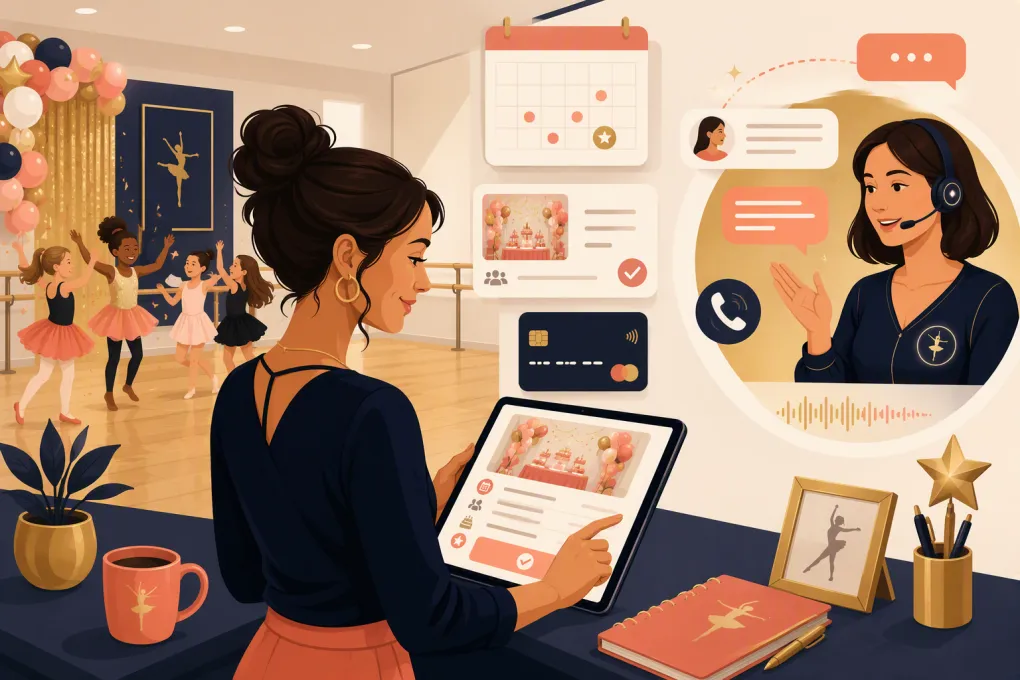
The operational problem is not generating interest. It is responding quickly, gathering the right details, explaining the offer consistently, and moving a parent from “What do you charge?” to a confirmed booking. An AI receptionist for dance studio birthday party bookings can handle much of that work without forcing instructors or owners to monitor the phone all day.
The goal is not to remove people from the experience. It is to automate the repetitive steps while giving staff a clean handoff when judgment, customization, or reassurance is required.
See how Fitty can handle dance studio party inquiries around the clock →
Why birthday party leads are easy to lose
Parents often contact several venues within a short window. Dance studios may be competing with gymnastics facilities, indoor playgrounds, art studios, bowling centers, and mobile entertainers—not just other dance businesses.
A typical inquiry creates more front-desk work than expected:
- Answering questions about dates, ages, capacity, themes, food, and decorations
- Checking instructor and room availability
- Explaining packages and optional add-ons
- Collecting contact and event information
- Sending waivers, policies, or payment instructions
- Following up when the parent stops replying
- Coordinating final headcount and arrival details
If those steps live across voicemail, personal text messages, paper notes, and someone’s memory, leads stall. A delayed response also creates uncertainty: the parent does not know whether the studio received the request or whether the date is still available.
An AI receptionist gives every inquiry an immediate starting point and applies the same qualification process each time.
What an AI receptionist should handle
A useful system does more than send a generic confirmation message. It should move the booking toward the next concrete action.
Answer common party questions
Start by documenting the questions your staff answers repeatedly. These usually include:
- Which ages can participate?
- How many guests can the studio accommodate?
- What party lengths and time slots are available?
- Which dance styles or themes can families choose?
- Are food, cake, decorations, or outside vendors allowed?
- What should children wear?
- Are tables, chairs, setup, and cleanup included?
- What is the cancellation or rescheduling policy?
- Is a deposit required?
- When is the final guest count due?
The AI should answer only from approved studio information. If a policy is unclear or an exception is requested, it should escalate instead of guessing.
Qualify the inquiry
Your staff should not have to call back just to learn the requested date. Configure the receptionist to capture:
- Parent or guardian name
- Mobile number and email address
- Child’s age and first name
- Preferred date and alternate date
- Preferred start time
- Estimated guest count
- Dance theme or style
- Package or budget preference, if applicable
- Special requests or accessibility needs
- Preferred next step
Do not ask every possible question in one long message. Collect the minimum information needed to check fit and availability, then gather event details after the parent is engaged.
Offer a specific next step
“Someone will get back to you” is not a booking process. The next step should be clear, such as:
- Choose an available party consultation time
- Schedule a studio tour
- Select a provisional event slot
- Receive a package guide
- Pay a deposit through a secure link
- Speak with the party coordinator
Which action you use depends on the complexity of your packages. A studio with standardized packages may be able to move directly toward reservation. A studio that builds custom events may need a short consultation first.
Build the booking workflow before adding AI
Automation exposes unclear processes. If three staff members quote three different policies, an AI receptionist cannot fix the underlying problem.
Create a one-page party operations sheet containing the following information.
Package rules
Define what each package includes, its duration, guest limit, eligible age range, staffing requirement, and available add-ons. Note which items require manual approval.
If pricing varies by day, group size, or instructor, document those rules plainly. Avoid terms such as “starting at” unless the receptionist can explain what causes the final price to change.
Availability rules
Separate public availability from internal scheduling details. The system needs to know:
- When parties may start
- Required setup and cleanup buffers
- Which rooms can be used
- Which instructors can lead each party type
- How far in advance families can book
- Whether a slot may be held temporarily
- Who can approve an exception
Do not allow an automated system to promise a time merely because the room appears empty. Instructor coverage, turnover time, rehearsals, and building access also matter.
Payment and cancellation rules
Document whether the initial payment is refundable, transferable, or credited after rescheduling. State when the remaining balance is due and how add-on charges are handled.
Use a secure payment flow rather than requesting card details in a phone transcript, text message, or general chat. The AI can explain the policy and direct the parent to the approved checkout method.
A practical conversation flow
A strong interaction is brief and progressive. It might work like this:
Opening: “I can help with party packages and availability. What date are you considering, and how old will the birthday child be?”
Basic qualification: Ask for guest count, preferred time, and theme after the parent responds.
Package guidance: Recommend only packages that match the documented age and capacity rules. Present a small number of relevant options instead of sending an unfiltered list.
Availability: Offer valid next steps based on the studio’s scheduling process. If availability requires confirmation, say that directly.
Contact capture: Confirm the parent’s name, phone number, and email address.
Conversion action: Schedule the consultation, send the secure reservation link, or alert the designated employee.
Follow-up: If the parent does not complete the next step, send a useful reminder that references the requested date and explains how to continue.
Fitty, WTF Go’s AI receptionist, is built to answer leads, support booking workflows, follow up, and help collect money around the clock. That means a party inquiry received during a recital, evening class, or weekend can enter a defined process instead of sitting in voicemail.
See how Fitty can turn party questions into actionable booking conversations →
Where human staff should take over
Birthday parties carry emotional weight, and some requests need judgment. Establish clear escalation triggers, including:
- Allergy, medical, or accessibility questions not covered by policy
- Requests that exceed room capacity
- Custom themes or off-menu services
- Disputes about refunds or cancellations
- Requests involving outside vendors
- Complaints or safety concerns
- Multiple children with different age requirements
- A parent who explicitly asks for an employee
The handoff should include the transcript, contact details, requested date, guest count, and unresolved question. Making the parent repeat everything defeats much of the value of automation.
Assign ownership as well. Decide whether escalations go to the studio manager, party coordinator, or location lead—and set an internal response expectation.
Follow-up without annoying parents
Automated follow-up should help the parent make a decision, not repeatedly ask whether they are “still interested.”
Useful follow-ups can include:
- A link to the package that fits the child’s age and group size
- A reminder to choose a consultation time
- A prompt to complete the reservation step
- An answer to a question raised in the original conversation
- A notice that availability must be confirmed before the event is secured
Stop follow-up when the parent books, declines, requests no further contact, or needs human assistance. Keep promotional consent separate from operational messages where required, and configure calling and texting practices around applicable federal, state, and carrier rules.
Measure whether the workflow is working
Do not judge the system by how many conversations it starts. Track whether it improves the path to a booked event.
Review these operational indicators:
- Number of party inquiries by channel
- Time to first response
- Percentage of inquiries with complete contact details
- Consultations or tours scheduled
- Reservation or payment steps completed
- Reasons qualified leads do not proceed
- Questions that frequently require escalation
- Bookings requiring manual correction
Listen to or read a sample of conversations regularly. Look for inaccurate answers, unnecessary questions, awkward handoffs, and policies parents misunderstand. Update the approved knowledge base whenever packages, schedules, or rules change.
A simple launch checklist
Before turning on an AI receptionist for party inquiries:
- Finalize party packages and capacity limits
- Document approved answers to common questions
- Set room, instructor, and buffer-time rules
- Choose the exact conversion action
- Create secure payment or reservation links
- Define escalation triggers and staff ownership
- Write follow-up sequences for incomplete inquiries
- Test normal, unusual, and out-of-policy requests
- Verify that booked events reach the correct calendar and staff
- Review conversations after launch and refine the workflow
Start with one predictable party package if your process is complex. Once the workflow is reliable, add themes, upgrades, or location-specific variations.
Turn party demand into a repeatable revenue channel
A birthday party is more than a room rental. It introduces local families to your instructors, facility, and programs. But that opportunity disappears if inquiries receive slow, inconsistent, or incomplete responses.
The right AI receptionist creates a dependable front door: parents get immediate help, staff receive qualified opportunities, and every booking follows the studio’s actual rules. Your team remains available for the moments that need a person rather than spending the day repeating package details.
Explore WTF Go and build an always-on party inquiry workflow with Fitty →
Frequently asked questions
Can an AI receptionist book a dance studio birthday party automatically?
It can handle questions, collect event details, offer approved next steps, and support scheduling or payment workflows. Custom requests and exceptions should be routed to a staff member.
What information should the AI collect from a parent?
Collect the requested date, alternate date, child’s age, estimated guest count, preferred theme, contact details, and any special requests needed to determine fit.
Should an AI receptionist quote party pricing?
Yes, if your prices and package rules are clearly documented. Variable pricing, discounts, and custom packages should be explained carefully or escalated for staff approval.
Can the AI take birthday party deposits?
The safest setup is for the receptionist to explain the payment policy and direct the parent to an approved secure checkout or reservation flow rather than collecting card details in general conversation.
How quickly can a dance studio implement this workflow?
Implementation depends on how clearly the studio has documented packages, availability, payment rules, and escalation paths. Cleaning up those operating rules is usually the most important preparation step.
Keep reading



Run your gym on autopilot with WTF Go
Fitty — your AI receptionist — answers calls and DMs, fills classes, follows up with every lead, and collects dues while you coach.