AI & Automation
AI Receptionist for Dance Competition Studios: A Guide
Learn how an AI receptionist for dance competition studios handles leads, trials, parent questions, tuition follow-up, system integrations, and handoffs.
 Watch · 20s
A competition dance studio rarely misses leads because nobody cares. It misses them because the phone rings during rehearsal, a parent submits a form after hours, or the office manager is resolving a costume, billing, or travel issue.
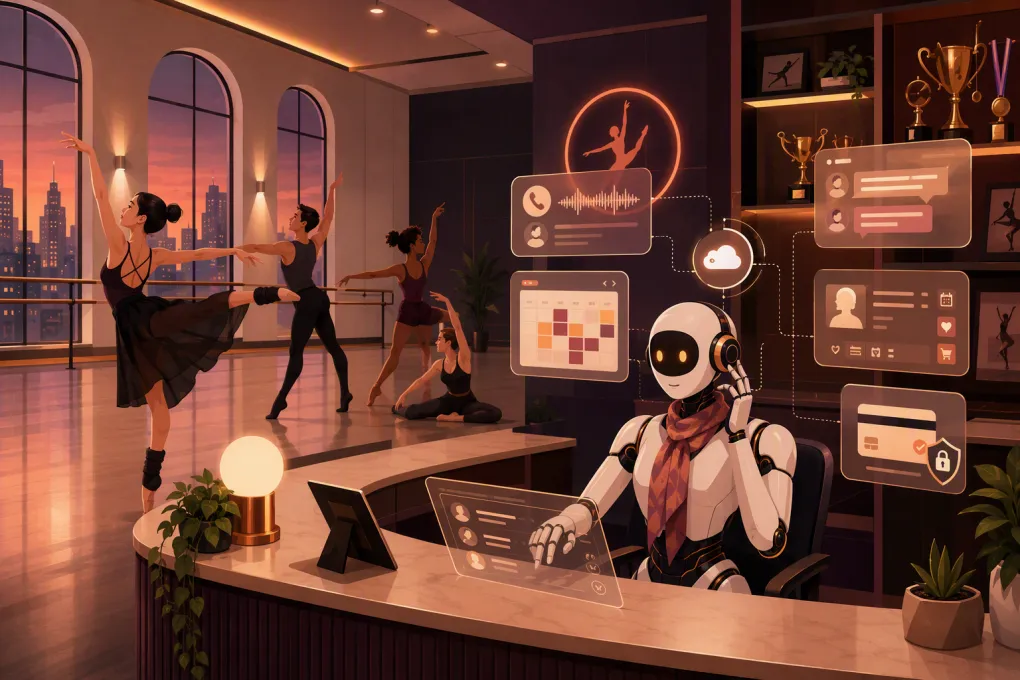
An AI receptionist can cover that first-response gap. It can answer approved questions, qualify prospective families, book eligible trials or assessments, follow up, and contact guardians about overdue tuition. But those workflows are only reliable when the AI is connected to accurate schedules, account records, payment tools, and a human escalation process.
The implementation standard should not be whether the receptionist sounds human. It should be whether it gives the right answer, writes data to the right place, protects family information, and stops when a staff member needs to take over.
Fitty, WTF Go’s AI receptionist, is built to answer leads, book classes, follow up, and help collect dues around the clock. The exact connection method will depend on the systems your studio uses, so the right next step is to test Fitty against your real workflows—not a generic chatbot script. Request a dance-studio workflow review for Fitty →
Start with three bounded workflows
Do not launch by giving AI access to every policy and account process. Start with high-volume work that has a defined answer or next action.
New family inquiry and qualification
The receptionist should identify whether the family wants recreational classes, competitive training, or both. Useful qualification fields include:
- Guardian name and contact information
- Dancer’s age
- Previous training and styles studied
- Recreational or competitive interest
- General availability
- Preferred location for multi-location studios
- How the family heard about the studio
Keep the exchange short. The goal is to recommend an approved next step, not conduct an audition by text or phone.
The AI must not promise company placement, a solo, a specific instructor, or competition eligibility. Those decisions belong to directors.
Trial, consultation, or assessment booking
Not every prospective dancer belongs in a standard trial class. Configure separate booking rules for:
- Beginner introductory classes
- Recreational trials
- Competitive-program consultations
- Skill assessments
- Auditions
- Private lessons requiring approval
- Waitlists for full classes
Each bookable option needs age limits, prerequisites, location, duration, capacity rules, and preparation instructions. If a dancer does not clearly meet the rules, the receptionist should create a staff task instead of guessing.
Routine tuition follow-up
AI can handle the repetitive opening steps of account outreach: notify the authorized guardian, provide an approved payment route, record the response, and remind staff when a dispute or hardship request requires attention.
It should not negotiate payment plans, interpret enrollment agreements, waive fees, or decide whether a dancer can participate with an outstanding balance.
Connect the receptionist to systems of record
An AI receptionist should not maintain a separate, unofficial version of the studio. Decide which application owns each type of data before configuring an integration.
| Data or action | Recommended system of record | What the AI needs |
|---|---|---|
| Class and assessment availability | Studio-management platform or scheduling calendar | Read current availability and write approved bookings |
| Lead and guardian details | CRM or studio-management platform | Create, update, deduplicate, and assign records |
| Enrollment and dancer status | Studio-management platform | Read-only status unless a controlled enrollment workflow exists |
| Account balance | Billing or studio-management platform | Minimum necessary, current balance data |
| Payment | Payment processor or secure billing portal | Secure payment link or hosted checkout—not raw card details |
| Staff escalation | CRM task queue, shared inbox, or help desk | Owner, priority, transcript, reason, and deadline |
| Policies and FAQs | Controlled knowledge base | Approved answer, owner, effective date, and expiration date |
Calendar and booking integration
A useful calendar connection must do more than display open-looking time blocks. It should account for:
- Class IDs rather than class names alone
- Location and room
- Instructor or evaluator availability
- Age and level restrictions
- Maximum capacity and waitlist rules
- Booking cutoffs
- Cancellations and rescheduling
- Time zones for multi-location operations
- Recurring-class exceptions and holiday closures
The booking workflow should check availability again immediately before confirmation. If two families request the final opening simultaneously, the system should accept only the booking successfully written to the source calendar.
Use a unique booking or conversation ID so retries do not create duplicate appointments. If the write fails, the AI should say the request is pending—not claim the trial is confirmed.
CRM and studio-management integration
New conversations should create or update records using stable identifiers such as the guardian’s verified phone number or email. Establish deduplication rules before launch; otherwise, one family may appear as multiple leads after calling, texting, and completing a website form.
Keep guardian and dancer data distinct. A guardian may manage several dancers, and a dancer may have more than one authorized guardian. Useful fields include:
- Lead source
- Program interest
- Dancer age and experience
- Recommended next step
- Appointment status
- Consent and opt-out status
- Assigned staff owner
- Last contact and next action
Define stage changes explicitly. For example, a lead should not become enrolled merely because an assessment was booked.
A connection may use a supported native integration, an API, webhooks, or approved middleware. If real-time updates are unavailable and the workflow depends on periodic synchronization, document the delay and restrict actions that require current data.
Payment integration
The safest pattern is for the receptionist to direct an authorized guardian to the studio’s secure billing portal or hosted payment page. It should not request full card details in an ordinary call transcript, SMS thread, or chat.
When evaluating the connection, confirm whether it can:
- Read the current amount due without exposing unrelated account data
- Generate or retrieve an authorized payment link
- Record that outreach occurred
- Detect a successful payment before sending another reminder
- Route disputes and failed payments to staff
- Respect account holds and special arrangements
Fitty can support dues follow-up, but your implementation still needs rules for what data it may access and when a person takes over. See how Fitty could fit your studio’s booking and collections stack →
Protect guardian, dancer, and balance information
Dance studios hold information about minors, households, schedules, and financial accounts. Convenience does not override privacy.
Verify identity before discussing an account
Do not disclose a balance merely because someone knows a dancer’s name. Use an approved verification process, such as sending a one-time link or code to contact information already registered on the account.
Initial outreach should remain limited. A voicemail or unverified text can state that the studio has an account matter requiring attention without naming the dancer, disclosing the balance, or describing the reason.
Access should follow the guardian permissions in the source system. The AI should not assume that every contact associated with a dancer can view billing, attendance, or enrollment details.
Control consent, contact hours, and opt-outs
Work with qualified counsel and messaging providers to configure applicable calling and texting requirements. Operational safeguards should include:
- Recording the source and scope of communication consent
- Using the family’s local time zone for contact-hour rules
- Suppressing outreach during configured quiet hours
- Honoring recognized opt-out requests promptly
- Preventing a new automation from reactivating an opted-out contact
- Distinguishing service messages from promotional campaigns
- Maintaining an audit trail of contact attempts and preferences
If a guardian asks the studio to stop automated messages, the system should update the central contact record—not only end the current conversation.
Limit data access
Apply least-privilege access. A lead-response workflow does not need account balances. A tuition workflow does not need medical notes, dancer evaluations, or competition scoring information.
Set retention rules for transcripts and recordings. Staff access should be role-based, and sensitive account data should not be copied into unrestricted internal notes.
Design for failed and stale integrations
Every integration eventually encounters a timeout, expired credential, delayed webhook, or conflicting update. Decide what happens before families encounter the problem.
Fail closed when current data matters
If the AI cannot confirm current capacity, it should not book the class. If it cannot retrieve a current balance, it should not quote one. If the current policy version is unavailable, it should route the question to staff.
A safe response is specific: the system could not verify the information, the request has been sent to the office, and no booking or payment status has been confirmed.
Track data freshness
Store the last successful synchronization time for schedules, balances, policies, and account status. Set maximum acceptable ages for each category. A studio closure might tolerate no delay, while a general dress-code article may remain valid longer.
Display stale-data warnings to staff and automatically suspend affected workflows when the threshold is exceeded.
Reconcile writes and outcomes
Run a regular reconciliation process that compares AI actions with the source system. Review:
- Bookings mentioned in conversations but absent from the calendar
- Duplicate lead or guardian records
- Reminders sent after payment
- Capacity conflicts
- Failed handoff tasks
- Policies used after their expiration date
- Opt-outs missing from connected systems
Configure alerts for failed authentication, unusual error volume, and repeated write failures. A silent integration failure is more dangerous than a visible outage because staff may assume the automation is working.
Build a human handoff staff can actually use
Sending an email that says a parent needs help is not a complete escalation.
Each handoff should include:
- Guardian and dancer identifiers appropriate to the staff role
- Contact channel and verified status
- Conversation summary and transcript link
- Reason for escalation
- Urgency level
- Actions already attempted
- Assigned owner
- Expected response deadline
Use separate queues for new leads, billing, competitive-program questions, safety concerns, and complaints. Urgent safeguarding or medical messages should follow the studio’s established emergency procedure rather than entering an ordinary sales queue.
The AI should stop automated follow-up while a human-owned case is open. Staff also need a clear control to resume, close, or permanently suppress automation.
Prove the workflow before launch
Screenshots and feature lists do not prove that a receptionist can work with your data. Ask for a live, studio-specific demonstration using test records and these acceptance tests:
- Submit an after-hours inquiry for a dancer who qualifies for a trial.
- Attempt to book the final available opening from two conversations.
- Ask for an assessment when the dancer does not meet an automatic-booking rule.
- Change class capacity in the source system and verify what the AI sees.
- Disable the calendar connection and confirm that booking fails safely.
- Create duplicate inquiries by phone and web form.
- Test an unverified person asking for a balance.
- Mark an account paid and confirm reminders stop.
- Send an opt-out and verify it reaches the central record.
- Escalate a disputed charge and inspect the task received by staff.
Document the expected result for every test. Repeat the checks after material configuration or integration changes.
Ask WTF Go to walk through these dance-studio acceptance tests with Fitty →
The operating model that works
Use AI for repeatable conversations and controlled actions: answering approved questions, qualifying leads, booking eligible appointments, sending reminders, and beginning account outreach.
Keep people responsible for competitive placement, evaluations, exceptions, disputes, hardship requests, injuries, safeguarding concerns, and sensitive family conversations.
That boundary gives a dance competition studio faster coverage without allowing automation to invent availability, expose private information, or make decisions that belong to a director.
Frequently asked questions
Can an AI receptionist connect to dance studio management software?
Potential connection methods include native integrations, APIs, webhooks, and approved middleware. Confirm compatibility with your specific platform and test reads, writes, synchronization delays, and failure behavior before launch.
Can an AI receptionist discuss a family's overdue tuition?
Only after the studio verifies the person is authorized and limits disclosure to necessary account information. Use secure payment links, respect consent and opt-outs, and escalate disputes or payment-plan requests to staff.
What happens if the class calendar or balance does not sync?
The workflow should fail closed: do not confirm a booking or quote a balance that cannot be verified. Alert staff, create a handoff, show the last successful sync, and reconcile the failed action against the source system.
Can AI book competitive-team auditions automatically?
Yes, when the studio defines eligible slots, age rules, prerequisites, capacity, and required information. The AI should never promise placement and should route ambiguous eligibility cases to a director.
How should a studio test Fitty before going live?
Run test leads, capacity conflicts, duplicate records, payment updates, opt-outs, connection failures, and human escalations using non-production or controlled test data. Approve the workflow only after the results match written expectations.
Keep reading



Run your gym on autopilot with WTF Go
Fitty — your AI receptionist — answers calls and DMs, fills classes, follows up with every lead, and collects dues while you coach.