AI & Automation
AI Receptionist for Cryotherapy Centers: Practical Guide
Learn how an AI receptionist for cryotherapy centers handles calls, books sessions, follows up with leads, and supports safer, smoother front-desk workflows.
 Watch · 20s
A prospect interested in cryotherapy rarely has just one question. They want to know what the session feels like, how long it takes, what to wear, whether they can book today, and whether a package makes sense. If nobody answers, they may call the next wellness business on the list.
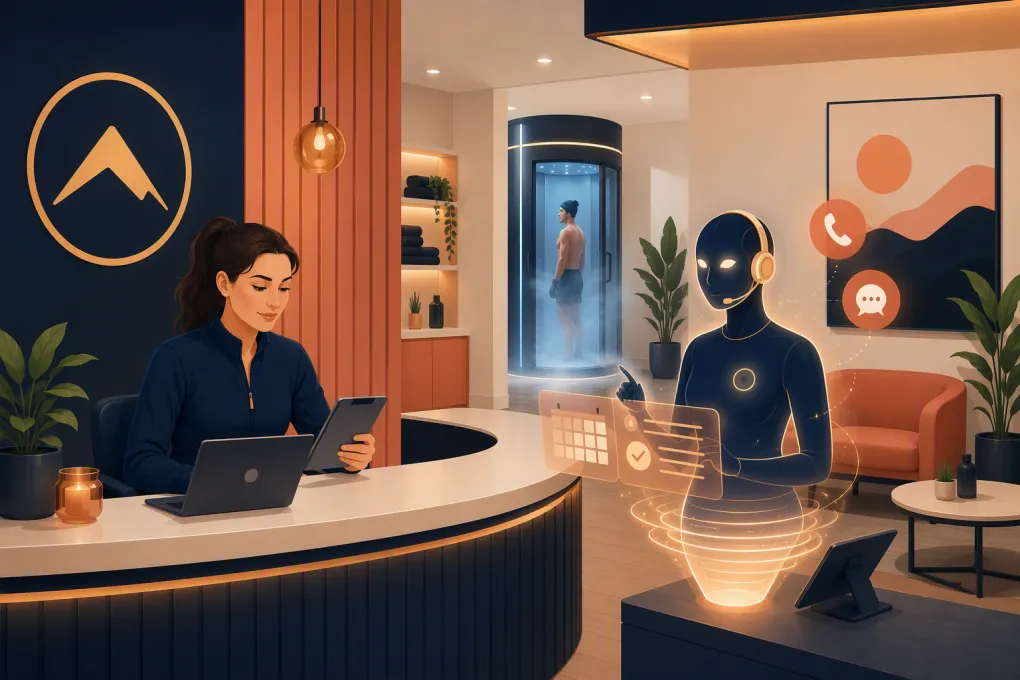
An AI receptionist for cryotherapy centers gives operators a way to handle those conversations without keeping an employee tied to the phone. It can answer routine questions, capture leads, schedule sessions, send reminders, and route sensitive questions to a qualified staff member.
The technology is useful, but only when it is configured around the realities of cryotherapy. A generic chatbot that promises too much or treats every caller the same can create more work than it removes.
See how Fitty handles cryotherapy inquiries and booking requests 24/7 →
What an AI receptionist should handle
The best starting point is not “What can AI do?” It is “Which repetitive conversations slow down our front desk?”
For most cryotherapy businesses, those conversations fall into several practical categories.
New lead response
The AI receptionist should answer common first-time questions and collect enough information to move the inquiry forward. That may include:
- The caller’s name and contact details
- Whether they are interested in whole-body or localized cryotherapy
- Whether this is their first session
- Preferred location, date, and time
- The main reason for contacting the center
- Whether they want a single session, package, or membership information
The goal is not to conduct a medical assessment. It is to give the prospect clear operational information and create the next appropriate action.
Session booking and rescheduling
A useful AI agent should work from live availability rather than taking a message that employees must process later. Depending on the center’s setup, it should be able to:
- Book eligible session types
- Distinguish first-time appointments from returning-member visits
- Apply the correct session duration and buffer
- Reschedule or cancel within the center’s policies
- Send confirmation and preparation instructions
- Route exceptions to the front desk
Make sure booking rules reflect actual chamber capacity, staffing, cleaning procedures, and any limits on simultaneous services. An open calendar slot does not always mean the center can safely accept another appointment.
Routine customer questions
Operators can create an approved knowledge base covering questions such as:
- What should I wear?
- How early should I arrive?
- How long does a session take?
- Do you offer localized cryotherapy?
- Where should I park?
- What is your late-cancellation policy?
- Can I use my membership at another location?
- Do packages expire?
Answers should come from the center’s written policies, not from improvised AI-generated guidance. Review them whenever services, equipment, hours, or policies change.
Lead and member follow-up
A large share of front-desk work happens after the initial conversation. An AI receptionist can follow up when someone:
- Asked about a session but did not book
- Started booking and stopped
- Missed an appointment
- Has an expiring package
- Requested membership details
- Needs to update a payment method
- Has not responded to an earlier message
Follow-up should be helpful and limited. Respect opt-outs and configure calling and texting practices with applicable consent and communications rules in mind.
Where the AI receptionist must stop
Cryotherapy is not the place for an AI agent to blur the line between scheduling support and clinical judgment.
The receptionist should not diagnose a condition, interpret symptoms, decide whether a contraindication applies, promise a health outcome, or tell someone that a service is safe for them. Questions involving medical history, pregnancy, cardiovascular concerns, medication, unusual symptoms, or suitability for treatment should be escalated according to the center’s approved protocol.
A safe response can explain that the AI cannot assess medical eligibility and connect the person with trained staff. If the caller describes an emergency, the system should direct them to emergency services rather than attempt to troubleshoot the situation.
Operators should define clear escalation categories:
- Medical or contraindication questions: Route to trained personnel.
- Equipment or session safety concerns: Escalate immediately to on-site staff.
- Complaints or adverse experiences: Capture essential details and notify management.
- Billing disputes: Send to an employee with account access and decision authority.
- Policy exceptions: Route instead of inventing an answer.
This boundary should appear in scripts, knowledge-base content, staff training, and testing scenarios.
A practical cryotherapy booking workflow
A strong workflow feels simple to the prospect even though several rules operate behind the scenes.
Step 1: Identify the person and intent
The AI determines whether the person is a new lead, returning guest, or active member. It then identifies the requested service, location, and timeframe.
Step 2: Answer operational questions
The agent provides approved information about session length, preparation, pricing structure, memberships, hours, and location policies. If the question requires health judgment, it escalates.
Step 3: Apply booking rules
For a first-time visitor, the workflow may reserve extra time for check-in, required paperwork, orientation, or staff review. Returning members may be eligible for a shorter booking flow.
Step 4: Confirm the appointment
The confirmation should state the service, date, time, location, arrival instructions, cancellation terms, and any required forms. Avoid burying critical instructions in a long promotional message.
Step 5: Continue follow-up
The system sends reminders and tracks whether required actions are complete. If the person does not book, the AI can follow up with a direct question such as whether they want help finding a suitable time.
Fitty, WTF Go’s AI receptionist, is built to connect the conversation to the operating workflow rather than simply record a voicemail. It can answer leads, support booking, continue follow-up, and help collect outstanding dues around the clock.
See how Fitty can turn cryotherapy calls into scheduled sessions →
How to build the knowledge base
An AI receptionist is only as dependable as the source material behind it. Do not hand it a marketing page and assume the job is done.
Create a controlled operating library with the following sections:
Services and terminology
Document each service exactly as staff should describe it. Include whole-body cryotherapy, localized services, add-ons, session lengths, and differences between introductory and returning-client appointments.
Prices, packages, and memberships
List current prices and define what the agent may quote. Include package use rules, expiration policies, membership billing schedules, cancellation terms, freezes, and location restrictions. If pricing varies, the agent should explain the variation or escalate rather than guess.
Facility information
Add hours, holiday schedules, addresses, parking instructions, accessibility details, check-in timing, accepted payment methods, and contact paths for each location.
Preparation and post-session information
Use language approved by your operating and safety team. Keep operational preparation separate from medical advice. If staff must confirm eligibility before a first session, the agent should say so plainly.
Escalation procedures
Specify who receives each type of issue, during which hours, and by what channel. Include a fallback when the primary employee is unavailable.
Assign an owner to this content. Someone should review it whenever the business changes a price, policy, service, schedule, or location detail.
Features to evaluate before choosing a platform
A polished demo does not tell you how the system will perform on a busy evening. Evaluate the operational details.
Ask prospective vendors about:
- Phone handling: Can it answer concurrent calls, transfer callers, and take over an existing business number?
- Booking access: Does it read live availability and follow service-specific rules?
- Conversation history: Can staff see what the prospect asked and how the AI responded?
- Human handoff: Can urgent or sensitive conversations reach the correct employee quickly?
- Lead follow-up: Does the same system continue the conversation across approved channels?
- Membership workflows: Can it recognize members and support billing or dues follow-up?
- Multi-location routing: Can it use the correct hours, inventory, policies, and calendar for each site?
- Knowledge controls: Can operators approve answers and update information without vendor intervention?
- Reporting: Can you review calls, bookings, unresolved requests, and escalation outcomes?
- Data practices: Are access controls, retention, call recording, payment handling, and vendor responsibilities clearly documented?
If payment is involved, avoid workflows that expose raw card data in transcripts or messages. Use an appropriate payment flow and confirm how the vendor handles sensitive information. Call-recording consent, texting consent, privacy, and healthcare-related obligations can vary by location and business model, so obtain qualified legal guidance where needed.
Measuring whether the receptionist works
Do not judge the system by call volume alone. Track whether it produces clean operational outcomes.
Useful measures include:
- Inquiries that become booked sessions
- Calls answered outside staffed hours
- Booking errors requiring manual correction
- Escalations resolved by the right employee
- No-shows after automated reminders
- Unanswered questions added to the knowledge base
- Leads contacted but not over-messaged
- Staff time spent correcting AI responses
Review a sample of conversations regularly, especially during the first weeks. Look for inaccurate answers, awkward handoffs, missed intent, outdated pricing, and callers who repeatedly ask for a person. Then adjust the workflow instead of treating mistakes as unavoidable.
Start with one high-value use case
Trying to automate every conversation at once usually creates an oversized launch project. Start with a contained workflow: after-hours calls from new prospects, for example.
Give the agent approved answers, live booking access, first-visit rules, and a clear escalation path. Test routine calls, interruptions, ambiguous requests, medical questions, cancellations, and callers who change locations midway through the conversation.
Once that workflow is reliable, add missed-call recovery, package follow-up, membership questions, and dues collection. This staged approach makes it easier to identify which rule caused a problem and gives staff time to trust the process.
For cryotherapy operators, the value of an AI receptionist is not that it sounds futuristic. The value is that prospects receive a useful response when they are ready to act, while employees remain available for safety-sensitive, in-person, and higher-judgment work.
Explore WTF Go and put Fitty to work on your cryotherapy front desk →
Frequently asked questions
Can an AI receptionist book first-time cryotherapy sessions?
Yes, if it has live calendar access and is configured with first-visit rules such as longer appointment times, required forms, orientation, and staff review.
Should an AI receptionist answer cryotherapy safety questions?
It may provide approved general information, but it should not assess medical eligibility, interpret symptoms, or promise that a session is safe. Those questions should be escalated to qualified staff.
Can an AI receptionist work across multiple cryotherapy locations?
Yes, provided it can distinguish each location’s calendars, services, hours, pricing, capacity, and escalation contacts.
Can the AI follow up with leads who do not book?
Yes. It can continue approved follow-up by phone or message, but operators should configure consent, frequency, opt-out, and recordkeeping practices appropriately.
How should a cryotherapy center launch an AI receptionist?
Start with one defined workflow, such as after-hours lead calls. Test booking rules, safety escalations, handoffs, and unusual requests before expanding to billing, memberships, and broader follow-up.
Keep reading



Run your gym on autopilot with WTF Go
Fitty — your AI receptionist — answers calls and DMs, fills classes, follows up with every lead, and collects dues while you coach.