AI & Automation
AI Receptionist for CrossFit Gyms: The Operator's Guide
Learn how an AI receptionist for CrossFit gyms captures leads, books intros, handles FAQs, follows up, and supports members without adding desk hours.
 Watch · 20s
A prospective member finds your affiliate at 9:40 p.m. They want to know whether beginners are welcome, how much membership costs, and whether the 6 a.m. class works for someone with an old knee injury.
If nobody answers until the next morning, that person may already be talking to another gym. But answering quickly is only part of the job. The response also needs to explain your beginner pathway, avoid giving medical advice, collect useful lead information, and move the conversation toward an intro or consultation.
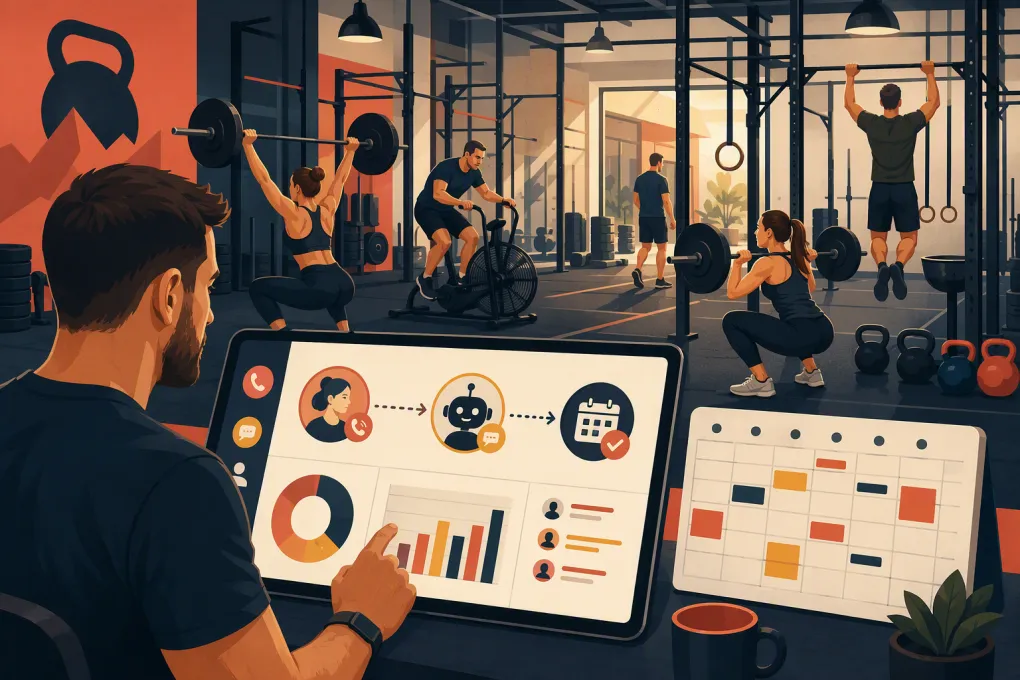
That is where an AI receptionist for CrossFit gyms can earn its place. It handles repetitive front-desk conversations across calls and messages, follows an approved process, and keeps working while coaches are on the floor. The goal is not to replace coaches. It is to stop sales and service work from falling into the gaps between classes.
See how Fitty handles after-hours CrossFit leads and books the next step →
What an AI receptionist should actually do
An AI receptionist is more than a website chatbot. Properly configured, it acts as the first response layer for common lead and member requests.
For a CrossFit affiliate, that can include:
- Answering phone calls and text conversations
- Explaining beginner options, foundations, on-ramp, or intro sessions
- Sharing current class times and approved membership information
- Asking qualification questions without turning the exchange into an interrogation
- Booking consultations, facility tours, trials, or other defined entry points
- Following up when a lead does not book immediately
- Answering routine member questions
- Sending secure payment links for approved dues workflows
- Escalating sensitive or unusual issues to a person
- Recording conversation details so staff can see the context
The important phrase is properly configured. An AI agent cannot repair a vague sales process. If your staff disagree about what a beginner should book, which offer applies, or when a lead needs a coach, the AI will inherit that confusion.
Why CrossFit gyms need a different workflow
A generic appointment bot may treat every inquiry as a simple calendar request. CrossFit leads often need more guidance.
Someone asking about a class may actually need:
- Reassurance that they do not need to be fit before starting
- An explanation of scaling and coaching
- A beginner assessment or foundations session
- Help choosing between group classes and personal training
- Clarification about experience requirements for a drop-in
- A conversation with a coach because of an injury or medical concern
Dropping every new lead directly into the next workout can create a poor experience and an operational headache. Your AI receptionist should understand your gym’s entry path and book the correct next step.
A practical routing model
| Request | AI action | Human involvement |
|---|---|---|
| New local beginner | Explain the starting process and book an intro | Coach conducts the intro |
| Experienced athlete requesting a drop-in | Confirm eligibility rules, collect details, and share booking instructions | Staff reviews exceptions if required |
| Pricing question | Provide approved options or book a consultation, based on your policy | Staff handles negotiation or special rates |
| Injury or medical concern | Avoid diagnosis and route to a qualified staff member | Coach or appropriate professional responds |
| Membership cancellation | Acknowledge the request and explain the documented process | Manager reviews and completes it |
| Failed or overdue payment | Send an approved secure payment link and reminders | Staff handles disputes or hardship cases |
| Complaint about a coach or member | Capture basic details and escalate | Owner or manager follows up |
This routing protects the member experience without pretending every conversation can be automated.
Where AI creates the most operational value
Immediate lead response
Leads rarely arrive according to front-desk hours. They submit forms during lunch, call between classes, and send messages late at night.
An AI receptionist can respond when the interest is fresh, answer the first round of questions, and offer a bookable next step. If the lead is not ready, it can schedule follow-up rather than relying on a coach to remember.
The best first response is not a long sales pitch. It should:
- Acknowledge what the person asked.
- Answer the question directly when possible.
- Ask one useful question, such as whether they have prior CrossFit experience.
- Recommend the appropriate next step.
- Offer specific available times or a booking link.
Consistent follow-up
Many leads do not book after one conversation. They get distracted, need to check a schedule, or want to discuss the expense with someone else.
Build a follow-up sequence that changes based on the situation. A beginner who asked about confidence needs a different message from an experienced athlete comparing class schedules.
Useful follow-up can include:
- A reminder about an unfinished booking
- Answers to unresolved questions
- A brief explanation of the beginner process
- A prompt to choose between two available intro times
- A check-in after a missed consultation
Give leads a clear way to opt out, and make sure your outreach practices follow applicable calling and texting rules. Consent records, quiet hours, and opt-out handling should be part of the system rather than left to staff memory.
Use Fitty to answer, qualify, book, and follow up with gym leads in one workflow →
Routine member service
Lead conversion gets attention, but repetitive member questions also consume staff time. An AI receptionist can handle approved answers about:
- Today’s class schedule
- Holiday hours
- Reservation and cancellation policies
- Waitlists
- What to bring
- Drop-in rules
- How to update a payment method
- Where to find a receipt or membership information
This lets coaches focus on coaching instead of switching between the class floor and the inbox. It also gives members a consistent answer, regardless of which employee is working.
Dues follow-up
Payment follow-up is necessary, repetitive, and uncomfortable. Automation can send neutral reminders and direct members to a secure payment page.
Do not ask members to send full card details through ordinary chat or text. Use your approved payment workflow, limit access to sensitive information, and move disputes to a manager. The AI can handle reminders; it should not improvise decisions about refunds, hardship arrangements, or contract exceptions.
What the AI needs to know before launch
Treat setup like onboarding a new employee. Create one reliable source of truth covering:
Offers and pricing
Document current membership options, intro offers, personal training, foundations fees, drop-in rates, discounts, and what the receptionist may disclose. Remove expired promotions instead of leaving them in old documents.
Booking rules
Define what each lead type can book, how far ahead appointments can be scheduled, coach availability, buffer times, capacity limits, and rescheduling rules.
Facility policies
Include age requirements, childcare availability, parking, pets, late arrival, class cancellation, waitlists, equipment access, and visitor policies.
Brand and conversation style
Specify whether your communication is direct, encouraging, technical, or casual. Provide preferred terminology and phrases to avoid. The AI should sound like your operation, not like a generic call center script.
Escalation rules
Write down exactly when a human takes over. Common triggers include:
- Injury, pregnancy, or medical questions
- Billing disputes and refund requests
- Cancellation requests
- Complaints or safety concerns
- Requests for exceptions
- Threatening, abusive, or highly distressed messages
- Questions the approved knowledge base cannot answer confidently
The agent should identify itself appropriately and never pretend to be a specific coach or owner.
How to roll it out without disrupting the gym
Start with a narrow, high-value workflow rather than automating everything at once.
1. Map the current lead journey
Follow a real inquiry from form submission or phone call through booking, attendance, and follow-up. Note where staff copy information between tools, forget tasks, or wait for an owner to answer.
2. Choose one conversion event
For many affiliates, the event will be a booked intro, consultation, or foundations session. Define it clearly so the AI is working toward the same outcome as your staff.
3. Build approved answers
Review the questions found in recent calls, texts, emails, and social messages. Write direct answers and assign an escalation path where a universal answer would be unsafe or misleading.
4. Test realistic edge cases
Do not test only easy questions. Try scenarios such as:
- A complete beginner asking to join tomorrow’s advanced class
- A traveler with CrossFit experience requesting a drop-in
- A parent asking about a teenager
- A prospect mentioning back pain
- A member disputing a charge
- A lead asking for an unadvertised discount
- A caller who wants to speak with a person
Confirm that bookings, notifications, staff handoffs, and conversation records work as intended.
5. Review conversations weekly
Look for incorrect answers, dead ends, repeated objections, unnecessary escalations, and bookings that do not match the lead’s needs. Update the knowledge base and routing rules as the business changes.
See how WTF Go brings Fitty, booking, follow-up, and gym operations together →
How to judge whether it is working
Avoid evaluating an AI receptionist only by how many messages it sends. Measure whether it improves the actual operating workflow.
Useful metrics include:
- Median first-response time by channel
- Percentage of inquiries receiving a response
- Qualified leads who book the intended next step
- Booked prospects who attend
- Conversations requiring human takeover
- Unanswered questions and incorrect routing
- Time from failed payment to resolution
- Opt-outs and complaints
- Staff time spent on repetitive reception tasks
Review quality alongside conversion. An agent that books unsuitable appointments or frustrates members is not performing well, even if its activity count looks impressive.
The right role for AI in a CrossFit affiliate
AI is strongest at availability, consistency, routing, and repetitive follow-up. Coaches remain essential for trust, assessment, nuanced sales conversations, safety, and the in-person experience.
The practical model is not AI versus staff. It is AI handling the front line and administrative repetition while the team handles situations requiring judgment and relationships.
For an owner who coaches, sells, manages staff, and still checks missed calls after the last class, that division of labor matters. A well-built AI receptionist for CrossFit gyms gives every inquiry a clear next step without asking coaches to become full-time desk staff.
Frequently asked questions
Can an AI receptionist book CrossFit intro sessions automatically?
Yes, if it is connected to the correct calendar and given clear rules for availability, appointment types, buffers, and lead eligibility.
Should an AI receptionist give membership prices?
That depends on your sales policy. It can provide approved pricing, explain starting options, or book a consultation when pricing requires a more detailed conversation.
Can AI answer questions about injuries or workout safety?
It can provide approved general information, but it should not diagnose conditions or give individualized medical advice. Injury and safety concerns should be escalated to a qualified person.
Will an AI receptionist replace gym staff?
It is better used to cover repetitive reception, booking, and follow-up work. Coaches and managers are still needed for assessment, relationship-building, exceptions, complaints, and sensitive decisions.
What should a CrossFit gym automate first?
Start with missed and after-hours lead inquiries, then connect the workflow to a clearly defined next step such as an intro or foundations appointment.
Keep reading



Run your gym on autopilot with WTF Go
Fitty — your AI receptionist — answers calls and DMs, fills classes, follows up with every lead, and collects dues while you coach.