AI & Automation
AI Receptionist for Chiropractic New Patient Intake Guide
Learn how an AI receptionist for chiropractic new patient intake can answer calls, qualify leads, book visits, collect details, and protect staff time.
 Watch · 20s
A prospective patient calls your chiropractic office at 6:20 p.m. They want to know whether you treat their problem, whether you accept their insurance, and how soon they can get in. If nobody answers, they may call the next clinic on the search results page.
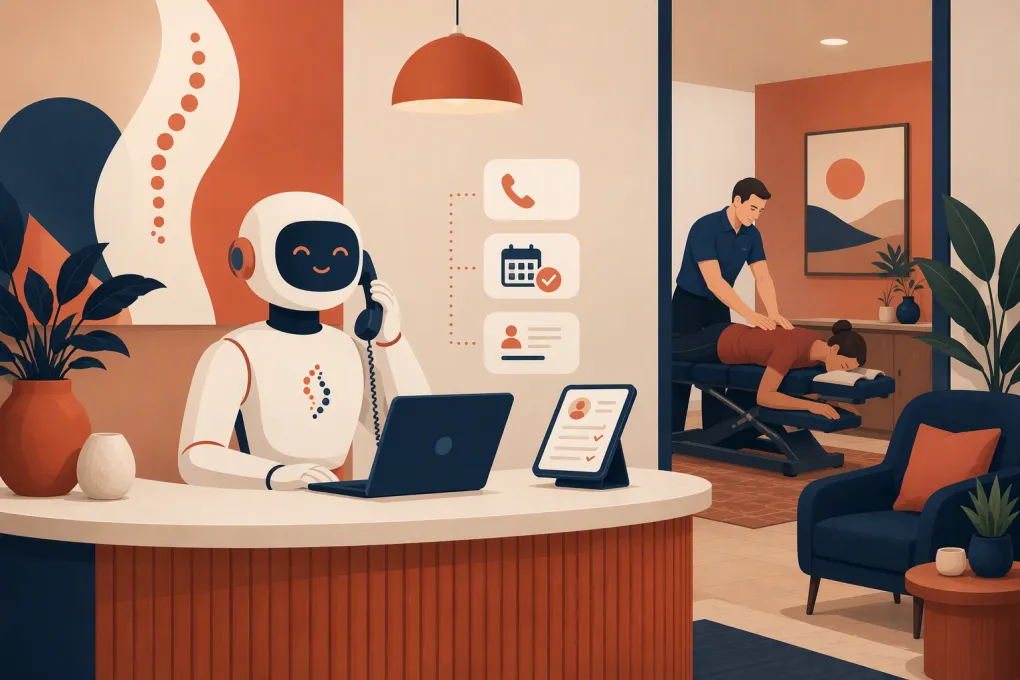
That is the practical value of an AI receptionist for chiropractic new patient intake. It can respond when the front desk is busy or the office is closed, answer approved questions, capture lead information, initiate intake, book appropriate appointments, and follow up when a person does not finish.
The objective is not to automate clinical judgment. It is to remove the administrative delay between a prospective patient’s first question and the next appropriate step.
Why chiropractic new patient intake breaks down
Most intake problems begin before the patient enters the office. Common failure points include:
- Calls going to voicemail during treatments, lunch, evenings, or weekends
- Web leads sitting unanswered until the front desk has time
- Repeated questions about services, pricing, insurance, location, and availability
- Patients receiving an intake form but never completing it
- Appointments being booked into the wrong visit type or provider calendar
- Staff repeatedly calling people who are difficult to reach
- New patients arriving without required administrative information
These are workflow problems, not necessarily staffing problems. Hiring another receptionist may increase coverage, but it does not automatically create consistent after-hours response, structured qualification, or persistent follow-up.
An AI receptionist adds a response layer around the front desk. Staff should remain available for exceptions, sensitive conversations, billing disputes, and anything requiring human or clinical judgment.
See how Fitty can handle first-response and follow-up around the clock →
What an AI receptionist should handle
A useful chiropractic intake agent needs to do more than answer a phone with a synthetic voice. It should move the person forward without crossing into diagnosis or treatment advice.
Answer approved administrative questions
Build a controlled knowledge base covering questions such as:
- Office hours, directions, parking, and accessibility
- Services offered by the clinic
- New patient appointment types
- Which providers work at each location
- General payment and insurance processes
- What to bring to the first appointment
- Cancellation and rescheduling policies
- How to access or complete intake paperwork
Answers should come from clinic-approved information. The agent should not improvise coverage guarantees, quote benefits it cannot verify, or promise that a condition can be treated.
Capture the minimum information needed
The first interaction should not feel like a lengthy medical interview. Start with the information required to identify the person and determine the appropriate administrative next step:
- Name
- Preferred phone number or email
- New or existing patient status
- Preferred clinic location
- General reason for seeking an appointment
- Preferred day or time
- How the person heard about the clinic, if useful
Collect detailed health history through the clinic’s approved intake process rather than an open-ended chatbot unless the technology, agreements, permissions, and security controls have been reviewed for that use.
Book the correct visit type
A booking workflow should account for more than an empty calendar slot. Define rules for:
- New patient examinations versus adjustments or follow-ups
- Provider and location eligibility
- Appointment duration
- Same-day or urgent requests
- Age or service restrictions
- Cases requiring staff review before booking
- Required buffers, resources, or paperwork
When the request does not fit a rule, the agent should create a clear handoff instead of guessing.
Follow up on incomplete intake
Many leads do not refuse to book; they get distracted. A receptionist agent can send a booking link, remind the patient to complete an approved form, or follow up after a missed connection.
Keep follow-up practical. Identify the clinic, explain why the message is being sent, provide one obvious next action, and make it easy to stop receiving nonessential messages. Have counsel review consent and messaging practices, including applicable telephone, text, and recording requirements.
A workable chiropractic intake flow
The best automation starts with a narrow, documented path. Use this sequence as a starting point.
1. Identify intent
Determine whether the person is:
- A prospective new patient
- An existing patient managing an appointment
- Asking a billing or insurance question
- Calling about records, referrals, or another administrative issue
- Reporting something that requires immediate human or emergency direction
This first branch prevents a new-patient script from being forced onto every caller.
2. Set the clinical boundary
The agent can explain services and administrative processes. It should not diagnose symptoms, recommend treatment, interpret imaging, or tell someone whether care is medically appropriate.
Use clinic-approved escalation language for urgent or emergency statements. Do not rely on the AI to perform medical triage. If a caller describes a possible emergency, the workflow should direct them to appropriate emergency services based on language approved by the clinic.
3. Collect contact and scheduling details
Ask one question at a time. Confirm names, phone numbers, dates, and appointment selections before saving them. If speech recognition is uncertain, offer a text or web link rather than repeatedly frustrating the caller.
4. Offer the next available valid options
Present a small number of suitable appointments based on the correct location, provider, visit type, and duration. Avoid reading an entire calendar aloud.
If direct booking is unavailable, capture preferences and set a specific staff task. Saying someone will call back is not enough; the request needs an owner and a due time.
5. Confirm and prepare
Send a confirmation containing:
- Date, time, provider, and location
- Arrival instructions
- Intake form link, if applicable
- Items the clinic asks new patients to bring
- Rescheduling or cancellation instructions
- A direct way to request help
Explore how WTF Go and Fitty can connect lead response, booking, and follow-up →
Build scripts around decisions, not speeches
Long scripts sound rigid and bury the next action. Give the agent concise answers and explicit rules.
For example, an insurance response might follow this structure:
- State whether the clinic works with insurance, cash payment, or both.
- Avoid guaranteeing benefits or reimbursement.
- Explain how verification is handled.
- Offer to book or route the person to staff.
A service question should follow a similar pattern:
- Briefly describe the service using approved language.
- Do not claim that it will resolve the caller’s condition.
- Explain what the first visit generally involves.
- Offer an appropriate appointment or human callback.
Review transcripts and failed interactions regularly. If callers repeatedly ask a question the agent cannot answer, add an approved response or a better routing rule. If it gives inconsistent answers, narrow its information source rather than adding more conversational freedom.
Compliance and security questions to resolve first
New patient intake can involve protected health information, payment details, and recorded communications. Before deployment, document what the agent collects, where the data goes, and who can access it.
Ask potential vendors:
- Will the system receive, store, or transmit protected health information?
- Will the vendor sign a business associate agreement when required?
- How is data encrypted and retained?
- Can access be limited by staff role and location?
- Are calls recorded or transcribed, and how is consent handled?
- Can information be deleted or exported according to clinic policy?
- How are payment details handled, and which payment provider processes them?
- Is customer data used to train shared models?
- What happens when the AI is uncertain or unavailable?
Do not assume that calling a product healthcare-friendly makes a specific workflow compliant. Review the actual configuration, contracts, integrations, state requirements, and staff practices. For payment collection, use an appropriate payment processor rather than asking patients to speak or type card details into an unapproved channel.
How to launch without disrupting the front desk
Start with a contained use case instead of immediately routing every interaction through AI.
A sensible rollout looks like this:
- Map current call and lead paths. List where inquiries originate, who responds, and where they stall.
- Choose one coverage gap. After-hours new-patient calls or unanswered website leads are usually easier to test than every office call.
- Define allowed actions. Specify what the agent may answer, collect, book, modify, and escalate.
- Create a human fallback. Assign queues for billing questions, uncertain appointment types, complaints, and sensitive cases.
- Test realistic scenarios. Include accents, background noise, interrupted calls, multiple locations, insurance questions, and requests outside policy.
- Train staff. Show employees where conversations, tasks, and bookings appear and how to take over.
- Review performance weekly. Fix incorrect answers, routing failures, duplicate records, and unnecessary questions.
Keep your existing voicemail and manual procedures available during the pilot. Automation should earn broader responsibility through reliable performance.
Metrics that show whether intake is improving
Do not judge an AI receptionist by how human it sounds. Judge whether the intake operation works better.
Track:
- Number of new inquiries by channel and time of day
- Calls or messages receiving a response
- Qualified inquiries reaching the booking step
- Appointments booked through the automated workflow
- Incomplete bookings requiring follow-up
- Intake forms completed before arrival
- Handoffs requiring staff action
- Booking errors, duplicate records, and corrections
- Cancellations and no-shows by booking source
- Common unanswered questions
Compare results with the clinic’s own baseline. The point is to find where prospective patients still drop out and where automation creates extra work for staff.
Where Fitty fits into the intake process
Fitty is WTF Go’s AI receptionist and agent for handling leads, booking workflows, follow-up, and dues collection around the clock. For a chiropractic office, the practical starting point is often the administrative front end: answer routine inquiries, capture contact details, guide prospects toward the right booking path, and continue follow-up when the office is closed.
Before using any platform for clinical information, confirm that its current capabilities, agreements, integrations, and security controls match your clinic’s requirements. The right implementation gives Fitty clear boundaries and lets your team take over when a conversation needs human judgment.
See whether Fitty fits your chiropractic intake workflow →
An AI receptionist should make the clinic easier to reach without making patient communication less accountable. Keep the scope administrative, build precise escalation rules, protect sensitive information, and measure the entire path from first contact to completed intake.
Frequently asked questions
Can an AI receptionist book chiropractic new patient appointments?
Yes, if it can access the appropriate scheduling workflow and is configured with rules for visit type, provider, location, duration, and exceptions. Requests outside those rules should be handed to staff.
Can a chiropractic AI receptionist answer medical questions?
It should answer approved administrative and service questions, not diagnose symptoms, recommend treatment, or perform medical triage. Clinical questions and uncertain cases need a qualified human.
Is AI chiropractic patient intake HIPAA compliant?
Compliance depends on the vendor, contracts, configuration, data flows, integrations, and clinic practices. Confirm whether protected health information is involved and whether required safeguards and agreements are in place.
Will an AI receptionist replace chiropractic front desk staff?
It is better used to extend staff coverage and automate repetitive intake steps. Employees are still needed for exceptions, sensitive conversations, complex billing issues, and clinical escalation.
What should a chiropractic office automate first?
Start with a contained gap such as after-hours new-patient inquiries or unanswered web leads. Define approved answers, booking rules, and human handoffs before expanding the workflow.
Keep reading



Run your gym on autopilot with WTF Go
Fitty — your AI receptionist — answers calls and DMs, fills classes, follows up with every lead, and collects dues while you coach.