AI & Automation
AI Receptionist for Chiropractic Clinics: Buyer’s Guide
See how an AI receptionist for chiropractic clinics handles calls, books visits, follows up with leads, and supports staff without losing the human touch.
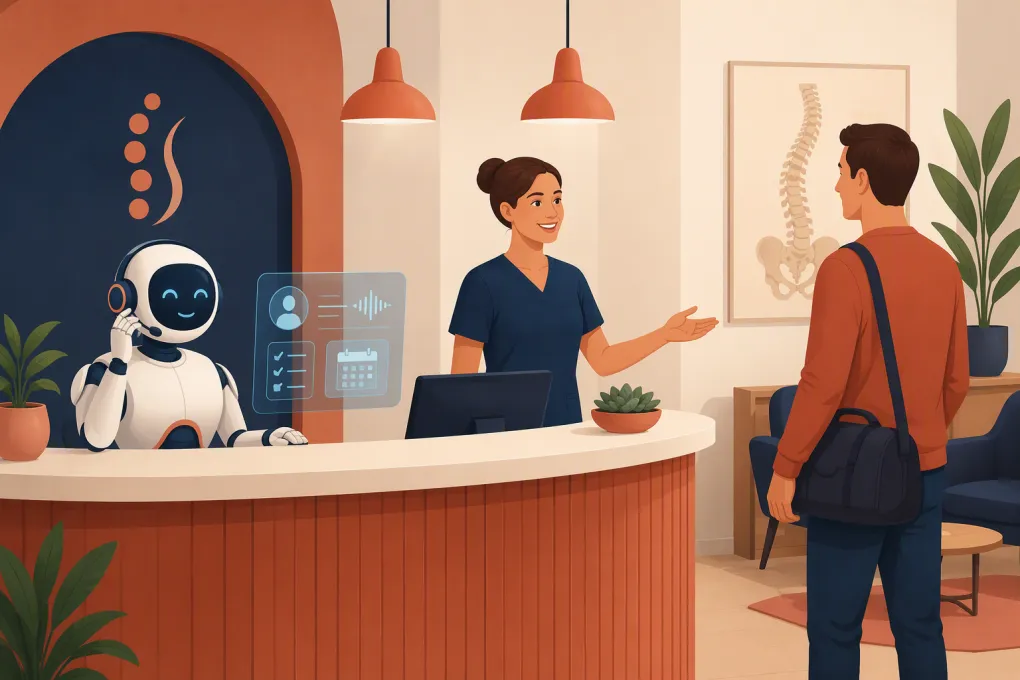 Watch · 20s
A missed call at a chiropractic clinic is rarely just a missed call. It may be a prospective patient comparing providers, an existing patient trying to reschedule, or someone who wants an appointment before deciding whether to keep searching.
The front desk cannot answer every call while checking in patients, handling paperwork, collecting payments, and supporting the clinical team. Voicemail creates another queue, and many callers will not wait for a callback.
An AI receptionist for chiropractic clinics can cover that gap. The right system answers routine questions, captures leads, books eligible appointments, follows up, and transfers sensitive or complex conversations to a person. The wrong system creates scheduling errors, frustrates patients, or collects information it should not handle.
See how Fitty can answer chiropractic leads and help book appointments around the clock →
What an AI receptionist actually does
An AI receptionist is a conversational agent that interacts with callers or leads through phone, text, web chat, or a combination of channels. Unlike a traditional phone tree, it can understand ordinary requests such as:
- “Do you take new patients?”
- “Can I come in after work?”
- “I need to move tomorrow’s appointment.”
- “Where are you located?”
- “Do you offer massage therapy too?”
Depending on its configuration and connections, the agent can answer approved questions, collect contact details, check scheduling rules, book appointments, send confirmations, and escalate to staff.
That does not make it a clinician. An AI receptionist should not diagnose symptoms, recommend treatment, interpret imaging, determine whether care is medically necessary, or make promises about insurance coverage. Its job is to manage the administrative path to the right next step.
Where chiropractic clinics get the most value
After-hours and overflow call coverage
New-patient interest does not stop when the clinic closes or the receptionist steps away. AI can answer common questions and capture booking intent without forcing every caller into voicemail.
During business hours, it can also handle overflow when staff members are helping patients in the office. This is often more useful than treating AI as a total front-desk replacement. The clinic keeps human judgment while automating repetitive interruptions.
New-patient lead qualification
A useful AI workflow gathers only the information needed to move the inquiry forward. That might include:
- Name and preferred contact method
- Whether the person is a new or existing patient
- Desired location for a multi-clinic business
- General appointment type requested
- Preferred days or times
- How the person heard about the clinic
Avoid turning the first conversation into a lengthy intake. Detailed health history, insurance documentation, and consent forms are generally better handled through approved intake systems and clinic-defined processes.
Appointment booking and rescheduling
Booking is where an AI receptionist becomes operationally valuable rather than merely convenient. It should apply the clinic’s actual rules, including:
- Which providers accept new patients
- Appointment lengths by visit type
- Location and provider availability
- Required buffers between appointments
- Same-day booking restrictions
- Whether certain requests need staff approval
- Cancellation and rescheduling policies
An agent that only sends a message to the front desk may still improve call coverage, but it does not eliminate scheduling work. Ask whether a product can book directly, request a preferred time, or only capture a callback task.
Follow-up that does not depend on a sticky note
Not every caller books immediately. A prospect may ask about hours, say they need to check a calendar, and disappear into a manual callback list.
A defined follow-up sequence can reconnect with that lead by text or phone, provided the clinic has the appropriate consent and follows applicable communication rules. The sequence should have a clear stopping point and immediately stop when the person opts out.
Fitty, WTF Go’s AI receptionist, is built to answer leads, help book visits, follow up, and keep routine conversations moving when staff cannot respond immediately. See how Fitty can support your clinic’s lead-to-appointment workflow →
What the AI should say—and what it should never say
Good performance starts with boundaries, not clever conversation.
Create an approved knowledge base covering your locations, office hours, parking instructions, services, provider availability, accepted payment methods, and high-level billing policies. Assign someone to maintain it whenever operations change.
Then define prohibited responses. The agent should not:
- Diagnose a caller or assess the cause of pain
- Recommend manipulation, exercises, supplements, or treatment plans
- Interpret symptoms, test results, or medical records
- Guarantee insurance reimbursement or quote unverified benefits
- Claim a provider can treat a condition without clinical review
- Continue an automated conversation when emergency language appears
For urgent or potentially dangerous situations, use a clinic-approved escalation message. That may direct the caller to emergency services or another appropriate resource rather than attempting to triage the condition. Have clinical leadership and legal or compliance advisors review this language.
Privacy, consent, and security questions to ask
Chiropractic clinics may handle protected health information, payment details, and recorded communications. Do not assume that a product is suitable simply because it markets itself to healthcare businesses.
Before deployment, ask the vendor:
- What information does the system collect and store? Map every field, transcript, recording, and summary.
- Where is the data sent? Identify subprocessors and any external tools receiving conversation data.
- Will the vendor sign a business associate agreement when required? Confirm this based on the specific product and configuration.
- How are access and deletion controlled? Staff should have role-based access and a documented process for removing records.
- Are calls recorded? Recording and disclosure requirements vary by jurisdiction.
- How is outbound consent managed? Automated calls and texts may be subject to federal and state requirements, including rules enforced under the Telephone Consumer Protection Act.
- How are payments handled? Use appropriate payment systems rather than asking the AI to repeat or store card details in a transcript.
This is operational guidance, not legal advice. Your clinic should review HIPAA, communication consent, call-recording, and payment workflows with qualified advisors.
How to evaluate an AI receptionist for your clinic
A polished demo is not enough. Test the system against the situations your team handles every week.
Use a realistic test-call list
Run calls for:
- A new patient asking for the earliest appointment
- An existing patient rescheduling at a different location
- A caller asking whether a specific insurance plan is covered
- A patient requesting clinical advice
- A caller who speaks unclearly or changes the request midway through
- A person asking to speak to staff immediately
- A caller using emergency or high-risk language
- A patient who wants to opt out of future messages
Score whether the agent understood the request, followed scheduling rules, avoided unsupported claims, and escalated correctly.
Check the operational fit
Evaluate more than voice quality. Ask:
- Can it use your current calendar or booking workflow?
- Can staff see conversation summaries and unresolved tasks?
- Can it distinguish new-patient visits from follow-ups?
- Can it route by provider, location, service, or language?
- What happens when the calendar connection fails?
- Can staff take over a live or ongoing conversation?
- Can you review transcripts and correct approved answers?
- How quickly can hours, policies, and services be updated?
If integration with your practice management or EHR platform is essential, verify the exact connection rather than accepting a broad claim that the product “integrates with healthcare software.” Ask to see the workflow end to end.
A practical rollout plan
Do not automate every call on day one. Start with a narrow, measurable scope.
Step 1: Audit incoming demand
Review call reasons, voicemail messages, web inquiries, and front-desk notes. Group them into booking, rescheduling, directions, billing, insurance, clinical questions, and other categories.
Step 2: Choose low-risk workflows
Start with office hours, directions, basic service information, new-lead capture, and appointment requests. Add direct scheduling only after booking rules have been documented and tested.
Step 3: Build escalation paths
Specify who receives clinical questions, billing disputes, complaints, accessibility requests, and urgent messages. Include a fallback when no staff member is immediately available.
Step 4: Run in overflow mode
Let staff answer first while the AI covers unanswered and after-hours calls. This exposes gaps without abruptly changing the experience for every patient.
Step 5: Review performance weekly
Track outcomes that operators can act on:
- Calls answered versus sent to voicemail
- New leads captured
- Appointments booked or requested
- Conversations requiring staff follow-up
- Booking corrections and preventable errors
- Opt-outs, complaints, and failed transfers
- No-shows by booking source
Use your own baseline rather than relying on generic vendor benchmarks. The goal is not to maximize automated conversations. It is to produce accurate bookings and cleaner handoffs with less front-desk disruption.
AI should make the front desk better, not invisible
Patients still need people for nuanced billing problems, clinical concerns, complaints, and moments that require judgment. Staff should be able to see what the AI discussed, take over when necessary, and correct information without filing a support ticket every time office hours change.
The strongest setup is usually a clear division of labor: AI handles repetitive, rules-based conversations; staff handle exceptions and relationships; clinicians handle care.
For a chiropractic operator, that means fewer routine interruptions, faster responses to prospective patients, and a front desk that can focus on the people already in the building. That is the standard an AI receptionist should meet.
Frequently asked questions
Can an AI receptionist book chiropractic appointments directly?
Yes, if it connects to the clinic’s scheduling workflow and is configured with visit types, provider availability, appointment lengths, and booking restrictions. Verify the exact integration and test it before allowing live bookings.
Is an AI receptionist for a chiropractic clinic HIPAA compliant?
Compliance depends on the vendor, configuration, data handled, contracts, and clinic workflow. Ask about data storage, subprocessors, access controls, and whether the vendor will sign a business associate agreement when required.
Can AI answer patient questions about pain or treatment?
It can route the question or provide clinic-approved administrative information, but it should not diagnose symptoms, recommend treatment, or replace clinical judgment.
Should AI replace a chiropractic clinic’s front-desk staff?
Usually, the better use is to cover after-hours calls, overflow, repetitive questions, booking, and follow-up. Human staff should retain responsibility for complex, sensitive, and relationship-driven conversations.
What should a clinic test before going live?
Test new-patient booking, rescheduling, insurance questions, staff transfers, opt-outs, urgent language, calendar failures, and multi-location routing. Review both the caller experience and the tasks created for staff.
Keep reading



Run your gym on autopilot with WTF Go
Fitty — your AI receptionist — answers calls and DMs, fills classes, follows up with every lead, and collects dues while you coach.