AI & Automation
AI Receptionist for Cheer Gyms: A Practical Operator Guide
Learn how an AI receptionist for cheer gyms can capture leads, book evaluations, follow up with families, collect dues, and protect staff time all year, 24/7.
 Watch · 20s
A parent asks about beginner tumbling while your front desk is helping with check-in. Another family submits an inquiry after evening practice. Someone else wants to reschedule an evaluation, confirm pricing or ask which team is right for their athlete. Every conversation could become enrollment, but your staff cannot answer every inquiry immediately.
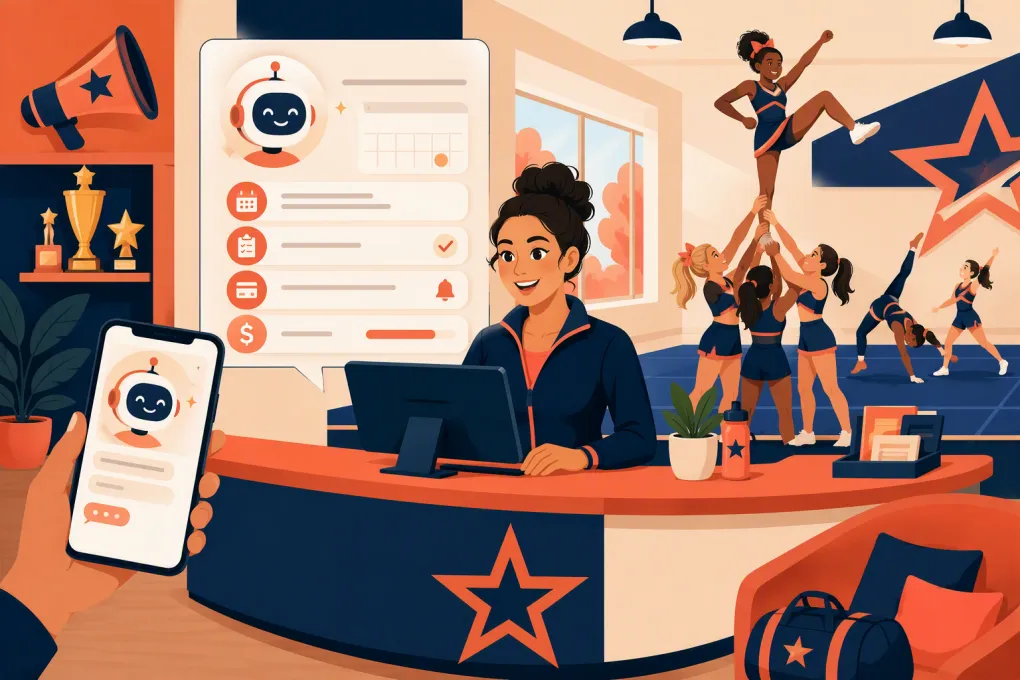
That is the practical case for an AI receptionist for cheer gyms. It gives families a responsive first point of contact while protecting coaches and front-desk staff from repetitive administrative work. Used correctly, it can answer common questions, qualify leads, book evaluations, follow up with families and help address overdue balances.
The goal is not to remove people from the member experience. It is to automate the delays and repetitive tasks that make that experience worse.
See how Fitty handles after-hours cheer gym inquiries →
What an AI receptionist for a cheer gym actually does
An AI receptionist is more than a website chat bubble. It acts as a digital front-desk agent that can handle defined conversations and move families toward the next appropriate action.
For a cheer gym, those actions commonly include:
- Responding to new athlete and parent inquiries
- Explaining programs in approved, consistent language
- Asking about age, experience and goals
- Recommending the correct next step
- Booking an evaluation, intro class or consultation
- Following up when a family does not book
- Answering routine schedule, location and policy questions
- Sending payment reminders or helping collect dues
- Escalating sensitive or unusual situations to staff
A basic chatbot may only display canned answers. A capable AI receptionist can interpret what the parent is asking, gather relevant information and continue the workflow without forcing staff to restart the conversation later.
Where cheer gyms lose leads
Most missed opportunities are not caused by a lack of interest. They happen because the path from inquiry to enrollment has friction.
Inquiries arrive outside office hours
Parents often research programs when they are off work, athletes are home and the gym is running practices. If the only available option is voicemail or a generic contact form, the family may continue contacting other gyms.
An AI receptionist can respond immediately, capture the athlete’s information and offer an appropriate booking step. The family gets direction without requiring an owner or coach to monitor messages all night.
Staff need information before recommending a program
A request such as “How much are classes?” rarely has one useful answer. Staff may first need to know:
- The athlete’s age
- Previous cheer, dance or gymnastics experience
- Whether the family wants recreational or competitive cheer
- The skills the athlete is working on
- Preferred days or location
- Whether they want tumbling, a team evaluation or both
An AI receptionist can collect these details consistently. Staff then receive a useful lead record rather than a name and phone number with no context.
Follow-up stops after one attempt
Families get distracted. They may open a message during school pickup, intend to reply later and forget. That does not necessarily mean the lead is uninterested.
Structured follow-up keeps the conversation active without requiring staff to maintain personal reminder lists. The system should stop when the family replies, books, opts out or clearly declines.
Booking requires too much back-and-forth
If evaluation scheduling takes several messages, every delay creates another chance for the lead to disappear. An AI receptionist connected to current availability can move a qualified family directly into the correct appointment or class.
See how WTF Go connects cheer lead follow-up with booking →
Cheer-specific workflows worth automating
The strongest automation starts with narrow, well-defined workflows. Do not begin by asking AI to handle every possible front-desk situation.
New athlete inquiry to evaluation
A practical workflow could be:
- Ask which program or skill the family is interested in.
- Collect the athlete’s age and relevant experience.
- Confirm the family’s preferred location if the gym has multiple sites.
- Explain the appropriate evaluation or introductory process.
- Offer available times.
- Confirm the booking and provide arrival instructions.
- Follow up if the family does not complete the booking.
The AI should not promise team placement or a specific level. Those decisions belong with qualified gym staff after evaluating the athlete.
Tumbling class inquiries
Parents may describe goals rather than use your official class names. They might ask for help with a back handspring, beginner tumbling or preparation for school cheer tryouts.
Build your receptionist’s knowledge around those real questions. Define:
- Age requirements
- Prerequisite skills
- How placement is determined
- Whether an evaluation is required
- What to wear and bring
- Current booking options
- Which questions require a coach
The AI can explain the process, but it should not assess an athlete’s readiness from a parent’s description alone.
Competitive program interest
Competitive cheer inquiries often involve tuition, travel, practice expectations, team placement and season timing. These conversations need controlled answers.
Give the AI approved descriptions of your commitment requirements and fee structure. If costs vary by team or season, it should say that clearly and direct the family to an evaluation or staff consultation rather than inventing a total.
Missed evaluation follow-up
When a family misses an evaluation, the receptionist can offer an approved rescheduling path. It should also recognize when the situation needs a person—for example, if the parent reports an injury, disputes a charge or expresses dissatisfaction.
Past-due account outreach
Dues follow-up is repetitive and sensitive. Automation can send consistent reminders, direct members to an approved payment process and notify staff when a conversation requires judgment.
Fitty, WTF Go’s AI receptionist, can follow up and collect dues as part of the broader member workflow. That keeps lead management, booking and account communication from becoming disconnected front-desk tasks.
See how Fitty can support cheer gym dues follow-up →
What the AI needs to know before launch
AI performance depends heavily on the operating information behind it. Before turning it on, create a source of truth for the questions families ask most often.
Include:
- Program names and plain-English descriptions
- Ages served and prerequisites
- Evaluation and placement procedures
- Locations, hours and contact details
- Current schedules and booking rules
- Tuition explanation guidelines
- Registration and cancellation policies
- Trial, intro and evaluation options
- Required attire and equipment
- Competition commitment information
- Payment methods and dues procedures
- Escalation contacts
Avoid uploading contradictory documents and expecting the AI to choose the current version. Assign someone to own updates whenever schedules, policies or programs change.
Set firm boundaries for family and athlete conversations
Cheer gyms serve minors, so escalation rules should be part of implementation—not an afterthought.
The AI receptionist should hand the conversation to staff when it involves:
- Injuries, pain or medical questions
- Athlete safety or safeguarding concerns
- Bullying, harassment or misconduct
- Team placement disputes
- Refunds, charge disputes or unusual account issues
- Complaints about a coach or athlete
- Requests outside approved policy
- Emergencies or threats
It should never provide medical advice, guarantee skill progression or make subjective judgments about an athlete. It also should not expose private account or athlete information without following your verification process.
Make it clear that the family is interacting with an automated assistant. Give people a straightforward way to request a staff member, and define who receives escalations during and outside staffed hours.
How to implement an AI receptionist without creating chaos
1. Audit your current inquiry path
Submit a lead through every public channel. Call the gym after hours. Try to book an evaluation from a phone. Review what happens when no one replies.
Document each delay, duplicate entry and manual handoff.
2. Start with one high-value workflow
New lead to evaluation is usually a clean starting point because the desired action is clear. Build and test that workflow before adding dues, reactivation or broader member support.
3. Write approved answers
Use the language your best front-desk employee would use: direct, friendly and specific. Avoid long marketing copy. Parents typically want to know whether the program fits, what happens next and how to get started.
4. Test real-world variations
Do not test only perfect questions. Try messages such as:
- “My daughter wants to cheer but has never done it.”
- “Do you help with high school tryouts?”
- “He can do a roundoff but not a back handspring.”
- “How much is competitive cheer?”
- “Can we come by tonight?”
Check whether the receptionist asks sensible follow-up questions, avoids unsupported promises and routes the family correctly.
5. Review conversations and outcomes
Track operational measures rather than vanity metrics:
- Inquiries receiving a response
- Qualified leads reaching the booking step
- Evaluations booked and attended
- Questions requiring staff escalation
- Leads that stop responding
- Incorrect or outdated answers
- Dues conversations resolved or escalated
Review conversation samples regularly. If families repeatedly ask a question the AI cannot answer, update the source information or create a better escalation path.
Choosing the right AI receptionist for your cheer gym
Look beyond whether the product can generate a natural-sounding reply. The receptionist needs to complete real work inside your operation.
Ask vendors:
- Can it book the correct class or evaluation rather than only collect contact details?
- Can it follow up automatically while honoring replies and opt-outs?
- Does it keep the conversation connected to the lead or member record?
- Can staff see what was said and take over when needed?
- Can it support multiple programs or locations with different rules?
- How are schedules, policies and pricing information updated?
- What controls prevent unsupported answers?
- How does escalation work?
- Can it support payment and dues workflows?
- What happens during migration and staff onboarding?
WTF Go is built as an operating system for gyms, studios, spas and wellness businesses, with Fitty serving as the AI receptionist. The value is not AI for its own sake. It is having the agent answer leads, book classes, follow up and collect dues within the same operating environment.
For a cheer gym, that means fewer conversations ending in a dead inbox—and more families receiving a clear next step while your coaches stay focused on athletes.
Frequently asked questions
Can an AI receptionist book cheer evaluations?
Yes, when it has access to the correct availability and booking rules. It should collect relevant athlete details and book only the appropriate evaluation or introductory option.
Will an AI receptionist replace my cheer gym's front-desk staff?
It should handle repetitive inquiries and routine workflows, not replace human judgment. Staff remain essential for athlete placement, sensitive concerns, complaints and complex account issues.
Can AI answer questions about competitive cheer pricing?
It can share approved pricing information and explain what fees cover. If costs depend on team placement, travel or season details, it should avoid estimates and route the family to the correct next step.
How should an AI receptionist handle conversations involving minors?
Use strict privacy, safety and escalation rules. Medical concerns, safeguarding issues, misconduct reports and other sensitive matters should be transferred to designated staff immediately.
What should a cheer gym automate first?
Start with the new-lead-to-evaluation workflow. It has a clear outcome and lets the gym validate answers, booking rules and escalation procedures before expanding automation.
Keep reading



Run your gym on autopilot with WTF Go
Fitty — your AI receptionist — answers calls and DMs, fills classes, follows up with every lead, and collects dues while you coach.