AI & Automation
AI Receptionist for Brow Studios: Never Miss Another Booking
See how an AI receptionist for brow studios answers inquiries, books appointments, follows up with leads, and takes repetitive work off your team each day.
 Watch · 20s
A prospective client finds your brow studio after dinner. She wants to know whether brow lamination includes shaping, how long the appointment takes, and whether Saturday morning is available. If nobody responds until the next business day, she may already have booked elsewhere.
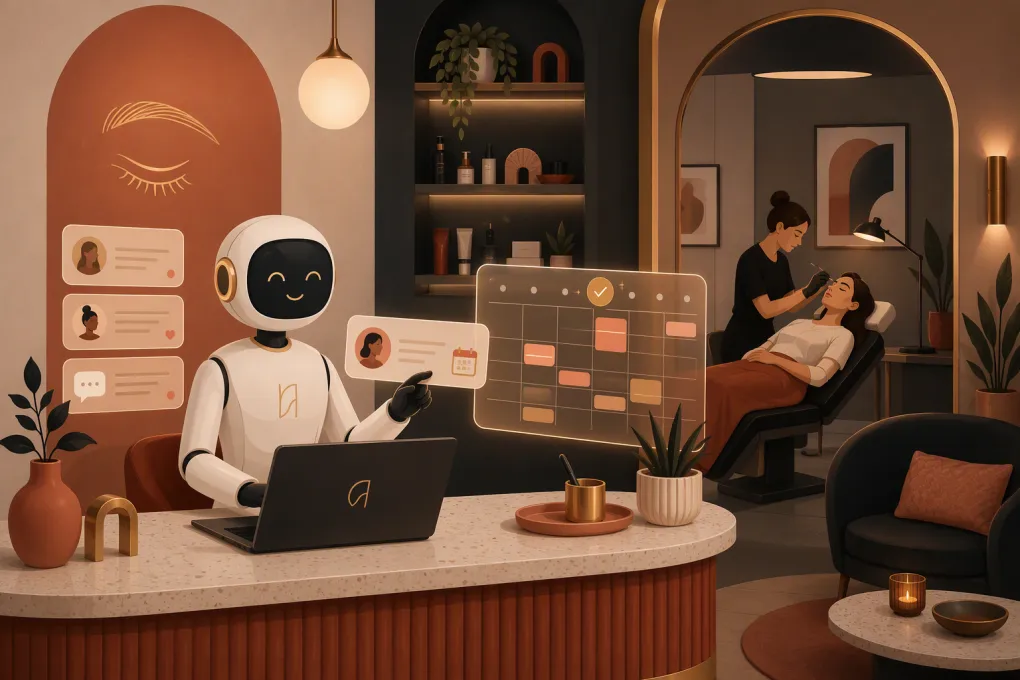
That is the practical case for an AI receptionist for brow studios. It is not about replacing brow artists or forcing every conversation through a bot. It is about handling routine booking conversations immediately, enforcing studio policies consistently, and giving your team fewer inboxes to monitor between clients.
A well-configured AI receptionist can answer common questions, qualify new leads, guide clients toward the right service, book eligible appointments, follow up with people who stop responding, and escalate conversations that require human judgment.
See how Fitty can handle after-hours brow inquiries and booking follow-up →
What an AI receptionist does for a brow studio
An AI receptionist is a digital front-desk agent connected to your studio’s approved information and booking workflow. Unlike a basic website chatbot that only displays canned answers, an AI agent can carry a conversation toward a defined outcome.
For a brow business, that outcome might be:
- Booking a brow shape, tint, lamination, or consultation
- Explaining the difference between services
- Identifying whether the person is a new or returning client
- Collecting the information required before booking
- Sharing preparation and aftercare instructions
- Applying deposit or cancellation rules consistently
- Following up with a lead who asked about availability but did not book
- Routing unusual, sensitive, or high-risk questions to a team member
The value comes from combining conversation with action. Answering “How long does lamination last?” is useful. Answering it, checking suitable appointment availability, and moving the client into the booking flow is better.
Where brow studios lose bookings
Brow studios have a front-desk problem even when they do not have a front desk. Artists cannot safely answer calls or type detailed messages while mapping, waxing, tinting, or performing precision work.
Common gaps include:
Inquiries that arrive while artists are with clients
A phone call, website inquiry, or social message often arrives during an appointment. By the time the artist is free, the lead has cooled or contacted another studio.
Repetitive service questions
New clients regularly ask about service differences, appointment length, preparation, maintenance, pricing, and suitability. These questions matter, but answering them manually consumes time that could be spent serving clients or running the business.
Leads that never complete the booking
Some prospects ask for a price or available time and then disappear. Without a structured follow-up process, those conversations sit unfinished in an inbox.
Inconsistent policy communication
One team member may explain deposits clearly while another forgets. Cancellation, late-arrival, guest, touch-up, and rescheduling policies can become negotiable when they are not communicated consistently.
After-hours demand
Beauty clients often research and book outside studio hours. An immediate, accurate response can keep that demand inside your booking process without requiring an owner to remain on call.
The brow-specific workflows worth automating
A generic AI tool will not automatically understand how your studio operates. The system needs rules built around your actual services, staff, timing, and policies.
Service selection
Give the receptionist a clear service menu written in client-friendly language. For each service, document:
- What it includes
- Who it is generally designed for
- Appointment duration
- Starting price or fixed price, if you publish one
- Recommended maintenance schedule
- Required preparation
- Relevant restrictions
- Whether a consultation or patch test is required
- Which artists or locations offer it
Avoid vague labels that only make sense internally. A new client may not know whether she needs “signature brows,” “shape and stain,” or “lamination maintenance.” The AI should ask a small number of useful questions and explain the options without pretending to make a clinical assessment.
Booking and availability
The receptionist should only offer times that satisfy your operational rules. Those may include provider eligibility, service duration, cleanup buffers, room availability, location, patch-test timing, and new-client requirements.
Make sure the workflow distinguishes between:
- A request to book
- A confirmed appointment
- A waitlist request
- A consultation that needs team approval
Clients should never leave a conversation believing they are booked when the system has only collected their preferred time.
Deposits, cancellations, and late arrivals
Policy enforcement works best when it happens before the appointment. The AI should state the relevant deposit, cancellation, rescheduling, and late-arrival terms before asking the client to confirm.
Keep the language direct rather than defensive. Explain what is required, when a payment is applied, and what happens if the client needs to change the appointment. If an exception requires owner approval, route it instead of improvising.
Lead follow-up
A practical follow-up sequence can recover conversations without badgering prospects. Trigger follow-up when someone:
- Asks about a service but does not choose a time
- Requests availability and stops responding
- Begins the booking process without completing it
- Joins a waitlist
- Requests information about a future service
Each message should continue the existing conversation. “Would you like the morning or afternoon opening?” is more useful than a generic “Just following up.” Stop the sequence when the person books, declines, opts out, or asks for human help.
Explore how Fitty answers leads, follows up, and keeps booking conversations moving 24/7 →
What the AI should not handle alone
Automation needs boundaries, especially when a service involves skin sensitivities, previous reactions, contraindications, or dissatisfaction with a result.
Escalate conversations involving:
- Reports of pain, swelling, burns, allergic reactions, or other adverse effects
- Questions requiring medical advice
- Complex suitability or contraindication decisions
- Complaints, refund requests, or requests for corrective work
- Minors and consent requirements
- Unusual service combinations
- Policy exceptions
- Aggressive, threatening, or highly distressed messages
The AI can collect context and notify the appropriate person, but it should not diagnose a reaction or promise a remedy. Build an escalation path with an owner, manager, or designated artist and define when that person is expected to respond.
How to set up an AI receptionist properly
The quality of the result depends less on clever wording and more on clean operating information.
1. Audit real inquiries
Review recent calls, messages, contact forms, and booking questions. Group them into categories such as pricing, availability, service selection, preparation, policies, location, parking, and aftercare.
Use the language clients actually use. That gives your AI a better working knowledge base than a generic beauty-industry FAQ.
2. Document one source of truth
Create an approved operating document containing:
- Current services and prices
- Durations and booking buffers
- Staff qualifications and service eligibility
- Hours and location details
- Deposit and cancellation policies
- Preparation and aftercare instructions
- Patch-test requirements
- Escalation contacts
Assign someone to update this information whenever the menu, team, schedule, or policy changes.
3. Map the conversation paths
Decide what should happen after each common inquiry. A lamination lead might receive a short explanation, answer qualifying questions, review preparation requirements, choose a provider or location, and then book.
Do not create a twenty-question interrogation. Ask only for information that changes the recommendation or is required to complete the appointment.
4. Test edge cases
Before launch, test more than straightforward bookings. Ask about unavailable services, same-day requests, patch tests, late arrivals, previous reactions, refunds, group appointments, and fully booked dates.
Check that the AI says “I don’t know” or escalates when information is missing. A confident but incorrect answer creates more front-desk work, not less.
5. Review conversations regularly
Read a sample of conversations after launch. Look for unanswered questions, incorrect routing, unnecessary friction, policy confusion, and phrases that do not sound like your studio.
Treat the AI receptionist like a trained team member: give it approved information, monitor performance, and update the process when your business changes.
How to measure whether it is working
Do not judge the system by how many messages it sends. Judge it by whether it improves the client journey and reduces avoidable administrative work.
Useful operational measures include:
- Inquiries receiving an immediate first response
- Qualified leads that complete a booking
- Booking conversations requiring staff intervention
- Abandoned inquiries recovered through follow-up
- Appointments booked outside staffed hours
- Incorrect answers or failed escalations
- Cancellations tied to unclear policy communication
- Time staff spend on repetitive booking questions
Review outcomes by service and location. If lamination inquiries convert poorly while brow-shaping inquiries book smoothly, inspect the lamination explanation, qualification questions, availability, and preparation rules.
Choosing the right AI receptionist for your studio
Look beyond a polished demo. The tool needs to fit your operating system and the way appointments actually move through your business.
Ask vendors:
- Can it use our live services, staff rules, and availability?
- Can it complete a booking rather than merely collect a lead?
- How does it follow up when a prospect stops responding?
- What triggers a human handoff?
- Can managers review conversations and correct information?
- How are cancellations, deposits, and payment-related workflows handled?
- Can it support multiple locations with different services and hours?
- What happens if the AI is uncertain?
- How is client information stored and protected?
- What is involved in implementation and migration?
WTF Go is built as an operating system for gyms, studios, spas, and wellness businesses. Its AI agent, Fitty, is designed to answer leads, support booking workflows, follow up, and handle dues-related conversations around the clock. That keeps the receptionist function connected to operations rather than bolted on as another unattended inbox.
See how WTF Go and Fitty can support your brow studio’s booking workflow →
The practical bottom line
A brow studio does not need AI for every client interaction. It needs reliable coverage for the repetitive, time-sensitive conversations that artists cannot handle while delivering services.
Start with a narrow scope: service questions, availability, booking, policies, and lead follow-up. Document your rules, define human escalation, and review real conversations. Once that foundation works, expand into rebooking, waitlist management, reminders, and payment-related workflows.
The goal is straightforward: clients get a useful response when they are ready to book, while your team stays focused on the work that requires a skilled human.
Frequently asked questions
Can an AI receptionist book brow appointments automatically?
Yes, if it is connected to the studio's booking workflow and configured with current services, provider rules, durations, buffers, and availability. It should clearly distinguish a confirmed appointment from a request or waitlist entry.
Can AI answer questions about brow lamination and tinting?
It can answer approved service, preparation, maintenance, and policy questions. Questions involving reactions, medical advice, contraindications, or unusual suitability concerns should be escalated to a qualified team member.
Will an AI receptionist replace my front-desk staff?
It is better used to cover repetitive inquiries, after-hours leads, booking steps, and follow-up. Staff should continue handling sensitive situations, exceptions, complaints, and conversations requiring professional judgment.
What information does an AI receptionist need before launch?
Provide an accurate service menu, prices, durations, staff eligibility, hours, policies, preparation instructions, patch-test rules, booking requirements, and escalation contacts.
Is an AI receptionist useful for a solo brow artist?
Yes. Solo operators often need coverage most because they cannot respond while performing services. A focused setup can handle common questions and booking steps without requiring a full-time receptionist.
Keep reading



Run your gym on autopilot with WTF Go
Fitty — your AI receptionist — answers calls and DMs, fills classes, follows up with every lead, and collects dues while you coach.