AI & Automation
AI Receptionist for Body Contouring Clinics: 2026 Guide
Learn how an AI receptionist for body contouring clinics can manage calls, screening, consultations, follow-up, payments, and safe escalations.
 Watch · 20s
A body contouring inquiry is rarely a simple request for opening hours. Prospects ask whether a treatment fits a specific area, how many visits they may need, what downtime to expect, and whether they are a candidate. Those questions arrive by phone, text, form, and web chat—often while the front desk is checking in another client.
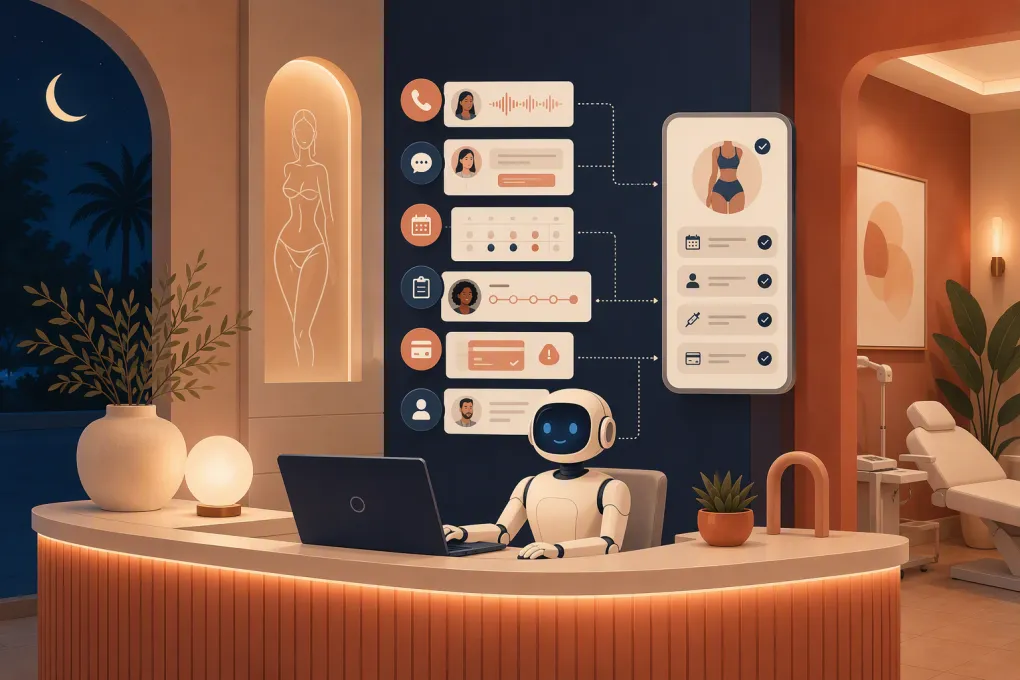
An AI receptionist can handle the administrative path from first contact to consultation. It can identify the treatment area of interest, explain the clinic’s consultation process, offer valid appointment times, request a deposit, and follow up if the prospect does not book. It should not decide candidacy, prescribe a modality, or predict results.
That distinction matters. Body contouring clinics need more than a generic chatbot. They need a controlled workflow that understands consultation types, treatment series, device and room constraints, sensitive photos, clinical escalation, consent, and post-treatment concerns.
Request a Fitty walkthrough using your clinic’s real inquiry and booking scenarios →
Body-contouring-specific workflows worth automating
New lead to consultation
A useful intake should capture only the information needed to route the lead:
- New or existing client
- Area of interest, such as abdomen, flanks, arms, thighs, or submental area
- Preferred clinic location
- Preferred consultation format, if virtual consultations are offered
- General scheduling preference
- Best contact method and applicable communication consent
The AI can describe the clinic’s available modality categories using approved language—for example, cooling-based, radiofrequency, ultrasound-based, or muscle-stimulation services. It should not conclude that one option is appropriate for that person.
Instead, it can say: “Our provider determines the appropriate option after reviewing your goals, health history, and treatment area. I can book that consultation now.”
Consultation booking with resource constraints
Body contouring schedules may depend on more than provider availability. The correct slot can require a particular device, room, applicator configuration, or trained staff member. A booking integration must check all required resources rather than placing an appointment on a generic calendar.
Different appointment types also need separate rules:
- First-time body contouring consultation
- Returning-client reassessment
- Treatment-series session
- Progress-photo appointment
- Post-treatment check-in
- Consultation requiring a deposit
A prospect requesting an abdomen consultation should not accidentally receive a short follow-up slot intended for an existing client.
Treatment-series scheduling
Some clinic plans involve multiple visits, but the number and spacing must come from the provider’s documented plan—not an AI-generated recommendation. Once staff records that plan, the receptionist can help book the prescribed series, confirm each session, and manage rescheduling within clinic rules.
If moving one visit affects the rest of the series, the workflow should alert staff or present only approved alternatives. It should never silently compress a provider-defined interval.
Unbooked consultation follow-up
Body contouring prospects often compare modalities, providers, timing, and financing. Follow-up should help them take the next administrative step without promising an outcome.
A practical sequence might be:
- Immediate reply acknowledging the treatment area or service requested
- Consultation times plus any stated fee or deposit
- An approved explanation of what happens during the consultation
- A final invitation to book or ask for a human coordinator
Avoid automated claims about inches lost, permanent results, guaranteed outcomes, or the number of sessions a specific person will need.
Post-treatment routing
Routine administrative messages—such as requests for instructions already approved by the clinic—can be answered from controlled content. Reports of pain, burns, blistering, marked swelling, skin-color changes, breathing difficulty, or other concerning symptoms require immediate escalation under the clinic’s protocol.
The AI should not assess severity. Its job is to recognize escalation language, give the clinic-approved safety instruction, and notify the designated person.
Connect every channel to one operating record
An AI receptionist becomes another inbox unless phone, SMS, web chat, CRM, calendar, and payments share context.
Phone
Decide whether AI answers every call, handles overflow, or activates after hours. Configure business identification, call recording disclosures where required, language options, transfer targets, and voicemail fallback.
The system should distinguish between a new consultation inquiry, an existing-client scheduling request, a billing issue, and a post-treatment concern. Confirm how it behaves if speech recognition fails or the caller repeatedly asks for a person.
SMS and web chat
SMS should preserve consent status and opt-out requests. Web chat should clearly identify the clinic and avoid soliciting unnecessary medical details in an unsecured field.
Both channels need conversation continuity. If a lead begins in web chat and continues by text, staff should not have to reconstruct the history manually.
CRM
Map fields before launch: lead source, location, service interest, treatment area, lifecycle stage, assigned owner, last contact, consent status, appointment status, and escalation reason. Set duplicate-detection rules so one person does not become three records after calling, texting, and submitting a form.
Keep sensitive clinical notes out of general marketing fields. Define which system is the authoritative record for client and treatment information.
Calendar and resource booking
Test live availability, time zones, buffers, room and device resources, provider eligibility, consultation duration, deposits, cancellation windows, and multi-location rules. The AI should never imply a booking is confirmed until the scheduling system returns confirmation.
Payments
Use a secure hosted payment link or supported payment workflow rather than collecting card details in ordinary chat. Define what the AI may request: consultation fee, deposit, package installment, membership due, or outstanding balance.
It should explain the amount and purpose before sending the link, record payment status, and route disputes or refund requests to staff.
Design failure and human-handoff behavior
A good deployment is defined partly by what happens when automation fails.
Set a named owner and response expectation for each escalation category. If a live transfer fails, the system should collect a callback number, summarize the issue, create a task, and tell the client when the clinic will respond. It should not claim that someone has been notified unless the notification or task was successfully created.
Sample escalation scripts
Clinical screening question
“A provider needs to review that because treatment suitability depends on your health history and the area being assessed. I can book a consultation or ask the clinical team to contact you.”
Possible post-treatment concern
“I can’t assess symptoms. Please follow the clinic’s urgent-care instructions: [approved instructions]. I am also escalating your message to [role]. If you believe this is an emergency, call 911 or seek immediate emergency care.”
Human requested, transfer unavailable
“I couldn’t connect you with the front desk. I can send them your name, callback number, and a summary of what you need. The clinic’s stated callback window is [approved timeframe].”
No valid appointment found
“I don’t see an appointment that matches the required provider and room availability. I can add you to the callback queue rather than offer a time the clinic cannot confirm.”
These scripts must be customized to the clinic’s actual policies and reviewed by appropriate clinical, legal, and compliance personnel.
Vendor-evaluation checklist
Ask vendors to demonstrate each item using a realistic body contouring scenario—not a generic sales presentation.
- Channel coverage: Can phone, SMS, web chat, and forms share one conversation history?
- CRM integration: Which fields, stages, owners, notes, and consent records sync in both directions?
- Scheduling: Can it enforce provider, device, room, location, appointment-type, buffer, and deposit rules?
- Payments: Does it use a secure payment flow, record status, and avoid exposing card details in transcripts?
- Human escalation: Can it transfer, create tasks, send summaries, retry failed notifications, and show whether handoff succeeded?
- Audit logs: Can an administrator see what the AI said, which source it used, what action it took, and who changed its instructions?
- Consent records: Can the system store opt-in source, date, channel, disclosure version, and opt-out status?
- BAA availability: If the workflow involves protected health information and HIPAA applies, will the vendor sign a business associate agreement covering the relevant services?
- Data retention: Can you define retention periods, export records, process deletion requests, and understand how data is used?
- Access controls: Are roles, least-privilege access, authentication, and location-level permissions available?
- Reporting: Can you measure response time, booked consultations, failed bookings, escalations, no-shows, follow-up outcomes, and payment status?
- Knowledge controls: Can answers be restricted to clinic-approved material, with versioning and approval workflows?
- Fallbacks: What happens during integration downtime, failed transfers, calendar errors, or low-confidence responses?
Fitty is WTF Go’s AI receptionist for answering leads, booking, follow-up, and dues collection. Because configuration and integrations determine what is appropriate for a particular clinic, operators should verify required workflows in a product walkthrough rather than relying on a broad capability claim.
Walk through Fitty’s phone, booking, follow-up, and escalation flow with your requirements →
Prelaunch test matrix
Run tests in a staging environment or with blocked calendars and test payment methods. Record the expected result, actual result, owner, and remediation.
| Test scenario | Expected behavior |
|---|---|
| After-hours abdomen inquiry by phone | Answers approved questions, captures contact details, and offers a valid consultation |
| Prospect asks which modality is best | Declines to choose treatment and offers provider consultation |
| Prospect mentions pregnancy, an implant, medication, or a medical condition | Makes no candidacy decision and routes to the designated clinical workflow |
| New lead requests a treatment-series appointment | Prevents booking unless a provider-defined plan exists |
| Requested device or room is unavailable | Does not confirm the slot; offers valid alternatives or escalates |
| Deposit payment fails | Leaves appointment status accurate, provides a safe retry path, and creates the required task |
| Caller requests a human after hours | Captures callback details, creates a task, and states the approved response window |
| Live transfer fails | Confirms failure honestly and triggers fallback notification |
| Existing client reports a concerning symptom | Delivers approved safety language and urgent escalation without diagnosing |
| Lead opts out by SMS | Stops applicable automated texts and records the opt-out |
| Duplicate lead contacts through chat and phone | Links or flags records according to deduplication rules |
| Calendar or CRM is offline | Avoids false confirmation, logs the failure, and creates a recovery task |
| Client requests deletion or communication records | Routes the request under the clinic’s privacy process |
Also test accents, background noise, misspelled treatment names, multiple locations, closed dates, angry callers, silence, interrupted calls, and unsupported languages.
Launch narrowly, then review real conversations
Start with one bounded workflow, such as after-hours consultation inquiries. Review transcripts, failed actions, escalation timing, booking accuracy, and staff feedback daily during the initial rollout. Add channels and workflows only after the first path is reliable.
Track outcomes that operators can act on: time to first response, consultation-booking completion, failed bookings, human-escalation volume, opt-outs, no-show patterns, unresolved tasks, and payment-link completion. Pair reporting with transcript review; a booked consultation is not a success if the person received inaccurate clinical information.
An AI receptionist should make the body contouring intake process faster without blurring the line between administration and clinical judgment. That requires precise booking logic, disciplined screening boundaries, reliable handoffs, and evidence that every integration works when the normal path breaks.
Frequently asked questions
Can an AI receptionist determine whether someone qualifies for body contouring?
No. It can collect limited intake information and explain the consultation process, but a qualified provider should evaluate candidacy, contraindications, treatment choice, and expected results.
Can AI schedule an entire body contouring treatment series?
It can schedule visits after the provider-defined plan, timing, resources, and booking rules are recorded. It should not determine the number or spacing of treatments itself.
What integrations should a body contouring AI receptionist have?
Prioritize phone, SMS, web chat, CRM, live calendar and resource availability, secure payments, consent records, human escalation, and operational reporting.
Does a body contouring clinic need a BAA from its AI vendor?
That depends on whether HIPAA applies and how protected health information is handled. Confirm the workflow with qualified counsel and verify whether the vendor will sign a BAA covering the relevant services.
What should a clinic automate first?
Start with a bounded, measurable workflow such as after-hours consultation inquiries. Validate booking accuracy, clinical escalation, failed handoffs, and consent handling before expanding.
Keep reading



Run your gym on autopilot with WTF Go
Fitty — your AI receptionist — answers calls and DMs, fills classes, follows up with every lead, and collects dues while you coach.