AI & Automation
AI Receptionist for Barre Studios: The Operator's Guide
Learn how an AI receptionist for barre studios can answer leads, book classes, follow up, and collect dues without adding more front-desk work every day.
 Watch · 20s
A lead calls your barre studio at 7:15 p.m. She wants to know whether beginners are welcome, what the intro offer includes, and whether tomorrow’s class has space. Nobody answers, so she tries the next studio in her search results.
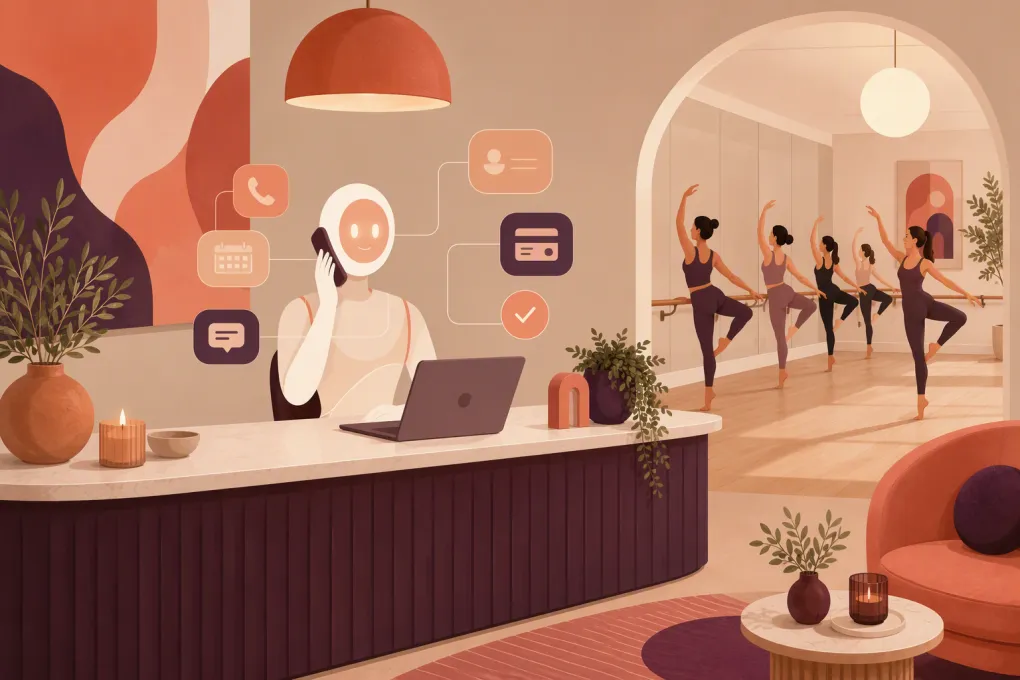
That is the front-desk problem an AI receptionist is built to solve. It gives prospects and members an immediate response when your team is teaching, checking in a full class, cleaning the room, or off the clock.
But not every automated answering tool can handle a barre studio’s actual workflows. A useful system must do more than take a message. It should understand your schedule, policies, offers, memberships, and escalation rules—and take approved actions inside your operating system.
See how Fitty handles barre studio inquiries and bookings 24/7 →
What an AI receptionist for barre studios actually does
An AI receptionist is a phone and messaging agent that handles routine conversations on behalf of the studio. Depending on the system and its connections, it can:
- Answer incoming calls and messages
- Explain class formats and studio policies
- Capture a prospect’s contact information
- Recommend an appropriate introductory class or offer
- Book, cancel, or reschedule reservations
- Send confirmations and reminders
- Follow up with leads who have not booked
- Route sensitive or unusual questions to a person
- Send payment links or support approved dues-collection workflows
The important distinction is action. A basic chatbot may answer a few preset questions. A properly configured AI receptionist can identify the caller, check live information, complete the next step, and record the interaction for your team.
It should not pretend to be an instructor, clinician, or studio manager. Questions about injuries, pregnancy, medical restrictions, billing disputes, or exceptions to policy need clear handoff rules.
Where barre studios lose leads and staff time
Barre studios have a deceptively complicated front desk. A typical inquiry can involve class levels, grip sock requirements, waitlists, childcare, late-cancel rules, intro pricing, memberships, and schedule availability.
These conversations often arrive during the exact moments when staff cannot respond:
- Before or after normal desk coverage
- While the instructor is teaching
- During back-to-back class check-ins
- When a prospect replies to an older campaign
- When a member notices a billing issue outside business hours
- During weekends, holidays, and schedule changes
The operational cost is not limited to missed calls. Staff also spend time answering the same questions, searching for earlier conversations, and manually following up with leads who expressed interest but did not reserve a class.
An AI receptionist creates the most value when it owns these repetitive steps while preserving a clear path to a human.
Five workflows worth automating first
1. New-lead qualification and intro booking
A prospective client rarely needs a long sales pitch. She generally wants to know whether barre is appropriate for beginners, which class to choose, what it costs to start, and when she can attend.
Configure the receptionist to:
- Ask whether the caller is new to the studio.
- Identify basic scheduling preferences.
- Explain your approved intro options.
- Recommend eligible beginner-friendly classes.
- Book the selected class or send a reservation link.
- Confirm what to bring, when to arrive, and where to park.
Keep the questions focused. The objective is to reduce uncertainty and secure the first visit, not conduct a lengthy intake call.
2. Missed-call recovery
Every unanswered call should trigger a defined workflow. The system can respond by text, acknowledge the missed call, and ask what the person needs.
A useful opening is direct: “Sorry we missed your call to the studio. Are you looking to book your first class, manage an existing reservation, or ask a question?”
The response should stay connected to the original lead record. Otherwise, your staff ends up with a phone call, text thread, and customer profile that look like three different people.
3. Class booking and schedule questions
The receptionist should read current availability rather than rely on a static schedule document. It needs to distinguish among class types, instructor assignments, full sessions, waitlists, and classes that are not appropriate for first-time clients.
Define what the agent may do when a class is full. Options include joining the waitlist, suggesting nearby times, or offering a different class format. It should never promise an off-menu exception or override capacity rules.
Explore a unified system where Fitty can answer questions and move leads into booking →
4. No-booking and no-show follow-up
Many leads ask a question but stop before reserving. Others buy an intro offer and never schedule, or miss their first visit. These contacts need timely, relevant follow-up—not an endless generic text sequence.
Build separate workflows for:
- Inquired but did not purchase
- Purchased but did not book
- Booked but canceled
- Missed the first class
- Completed the intro period without choosing a next plan
Each message should reference the actual stage. Give the recipient one clear next action, such as viewing available beginner classes or speaking with a membership advisor.
5. Failed-payment and dues conversations
An AI receptionist can support collections without turning every interaction into a confrontation. It can notify the member that a payment needs attention, send an approved secure payment link, and confirm when the account is updated.
Do not have the agent collect sensitive card details in an unapproved conversation channel. It should use your payment provider’s secure workflow. Disputes, hardship requests, freezes, chargebacks, and requests for policy exceptions should go to an authorized employee.
What the receptionist needs to know
AI performance depends heavily on the source material and rules you provide. Before launch, assemble a studio knowledge base covering:
- Location, parking, entry, and accessibility details
- Class descriptions and experience levels
- First-visit instructions and grip sock policy
- Current intro offers and eligibility rules
- Memberships, packages, and expiration terms
- Booking, waitlist, cancellation, and no-show policies
- Age requirements and guest rules
- Childcare or dependent-care information, if applicable
- Holiday schedules and closure procedures
- Approved responses to common account questions
- Staff contacts and escalation priorities
Assign one person to own this information. An outdated offer or cancellation policy can create more cleanup than an unanswered call.
How to evaluate an AI receptionist
A polished demo is not enough. Test the system against realistic studio conversations and score the results.
Booking accuracy
Can it read live availability, apply eligibility rules, and create the reservation under the correct client profile? Ask what happens when two people request the final spot at nearly the same time.
Conversation continuity
Can the system connect calls, texts, bookings, and follow-ups to one contact record? Your staff should be able to see what the client asked and what the agent did.
Escalation controls
You should be able to specify which topics require a person, who receives the handoff, and what information accompanies it. The caller should not have to repeat the entire conversation.
Channel and timing controls
Confirm which phone and messaging channels are supported. Review quiet-hour settings, consent handling, opt-out processing, and call-recording disclosures with qualified legal counsel based on the states where you operate.
Multi-location logic
If you operate more than one studio, the agent must separate schedules, offers, staff, parking instructions, and local policies. It should confirm the location before making a reservation when the client’s intent is unclear.
Reporting
At minimum, operators need visibility into inquiry topics, lead status, bookings completed, unresolved requests, escalations, and conversation history. Reporting should help you find broken workflows—not just display call volume.
A practical 30-day rollout
Do not automate every front-desk scenario on day one. Start with a controlled scope.
Week 1: Map and document
Review recent calls, messages, and front-desk questions. Identify recurring requests and document the correct answer, action, and escalation path for each one.
Week 2: Configure and test
Load approved information, connect the schedule and customer records, and test common scenarios. Include difficult cases: a full class, an expired offer, a duplicate profile, a billing dispute, and a request involving an injury.
Week 3: Launch limited workflows
Begin with after-hours inquiries, missed-call recovery, FAQs, and first-class booking. Have a team member review conversations daily and correct gaps in the knowledge base.
Week 4: Add follow-up and payments
Once booking behavior is reliable, add stage-specific lead follow-up and secure failed-payment workflows. Continue sampling conversations rather than assuming the system will remain accurate as offers and schedules change.
See how WTF Go and Fitty can centralize your barre studio’s calls, leads, bookings, and follow-up →
Keep humans in the moments that require judgment
The goal is not to remove hospitality from your studio. It is to stop spending human attention on tasks that software can complete consistently.
Let the AI receptionist handle availability checks, routine policy explanations, confirmations, reminders, and basic follow-up. Keep your team involved in membership consultations, complaints, injury-related concerns, sensitive billing situations, and retention conversations where context matters.
The best operating model is not AI versus staff. It is a clear division of work: automation provides immediate coverage and completes routine actions; people handle judgment, relationships, and exceptions.
The standard to aim for
A good AI receptionist for a barre studio should make it easier to become and remain a client. Prospects get answers while their interest is active. Members can complete routine tasks without waiting. Staff start their shifts with organized records instead of a pile of voicemails.
That outcome requires more than turning on a bot. It requires accurate studio information, connected systems, careful escalation rules, and regular operational review. Get those pieces right, and the receptionist becomes part of the front desk—not another inbox your team has to manage.
Frequently asked questions
Can an AI receptionist book barre classes directly?
Yes, if it is connected to the studio's live scheduling and customer records. It should follow capacity, eligibility, waitlist, and location rules rather than relying on a static calendar.
Will an AI receptionist replace barre studio staff?
It is better used to cover repetitive and after-hours work. Staff should continue handling sensitive billing issues, complaints, membership guidance, medical concerns, and policy exceptions.
Can it answer questions about injuries or pregnancy?
It can provide approved general studio information, but it should not give medical advice. These questions should be escalated to a qualified person according to the studio's policies.
What should a barre studio automate first?
Start with missed-call recovery, common questions, first-class booking, confirmations, and after-hours lead capture. Add follow-up and payment workflows after testing booking accuracy and escalation rules.
How is an AI receptionist different from a chatbot?
A basic chatbot usually answers preset questions. An AI receptionist can hold a conversation, access connected studio information, complete approved actions, update the lead record, and hand the conversation to staff when necessary.
Keep reading



Run your gym on autopilot with WTF Go
Fitty — your AI receptionist — answers calls and DMs, fills classes, follows up with every lead, and collects dues while you coach.