AI & Automation
AI Receptionist for Barre Studio Trial Bookings That Convert
See how an AI receptionist for barre studio trial bookings can answer leads, recommend classes, book visits, follow up, and close front-desk gaps every day.
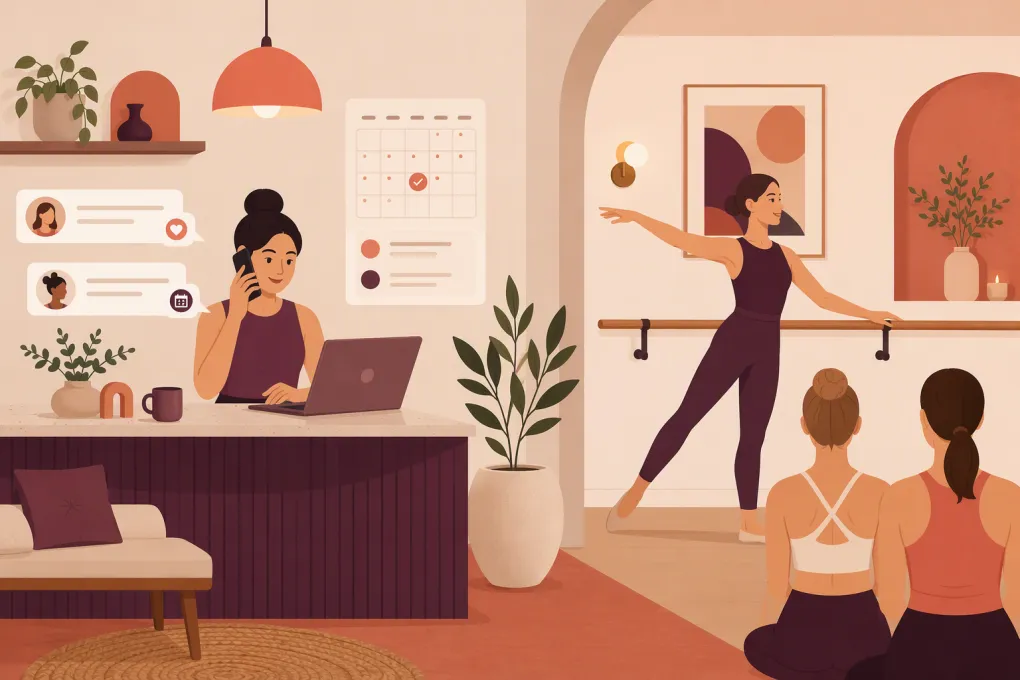 Watch · 20s
A prospective member finds your barre studio after dinner, opens the schedule, and has three questions: Is this class beginner-friendly? What should I bring? Can I use the intro offer on Saturday?
If nobody answers until the next morning, that lead may never book. The problem is not your front desk’s effort. It is that trial demand arrives before class, during class, after hours, and between dozens of other operating tasks.
An AI receptionist for barre studio trial bookings can cover that gap. Properly configured, it can answer routine questions, recommend an appropriate first class, capture contact information, complete the booking, and follow up when someone stops short. It should not replace judgment or personal service. It should make sure your team applies both where they matter most.
See how Fitty can handle barre trial inquiries while your team teaches →
Why barre trial bookings leak
A trial funnel often looks simple from the owner’s side: choose an intro offer, pick a class, and check out. New clients see more uncertainty.
They may wonder whether they are flexible enough, whether they need dance experience, how difficult the class will be, or whether an injury prevents participation. They may not know the difference between Foundations, Classic, Sculpt, Express, or branded formats unique to your studio.
Common booking leaks include:
- Slow responses: The inquiry arrives while the only available employee is checking in a full class.
- Too many choices: A lead sees a packed schedule but cannot identify the right starting point.
- Unclear intro terms: Eligibility, expiration, included classes, and participating locations are buried in checkout copy.
- Checkout friction: The lead encounters an account, waiver, payment, or password problem.
- No recovery: Someone asks a question or abandons checkout, but no one follows up.
- Weak pre-visit guidance: The client books but remains unsure about parking, arrival time, socks, or what to expect.
An AI receptionist is useful when it resolves these points without creating a second, disconnected booking process.
What an AI receptionist should do for a barre studio
The job is broader than replying with your schedule link. A useful system should move the conversation toward the correct next action.
Answer barre-specific questions
Build approved answers for the questions your staff hears repeatedly:
- Which class is best for a first visit?
- Do I need ballet or dance experience?
- What should I wear?
- Are grip socks required, recommended, sold, or rented?
- How early should I arrive?
- Where should I park or enter the building?
- What is included in the trial or intro offer?
- Can I visit a different location?
- What happens if I am late or need to cancel?
- Is there a waitlist?
Answers should reflect your actual policies. Generic fitness responses create preventable disputes at check-in.
Recommend a suitable first class
A good conversation narrows the schedule instead of displaying every opening. The receptionist might ask:
- Have you taken barre before?
- What day or time range works best?
- Which studio location is most convenient?
- Would you prefer a standard-length or express class?
It can then present two or three eligible options. It should not diagnose injuries, interpret symptoms, or promise that a class is medically appropriate. Health-related questions should be escalated to a qualified person, with the client advised to consult a healthcare professional when appropriate.
Complete the booking
The AI should guide the lead through the same operational rules your staff uses. That includes current availability, class capacity, intro-offer eligibility, location, price displayed by your system, required waiver steps, and payment status.
Your booking platform should remain the source of truth. Avoid letting an AI promise a space based on copied or stale schedule information.
Recover unfinished bookings
Not every conversation ends with a reservation. The lead may get distracted, dislike the available times, or encounter a checkout problem.
A useful recovery workflow records the reason and takes the next sensible action:
- Offer another beginner-appropriate class.
- Suggest a different day or nearby location.
- Send the correct checkout link again.
- Escalate a payment or account error.
- Ask permission to follow up when a requested time becomes available.
This is where Fitty becomes more than a website chatbot. It can answer leads, book classes, follow up, and support dues collection around the clock within the rules you set.
See how Fitty can turn unanswered barre inquiries into booked trial conversations →
Build the trial-booking workflow step by step
Automation performs best when the underlying offer and policies are clear. Document the workflow before connecting an AI agent.
1. Define the eligible first visit
List which classes a new client can book. If advanced, heated, equipment-intensive, prenatal, or specialty formats require prior experience, make that restriction explicit.
For each eligible class, document:
- Experience level
- Duration
- Location and room
- Required equipment or attire
- Arrival requirement
- Age restrictions
- Capacity and waitlist rules
- Instructor notes that affect first-timers
Do not rely on class names alone. “Barre Burn” means little to someone who has never visited your brand.
2. Make intro-offer rules unambiguous
Your AI needs approved answers for:
- Who qualifies as a new client
- Whether previous drop-ins are eligible
- When the offer begins and expires
- Which classes and locations are included
- Whether the offer renews or converts
- Whether it can be paused, transferred, or extended
- Applicable cancellation and no-show rules
The same terms should appear in the conversation, booking flow, and purchase confirmation. If those sources conflict, fix the policy before automating it.
3. Decide when a human takes over
Create escalation triggers instead of expecting the AI to improvise. Human review is appropriate for:
- Injury, pregnancy, accessibility, or medical questions requiring judgment
- Refunds, exceptions, and disputed charges
- Failed payments or duplicate accounts
- Complaints about an instructor or prior visit
- Private-event, corporate, or large-group inquiries
- Requests outside published policies
- Any question the system cannot answer confidently
Define who receives the handoff, during which hours, and what context should be included. The client should not have to repeat the entire conversation.
4. Confirm the booking clearly
A confirmation should state:
- Class name, date, time, time zone, and location
- Arrival time for a first visit
- Parking and entrance instructions
- Clothing and grip-sock guidance
- What the studio provides
- Cancellation and late-arrival policies
- A link or method to manage the reservation
This reduces front-desk questions and helps the new client arrive prepared.
Use follow-up to improve attendance, not create noise
Booking is only the first conversion point. The next goal is a completed first visit.
A practical communication sequence may include:
Immediately after booking
Confirm the reservation and provide first-visit instructions. If a waiver or account step remains incomplete, link directly to it.
Before the class
Send a reminder early enough for the client to plan transportation and comply with your cancellation window. Keep it concise and include a way to ask questions or manage the booking.
After a cancellation
Offer a direct rebooking path rather than sending the person back to the full schedule. Present a small number of comparable classes that still qualify for the trial.
After the first visit
Ask how the class went and provide the next logical step: book another included trial class, choose a membership, or speak with the studio team.
After a no-show
Use a neutral tone. Confirm that the client is okay, explain the applicable policy, and offer available next steps. Do not have the AI invent an exception or waive a fee unless your rules explicitly authorize it.
Follow-up messages should identify your business, respect channel consent, and honor opt-out requests. Have qualified counsel review your calling and messaging practices, especially when using automated outreach.
Sample conversation structure
The wording should sound like your studio, but the logic can stay simple:
Lead: I’ve never done barre. Which class should I take?
Receptionist: You don’t need dance experience. For a first visit, I can show you our beginner-appropriate classes. Which location and day work best?
Lead: Downtown on Saturday morning.
Receptionist: I found two eligible options: Foundations at 9:00 a.m. and Classic at 10:30 a.m. Would you like details or help booking one?
Notice what the response does not do. It does not dump the entire schedule, make claims about fitness results, or assume the lead is ready to purchase. It resolves uncertainty and advances the booking one decision at a time.
Measure the workflow that owners can improve
Do not judge the receptionist only by how many messages it sends. Track the operational path from inquiry to attendance.
Useful measures include:
- Trial inquiries received by channel and time of day
- Leads who receive an answer
- Leads who start a booking
- Trial bookings completed
- Unfinished bookings and recorded reasons
- Cancellations rebooked
- First visits attended
- Conversations escalated to staff
- Questions the AI could not answer
- Trial clients who take the next offer or membership step
Review conversation logs regularly. If multiple leads ask whether socks are included, improve that answer. If people repeatedly reject the recommended class time, examine the schedule rather than rewriting the greeting.
A practical launch checklist
Start with one well-defined trial path instead of automating every studio interaction at once.
- Choose one location, offer, or lead source for the initial rollout.
- Export your most common trial questions from staff notes, inboxes, calls, and messages.
- Approve one canonical answer for each question.
- Map eligible classes, intro terms, booking rules, and escalation cases.
- Test new, returning, ineligible, waitlisted, canceled, and failed-payment scenarios.
- Verify that availability and purchases are recorded in the correct system.
- Run test conversations outside business hours and during peak check-in.
- Review real interactions and update unclear answers every week during launch.
Fitty is designed for the point where your studio’s sales and service work collide: answering leads, booking classes, following up, and collecting dues without requiring an employee to monitor every conversation manually.
Explore Fitty for your barre studio’s trial-booking workflow →
The best AI receptionist is not the one that talks the most. It is the one that applies your policies consistently, helps the right prospect book the right class, and gives your staff a clean handoff when human judgment is needed.
Frequently asked questions
Can an AI receptionist book clients directly into barre classes?
Yes, when it is configured to use current schedules, availability, eligibility rules, and the studio’s booking workflow. The booking platform should remain the source of truth for capacity and reservation status.
Will an AI receptionist replace my barre studio front desk?
It is better used to cover repetitive inquiries, after-hours leads, booking steps, and follow-up. Staff should still handle sensitive questions, policy exceptions, complaints, and situations requiring judgment.
What information does the AI need before launch?
Provide approved FAQs, class descriptions, intro-offer terms, location details, arrival instructions, cancellation rules, eligibility requirements, and clear human-escalation triggers.
Can it follow up with leads who do not finish booking?
Yes. A configured agent can offer alternative classes, resend the correct booking path, or escalate technical problems while following your communication-consent and opt-out rules.
How should a barre studio measure whether the AI is working?
Track completed trial bookings, attendance, recovered cancellations, unfinished-booking reasons, staff escalations, unanswered questions, and movement from the first visit to the next appropriate offer.
Keep reading



Run your gym on autopilot with WTF Go
Fitty — your AI receptionist — answers calls and DMs, fills classes, follows up with every lead, and collects dues while you coach.