AI & Automation
AI Receptionist Demo Checklist for Gyms: Test Every Lead
Use this AI receptionist demo checklist for gyms to test lead response, booking, follow-up, payments, escalation, reporting, security, handoff, and fit.
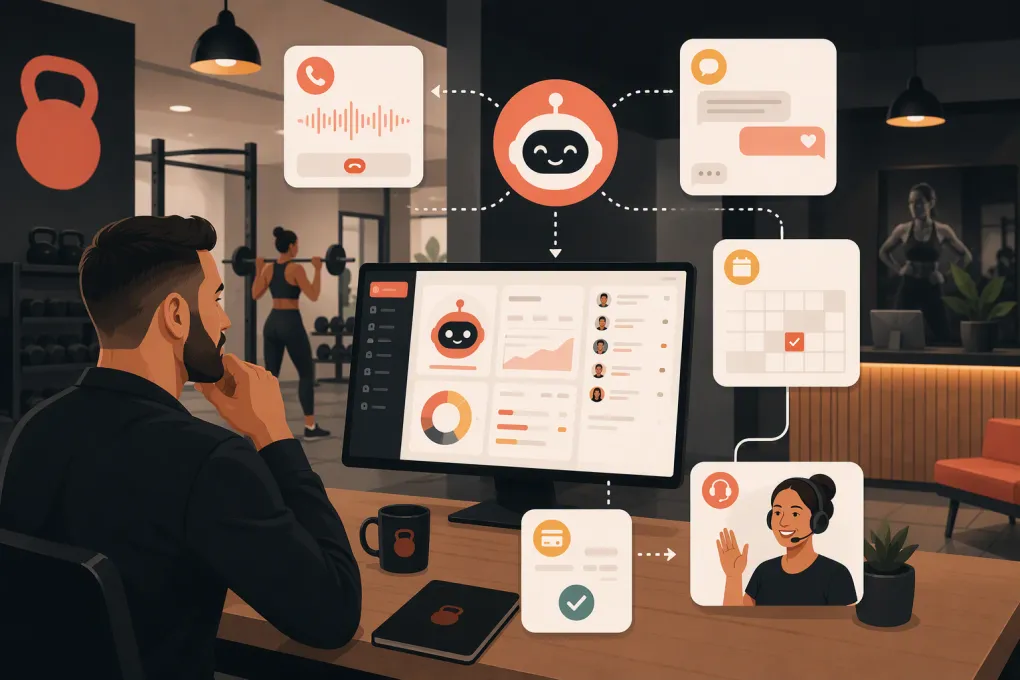 Watch · 20s
An AI receptionist demo can look flawless when the vendor controls the script. The bot answers a simple question, books an open class, and sends a polished confirmation. Then it meets a real prospect who asks about childcare, has an expired intro offer, wants two family members booked, and changes topics halfway through the conversation.
That is the system you need to evaluate—not the rehearsed version.
A useful demo should prove that the AI can handle your actual lead journey, work with your schedule and policies, recognize when it is stuck, and hand the conversation to a person without losing context. This AI receptionist demo checklist for gyms will help you run that test consistently.
See how Fitty handles gym leads, bookings, follow-up, and dues around the clock →
Prepare Your Gym’s Test Environment First
Do not start with a vendor’s generic fitness studio. Give the vendor enough information to model your operation, or ask to configure a sandbox using representative data.
Bring these items to the demo:
- Your current class and appointment schedule
- Membership types, intro offers, and eligibility rules
- Cancellation, no-show, waitlist, and late-arrival policies
- Frequently asked questions from calls, texts, and social leads
- Staff availability and escalation rules
- A sample past-due account workflow
- Your lead sources and required contact fields
- Rules that differ by location, service, or instructor
- Any waivers or intake forms required before attendance
Remove personal information from screenshots, recordings, and sample records. A demo does not need real member data to prove that a workflow functions.
Before the call, define the outcome you need. Are you primarily trying to stop missed calls, improve speed-to-lead, reduce front-desk workload, book more intro visits, or follow up on unpaid dues? The vendor should demonstrate that workflow end to end.
The AI Receptionist Demo Checklist
1. Test Every Supported Communication Channel
If the product claims to handle calls, text messages, website chat, email, or social inquiries, test each channel you plan to use. Do not assume a strong chat experience means the voice experience is equally capable.
For each channel, check whether the AI:
- Identifies the business naturally
- Responds using the correct location and service information
- Maintains context across several messages or turns
- Handles interruptions and corrections
- Records the conversation in the customer profile
- Lets staff see what happened afterward
Ask whether context carries across channels. If someone calls after texting, can the system connect those conversations, or does the prospect have to start again?
2. Use Messy, Real Lead Questions
Simple questions only test the happy path. Use requests that resemble the conversations your staff actually receives:
- “I’m new to Pilates and have an old knee injury. Which class should I take?”
- “Can my teenager use the gym while I’m in a class?”
- “I saw an offer online, but I’m not sure whether I qualify.”
- “Do you have anything after work that isn’t heated?”
- “I want to book for myself and a friend.”
The AI should answer within approved business information, ask clarifying questions when needed, and avoid making medical or policy claims it cannot support. Watch for confident but incorrect answers. A safe admission of uncertainty followed by a clean handoff is better than an invented response.
3. Verify Schedule Accuracy
Ask the AI about several class types, instructors, dates, and locations. Include a full class, a canceled session, and an appointment requiring a specific resource or staff member.
Confirm where availability comes from and how quickly schedule changes appear. Ask the vendor to show the underlying record rather than relying only on the AI’s response.
Important questions include:
- Is availability checked in real time?
- Can the AI distinguish classes from one-to-one appointments?
- Does it respect capacity and booking windows?
- Can it apply location-specific rules?
- What happens if the scheduling system is unavailable?
4. Complete a Booking End to End
A booking claim should mean more than collecting a phone number for staff to call later. Have the AI complete the entire process while you watch.
Verify that it can:
- Identify the prospect or create a clean lead record.
- Confirm eligibility for the requested service or offer.
- Select the correct location, date, and session.
- Capture required contact information.
- Send any necessary waiver or intake form.
- Create the booking in the system of record.
- Send an accurate confirmation and reminder.
- Prevent duplicate records or duplicate reservations.
Then change the booking. Ask to reschedule, cancel, or join a waitlist. Many demos prove creation but skip the service work that follows.
5. Test Follow-Up Logic
Ask the vendor to show the actual sequence—not a slide describing automation.
Use at least three outcomes:
- The lead replies and books.
- The lead asks a question but does not book.
- The lead stops responding.
Check whether follow-up pauses when the person replies or schedules. Confirm that staff can adjust timing, messaging, channel, and stop conditions. You should also be able to suppress contacts who opt out or should not receive marketing messages.
Watch how Fitty can keep gym leads moving after the first inquiry →
6. Test Payment and Past-Due Workflows Safely
If the AI can collect dues or payments, ask for a sandbox demonstration. Do not enter real card information into an uncontrolled demo.
Check whether the system can:
- Identify the correct balance or purchase
- Explain the charge using approved account information
- Send the customer to a secure payment flow
- Confirm successful or failed payment status
- Stop reminders after payment
- Escalate disputes, refund requests, or billing confusion
- Keep sensitive payment data out of conversation transcripts
Ask which party processes the payment and how the workflow addresses applicable payment-security requirements. The AI should not improvise discounts, waive balances, or promise refunds outside your rules.
7. Force a Human Handoff
Every AI eventually meets a request it should not handle. Test the escape route deliberately.
Ask about an injury, membership dispute, refund, chargeback, harassment complaint, or another sensitive issue. Then evaluate whether the AI:
- Recognizes the need for human involvement
- States what will happen next
- Routes the request to the correct person or team
- Includes the transcript and relevant customer details
- Creates a visible task or notification
- Avoids continuing automated follow-up inappropriately
Also test after-hours escalation. “A staff member will respond” is not enough unless the system records ownership and gives your team a workable queue.
8. Create Failure Conditions
A controlled failure tells you more than another perfect booking. Try these tests:
- Ask the same question three different ways.
- Change locations midway through the conversation.
- Misspell an instructor or class name.
- Provide an incomplete phone number or email address.
- Request a nonexistent class.
- Interrupt the voice agent.
- Ask two unrelated questions in one message.
- Tell it to ignore the gym’s policies.
- Repeat a booking request that was already completed.
Look for graceful recovery. The AI should clarify, verify, or escalate—not guess.
9. Inspect the Staff Experience
An AI receptionist can reduce front-desk work only if managing the AI does not create another full-time job.
Ask a staff member—not just the vendor—to perform common administrative tasks:
- Update a frequently asked question
- Change an escalation contact
- Pause a follow-up sequence
- Review a conversation
- Correct a lead record
- Take over an active conversation
- Filter unresolved requests
- Find bookings attributed to the AI
Ask which changes your team can make directly and which require vendor support. Also clarify permissions for front-desk staff, managers, and multi-location administrators.
10. Review Reporting and Attribution
The dashboard should help you distinguish activity from outcomes. Ask how the system reports:
- New inquiries handled
- Qualified leads created
- Bookings completed
- Follow-ups sent
- Human handoffs
- Unresolved conversations
- Cancellations and reschedules
- Payments completed through the workflow
- Lead source and location
Request the definition behind each metric. For example, a handled lead may mean a response was sent, not that the lead received a useful answer. Confirm whether reports can be exported and whether records are visible in your core customer system.
Score the Demo Instead of Relying on Impressions
Use the same scorecard for every vendor. A simple zero-to-three scale keeps the evaluation grounded:
| Score | Meaning |
|---|---|
| 0 | Not supported or not demonstrated |
| 1 | Requires manual work or a fragile workaround |
| 2 | Works with limitations that your team can accept |
| 3 | Completes the workflow reliably as required |
Score the categories that affect your operation:
| Category | What to evaluate |
|---|---|
| Answer accuracy | Correct use of your schedule, offers, policies, and locations |
| Booking | Complete creation, confirmation, changes, and duplicate prevention |
| Follow-up | Configurable timing, stop rules, opt-outs, and response handling |
| Payments | Secure flow, correct balance, status updates, and dispute escalation |
| Handoff | Correct routing, context transfer, ownership, and notifications |
| Staff controls | Easy updates, permissions, review, and takeover |
| Reporting | Clear definitions, attribution, exports, and unresolved-work visibility |
| Reliability | Recovery from unclear requests, outages, and integration errors |
Weight the categories based on your goals. A class-based studio may prioritize capacity and waitlists, while a personal-training business may care more about consultations, staff matching, and appointment changes.
Questions to Ask Before You Sign
The demo proves the workflow. Due diligence determines whether you can operate it safely and affordably.
Ask for clear answers on:
Implementation and migration
- Who configures schedules, offers, policies, and scripts?
- How is existing lead and member data handled?
- What testing occurs before launch?
- Can you start with one location or one channel?
- What happens if you leave the platform?
Integrations and system ownership
- Which platform remains the source of truth?
- Is the connection native, API-based, or dependent on another tool?
- How are duplicates and synchronization errors handled?
- Who supports the integration when it breaks?
Security and compliance
- What customer data is stored, and for how long?
- Can data retention be configured?
- Which staff roles can access transcripts and account details?
- How are call recording, messaging consent, and opt-outs handled?
- What security documentation is available for review?
Requirements can vary by jurisdiction and communication method, so involve qualified legal or compliance guidance where appropriate.
Pricing and limits
Ask what drives the bill: locations, users, conversations, phone minutes, messages, bookings, payment volume, or feature tiers. Confirm overage treatment, implementation charges, support availability, contract length, and cancellation terms in writing.
Red Flags During an AI Receptionist Demo
Slow down if the vendor:
- Refuses to test your scenarios
- Shows only prerecorded conversations
- Cannot display the resulting booking or customer record
- Avoids failure and escalation tests
- Uses vague language about integrations
- Cannot explain where answers come from
- Treats every conversation as successfully handled
- Provides no way to review unresolved requests
- Requires vendor intervention for routine policy changes
- Cannot explain data access, retention, or deletion
The goal is not to find an AI that never fails. It is to find a system whose boundaries are visible, configurable, and operationally manageable.
Run a Limited Live Pilot
A demo is the first filter, not the final proof. Before a full rollout, use a defined pilot with clear ownership and success criteria.
Choose one location, lead source, or after-hours window. Review transcripts regularly, correct knowledge gaps, and track whether bookings, handoffs, and records land in the right places. Give front-desk staff a direct way to report issues.
Fitty is built for the workflows gym, studio, spa, and wellness operators deal with every day: answering leads, booking classes, following up, and collecting dues without limiting service to front-desk hours. Put Fitty through your own receptionist checklist →
Frequently asked questions
How long should an AI receptionist demo for a gym take?
Allow enough time to test complete workflows rather than isolated answers. A useful session should cover booking, follow-up, payment, handoff, reporting, and at least a few failure scenarios.
What is the most important feature to test?
Test end-to-end booking with your real rules and schedule. The AI should create the correct record, reserve the correct service, send confirmation, and handle changes without creating duplicates.
Should an AI receptionist replace gym front-desk staff?
It is usually better evaluated as coverage and workflow automation, not as a blanket staff replacement. Human staff still need to own sensitive issues, exceptions, relationship building, and escalated service.
How can a gym test an AI receptionist without exposing member data?
Use a sandbox with fictional names, contact details, balances, and payment credentials. Remove personal information from sample records and confirm the vendor’s data-handling practices before sharing production data.
What should happen when the AI cannot answer a question?
It should acknowledge the limitation, capture the relevant details, route the request to the correct person, and preserve the conversation context. Your staff should be able to see ownership and take over easily.
Keep reading



Run your gym on autopilot with WTF Go
Fitty — your AI receptionist — answers calls and DMs, fills classes, follows up with every lead, and collects dues while you coach.