Guides
AI Receptionist Buying Guide for Med Spas: 12 Key Checks
Use this AI receptionist buying guide for med spas to evaluate booking, HIPAA, payments, integrations, escalation, pricing, rollout, and vendor claims.
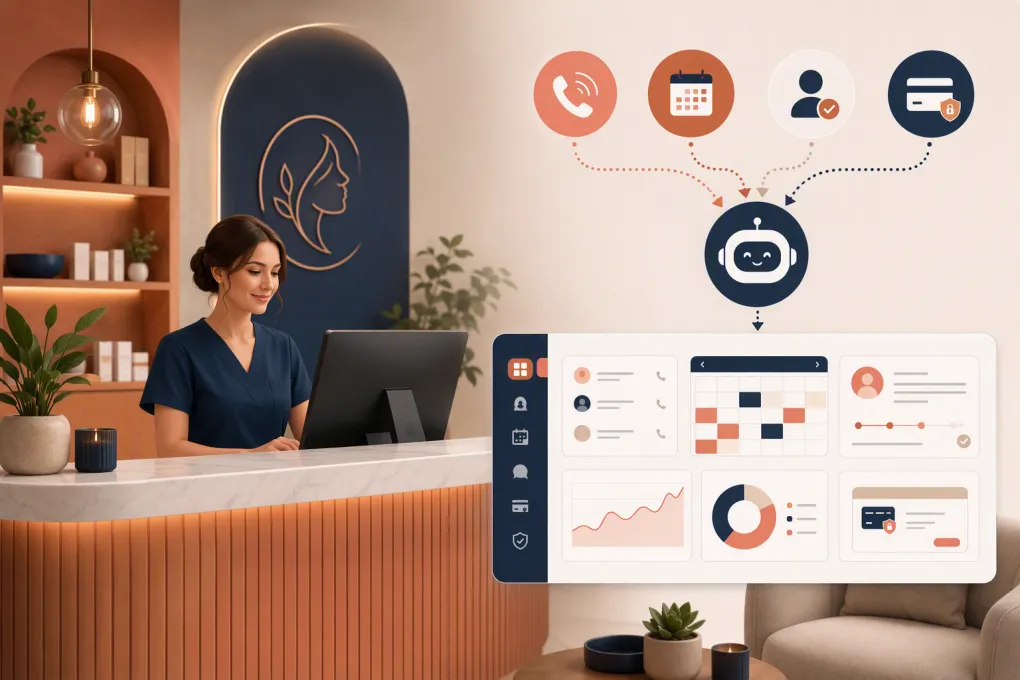 Watch · 20s
A med spa receptionist does more than answer the phone. They identify what a prospect wants, explain the next step without giving medical advice, find the right appointment, handle scheduling objections, follow up and know when a conversation needs a human.
An AI receptionist has to perform those same commercial workflows without creating clinical, privacy or customer-experience problems. That makes buying one more complicated than choosing a chatbot that can produce polished answers.
The right system should reduce front-desk workload and help convert more inquiries into booked consultations. The wrong one creates duplicate appointments, mishandles sensitive information or frustrates high-intent prospects at the exact moment they are ready to book.
See how Fitty handles med spa inquiries, follow-up and booking workflows →
Start with the job, not the AI demo
Before contacting vendors, write down what you expect the receptionist to own. Separate tasks into three groups:
- Automate: answering common questions, capturing leads, checking availability, booking approved appointment types and sending routine follow-up.
- Assist: collecting intake details, identifying an existing patient and preparing context for a staff handoff.
- Escalate: medical questions, adverse reactions, complaints, refund disputes, contraindication questions and anything urgent.
This prevents a common buying mistake: being impressed by a natural-sounding conversation without confirming whether the system can complete useful work.
A good demo should end with an appointment in the correct calendar, a clean contact record and a visible conversation history—not merely a transcript.
12 checks for evaluating an AI receptionist for a med spa
1. Confirm which channels it actually handles
“Omnichannel” can mean almost anything. Ask vendors to demonstrate the specific channels you use:
- Inbound phone calls
- Missed-call text response
- Website chat
- SMS conversations
- Web forms and paid-ad leads
- Email, if relevant
Also confirm whether one conversation can continue across channels. If a prospect calls after previously submitting a form, the receptionist should ideally recognize the existing record rather than create another lead.
2. Test real appointment-booking depth
A med spa calendar has more rules than a generic service-business calendar. The system may need to account for provider credentials, room or device availability, service duration, consultation requirements and location.
Ask the vendor to book these scenarios live:
- A new prospect who needs a consultation before treatment
- An existing client requesting a repeat service
- A service available only with certain providers
- A reschedule involving a deposit or cancellation policy
- A multi-location client asking for the earliest opening
Determine whether the AI books directly, sends a booking link or only submits a request. Those are materially different outcomes.
3. Establish firm clinical boundaries
An AI receptionist should not diagnose conditions, determine treatment eligibility or improvise medical guidance. It should use approved language and transfer questions requiring clinical judgment.
Ask how administrators control answers involving:
- Treatment suitability
- Pregnancy, medications or medical history
- Side effects and adverse reactions
- Pre-treatment and aftercare instructions
- Emergencies or urgent symptoms
- Treatment results and guarantees
Require configurable escalation rules. A vague promise that the model “knows when to transfer” is not enough.
4. Investigate privacy and security claims
Some med spas are subject to HIPAA because of their services, business structure or transactions; others may operate under different privacy obligations. Get qualified legal guidance for your specific organization.
If the AI will create, receive, maintain or transmit protected health information, ask whether the vendor will sign a Business Associate Agreement. Confirm which subcontractors and connected systems may process the information as well.
Your review should also cover:
- Encryption in transit and at rest
- Role-based staff access
- Audit logs
- Data retention and deletion controls
- Recording and transcription settings
- Incident-response procedures
- Whether customer data is used to train shared models
Do not accept “HIPAA-ready” or “secure” as a complete answer. Ask for contractual details and documentation.
5. Verify the system of record
Decide where the authoritative client record and appointment calendar will live. Then make the vendor demonstrate how data moves into and out of that system.
Check whether the integration can:
- Find existing contacts
- Prevent duplicate records
- Read real-time availability
- Create, change and cancel appointments
- Preserve source and campaign data
- Attach notes and conversation history
- Respect provider, service and location rules
An integration that only pushes a name and phone number into a generic inbox will not deliver the same operational value as direct workflow integration.
6. Review follow-up and consent controls
Many med spa inquiries do not book during the first interaction. The receptionist should be able to follow up consistently without sending endless or inappropriate messages.
Ask how you can control timing, channel, message content, stop conditions and staff ownership. A sequence should stop when the prospect books, opts out, becomes ineligible or enters a human-managed conversation.
For calls and texts, review consent and communication requirements with counsel. The platform should support your compliance process rather than assuming every captured phone number can receive automated outreach.
7. Examine payment handling carefully
If the system takes deposits, membership payments or outstanding balances, establish where card information is entered and processed. Sensitive card details should not be exposed in ordinary transcripts or staff notes.
Ask about the payment processor, PCI responsibilities, receipts, refunds, failed payments and how payment status reaches the client record. Test what happens when a payment link expires or a card is declined.
8. Design the human handoff
Escalation is part of the product, not an edge case. The handoff should give staff enough context to continue without forcing the client to repeat everything.
Look for:
- Warm transfer or callback options
- Immediate alerts for urgent categories
- Conversation summaries
- Clear ownership and status
- Office-hours and after-hours routing
- Fallback behavior when no employee responds
Test interruptions, background noise, unclear requests and callers who repeatedly ask for a person.
9. Check multi-location controls
Multi-location operators need centralized governance without flattening local differences. Confirm whether each location can have its own hours, services, providers, phone number, pricing guidance and escalation contacts.
Corporate teams should be able to control approved language and reporting while location managers handle local availability and follow-up. Ask how permissions prevent one location from seeing or editing another location’s records unintentionally.
10. Demand operational reporting
Call volume alone does not show whether the receptionist is working. Useful reporting should help you understand the path from inquiry to appointment.
Look for visibility into:
- New versus existing contacts
- Reason for inquiry
- Booking and handoff outcomes
- Missed or abandoned conversations
- Follow-up status
- Appointments by source, service and location
- Common unanswered questions
- Staff interventions and overrides
You should be able to inspect individual conversations behind summary reports. That is how operators find broken scripts and scheduling rules.
11. Understand implementation work
Ask who configures services, FAQs, escalation paths, booking rules and integrations. Determine what your team must provide and how long internal review typically takes without relying solely on a vendor’s ideal timeline.
You will likely need:
- An approved service and FAQ library
- Scheduling and eligibility rules
- Pricing language and promotion boundaries
- Cancellation and deposit policies
- Clinical escalation categories
- Location and provider information
- Named owners for testing and approval
An AI receptionist is not “set it and forget it.” Assign someone to review conversations and maintain its operating rules.
12. Normalize the pricing model
AI receptionist pricing may be packaged by location, user, conversation, message, call minute, booked appointment or feature tier. Compare the total expected operating cost rather than the headline rate.
Ask about setup, phone numbers, integrations, additional locations, usage overages, support, contract length and cancellation terms. Also confirm whether unanswered calls, transferred calls and spam consume paid usage.
Compare the main receptionist approaches
The best category depends on whether you need an operating platform, a specialized voice layer, basic scheduling automation or human coverage.
| Approach | Core strength | Booking and follow-up | Clinical and privacy considerations | Main limitation | Best fit |
|---|---|---|---|---|---|
| WTF Go with Fitty | Combines business operations with an AI receptionist that answers leads, follows up, books and supports payment collection | Designed to move inquiries into managed workflows rather than leave them as isolated transcripts | Med spas should validate their specific BAA, clinical-system and data-handling requirements during evaluation | Specialized EHR or treatment workflows may require integration review | Operators wanting lead response, booking, follow-up and business operations in one system |
| Standalone AI voice receptionist | Often focused deeply on natural phone conversations and call routing | Capabilities range from lead capture to direct booking; integration depth varies considerably | Review recordings, transcripts, model providers, BAAs and escalation behavior | May add another disconnected system for staff to monitor | Businesses prioritizing phone coverage while keeping current software |
| Practice-management software with automation add-ons | Keeps scheduling and client records close to the existing system of record | Usually strongest when automation uses native appointment and client data | Security terms may be easier to assess within an existing vendor relationship, but AI subprocessors still require review | Conversational quality and after-hours lead handling may be less flexible | Med spas committed to an existing practice-management platform |
| Human answering service | Human judgment for nuanced callers and unusual situations | Can capture messages or book using approved procedures, depending on access and training | Staff training, access controls and contractual safeguards still matter | Quality can vary by agent, and immediate follow-up may require separate tools | Operators with complex calls that regularly require human interpretation |
| Basic IVR, voicemail and auto-text tools | Simple routing and missed-call acknowledgment | Usually sends callers to menus, voicemail or booking links | Limits the amount of sensitive information collected conversationally | Does not conduct a flexible qualification or booking conversation | Low-volume practices needing basic coverage rather than a full receptionist |
Compare Fitty’s lead-response and booking workflow with your current front desk →
Run a controlled pilot before signing a long contract
A pilot should use real operating rules in a limited environment. Start with one location, one channel or a defined set of appointment types. Avoid turning on every workflow at once.
Build a test sheet with at least these categories:
- Straightforward booking
- Consultation-first service
- Existing-client reschedule
- Pricing question
- Medical or eligibility question
- Upset client
- Urgent symptom language
- Spanish or another common client language
- Wrong number or spam
- Request for a human
Score each interaction on factual accuracy, policy adherence, booking outcome, record quality and handoff quality. Review the calendar and CRM afterward; do not judge only the conversation.
Before expansion, document who monitors exceptions, who approves script changes and how quickly serious errors are disabled or corrected.
Talk with WTF Go about piloting Fitty around your med spa’s actual services and escalation rules →
The buying decision in one sentence
Choose the receptionist that can safely complete your highest-value front-desk workflows inside your real operating systems. Natural speech matters, but reliable booking, controlled follow-up, privacy safeguards and clean human escalation are what make the investment useful.
Frequently asked questions
Can an AI receptionist book med spa appointments directly?
Some can, but integration depth varies. Confirm that the system can apply your provider, location, service, consultation and resource rules—not merely send a booking link.
Does an AI receptionist for a med spa need to be HIPAA compliant?
That depends on your organization and the information the vendor handles. If protected health information is involved, review the vendor’s safeguards, subprocessors and willingness to sign a Business Associate Agreement with qualified counsel.
Should an AI receptionist answer treatment or medical questions?
It can deliver approved administrative information, but it should not diagnose, determine eligibility or improvise clinical advice. Those conversations need clear escalation to qualified staff.
How should a med spa test an AI receptionist?
Pilot it with real scheduling rules and scripted scenarios covering bookings, reschedules, pricing, clinical questions, urgent language and human handoffs. Verify the resulting calendar and client records, not just the transcript.
What integrations matter most?
Prioritize your scheduling or practice-management system, CRM, phone and messaging channels, payment processor and reporting stack. Test whether each integration can complete the required workflow in both directions.
Keep reading



Run your gym on autopilot with WTF Go
Fitty — your AI receptionist — answers calls and DMs, fills classes, follows up with every lead, and collects dues while you coach.