AI & Automation
AI Phone Answering Service for Yoga Studios: Buyer Guide
Evaluate an AI phone answering service for yoga studios with call flows, integration checks, pricing math, compliance safeguards, and rollout steps.
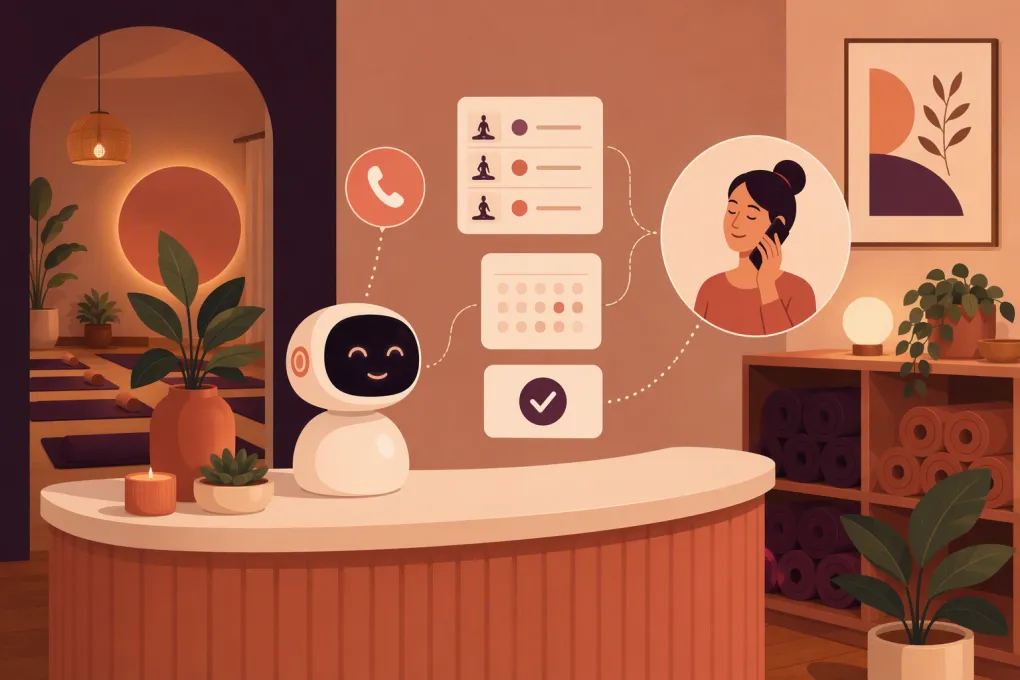 Watch · 20s
A prospective student calls while your instructor is teaching and your front desk is empty. The caller wants to know whether the next beginner class is heated, whether mats are available, and whether the intro offer applies. Voicemail cannot resolve any of that—and a callback tomorrow may be too late.
An AI phone answering service for yoga studios can cover these gaps, but only when it has accurate studio information, defined call logic, and a reliable way to work with your scheduling and customer records. Without those pieces, it is a polished voice sitting on top of another manual inbox.
The buying standard should be straightforward: Can the service complete approved tasks accurately, show your staff what happened, and hand off everything else without confusing the caller?
Ask WTF Go to map Fitty to your studio’s call and booking workflow →
What the service should—and should not—handle
A properly configured AI receptionist can be useful for structured, repeatable conversations such as:
- Studio hours, directions, parking, amenities, and arrival instructions
- Class descriptions, experience levels, room temperature, and equipment needs
- Current pricing information and introductory offers
- Lead capture and follow-up consent
- Schedule lookup and booking when a supported connection is available
- Cancellation or rescheduling within defined policies
- Waitlist explanations and approved next steps
- Account balance reminders or secure payment links
- Transfers and callback requests for staff
It should not improvise answers about injuries, pregnancy, medical suitability, contract exceptions, refunds, harassment complaints, or emergencies. Those calls require conservative language and a clear human or emergency route.
Fitty is designed to answer leads, support bookings, continue configured follow-up, and assist with dues collection. Those capabilities are not magic switches. Their practical scope depends on your software stack, available integration methods, permissions, payment setup, policies, and approved communication channels. Before buying, confirm each workflow against your current systems rather than relying on a generic feature label.
Start with call logic, not a voice demo
A natural-sounding demo can hide weak operational logic. Test the assistant with the conversations your studio actually receives.
Here is a workable new-student flow:
- Identify intent: “Are you looking for your first class, information about membership, or help with an existing booking?”
- Collect only useful context: Ask about yoga experience, preferred day, and desired class intensity.
- Apply boundaries: Do not diagnose an injury or decide whether a class is medically appropriate.
- Check the source of truth: Read availability from the scheduling system rather than a static FAQ.
- Offer limited choices: Suggest one or two relevant classes instead of reading the entire schedule.
- Complete or capture: Book through an approved integration, or capture the caller’s details for staff follow-up.
- Confirm the next step: Send approved arrival instructions only after obtaining the necessary messaging consent.
- Write back the result: Record the outcome, caller intent, booking status, and any required staff action.
Example: a beginner asking about a heated class
Caller: “I have never done yoga. Can I join the hot class tonight?”
A sound workflow should check whether the class is designated as beginner-accessible, explain that it is heated using the studio’s approved description, disclose what to bring, and offer available times. If the caller mentions dizziness, pregnancy, a recent procedure, or another medical concern, the assistant should avoid giving clearance and route the question according to studio policy.
It should not simply say, “Yoga is safe for everyone,” or create a booking without checking capacity and eligibility.
Example: an existing member with an unpaid balance
The assistant can identify the member through an approved verification process, explain that an account requires attention, and send a secure payment link if your systems support that workflow. It should not repeat sensitive account details to an unverified caller, collect card numbers into a recording, or decide whether to waive fees.
These examples expose implementation quality more reliably than asking whether a provider “uses conversational AI.”
How scheduling and CRM connections should work
Yoga studios commonly operate through platforms such as Mindbody, Momence, Mariana Tek, WellnessLiving, Vagaro, Zen Planner, or another booking and membership system. Naming a platform does not establish compatibility. Ask the provider to identify the exact connection method and supported actions for the version and plan you use.
Typical connection methods include:
| Connection method | What it can enable | What to verify |
|---|---|---|
| Native integration | Direct access to supported booking or member workflows | Exact actions, fields, locations, account tiers, and sync timing |
| Public API connection | Custom reading and writing of authorized data | API availability, rate limits, authentication, maintenance, and implementation responsibility |
| Middleware or automation tool | Transfers data through a third-party connector | Added fees, failure alerts, delay, duplicate handling, and data exposure |
| Webhook | Sends events such as a new lead or completed call | Whether it is one-way or two-way and what happens after a failed delivery |
| Secure staff task or message | Creates a human follow-up instead of changing the system | Ownership, response-time expectations, and closed-loop tracking |
| Browser-based automation | Simulates staff actions in a web interface | Reliability, vendor permission, interface changes, auditability, and credential risk |
For every promised capability, ask the vendor to demonstrate the full data path. A booking demonstration should show:
- How the caller is matched with an existing record or created as a new lead
- Where live capacity comes from
- How membership eligibility and intro-offer rules are checked
- What happens when a class fills during the call
- How duplicate contacts are prevented
- Where confirmation is recorded
- How cancellations, waitlists, and failed writes are handled
- What staff see after the call
Do the same for follow-up and dues workflows. If the service only creates a task for an employee, that may still be useful—but it is not the same as completing the action automatically.
See whether Fitty can support your current scheduling, CRM, and payment stack →
Common implementation failures
Most avoidable failures come from unclear ownership and stale operating information, not from voice quality.
Using copied schedules as live availability
A static knowledge document can explain class types, but it should not be treated as the source of truth for current capacity or instructor substitutions. Use a live connection for transactional answers or require a staff callback.
Giving the AI too much authority
Studios sometimes define normal policies but forget exceptions. Set explicit limits for refunds, freezes, membership changes, fee waivers, private-event pricing, and account disputes.
Failing silently
If an integration fails, the assistant needs a safe fallback: explain that the booking is not confirmed, capture the request, notify staff, and give the caller a realistic next step. It must never claim success merely because a workflow was attempted.
Sending follow-up without consent controls
Capturing a phone number does not automatically mean every promotional text is permitted. Separate operational confirmations from marketing campaigns, preserve consent records, and honor opt-out requests.
Launching every workflow at once
Begin with after-hours FAQs and lead capture. Add booking for a limited class set after testing. Introduce account and payment workflows only after identity, permission, and failure handling have been reviewed.
A concrete pricing framework
Providers may charge by call minute, completed call, usage bundle, location, phone number, feature tier, implementation scope, or a combination. Comparing only the advertised monthly fee will produce a weak decision.
Build a monthly total-cost estimate with these lines:
- Base platform or location fee
- Included minutes or calls
- Expected overage charges
- Phone number, forwarding, or telephony fees
- Scheduling, CRM, or middleware costs
- Setup, workflow configuration, and data-mapping charges
- Transcript, recording, storage, or analytics costs
- SMS or email usage
- Payment-processing charges where applicable
- Ongoing support or managed optimization
- Internal staff time for review and exception handling
Then calculate operational unit costs:
- Cost per answered call: total monthly cost divided by calls answered
- Cost per resolved call: total monthly cost divided by calls completed without staff intervention
- Cost per qualified lead: total monthly cost divided by valid new prospects captured
- Cost per completed booking: applicable monthly cost divided by verified bookings completed
Do not count an attempted booking as completed. Do not treat a spam call as a lead. Compare the cost with your current missed-call and staffing process, including the staff time spent returning messages and correcting errors.
Ask for a paid or controlled pilot with clear boundaries. The agreement should define included usage, overages, cancellation terms, data export, support, and who pays for integration work.
Compliance and risk controls to review
This section is operational guidance, not legal advice. Requirements vary by jurisdiction, call direction, message type, data handled, and the parties involved. Have qualified counsel review your implementation.
AI disclosure
Laws and platform requirements concerning automated or synthetic agents continue to develop. Determine whether and how the assistant must identify itself in every state where callers may be located. Even where a specific script is not mandated, avoid designing the agent to deceive callers about its identity.
Call recording and transcription
Federal and state consent rules can differ, and some jurisdictions require consent from all parties. Determine where both the studio and caller may be located. Use an approved disclosure before recording or transcription begins, document consent where required, and offer a non-recorded alternative if your legal guidance calls for one.
SMS and automated follow-up
Transactional booking messages and promotional texts can carry different consent obligations. Your workflow should preserve the source, date, scope, and language of consent; identify the sender; process STOP and similar opt-outs; and apply appropriate calling or messaging-hour controls. Do not purchase a tool and assume the vendor becomes solely responsible for your Telephone Consumer Protection Act or state-law compliance.
Payment handling
Do not let payment-card details enter ordinary recordings or transcripts. Use a payment provider and workflow designed for applicable PCI DSS responsibilities, such as a secure hosted payment link or properly configured protected payment flow. Verify tokenization, access controls, data retention, failed-payment handling, and which company acts as merchant of record.
Emergencies and sensitive information
The assistant should not present itself as an emergency monitoring service. Configure direct language telling callers with an immediate emergency to contact 911 or the appropriate local emergency service. Define a separate route for nonurgent safety incidents.
Do not assume that every yoga studio is subject to HIPAA, but still minimize collection of injury and health details. Apply your privacy policy, retention limits, and access controls to transcripts and summaries.
A safer rollout plan
Launch in controlled stages:
- Document: Create approved answers, class definitions, escalation rules, and system ownership.
- Test: Run normal, ambiguous, adversarial, medical, payment, and emergency scenarios.
- Pilot: Start with after-hours FAQs and lead capture at one location or phone line.
- Connect: Add live booking only after testing reads, writes, duplicates, and failures.
- Review: Inspect transcripts, outcomes, unresolved intents, and staff corrections.
- Expand: Add follow-up and payment-related workflows after consent and security review.
Fitty can serve as the AI receptionist layer inside this model, with its exact actions defined by your connected systems and approved workflows. The right next step is not accepting a broad automation promise. It is mapping one real call—from ring to booking, follow-up, payment path, or human handoff—and verifying every step.
Map a real yoga studio call workflow with WTF Go →
Frequently asked questions
Can an AI phone answering service book yoga classes?
It can when it has a supported, authorized connection to live scheduling data and permission to create bookings. Verify capacity, eligibility, duplicate handling, confirmation, and failure behavior with your exact platform.
How much does an AI answering service for a yoga studio cost?
Pricing may combine platform, usage, location, integration, messaging, and setup charges. Compare total monthly cost and cost per resolved call or verified booking rather than relying only on the base fee.
Does an AI receptionist have to disclose that it is AI or recording the call?
Requirements vary by jurisdiction and are evolving. Review AI disclosure, recording, transcription, and consent scripts with qualified counsel for every area where your studio and callers may be located.
Can Fitty collect overdue yoga membership dues?
Fitty is designed to support configured dues workflows, but the available action depends on identity checks, payment setup, permissions, and system connections. Card details should be handled through a compliant payment flow, not exposed in ordinary recordings or transcripts.
Which yoga scheduling platforms work with AI phone services?
Compatibility varies by provider and connection method. For systems such as Mindbody, Momence, Mariana Tek, WellnessLiving, Vagaro, or Zen Planner, request a demonstration of the exact read-and-write actions supported on your plan.
Keep reading



Run your gym on autopilot with WTF Go
Fitty — your AI receptionist — answers calls and DMs, fills classes, follows up with every lead, and collects dues while you coach.