AI & Automation
AI Gym Front Desk: Automate Calls, Bookings, and Dues 24/7
See how an AI gym front desk handles calls, books classes, follows up with leads, and collects dues, plus a practical rollout plan for operators.
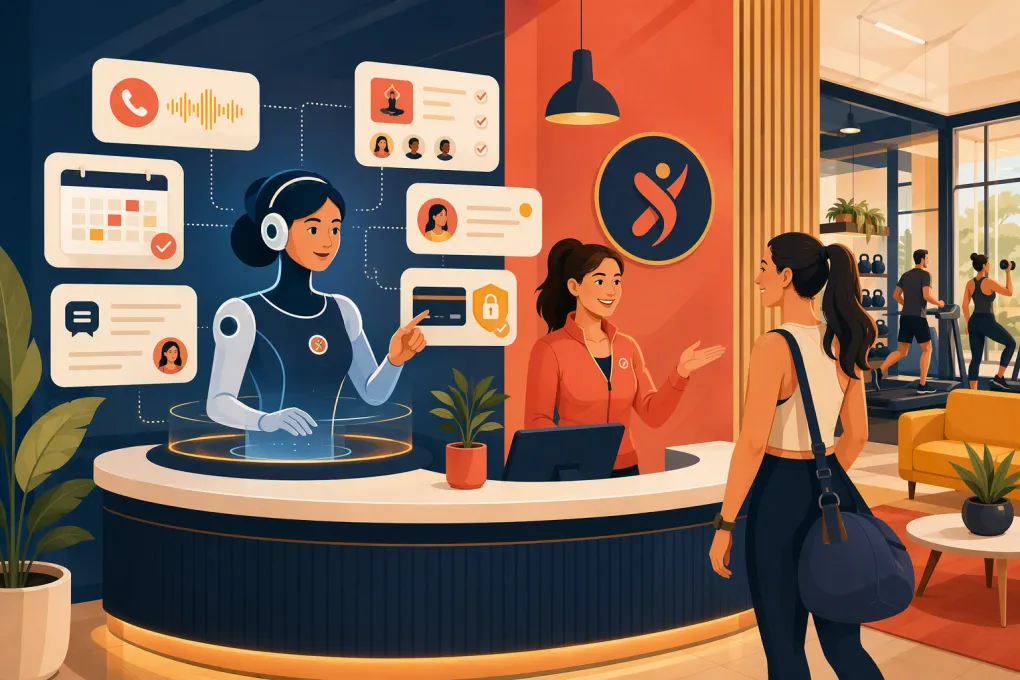 Watch · 20s
Your front desk can be fully staffed and still miss the lead who calls during the evening rush, the member texting before sunrise, or the overdue account that needs a fifth follow-up. Those gaps are not necessarily a staffing failure. They are a workflow problem—and an AI gym front desk can take on the repetitive conversations that otherwise sit unanswered.
The right setup does not replace hospitality. It gives staff more time to deliver it. AI can respond immediately, handle routine booking and billing requests, and route sensitive situations to a person with the right context.
The wrong setup creates a different mess: inaccurate answers, duplicate records, poor handoffs, and automated messages that feel disconnected from the business. Here is how to evaluate and deploy an AI front desk without losing control of the member experience.
See how Fitty handles gym calls, bookings, follow-up, and dues around the clock →
What is an AI gym front desk?
An AI gym front desk is a software agent that communicates with leads and members through channels such as phone, text, and web chat. It uses approved business information and connected operational systems to answer questions or complete specific actions.
Depending on the platform and configuration, those actions may include:
- Answering questions about schedules, pricing, amenities, and policies
- Capturing a lead’s name, contact details, goals, and preferred location
- Booking intro sessions, classes, consultations, or appointments
- Rescheduling and canceling eligible bookings
- Following up with leads who have not booked or purchased
- Sending reminders and waitlist notifications
- Sharing secure payment links for overdue balances
- Routing complex or sensitive conversations to staff
This is different from putting a basic chatbot on your website. A chatbot may only return scripted answers. A useful AI front desk needs access to current operating information, defined permissions, booking availability, conversation history, and clear escalation rules.
Where gyms lose front-desk opportunities
Most leaks occur between systems or outside staffed hours. A lead submits a form, but nobody calls until the next day. A prospect asks whether childcare is available, receives no answer, and keeps searching. A member wants to move a reservation but cannot reach anyone. A failed payment gets one generic email and no structured follow-up.
These small gaps compound because they create work for both the customer and the team. The prospect has to call again. Staff must reconstruct the conversation. Managers spend time checking whether routine follow-up happened.
An AI gym receptionist is most valuable when it owns a defined operational loop:
- Receive the inquiry.
- Identify the person and intent.
- Answer from approved information.
- Complete an allowed action.
- Record the outcome.
- Escalate when required.
If a product only handles step three, it may reduce questions, but it will not fully resolve the underlying workflow.
The best workflows to automate first
Do not automate every front-desk process at once. Start with frequent, low-risk conversations that have a clear successful outcome.
New lead response and qualification
Speed matters when someone is actively comparing nearby gyms or studios. An AI agent can respond when an inquiry arrives, ask a short set of qualification questions, and offer the next appropriate step.
Keep qualification practical. Ask only what affects routing or booking, such as:
- Which location are you interested in?
- What type of training or service are you looking for?
- Have you trained with us before?
- What days or times usually work for you?
- Would you like to book a tour, trial, or consultation?
Avoid turning the conversation into an intake form. The goal is to create momentum and secure the next commitment.
Class, appointment, and consultation booking
Booking automation should use live availability rather than a copied schedule. Before enabling it, define:
- Which services the AI may book
- Capacity and waitlist rules
- Eligibility restrictions
- Required waivers or intake forms
- Cancellation and late-cancel policies
- Staff, room, and equipment dependencies
- How far in advance bookings can be made
The agent should confirm the location, date, time, service, and any arrival instructions. It should also write the booking back to the system your team uses as the source of truth.
Routine member service
An AI front desk can resolve repetitive requests such as hours, parking instructions, guest policies, membership freeze procedures, and how to update a payment method.
That does not mean it should make every requested account change. High-impact actions—such as cancellations, refunds, contract changes, or exceptions to policy—should follow an approval process unless your rules and system permissions are exceptionally clear.
Failed-payment follow-up
Dues collection is usually a sequence, not a single reminder. An AI agent can contact the member through approved channels, explain that the payment did not go through, provide an authorized secure link, and follow up according to your schedule.
Do not ask members to send full card details through ordinary chat or text. Use a payment processor’s secure hosted workflow, limit access to billing information, and preserve a record of the outreach and resolution.
See how Fitty can follow up on overdue gym dues without adding another staff queue →
What AI should not handle alone
Automation needs boundaries. Your AI agent should immediately transfer or create a staff task when it encounters:
- Injuries, medical concerns, or emergencies
- Threats, harassment, or facility safety issues
- Disputed charges or suspected fraud
- Requests involving legal claims
- Highly emotional complaints
- Refunds or policy exceptions outside its authority
- Questions it cannot answer from approved information
- Repeated failed attempts to identify or help the person
A strong handoff includes the person’s identity, contact information, conversation summary, stated intent, steps already taken, and urgency. Sending staff an alert that merely says “customer needs help” defeats much of the benefit.
The agent should also say when a person will take over. It should never pretend to have completed a booking, payment, or account update that the underlying system did not confirm.
How to implement an AI front desk safely
1. Map conversations before buying features
Review recent calls, texts, emails, and front-desk questions. Group them by intent and note the desired outcome, system involved, owner, and escalation rule.
A simple process map might include:
| Intent | Desired outcome | AI permission | Human escalation |
|---|---|---|---|
| Trial inquiry | Book intro session | Read and write booking | No suitable availability |
| Schedule question | Provide current class options | Read schedule | Conflicting or missing data |
| Failed payment | Send secure update link | Trigger approved workflow | Charge is disputed |
| Cancellation request | Explain process and capture request | Create staff task | Always reviewed by staff |
This exercise exposes unclear policies before software starts communicating them at scale.
2. Build an approved knowledge source
Give the agent one maintained source for hours, services, pricing rules, amenities, age restrictions, parking, policies, and location details. Assign an employee to update it whenever operations change.
Avoid vague answers. “We have flexible memberships” is marketing copy. The agent needs to know which options it may describe, what conditions apply, and when a staff member must explain the details.
3. Define permissions and identity checks
Separate public information from account-specific actions. Anyone can ask about opening hours. Changing a booking, discussing a balance, or modifying an account may require identity verification.
Use the least access necessary. Decide which records the AI may read, which actions it may take, and which require approval. Confirm that staff accounts, integrations, and audit logs are managed appropriately.
4. Test real scenarios, including failure cases
Do not test only perfect conversations. Try misspelled names, background noise, vague requests, multiple locations, full classes, unavailable trainers, old leads, angry members, and questions outside the knowledge base.
Verify the operational result, not just the wording. Did the booking appear in the correct calendar? Was the lead assigned correctly? Did the payment link go to the intended member? Did the handoff contain enough information?
5. Roll out by channel and workflow
Start with one location, channel, or use case. After reviewing transcripts and outcomes, expand deliberately. Keep a rollback path and tell staff exactly what the AI owns.
For calls or messages, follow applicable consent, disclosure, recording, and communication rules. Text outreach should include appropriate consent and opt-out handling. Requirements can vary by channel and jurisdiction, so obtain qualified legal guidance for your operation.
How to measure whether it works
Do not judge an AI gym front desk by the number of messages it sends. Measure whether it completes useful work without creating cleanup.
Track:
- Response time: How quickly does a new inquiry receive a meaningful response?
- Contact rate: How many valid leads engage with the outreach?
- Booking completion: How many conversations result in a confirmed booking?
- Show rate: Do AI-booked appointments actually attend?
- Resolution rate: How many eligible requests are completed without staff intervention?
- Escalation quality: Are handoffs accurate, timely, and properly routed?
- Payment resolution: Which overdue accounts return to good standing after outreach?
- Error rate: How often does the agent provide wrong information or take the wrong action?
- Staff time recovered: Which manual queues became smaller?
Review conversation samples alongside the dashboard. Metrics can show where a process fails; transcripts often show why.
What to look for in an AI gym front desk platform
Prioritize operational fit over a long feature list. Ask vendors to demonstrate your real workflows using your policies.
Your evaluation should cover:
- Phone, SMS, web, and other channels you actually use
- Live booking and account-system connectivity
- Lead capture, ownership, and conversation history
- Custom knowledge and location-specific rules
- Human transfer and task creation
- Secure billing workflows
- Permission controls and activity records
- Multi-location routing and reporting
- Implementation, data migration, and staff training
- How corrections and knowledge updates are handled
Fitty, WTF Go’s AI receptionist and agent, is designed around the work gym, studio, spa, and wellness operators need completed: answering leads, booking classes, following up, and collecting dues around the clock. That places the AI inside the operating workflow instead of leaving it as a disconnected chat widget.
Explore WTF Go and see whether Fitty fits your front-desk workflow →
The operating principle: automate the queue, not the relationship
Members still need people. They need coaching, judgment, accountability, empathy, and exceptions handled intelligently. What they do not need is to wait until tomorrow to hear your hours or book an intro.
Use an AI front desk to remove repetitive queues and close communication gaps. Give it accurate information, narrow permissions, a clear path to action, and firm escalation rules. When the system handles routine work reliably, your staff can focus on the moments where human attention changes the outcome.
Frequently asked questions
Can an AI gym front desk answer phone calls?
Yes. A voice-capable AI receptionist can answer common questions, capture lead details, book eligible services, and transfer conversations based on rules and system access.
Will an AI receptionist replace gym front-desk staff?
It is better used to handle repetitive and after-hours work. Staff should retain responsibility for sensitive complaints, safety issues, exceptions, complex sales conversations, and relationship-building.
Can AI collect overdue gym dues?
AI can run approved follow-up sequences and direct members to a secure payment workflow. It should not request full card details through ordinary text or chat.
What information does an AI gym receptionist need?
It needs current schedules, services, policies, location details, booking rules, escalation instructions, and controlled access to the systems required for approved actions.
How should a gym test an AI front desk?
Begin with one low-risk workflow, test both normal and failure scenarios, verify actions in the underlying system, review conversations, and expand only after errors and handoffs are under control.
Keep reading



Run your gym on autopilot with WTF Go
Fitty — your AI receptionist — answers calls and DMs, fills classes, follows up with every lead, and collects dues while you coach.