AI & Automation
AI Booking Assistant for Fitness Studios: A Practical Guide
Learn how an AI booking assistant for fitness studios captures leads, books classes, handles follow-up, and protects your front desk from missed calls.
 Watch · 20s
A prospect finds your studio after dinner. They want to know whether beginners are welcome, what tomorrow’s schedule looks like, and how to book a first class. If nobody answers quickly, that prospect may keep searching.
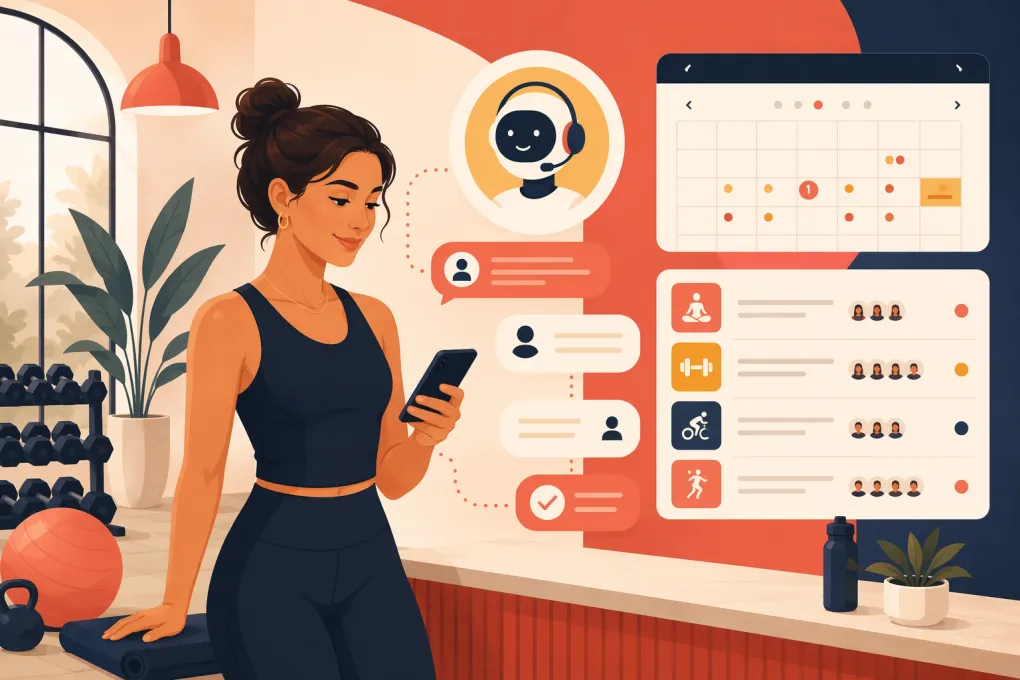
That is the practical value of an AI booking assistant for fitness studios: it closes the gap between a person’s interest and a confirmed booking. It can answer routine questions, identify the right class or appointment, guide the prospect through registration, and follow up when the conversation stalls.
This is not simply a chatbot installed on a website. A useful booking assistant must work with your actual schedule, capacity, policies, offers, and customer records. It also needs clear limits so that unusual requests reach a staff member instead of receiving an improvised answer.
For owners, the goal is not to remove hospitality from the business. It is to stop making every booking depend on an employee being available at exactly the right moment.
See how Fitty handles fitness studio inquiries and bookings 24/7 →
What an AI booking assistant should actually do
The term “AI assistant” is used loosely. Some products only display canned answers. Others can move a prospect through an operational workflow.
For a fitness studio, a capable assistant should be able to:
- Answer common questions about classes, instructors, amenities, memberships, and policies.
- Ask useful qualification questions without creating a long interrogation.
- Check current class or appointment availability.
- Direct the person toward an appropriate session or introductory offer.
- Complete or facilitate the booking process.
- Capture contact information in the customer record.
- Follow up when a lead does not finish booking.
- Escalate exceptions to a staff member with the conversation context attached.
The distinction that matters is action. Answering “When is yoga?” is helpful. Finding a beginner-friendly class, confirming availability, and helping the prospect reserve it is operationally valuable.
Where booking automation makes the biggest difference
An AI assistant does not need to manage every customer interaction on day one. Start with high-volume, repeatable conversations where the correct response can be defined.
| Workflow | What the assistant can handle | When staff should step in |
|---|---|---|
| First-visit booking | Explain the intro process, find a suitable class, capture details, and book | Medical concerns, accessibility questions, or unusual eligibility issues |
| Schedule questions | Surface relevant classes by date, format, level, or location | Schedule conflicts that require a manual override |
| Missed inquiry follow-up | Re-engage the lead and provide a direct path back to booking | Complaints or repeated objections that need judgment |
| Appointment requests | Identify the requested service and offer available times | Complex service combinations or practitioner-specific exceptions |
| Cancellation questions | Explain the published policy and guide the member to the correct process | Refund disputes, emergencies, or policy exceptions |
| Payment follow-up | Remind the member and direct them to a secure payment method | Disputed charges or financial hardship conversations |
This approach protects the front desk from repetitive work without asking AI to make sensitive decisions.
Build the booking journey before automating it
Automation exposes messy processes. If staff members give different answers about trials, late arrivals, or cancellation windows, an AI assistant will not know which version is authoritative.
Document the journey before turning it on.
1. Define the desired conversion
Choose one primary result for each type of inquiry. Examples include:
- Reserve an introductory class.
- Book a consultation.
- Schedule an assessment.
- Purchase a trial pass.
- Join a waitlist.
- Request a staff callback.
Avoid presenting every membership and class option immediately. The assistant should help the prospect make the next sensible decision, not reproduce your entire pricing page in conversation form.
2. Decide what the assistant needs to ask
Collect only information that changes the recommendation or is necessary to create the booking. Depending on the studio, that may include:
- Preferred location.
- Class or service interest.
- Experience level.
- Preferred day or time.
- Name and contact details.
- Whether the person is a new or existing customer.
A boxing gym may need to distinguish fundamentals from advanced training. A Pilates studio may need to separate group reformer classes from private sessions. A spa may need service duration or provider preference.
3. Create a single source of truth
The assistant needs current, approved information. Build a simple operating knowledge base covering:
- Hours and location details.
- Class descriptions and prerequisites.
- Introductory offers.
- Membership and package rules.
- Booking, cancellation, and late-arrival policies.
- Age restrictions.
- Parking and arrival instructions.
- What to bring.
- Escalation contacts.
Assign an owner to each category and review it whenever policies or schedules change. Outdated information delivered instantly is still bad service.
4. Connect the booking workflow
The assistant should use live availability or a dependable booking path. Otherwise, it can create a frustrating loop: recommend a class, send the prospect elsewhere, and force them to search again.
Before launch, test whether the workflow correctly handles:
- Full classes.
- Waitlists.
- Two customers requesting the last available spot.
- Location-specific schedules.
- Existing accounts with duplicate contact details.
- Intro offers restricted to new customers.
- Rescheduling and cancellation requests.
Explore how WTF Go and Fitty connect conversations with studio operations →
Give the assistant clear boundaries
Good automation is predictable. Owners should be able to state what the assistant may do, what it may explain, and what it must escalate.
Set hard escalation rules for:
- Injuries, symptoms, or medical advice.
- Refunds and disputed charges.
- Harassment, threats, or safety concerns.
- Contract interpretation.
- Requests for policy exceptions.
- Accessibility needs that require staff confirmation.
- Any question not supported by approved business information.
Payment handling also deserves care. Do not train staff or automation to request full card details in ordinary messages. Direct customers into the business’s approved secure payment flow.
Escalation should preserve context. A staff member should receive the person’s name, request, relevant booking details, and conversation history. Making the customer repeat everything defeats much of the benefit.
Write responses like an operator, not a brochure
Booking conversations should be brief and directional. A useful response normally does three things:
- Answers the immediate question.
- Recommends the next step.
- Makes that step easy to complete.
For example, a prospect asking whether a class is beginner-friendly does not need several paragraphs about your training philosophy. They need a clear answer, any relevant preparation instructions, and available times.
Review the assistant’s language for promises your team cannot keep. Avoid absolute claims about results, guaranteed availability, or exceptions that have not been approved. The tone can be warm without becoming vague or overfamiliar.
Measure bookings, not conversation volume
A large number of AI conversations does not prove that the system is helping the business. Track the movement from inquiry to attendance.
Useful operating measures include:
- Inquiries that become completed bookings.
- Bookings that result in attendance.
- Time from first inquiry to confirmed booking.
- Leads that require staff escalation.
- Unfinished booking conversations.
- Recovered missed inquiries.
- Common questions the assistant cannot answer.
- Cancellations or duplicate bookings linked to workflow errors.
Review actual conversations regularly, especially during the first few weeks and after schedule, pricing, or policy changes. Look for where prospects hesitate, misunderstand an offer, or abandon the process.
Use those findings to improve the workflow. If prospects repeatedly ask whether equipment is provided, add that answer. If they stop when asked to choose among ten classes, narrow the recommendation process.
How to evaluate an AI booking assistant for your studio
A polished demonstration is not enough. Test the system using realistic situations from your own business.
Ask vendors or internal teams to show how the assistant handles:
- A brand-new prospect asking a vague question.
- An existing member using different contact information.
- A full class with an available waitlist.
- Two locations offering different schedules and amenities.
- A person who begins booking but disappears.
- A request that requires human approval.
- A schedule or policy change.
- A payment issue that must use a secure process.
Also determine who maintains the assistant’s knowledge, how staff can review conversations, and what happens when the underlying scheduling system is unavailable. If updates require a lengthy support process, routine studio changes can quickly make the assistant unreliable.
An all-in-one platform reduces the number of handoffs between lead capture, booking, follow-up, customer management, and payment collection. WTF Go is built as an operating system for gyms, studios, spas, and wellness businesses. Fitty, its AI receptionist, can answer leads, book classes, follow up, and collect dues around the clock.
That makes Fitty useful beyond the first reply. The objective is to keep the customer journey moving while giving staff visibility into the relationship.
See how Fitty can support bookings, follow-up, and dues collection →
Start narrow, test hard, then expand
The safest rollout is one location, one offer, or one booking type. Run test conversations that include normal inquiries, incomplete information, typos, policy exceptions, and unavailable classes. Confirm that bookings appear correctly and staff receive escalations with enough context.
Once the workflow is dependable, expand to additional classes, services, or locations. A smaller assistant that reliably completes bookings is more useful than a broad assistant that gives uncertain answers.
For fitness operators, the real advantage is straightforward: prospects receive a path to book when they are ready, while employees spend less time repeating schedules and chasing incomplete inquiries. The result should feel less like adding another marketing widget and more like installing a front-desk workflow that stays on.
Frequently asked questions
Can an AI booking assistant work with an existing class schedule?
Yes, if it can access live availability directly or connect customers to a dependable booking workflow. Verify how schedule updates, full classes, waitlists, and cancellations are synchronized.
Will an AI booking assistant replace front-desk staff?
It is better used to handle routine inquiries, bookings, and follow-up. Staff should remain responsible for exceptions, sensitive issues, relationship-building, and situations requiring judgment.
What information should a studio give its AI assistant?
Provide approved class descriptions, schedules, offers, policies, location details, arrival instructions, booking rules, and escalation contacts. Assign someone to keep that information current.
How should a fitness studio measure whether AI booking works?
Track completed bookings, attendance, time to booking, unfinished conversations, escalations, and recovered inquiries. Review conversation quality as well as conversion outcomes.
Can Fitty follow up after someone does not complete a booking?
Yes. Fitty is designed to answer leads, book classes, follow up, and support dues collection 24/7 as part of the WTF Go platform.
Keep reading



Run your gym on autopilot with WTF Go
Fitty — your AI receptionist — answers calls and DMs, fills classes, follows up with every lead, and collects dues while you coach.