AI & Automation
After Hours AI Receptionist for Swim Schools: Operator Guide
Learn how an after hours AI receptionist for swim schools answers parent questions, captures leads, books lessons, and handles follow-up without delay.
 Watch · 20s
Parents rarely limit their swim-school research to front-desk hours. They search after dinner, compare programs on weekends, and call when they finally have time to coordinate school, work, and sibling schedules. If nobody responds, that inquiry may sit until the next shift—or move to another provider.
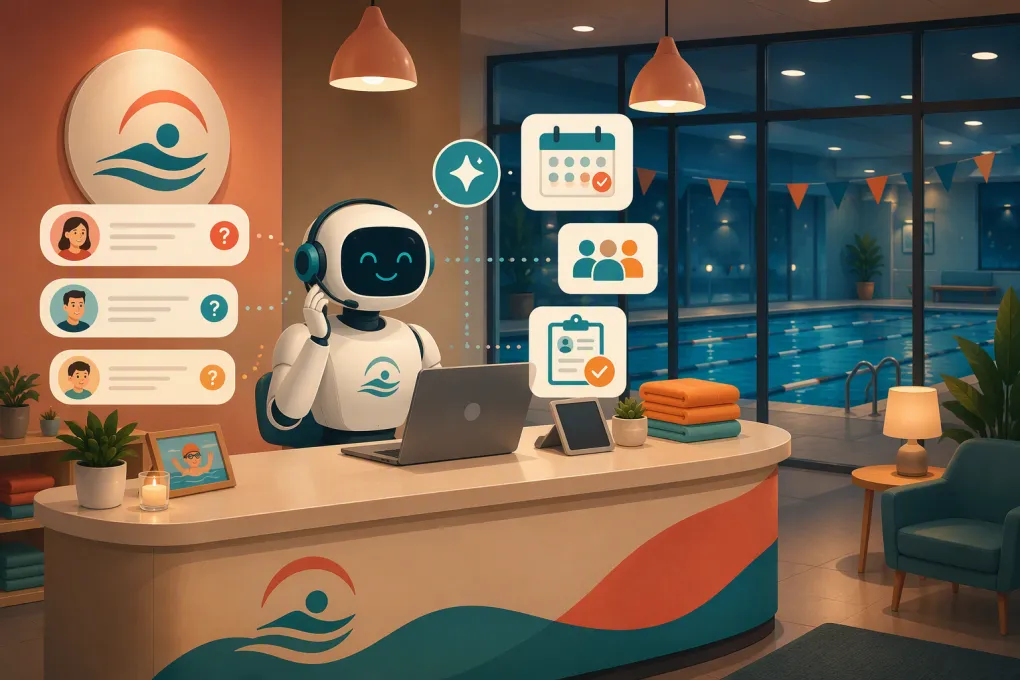
An after hours AI receptionist for swim schools closes that gap. It can answer routine questions, capture the details needed for placement, offer appropriate booking options, and continue follow-up without asking an employee to monitor the phone all night.
The goal is not to automate every parent interaction. It is to handle predictable work immediately while routing safety-sensitive, unusual, or emotional situations to the right person.
Why after-hours inquiries are difficult for swim schools
Swim-school inquiries are more complex than simple appointment requests. A parent may know the desired day but not the correct level. They may be enrolling siblings with different ages and abilities. They may ask about makeups, supervision, instructor qualifications, water temperature, changing facilities, or what happens if a child is afraid of the water.
A voicemail inbox captures the call but does not advance the decision. A generic chatbot may collect a name and phone number but leave staff to restart the conversation the next morning.
Meanwhile, the front desk already has active operational responsibilities:
- Checking swimmers in
- Helping families find the correct class
- Handling schedule changes and absences
- Answering questions from instructors
- Managing payments, waivers, and account issues
- Responding to incidents that require immediate human judgment
After-hours automation should reduce that workload, not create another queue of incomplete or inaccurate messages.
What an AI receptionist should handle
A useful AI receptionist does more than say the facility is closed. It should complete specific workflows using your approved program information, booking rules, and escalation policies.
Capture the information needed for placement
Instead of collecting only contact information, configure the receptionist to ask practical qualification questions such as:
- Is the inquiry for a child or an adult?
- What is the swimmer’s age?
- Has the swimmer taken formal lessons before?
- What can the swimmer currently do independently?
- Which days and times are workable?
- Is the family looking for group, private, or parent-and-child instruction?
- Which location is preferred?
- Are there accessibility or accommodation needs staff should discuss?
These questions should support—not replace—your formal level assessment. If placement requires an in-water evaluation, the AI should book that evaluation rather than guessing a level.
Answer routine parent questions consistently
Create an approved knowledge base covering the questions your team answers repeatedly:
- Program types and age requirements
- How level placement works
- Lesson duration and general class structure
- What swimmers should bring
- Parent viewing policies
- Makeup and cancellation policies
- Holiday or closure procedures
- Facility access and parking
- Registration, waiver, and payment steps
- How to contact staff about accommodations
The answers must come from a maintained source of truth. Do not let an AI generate policies from general internet information or infer rules from an outdated page.
Book the correct next step
Not every inquiry should end with the same booking action. The correct conversion might be:
| Parent’s situation | Appropriate next step |
|---|---|
| Clear fit for a defined beginner program | Offer eligible class times |
| Prior experience but uncertain level | Book an assessment or request staff review |
| Private lesson request | Collect availability and route according to instructor capacity |
| Multiple siblings | Build separate swimmer profiles before selecting classes |
| Accommodation or health-related question | Escalate to trained staff without offering medical advice |
| Preferred class is full | Offer approved alternatives or a waitlist |
| Existing family with an account issue | Verify identity and route to the correct account workflow |
This is where a swim-specific workflow matters. Booking the wrong level creates more work than capturing no booking at all.
Follow up without relying on staff memory
Many parents do not enroll during the first conversation. They may need to check another caregiver’s schedule, discuss price, or compare class times.
An AI receptionist can send an approved recap, provide a booking link, and follow up based on the family’s stated interest. Follow-up should stop when the parent enrolls, opts out, or requests human help. It should also respect applicable communication and consent requirements.
With WTF Go, Fitty can answer leads, book eligible classes, follow up, and support payment collection within one operating workflow rather than leaving staff to move information between disconnected tools.
See how Fitty turns an after-hours parent inquiry into a booked next step →
Build the workflow before turning on the AI
Good automation starts with operating rules. Before launch, document what the receptionist may answer, what it may change, and what must go to a person.
1. Map your highest-volume intents
Review recent calls, forms, emails, and front-desk questions. Group them into categories such as new enrollment, level placement, schedules, makeups, cancellations, billing, facility questions, and incident reporting.
Start with frequent, low-risk requests. Do not begin with the most complicated exceptions.
2. Define one source of truth
Assign an owner to maintain class descriptions, age rules, prerequisites, policies, closures, and escalation contacts. If your website, booking system, and staff documents disagree, resolve those conflicts before training the receptionist.
For multi-location operators, separate organization-wide policies from location-specific details. Parking, pool access, schedules, class availability, and closing procedures may differ by site.
3. Set explicit booking guardrails
Document rules such as:
- Which levels can be self-selected
- Which swimmers require assessment
- Whether prerequisites must be verified
- How sibling bookings are handled
- When a class can be waitlisted
- Whether trials are available
- Which discounts or credits require approval
- What information is required before holding a spot
The receptionist should never invent availability, override capacity, or promise an exception that staff have not approved.
4. Design escalation paths
Create separate routes for sales questions, account support, facility issues, instructor concerns, accommodations, and urgent safety matters. Include an after-hours contact only for situations your organization has explicitly classified as urgent.
The handoff should include the conversation summary, swimmer details, requested action, and any relevant booking context. Parents should not have to repeat everything when staff follow up.
5. Test realistic conversations
Do not test only easy questions. Use scenarios drawn from actual operations:
- A parent wants the same time for three children at different levels.
- A family asks whether a credit can be transferred.
- A swimmer is outside the published age range.
- The requested class is full at one location but open at another.
- A parent describes a medical or behavioral concern.
- An existing customer disputes a charge.
- Someone reports a possible safety incident after closing.
Review both the answer and the action taken. A polite response is not enough if it creates an incorrect booking or poor handoff.
Safety, privacy, and trust are non-negotiable
Swim schools serve children and collect sensitive family information. Your AI receptionist should request only the information needed for the workflow and pass payment data through approved, secure payment processes rather than collecting card details in an ordinary message.
It should also clearly identify itself as an automated assistant. Parents should have an easy way to request a person.
Set hard boundaries that prevent the AI from:
- Giving medical advice
- Making safety guarantees
- Interpreting symptoms or determining fitness to swim
- Altering waivers or consent records
- Speculating about an incident
- Sharing information from another family’s account
- Promising refunds, credits, placements, or exceptions without authority
For emergency language, configure a direct response based on your approved protocol. An AI receptionist is an enrollment and service tool, not a replacement for emergency services or trained safety personnel.
Measure whether it improves operations
Track the full workflow rather than counting conversations alone. Useful measures include:
- Number of inquiries received outside staffed hours
- Time from inquiry to first useful response
- Percentage of inquiries that reach a valid next step
- Assessments, trials, or lessons booked
- Handoffs requiring staff action
- Booking corrections caused by wrong placement or policy answers
- Follow-up completion and opt-outs
- Unresolved account or billing requests
- Staff time spent reviewing automated conversations
Read conversation samples regularly. Look for repeated questions the knowledge base cannot answer, confusing class names, dead-end booking paths, and policies families consistently misunderstand. Those findings can improve both the AI workflow and the swim school’s broader enrollment process.
What to look for when choosing a provider
Before committing to an after hours AI receptionist for swim schools, ask vendors to demonstrate your real workflows—not a generic restaurant or salon script.
Confirm that the system can:
- Work across the channels your families use
- Follow age, level, capacity, and location rules
- Access current availability or hand off cleanly to your booking process
- Distinguish new leads from existing customers
- Support assessments, waitlists, trials, and sibling inquiries
- Record conversation history for staff review
- Escalate based on urgency and topic
- Respect consent, opt-out, identity, and payment requirements
- Support multiple locations without mixing policies or schedules
- Report outcomes beyond raw message volume
Also ask who owns setup and ongoing maintenance. AI reception is not a one-time installation. Programs change, schedules roll over, policies are revised, and seasonal demand creates new questions.
WTF Go combines customer management and operational workflows with Fitty, its AI receptionist, so the conversation can continue into booking, follow-up, and dues collection instead of ending as another note for the front desk.
Explore an AI receptionist workflow built around swim-school enrollment and follow-up →
The practical standard
The right after-hours setup should give parents an immediate, accurate next step while protecting the decisions that require staff expertise. Start with clear program data, conservative booking rules, and reliable escalation. Then expand automation only after reviewing real conversations and outcomes.
That approach does not remove the human side of swim instruction. It gives your team more room to focus on swimmers and families who need their attention while routine enrollment work keeps moving after the front desk closes.
Frequently asked questions
Can an AI receptionist determine a swimmer's level?
It can collect experience and ability information, but it should not guess when your program requires a formal assessment. In those cases, it should book an evaluation or route the inquiry to qualified staff.
Can an after-hours AI receptionist book swim lessons directly?
Yes, if it has access to current availability and follows your age, level, capacity, and prerequisite rules. Complex placements should be escalated instead of booked automatically.
How should an AI receptionist handle safety or medical questions?
It should follow a strict escalation protocol and avoid medical advice, safety guarantees, or incident speculation. Emergency language should trigger your approved response directing the person to appropriate immediate help.
Does an AI receptionist replace swim-school front-desk staff?
No. It handles repetitive inquiries, qualification, booking, and follow-up while staff manage exceptions, sensitive account issues, assessments, and situations requiring human judgment.
What information is needed to set up Fitty for a swim school?
You need current program descriptions, placement rules, schedules, policies, booking requirements, escalation contacts, and location-specific details. Clear source information produces safer answers and cleaner bookings.
Keep reading



Run your gym on autopilot with WTF Go
Fitty — your AI receptionist — answers calls and DMs, fills classes, follows up with every lead, and collects dues while you coach.