AI & Automation
After-Hours AI Receptionist for Med Spas: Buyer's Guide
Learn how an after-hours AI receptionist for med spas captures leads, books consultations, answers FAQs, and escalates sensitive requests safely, 24/7.
 Watch · 20s
A prospective patient sees one of your Instagram posts at 8:47 p.m. They call with a question about a treatment, send a website inquiry, and move on when nobody responds. By the time your front desk opens, that lead may already be talking to another provider.
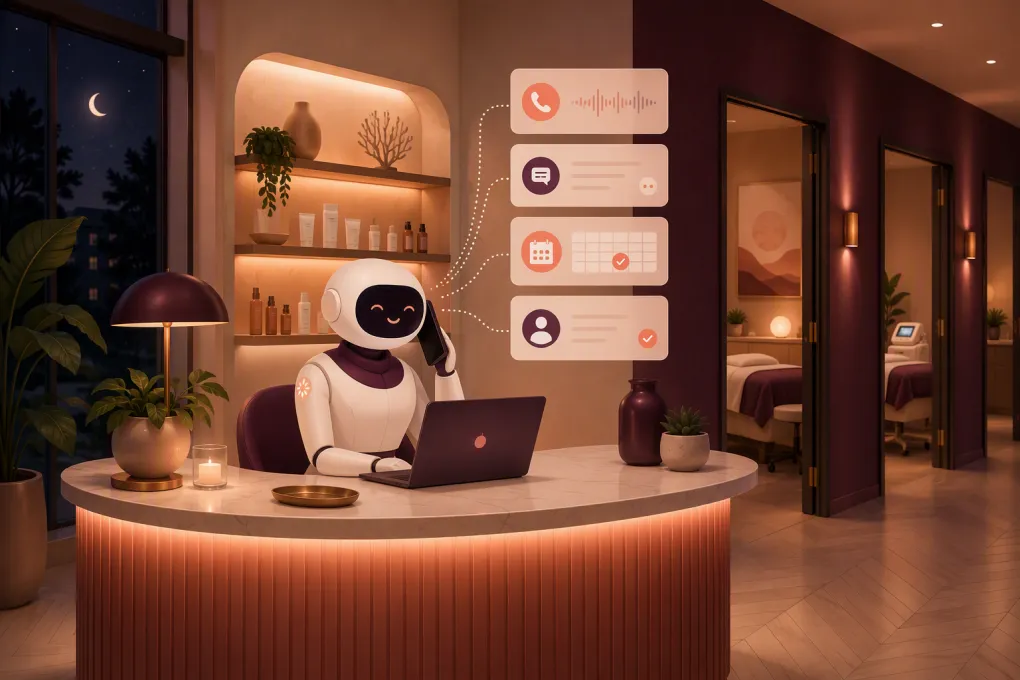
An after-hours AI receptionist for med spas is designed to close that response gap. It can answer common questions, capture lead details, guide people toward the right consultation, manage approved scheduling tasks, and escalate conversations that require a human.
But med spas cannot treat this like ordinary appointment automation. Conversations may involve health information, contraindications, clinical expectations, emergencies, financing, and services that require a consultation before treatment. The right system needs clear boundaries as much as it needs fast responses.
What an after-hours AI receptionist should actually do
An AI receptionist is more than voicemail transcription or a generic chatbot. It should complete defined front-desk workflows across the channels your prospects already use, which may include phone, text, website chat, and online forms.
A capable system should be able to:
- Respond immediately when the physical front desk is closed
- Identify whether the person is a new lead or existing patient
- Capture a name, phone number, email, location, and service interest
- Answer approved questions about hours, locations, parking, preparation, policies, and general service availability
- Offer an appropriate consultation or appointment based on your rules
- Reschedule or cancel eligible appointments
- Follow up when a prospect stops responding
- Route sensitive, clinical, or unusual questions to the right employee
- Record conversation history so staff do not restart the interaction the next morning
- Send confirmations and next-step instructions
- Direct people to an approved payment flow when deposits or balances apply
The practical goal is not to eliminate your front desk. It is to prevent routine inquiries and high-intent leads from sitting untouched overnight.
See how Fitty can handle after-hours med spa inquiries and follow-up →
The after-hours workflows worth automating first
Trying to automate every conversation at once creates unnecessary risk. Start with frequent, predictable workflows where the correct next step is easy to define.
New lead qualification
The AI should collect only the information needed to move the inquiry forward. A useful qualification flow might ask:
- Which service or concern are you interested in?
- Is this your first visit to this location?
- Which location do you prefer?
- What days or times generally work for you?
- Would you like to schedule a consultation?
Avoid turning the exchange into a long intake form. The objective is to preserve momentum and create a usable lead record, not conduct a clinical assessment in chat.
Consultation booking
Many med spa leads are not ready—or eligible—to book a treatment directly. Your AI receptionist needs to understand which services can be booked immediately and which require a consultation, provider review, or existing-patient status.
Build rules for:
- New versus returning patients
- Consultation-first treatments
- Provider qualifications
- Treatment duration and room requirements
- Location-specific availability
- Required buffers between appointments
- Deposit and cancellation policies
- Minimum age or guardian requirements where applicable
The AI should read live availability or use an approved booking flow. It should not promise a time based on a separate calendar that may be out of date.
Frequently asked questions
After-hours inquiries often involve the same operational questions. Give the AI a controlled knowledge base covering topics such as:
- Business hours and directions
- Services offered at each location
- Whether consultations are required
- General preparation instructions approved by your clinical team
- Membership or package basics
- Financing or payment options
- Cancellation and late-arrival policies
- How to contact the practice for clinical support
Be careful with pricing. If prices vary by provider, treatment area, dosage, or consultation outcome, the AI should explain that clearly rather than presenting an unreliable estimate as a quote.
Existing-patient requests
Existing patients may contact you about rescheduling, aftercare, side effects, prescriptions, records, or account balances. Some of these are administrative; others require clinical review.
Your workflow should separate them immediately. A rescheduling request can often be automated. A question about an unexpected reaction should be escalated according to instructions established by your clinical leadership.
Unfinished conversations
A lead who asks about a service and then disappears should not be abandoned. A well-configured AI receptionist can send an approved follow-up, retain the context, and provide a direct route back to booking.
Follow-up should have limits. Set the timing, maximum number of attempts, sending hours, and opt-out handling. More messages are not automatically better.
Guardrails med spas cannot skip
Speed matters, but the system must know when to stop automating.
Keep AI out of diagnosis and treatment decisions
An AI receptionist should not determine whether someone is medically suitable for a procedure, diagnose a complication, recommend a prescription treatment, or guarantee results. It can explain the next administrative step and route the person to a qualified professional.
Create explicit blocked topics and escalation triggers for symptoms, complications, medication questions, pregnancy, allergies, contraindications, and dissatisfaction with clinical outcomes.
Define an urgent-concern pathway
Do not let an urgent message enter the same queue as a request for Saturday availability. Configure language that directs emergencies to emergency services and sends potentially urgent clinical concerns to your designated on-call process.
The exact workflow should be written and approved by the people responsible for clinical operations. The AI vendor should implement your policy, not invent it.
Review privacy and security requirements
Whether a particular interaction or vendor arrangement is subject to HIPAA depends on the information involved and how the service is structured. Ask vendors directly about data handling, access controls, retention, encryption, subprocessors, auditability, and whether they will enter into a business associate agreement when required.
Also review:
- What information is stored in transcripts
- Which employees can access conversations
- How data is deleted or exported
- Whether data is used to train shared models
- How patient identity is verified before account details are disclosed
- Whether payment collection uses an appropriate secure payment provider
Have qualified legal or compliance advisors evaluate your specific obligations rather than relying on a sales page.
Respect communication consent
Automated texting and calling can create consent and opt-out obligations. Document how leads enter your system, retain relevant consent records, honor opt-outs, and configure outreach around applicable federal and state requirements. Call-recording rules can also vary by state.
How to evaluate an AI receptionist vendor
A polished demo is not enough. Test whether the product can operate within the messy reality of your front desk.
Booking and system connectivity
Ask the vendor to demonstrate, not merely describe:
- How availability is retrieved
- How appointments are written back to your calendar
- How duplicate contacts are handled
- Whether booking rules can vary by service, provider, and location
- What happens if a slot disappears during the conversation
- Where transcripts, tasks, and lead sources appear
- How staff take over a live or ongoing conversation
An integration that only sends an email summary is different from one that updates the operational system of record.
Conversation control
Review whether your team can edit answers without submitting a support ticket. You should be able to control approved language, prohibited claims, escalation triggers, tone, business hours, follow-up cadence, and location-specific information.
Test indirect questions and imperfect phrasing. Real prospects may use brand names, misspell treatment names, combine several questions, or change topics midway through the conversation.
Human handoff
A handoff should include the transcript, contact information, stated concern, service interest, and action already taken. Otherwise, your employee has to ask the prospect to repeat everything.
Decide who receives each category of escalation and what happens after hours. Sending every issue to a general inbox simply creates a different kind of delay.
Reporting
Look for reporting tied to operational outcomes, including:
- Inquiries received by channel and time
- Leads with complete contact information
- Consultations or appointments booked
- Conversations requiring human intervention
- Follow-up responses
- Cancellations and rescheduling requests handled
- Opt-outs and failed messages
- Booking or knowledge-base errors
Define each metric before using it to judge performance. For example, a booking rate is meaningless unless you know which conversations are included in the denominator.
Explore how WTF Go connects AI lead response, booking workflows, follow-up, and daily operations →
A practical implementation plan
A controlled rollout is safer and usually faster than switching on every feature at once.
1. Audit recent after-hours inquiries
Review calls, texts, forms, and direct messages. Group them by intent: new treatment inquiry, pricing, consultation request, rescheduling, policy question, account issue, or clinical concern.
This gives you a real priority list for automation.
2. Document the correct next action
For each intent, specify what the receptionist should ask, what information it may provide, whether it can book, and when it must escalate. Include separate rules for each location if services or staffing differ.
3. Build an approved knowledge base
Use current information from your own policies and clinical leadership. Assign an owner to review it whenever pricing, providers, hours, services, or policies change.
4. Test difficult scenarios
Run test conversations involving ambiguous service names, unavailable appointments, duplicate patient records, price requests, refund demands, adverse reactions, and a prospect who changes locations midway through booking.
Verify what the patient sees and what your staff receives.
5. Launch one workflow, then expand
New-lead response and consultation booking are often sensible starting points. Monitor transcripts closely, correct weak answers, and add workflows only after the first set performs reliably.
Fitty, WTF Go’s AI receptionist, is built to answer leads, continue follow-up, and keep front-desk activity moving around the clock. Because it sits within a broader operating system for fitness and wellness businesses, the objective is not another disconnected inbox—it is a cleaner path from inquiry to scheduled action and ongoing account management.
See whether Fitty fits your med spa’s after-hours workflow →
Where humans still matter most
AI is strongest when the rules are clear. Your staff should remain directly involved in clinical questions, emotionally sensitive complaints, exceptions to policy, complex treatment planning, high-value consultations, and conversations where trust depends on judgment rather than speed.
The best operating model is not AI versus reception staff. It is AI handling immediate, repeatable work while humans focus on patients and situations that need discretion.
That distinction is what turns an after-hours AI receptionist from a novelty into useful operational infrastructure.
Frequently asked questions
Can an AI receptionist book med spa appointments after hours?
Yes, if it can access current availability and follow your rules for services, providers, consultations, deposits, and locations. Treatments requiring clinical approval should be routed through the appropriate consultation process.
Is an AI receptionist for a med spa HIPAA compliant?
Compliance depends on the vendor, configuration, data involved, and your use of the system. Review data handling, access controls, retention, subprocessors, security practices, and business associate agreement availability with qualified advisors.
Can AI answer questions about treatment side effects?
It can provide approved administrative guidance and direct the person to the correct clinical contact, but it should not diagnose symptoms or make treatment decisions. Potentially urgent concerns need a defined escalation pathway.
What should a med spa automate first?
Start with new-lead capture, approved FAQs, consultation booking, and basic rescheduling. Add more complex workflows only after testing handoffs, calendar accuracy, privacy controls, and clinical boundaries.
Does an AI receptionist replace front-desk employees?
No. It handles immediate, repeatable conversations and after-hours follow-up, while employees manage clinical questions, exceptions, complaints, and interactions requiring judgment or personal attention.
Keep reading



Run your gym on autopilot with WTF Go
Fitty — your AI receptionist — answers calls and DMs, fills classes, follows up with every lead, and collects dues while you coach.