AI & Automation
After-Hours AI Receptionist for Massage Therapists Guide
Learn how an after-hours AI receptionist for massage therapists captures missed calls, books appointments, answers FAQs, and protects client trust 24/7.
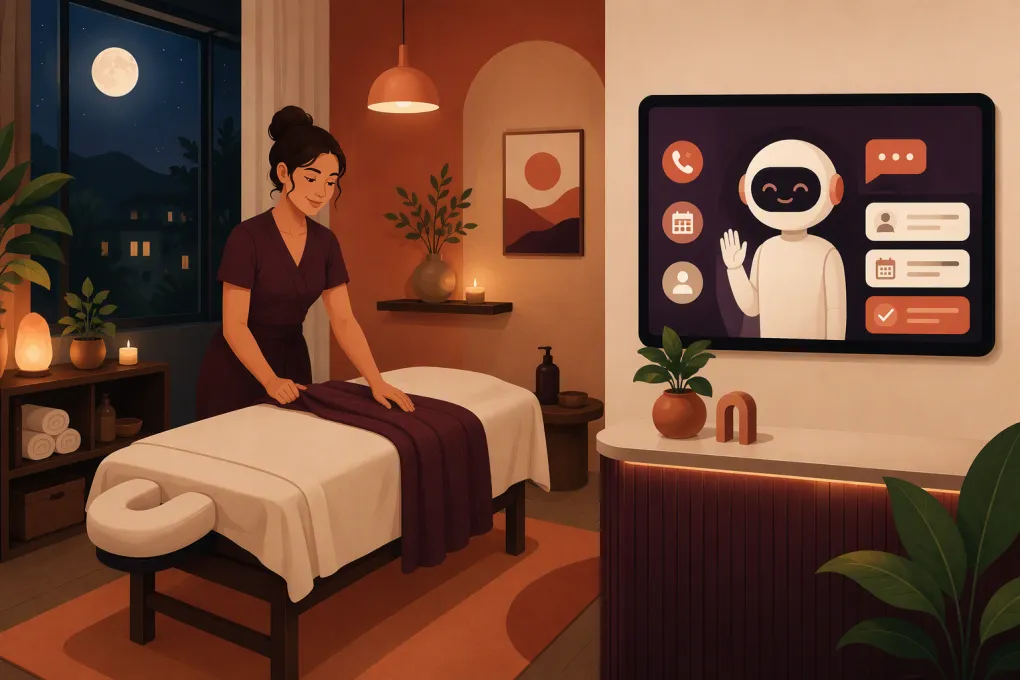 Watch · 20s
A potential client calls at 8:30 p.m. with a simple question: “Do you have a deep tissue appointment tomorrow?” You are with family, finishing laundry at the studio, or already asleep. By the time you return the call the next morning, that person may have booked elsewhere.
For massage therapists, missed calls are not just an administrative inconvenience. They often come from people who are ready to book but need reassurance about availability, services, pricing, location, or what to expect. An after-hours AI receptionist can handle those routine conversations immediately without forcing you to stay attached to your phone.
The goal is not to make your practice feel automated. It is to give prospective and existing clients a reliable response while protecting the boundaries that keep you from burning out.
What an after-hours AI receptionist actually does
An AI receptionist is a software agent configured to handle common front-desk conversations outside your staffed hours. Depending on the system and setup, it may answer inquiries, collect lead details, book eligible appointments, send follow-ups, and route unusual situations to a person.
For a massage practice, useful after-hours workflows include:
- Explaining the difference between massage services
- Sharing current appointment availability
- Booking or requesting an appointment
- Confirming session length, price, location, and parking information
- Explaining cancellation, late-arrival, and deposit policies
- Sending intake or booking links
- Capturing gift card and package inquiries
- Identifying requests that require a therapist or manager
- Following up when someone asks a question but does not book
This is different from a basic voicemail box. Voicemail records the problem for tomorrow. An AI receptionist should resolve straightforward requests now and create a clear handoff for anything it cannot safely complete.
See how Fitty handles after-hours massage inquiries and booking follow-up →
Why after-hours coverage matters for massage practices
Massage therapy is appointment-driven, and purchasing decisions frequently happen outside treatment hours. A client may search after work, after a workout, or when discomfort interrupts their evening. They usually want a quick answer, not a callback window.
Independent therapists face an especially difficult tradeoff. Answering the phone during a session damages the experience of the client on the table. Ignoring every call protects the session but leaves new demand unattended. Hiring a full evening front desk may not make operational sense for a solo or small practice.
AI creates a middle layer. It can handle repetitive front-desk work while the therapist retains control of clinical questions, exceptions, complaints, and sensitive conversations.
That distinction matters: the AI is not the massage therapist. It should not diagnose symptoms, recommend treatment for an injury, or promise a clinical outcome.
The massage-specific workflows to automate first
Start with narrow, high-frequency requests rather than asking an AI receptionist to manage every possible conversation on day one.
New-client service questions
Prospective clients often do not know which appointment type to choose. Give the receptionist approved, plain-language descriptions of each service, including:
- Session duration
- General purpose of the service
- Published price
- Whether the service is offered to new clients
- Relevant preparation instructions
- When a consultation with the therapist is required
Avoid language that sounds like diagnosis. A safe response can describe what your practice offers and help the client select a booking category without deciding what medical care that person needs.
Appointment booking
Define exactly when the AI can complete a booking. Useful rules might include:
- Only offer times visible as available in the live calendar
- Apply the correct cleanup or room turnaround buffer
- Respect therapist, room, and service eligibility
- Collect required deposits through an approved payment flow
- Send the cancellation policy before confirmation
- Never double-book unless your business explicitly allows it
If an appointment needs manual approval, the receptionist should say so clearly. “I can send this request to the therapist” is better than implying that an unconfirmed slot is reserved.
Cancellations and rescheduling
This workflow needs tighter controls because it affects revenue and client expectations. Configure the AI to explain your written policy consistently, then limit what it can change automatically.
For example, an in-policy reschedule may be handled through the normal booking system. A late cancellation, fee dispute, repeated no-show, or emergency explanation should be escalated for human review. The AI can acknowledge the message without waiving a charge or arguing with the client.
Packages, memberships, and unpaid balances
An after-hours receptionist can explain how packages work, send a secure purchase or payment link, and follow up on an outstanding balance. It should not ask a client to send complete card details through an ordinary text message or chat.
Fitty is designed to help wellness businesses answer leads, follow up, book, and collect dues around the clock. That makes it useful beyond the first inquiry: the same agent can help move a conversation from question to appointment instead of leaving disconnected notes for the next day.
Explore Fitty for massage bookings, follow-up, and dues collection →
Build the right safety boundaries
Massage practices receive messages that can be personal, urgent, or inappropriate. Automation needs explicit boundaries before it goes live.
Separate administrative and clinical questions
The receptionist can answer operational questions such as hours, prices, service descriptions, and availability. It should refer pain, injury, pregnancy, contraindication, medication, and post-procedure questions to a qualified person when individualized guidance is needed.
Do not load the AI with improvised medical advice. Give it a short approved response such as: “I can help with scheduling, but the therapist needs to review questions about whether massage is appropriate for your situation.”
Create an urgent-situation response
An AI receptionist should not present itself as emergency support. Configure a clear response directing people with a medical emergency to call 911 or seek appropriate emergency care. Do not promise that the therapist will review an urgent message immediately after hours.
Control what information is collected
Only request information needed for the next step. A lead inquiry may require a name, contact method, requested service, and preferred time—not a detailed health history.
Health intake belongs in the appropriate intake workflow with suitable access controls. Privacy and regulatory obligations depend on how your practice operates, what information it handles, and whether laws such as HIPAA apply to the business. Review the vendor’s security and data-handling terms, and get professional guidance where necessary.
Plan for inappropriate requests
Massage businesses need firm policies for sexual or harassing inquiries. The AI should avoid extended conversation, state that the practice provides professional therapeutic services only, and end or escalate the interaction according to your policy. Preserve relevant records where appropriate, but do not require a staff member to personally engage with abusive messages.
A practical after-hours conversation design
A useful conversation should be short. Most callers want an answer or an appointment, not a long intake interview.
Use this sequence:
- Identify the business. Confirm the practice name and that the automated receptionist can help with scheduling and general questions.
- Find the intent. Ask whether the person wants to book, change an appointment, ask about a service, or leave a message.
- Answer from approved information. Use your current service menu, policies, directions, and booking rules.
- Offer one clear next step. Book the appointment, send the correct link, or collect details for follow-up.
- Confirm the outcome. Repeat the selected service, date, time, therapist, location, and any deposit requirement.
- Escalate exceptions. Create a concise summary for the owner or front desk instead of making up an answer.
Review the wording as if you were a new client. Remove internal terminology, long disclaimers, and unnecessary questions. The system should sound calm and direct, not clever.
How to evaluate an AI receptionist
Do not choose a system based only on whether its demo can hold a conversation. Evaluate whether it can operate inside your actual front-desk rules.
Ask vendors to demonstrate:
- Live availability checks rather than a static list of times
- Correct handling of therapist, room, and service constraints
- Booking confirmations and follow-up
- Human handoff with a usable conversation summary
- After-hours rules that differ from daytime rules
- Permission controls for cancellations, refunds, and account changes
- Secure payment or dues-collection workflows
- Conversation history and outcome reporting
- Support for multiple locations, if relevant
- How data is stored, accessed, retained, and removed
Test difficult scenarios, not just easy bookings. Ask what happens when a client wants a prenatal service, disputes a cancellation fee, requests an unavailable therapist, gives an unclear date, or asks a clinical question.
How to launch without disrupting the practice
Begin with a limited after-hours window and a small set of approved tasks. Keep human review in place while you identify gaps.
Before launch:
- Clean up service names and descriptions
- Verify prices, durations, buffers, and availability rules
- Write approved answers to common questions
- Document escalation contacts and response expectations
- Decide which actions require manual approval
- Test new bookings, reschedules, cancellations, and payment links
- Confirm what the client receives after each action
During the first few weeks, review conversations regularly. Track missed inquiries captured, appointments requested, bookings completed, unresolved questions, escalations, and errors. Use your own baseline rather than relying on a generic industry benchmark.
Pay close attention to where conversations stop. If people repeatedly abandon after being asked for too much information, shorten the flow. If they ask the same unanswered question, add an approved response. If the AI books the wrong service, tighten the eligibility rules before expanding coverage.
The operating principle: automate access, not judgment
The best after-hours setup makes your practice easier to reach without pretending software can replace professional judgment. Let the AI answer routine questions, manage approved booking steps, and follow up consistently. Keep therapists and managers responsible for clinical issues, policy exceptions, complaints, and sensitive client care.
For a massage therapist, that means fewer interruptions during sessions and fewer evenings spent returning routine calls. For clients, it means they can get a useful response when they are ready to act. That is the standard an after-hours AI receptionist should meet.
Frequently asked questions
Can an AI receptionist book massage appointments automatically?
Yes, if it can access live availability and follow your rules for services, therapists, rooms, buffers, deposits, and new-client eligibility. Appointments requiring clinical or managerial review should be escalated.
Should an AI receptionist answer questions about pain or injuries?
It can provide approved general information, but it should not diagnose conditions or give individualized medical advice. Clinical questions should go to a qualified therapist or healthcare professional.
Can a solo massage therapist use an after-hours AI receptionist?
Yes. Solo operators can use it to answer routine inquiries, capture leads, support booking, and reduce phone interruptions without staffing an evening front desk.
How do I protect client privacy when using an AI receptionist?
Collect only the information needed for the immediate task, keep health intake in an appropriate secure workflow, and review the vendor’s security, access, retention, and data-handling terms.
What should an AI receptionist do when it cannot answer a question?
It should state that a person needs to review the request, collect only the necessary contact details, and create a concise handoff without guessing or promising an immediate response.
Keep reading



Run your gym on autopilot with WTF Go
Fitty — your AI receptionist — answers calls and DMs, fills classes, follows up with every lead, and collects dues while you coach.