AI & Automation
After-Hours AI Receptionist for Chiropractic Clinics Guide
An after-hours AI receptionist for chiropractic clinics can capture missed calls, book visits, and route urgent issues. Use this practical setup guide.
 Watch · 20s
A prospective patient rarely waits patiently for a chiropractic clinic to call back. If someone reaches voicemail after work, during lunch, or while your front desk is helping a patient, the next clinic is only another search result away.
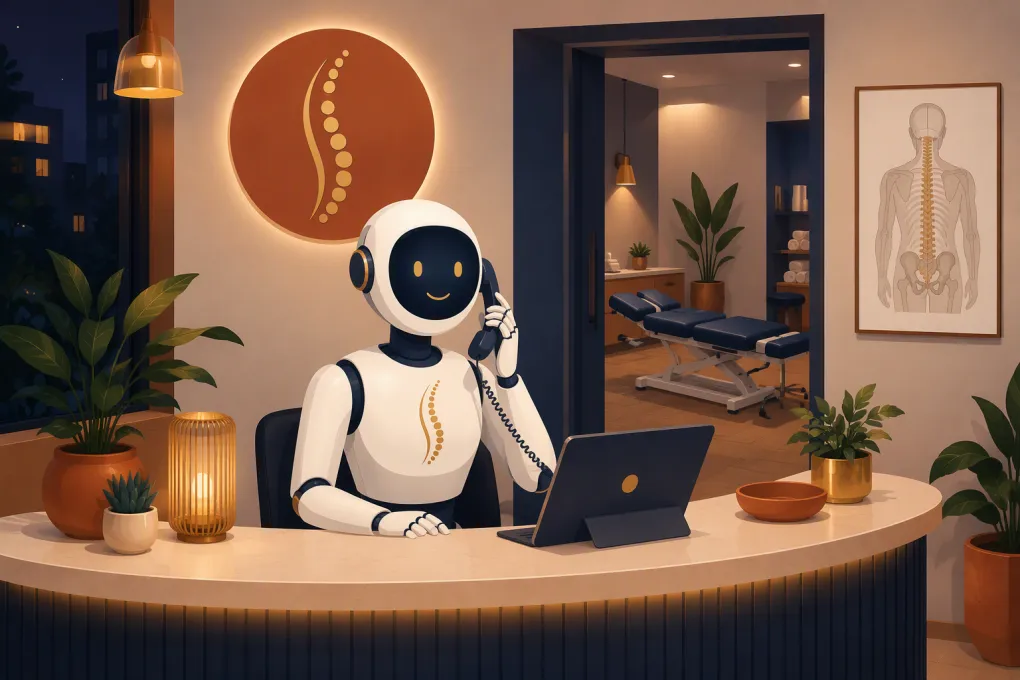
An after-hours AI receptionist gives callers an immediate response without requiring an employee to stay on the phone all evening. Configured correctly, it can answer routine questions, capture lead information, book eligible appointments, send confirmations, and route situations that need human attention.
Configured poorly, it can create duplicate appointments, give inappropriate medical guidance, or frustrate patients with a conversation that goes nowhere. The technology matters, but the workflow behind it matters more.
See how Fitty can respond to after-hours inquiries and keep booking conversations moving →
What an after-hours AI receptionist should actually do
The goal is not to impersonate a chiropractor. It is to remove administrative friction between a caller’s first question and the next appropriate step.
For most chiropractic clinics, that means handling five core jobs.
1. Identify the reason for the call
The receptionist should quickly determine whether the caller is:
- A new patient asking about care
- An existing patient changing an appointment
- Someone asking about hours, location, parking, or services
- A patient with a billing or insurance question
- A vendor or unrelated caller
- Someone describing symptoms that require escalation
This classification controls everything that follows. A new-patient inquiry should not enter the same workflow as a caller reporting a serious new symptom after treatment.
2. Answer approved administrative questions
Create a controlled knowledge base covering information your staff already provides routinely:
- Clinic hours and directions
- Services offered
- Chiropractor availability
- New-patient visit process
- What paperwork to complete
- General payment and insurance policies
- Accessibility and parking information
- Cancellation and rescheduling rules
Keep answers factual. The AI should not promise coverage, quote benefits it has not verified, interpret symptoms, or claim that a particular treatment will solve the caller’s condition.
3. Book the right appointment type
Booking is more valuable than merely taking a message. The receptionist should be able to distinguish between options such as:
- New-patient consultation or examination
- Established-patient adjustment
- Re-examination
- Massage or complementary service
- Same-day appointment request
Each appointment type needs its own duration, provider eligibility, intake requirements, and scheduling rules. If the system cannot confidently place the appointment, it should collect the necessary information and create a clear staff follow-up task.
4. Send confirmations and intake instructions
The conversation should trigger an immediate confirmation by text or email. That message can include the appointment time, address, arrival instructions, intake form, cancellation policy, and a secure payment link when appropriate.
Avoid collecting sensitive health details or full payment credentials through an improvised chat workflow. Use approved forms and secure payment tools instead.
5. Escalate instead of improvising
An AI receptionist needs a defined stopping point. It should never diagnose, recommend treatment, or reassure a caller about a potentially urgent condition.
A basic routing matrix might look like this:
| Caller situation | Appropriate action |
|---|---|
| Routine new-patient inquiry | Answer approved questions and offer eligible appointment times |
| Existing patient rescheduling | Verify identity using the clinic’s process and offer permitted alternatives |
| Detailed insurance question | Capture the question and assign it to trained staff |
| Clinical question about treatment | Explain that clinical guidance requires a licensed provider and route the message |
| Potential emergency or severe symptoms | Tell the caller to contact emergency services or seek appropriate immediate care based on the clinic-approved script |
| Complaint or request for management | Capture details and escalate without arguing or making promises |
Have your clinical and legal advisors review escalation language. The receptionist should follow your approved policy, not generate a fresh medical answer every time.
AI receptionist versus a traditional answering service
A traditional answering service can provide human interaction, but many services primarily take messages. Quality also depends on agent training, turnover, call volume, and how well the service understands your clinic.
An AI receptionist can respond consistently, access approved information, and connect directly to scheduling and follow-up workflows. It does not need to put several callers in a queue simply because they called at once.
There are still limits. AI may struggle with unusual requests, heavy background noise, strong accents, complex insurance situations, or callers who give contradictory information. Human escalation remains essential.
The better operating model is not “AI replaces the front desk.” It is:
- AI handles repetitive, rules-based conversations
- Staff receive structured summaries instead of vague voicemail recordings
- Clinical and sensitive issues go to qualified people
- Managers review conversations and improve the workflow over time
Build the workflow before choosing the software
Do not start by uploading your website and telling the AI to answer everything. Map the call flow first.
Define the opening
The greeting should identify the clinic and set expectations. If required by applicable law or your policy, disclose that the caller is interacting with an automated assistant and whether the call is recorded.
Call-recording and consent requirements vary by jurisdiction. Get appropriate legal guidance for the states in which your clinic and callers are located.
Set booking permissions
Decide exactly what the receptionist may book. Document:
- Eligible providers and locations
- Appointment types and durations
- Same-day booking rules
- Buffers between visits
- Minimum and maximum booking windows
- Whether minors can be scheduled without a parent or guardian involved
- Whether a card, deposit, or completed intake form is required
Do not give the system broader calendar access than it needs.
Separate administrative data from clinical data
Collect only what is necessary to complete the task. A new lead may only require a name, contact method, general reason for requesting an appointment, preferred location, and scheduling preference.
If the workflow involves protected health information, evaluate whether the vendor and every connected system support your compliance obligations. Ask about access controls, data retention, encryption, audit trails, subprocessors, and whether the vendor will sign a business associate agreement when required. Do not assume that calling a product “AI for healthcare” answers those questions.
Create a morning handoff queue
Your team should begin each day with organized outcomes rather than another inbox to inspect. Useful categories include:
- Appointments booked
- Appointment requests needing approval
- Clinical messages requiring provider review
- Insurance and billing questions
- Failed booking attempts
- Calls requiring manager follow-up
Each item should include the caller’s contact information, a concise summary, the action already taken, and the next responsible person.
Explore how WTF Go and Fitty can connect lead response, booking, follow-up, and payment workflows →
Where follow-up automation earns its keep
Answering the call is only one part of the job. Many inquiries do not book during the first conversation. The caller may need to check a schedule, speak with a spouse, or find insurance information.
A practical follow-up sequence can:
- Confirm that the clinic received the inquiry.
- Restate the next step without adding clinical claims.
- Provide a booking link or invite the person to continue the conversation.
- Remind booked patients to complete intake forms.
- Stop when the person books, opts out, or asks for staff assistance.
Keep the sequence short and useful. Repeated generic messages can damage trust and create compliance problems. Respect communication consent and opt-out requests across every channel.
For clinics offering wellness plans or memberships, automation may also help send approved payment reminders or secure payment links. It should not expose balances in an unsecured message or make aggressive collection claims.
How to test an after-hours receptionist before launch
Run realistic calls instead of only testing the happy path. Include:
- A new patient who wants the earliest appointment
- A caller who does not know which service to choose
- An established patient requesting a last-minute change
- A caller asking whether insurance will cover the visit
- A parent trying to schedule for a minor
- A caller describing severe or concerning symptoms
- A caller who refuses to provide an email address
- A Spanish-speaking caller, if multilingual service is part of your plan
- A request outside the clinic’s service area
- A caller who repeatedly changes the subject
Score each test on accuracy, booking outcome, escalation, tone, data captured, and calendar integrity. Confirm that the receptionist never invents an answer when information is missing.
Then run a limited launch. Review transcripts and outcomes daily at first, correct knowledge gaps, and monitor any scheduling errors. Assign one manager to own the system; shared responsibility often becomes no responsibility.
Metrics worth reviewing
You do not need an oversized dashboard. Track operational measures tied to patient access and staff workload:
- After-hours calls or conversations handled
- Qualified inquiries captured
- Appointments booked successfully
- Requests requiring staff follow-up
- Booking failures and their causes
- Cancellations or reschedules handled
- Escalations triggered correctly and incorrectly
- Opt-outs and complaints
- Time from inquiry to human follow-up when escalation is required
Review examples behind the totals. A high booking count is not useful if patients are being placed into the wrong visit type or staff must repair the calendar every morning.
Choosing the right platform
Ask vendors to demonstrate your workflow using realistic chiropractic scenarios. A polished generic demo does not show whether the platform can enforce provider rules, handle multiple locations, or escalate a clinical question safely.
Your evaluation checklist should cover:
- Voice, text, and web inquiry handling
- Real-time calendar access and conflict prevention
- Custom appointment types and provider rules
- Conversation summaries and staff task creation
- Follow-up automation
- Secure payment-link workflows
- Multi-location routing, if applicable
- Human handoff options
- Reporting and conversation review
- Data security and healthcare compliance requirements
- Integration and migration responsibilities
- Ongoing knowledge-base management
WTF Go combines customer communication, scheduling, follow-up, and business workflows, with Fitty serving as the AI receptionist and agent. For a chiropractic clinic, the next step is to confirm that your specific scheduling, data, integration, and compliance requirements fit the platform rather than assuming any general-purpose setup is sufficient.
Show WTF Go your after-hours call flow and see whether Fitty fits your clinic →
An after-hours AI receptionist works best when it has a narrow mandate, reliable clinic information, controlled booking access, and clear escalation rules. Start with the repetitive calls your team already knows how to handle, protect the boundaries around clinical communication, and expand only after the workflow performs reliably.
Frequently asked questions
Can an AI receptionist book chiropractic appointments directly?
Yes, if it has approved access to the clinic's scheduling system and clearly defined rules for appointment types, providers, locations, and availability.
Can an AI receptionist answer medical questions?
It should not diagnose, recommend treatment, or interpret symptoms. Clinical questions should be routed to a licensed provider using a clinic-approved escalation process.
Does an AI receptionist need to be HIPAA compliant?
If the workflow creates, receives, maintains, or transmits protected health information, the clinic must assess its HIPAA obligations and the vendor's safeguards, contracts, and connected systems.
Can an after-hours AI receptionist handle insurance questions?
It can communicate approved general policies and collect questions, but it should not guarantee coverage or benefits without proper verification.
What happens when the AI cannot answer a caller?
A well-designed workflow captures the caller's information, summarizes the request, and routes it to the correct staff member or approved emergency path.
Keep reading



Run your gym on autopilot with WTF Go
Fitty — your AI receptionist — answers calls and DMs, fills classes, follows up with every lead, and collects dues while you coach.