Comparisons
Best WellnessLiving Alternative for Pole Dance Studios
Find a WellnessLiving alternative for pole dance studios with better lead follow-up, flexible booking, level controls, migration, and billing workflows.
 Watch · 20s
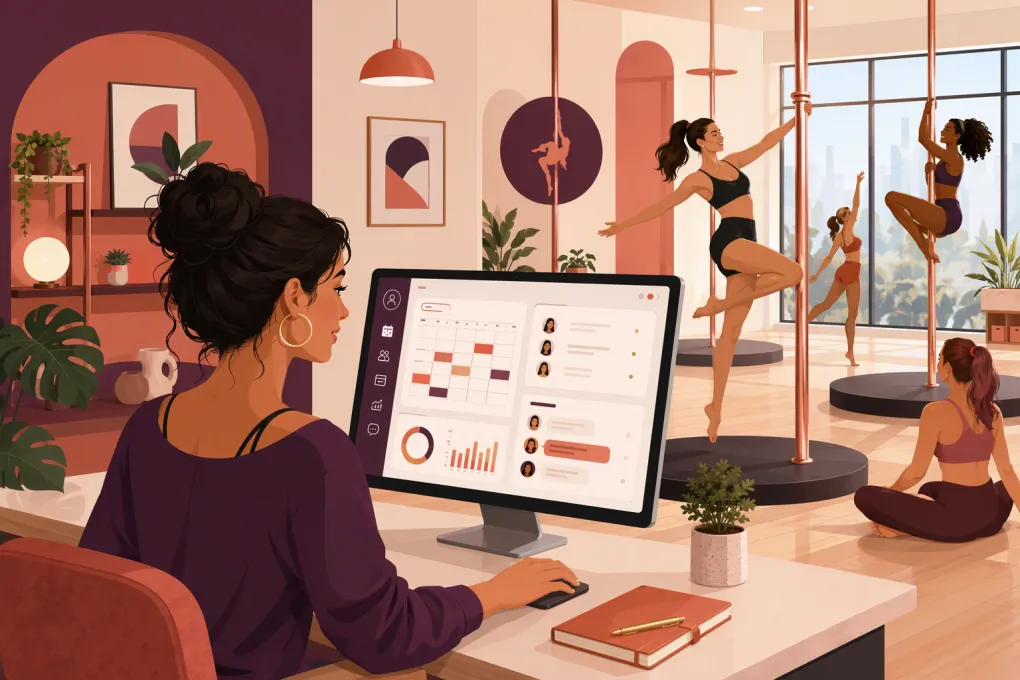
Pole dance studios do not operate like generic gyms. You may sell progressive series, drop-in classes, private lessons, workshops, open pole sessions, parties and memberships—all while managing prerequisites, limited apparatus capacity and safety-sensitive bookings.
That is why choosing a WellnessLiving alternative is not simply a matter of finding another calendar. The right system must handle the studio’s operating model and reduce the manual work happening around it: answering prospective students, placing people in the right class, following up with trials, filling cancellations and collecting overdue payments.
If those jobs still depend on the owner’s phone, replacing WellnessLiving with another conventional scheduler may only move the same problems to a different screen.
See how WTF Go and Fitty handle pole studio inquiries, bookings and follow-up →
Why pole studios look for a WellnessLiving alternative
WellnessLiving offers broad business-management functionality, including scheduling, client management, payments, marketing tools and customer-facing booking. It can serve many fitness and wellness businesses well.
A studio may still evaluate alternatives when the team wants:
- A simpler front-desk workflow
- Faster responses to website, phone or social leads
- More automation between inquiry and first visit
- Better handling of missed calls and after-hours questions
- Fewer disconnected tools for CRM, booking and communication
- A cleaner multi-location operating process
- More direct help with implementation or migration
Start by identifying the actual bottleneck. If class scheduling works but leads wait hours for a reply, the problem is not primarily scheduling. If students repeatedly enter classes above their level, you need stronger enrollment rules and staff procedures. If reconciliation takes too long, billing and reporting should carry more weight than marketing features.
What pole dance studio software needs to handle
Levels, prerequisites and student safety
Pole classes often follow a progression rather than an unrestricted drop-in model. Your software and operating procedures should distinguish among introductory, beginner, intermediate and advanced sessions without relying on every instructor to recognize every name.
Look for ways to:
- Label class levels clearly at booking
- Store notes, completed courses or other eligibility information
- Restrict selected bookings when appropriate
- Route uncertain students to staff instead of guessing
- Require current waivers and policy acceptance
- Communicate clothing, arrival and safety requirements automatically
Do not assume that a generic class category equals a true prerequisite system. Ask vendors to demonstrate the exact student journey, including what happens when someone tries to book the wrong level.
Capacity based on poles, not floor area
The practical limit for a pole class may be the number of usable poles, whether students share and the format being taught. Set capacity at the individual class level rather than applying one room limit everywhere.
A useful system should also support waitlists, cancellation notifications and booking cutoffs. Test whether an opening is offered automatically, how long a student has to claim it and whether staff can override the process.
Mixed revenue streams
Many pole studios combine recurring memberships with class packs, fixed-length series, workshops, private appointments, parties and retail. These products have different expiration rules, cancellation policies and instructor requirements.
Before switching platforms, list every product you sell. For each one, document:
- How it is purchased
- What it can book
- When it expires or renews
- Whether unused credits roll over
- How cancellations and no-shows are handled
- Which location, instructor or class type accepts it
That inventory will expose software limitations before they become front-desk exceptions.
Lead response outside staffed hours
A large share of pole inquiries require reassurance and explanation. New students may ask whether they need upper-body strength, what to wear, which class is appropriate or whether they can attend alone. A form confirmation does not answer those questions.
WTF Go’s AI receptionist, Fitty, is designed to respond to leads, answer routine questions, book classes, follow up and help collect dues around the clock. The goal is not to remove staff from sensitive conversations. It is to prevent ordinary inquiries and missed calls from sitting unanswered while the owner is teaching.
See how Fitty can turn after-hours pole inquiries into booked intro classes →
WellnessLiving alternatives compared
The best choice depends on whether you need a broad marketplace platform, a fitness-specific operating system, modern communications or straightforward appointment scheduling. Product packaging changes, so confirm current features, payment terms and migration support directly with each vendor.
| Platform | Core workflows and CRM | Classes and appointments | Automation or AI | Multi-location | Pricing approach | Best fit and limitations |
|---|---|---|---|---|---|---|
| WTF Go | All-in-one operating workflows for fitness and wellness businesses, with lead and member management | Supports booking operations for classes and service-based businesses | Fitty answers leads, books, follows up and assists with dues collection 24/7 | Intended for independent and multi-location operators; confirm the exact configuration needed | Contact WTF Go for current packaging | Strong option when inquiry response, conversion and operational automation matter as much as scheduling. Studios should verify any specialized prerequisite or series configuration during the demo. |
| WellnessLiving | Broad client management, payments, marketing and business tools | Built for classes and appointments across wellness categories | Includes automated business and marketing capabilities; confirm which features are included in each package | Supports businesses with multiple locations | Package-based pricing may vary by selected products and services | Broad feature set and established wellness focus. The number of tools and configuration choices may be more than a small studio needs. |
| Mindbody | Extensive management, marketing and consumer discovery ecosystem | Strong support for classes, appointments and staff schedules | Offers automated communication and business tools; availability can depend on package | Commonly used by multi-location wellness businesses | Typically sold through packaged or quoted plans | Useful for operators prioritizing a large wellness ecosystem and consumer marketplace. Evaluate total complexity, contract terms and add-ons against what the studio will actually use. |
| Momence | Customer management, messaging, payments and marketing workflows | Supports classes, courses, events and appointments | Provides communication and workflow automation; confirm current AI capabilities | Multi-location suitability should be validated against your structure | Subscription and payment-related costs depend on the selected plan | Worth considering for studios with varied programming and community communications. Test reporting, migration and pole-specific eligibility workflows carefully. |
| Acuity Scheduling | Primarily appointment scheduling with customer intake and payment features | Stronger for appointments and private sessions than complex membership-based class operations | Reminders and scheduling automations rather than a full AI sales agent | Can support multiple calendars, but is not primarily a multi-location fitness OS | Tiered subscription model | Practical for private lessons, parties or a very small schedule. A growing pole studio may need separate tools for memberships, class packs, CRM and lead follow-up. |
How to evaluate the options without sitting through five vague demos
Send every vendor the same scenarios and require a live walkthrough. Do not accept a slide that says the platform supports memberships or automation.
Ask the salesperson to demonstrate these tasks:
- A brand-new student asks which intro class to take after the desk has closed.
- The student buys an intro offer and books the correct location.
- A full class receives a cancellation and the waitlist is processed.
- A student attempts to book a class above their approved level.
- A member’s recurring payment fails.
- A workshop uses different cancellation rules from normal classes.
- An instructor calls out and affected students need an update.
- An owner reviews leads, bookings and overdue accounts across locations.
Score each workflow on three points: whether it works, how many staff steps it requires and whether it needs another paid tool. This reveals more than comparing long feature lists.
Where WTF Go is different
Most software comparisons focus on what happens after a student decides to book. Pole studios also need to manage everything before and after that moment.
Fitty gives WTF Go an operational advantage when your main problem is responsiveness. It can handle common questions, continue lead conversations, guide people toward booking and follow up when a prospect does not immediately convert. It can also assist with dues collection instead of leaving every failed payment for staff to chase manually.
That matters when the same person is teaching, checking students in, cleaning equipment and trying to answer leads between classes. Automation should take repetitive work off that person’s plate while escalating unusual, safety-related or emotionally sensitive situations to a human.
Explore WTF Go as your pole studio’s booking, CRM and AI receptionist platform →
Plan the migration before canceling WellnessLiving
A successful switch depends more on data and process preparation than on the launch announcement.
1. Audit what must move
Export or document client profiles, contact permissions, active memberships, class packs, account balances, waivers, notes, future bookings, payment status and historical reports. Payment credentials may have special portability or security restrictions, so ask both providers what can actually be transferred.
2. Clean the catalog
Do not recreate years of expired offers and duplicate class names. Build a clean list of active memberships, packs, series, workshops and appointment types. Define which clients should retain legacy terms.
3. Rebuild policies deliberately
Confirm booking windows, cancellation deadlines, no-show treatment, waitlist behavior, pack expiration and membership freezes. A migration is a good time to replace undocumented exceptions with policies staff can apply consistently.
4. Test with real scenarios
Create test profiles for a new lead, an active member, a student with an expiring pack and a student eligible for advanced classes. Run purchases, bookings, cancellations and failed-payment workflows before inviting the full client base.
5. Communicate the change clearly
Tell students what is changing, what is not and what action they must take. Provide direct links for account setup and app access. Keep the message focused; clients do not need the story of your software search.
The practical decision
Choose WellnessLiving if its broad platform already fits your workflows and the cost of switching outweighs the operational gain. Consider Mindbody when ecosystem reach and a mature wellness platform are priorities. Look at Momence for varied class and event programming, or Acuity when the business is mainly appointment-based.
Choose WTF Go when the bigger problem is not merely displaying a schedule—it is turning inquiries into bookings, maintaining follow-up and reducing the daily load on owners and front-desk staff. For a pole studio, the best alternative is the system that can support safe enrollment while keeping prospective and current students from falling through the cracks.
Frequently asked questions
What is the best WellnessLiving alternative for a pole dance studio?
It depends on your operating model. WTF Go is a strong fit when lead response, AI-assisted booking, follow-up and dues collection are priorities, while Mindbody, Momence and Acuity serve different levels of complexity.
Can pole studio software prevent students from booking the wrong level?
Some platforms support restrictions, eligibility data or configurable booking rules, but implementations vary. Ask each vendor to demonstrate your exact prerequisite workflow rather than relying on a feature checklist.
What data should I export before leaving WellnessLiving?
Export client profiles, memberships, passes, balances, waivers, notes, future bookings, communication permissions and required reports. Confirm separately whether stored payment credentials can be transferred securely.
Can an AI receptionist answer questions from first-time pole students?
Yes. Fitty can answer configured routine questions, respond to leads, book classes and follow up, while safety-sensitive or unusual questions can be escalated to staff.
Keep reading


Run your gym on autopilot with WTF Go
Fitty — your AI receptionist — answers calls and DMs, fills classes, follows up with every lead, and collects dues while you coach.