Comparisons
The Best Upper Hand Alternative for Batting Cage Facilities
Find the right Upper Hand alternative for batting cage facilities. Compare scheduling, waivers, payments, support, mobile booking, AI, and migration.
 Watch · 20s
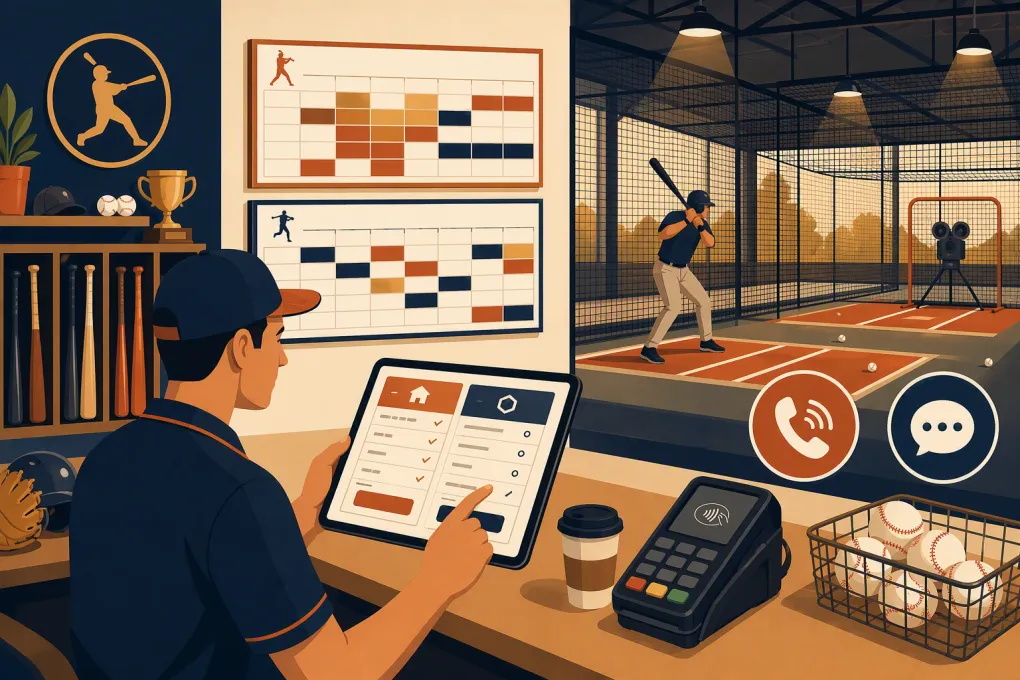
The best Upper Hand alternative for a batting cage facility depends on what creates operational complexity inside that facility. Hourly cage rentals require strong resource controls. Academies need instructor scheduling and program registration. Membership-driven businesses need recurring billing and access rules. Facilities that miss calls need a reliable lead-response system.
Upper Hand is already built for sports businesses, so replacing it with generic appointment software can be a step backward. A credible alternative must solve your specific constraint without weakening scheduling, payments, waivers or customer service.
If your main constraint is missed calls or slow follow-up rather than the booking calendar itself, see how WTF Go and Fitty handle lead response, booking and collections →. Treat that as one operating model to compare—not an automatic replacement for sports-specific resource software.
Ranked recommendations by facility model
There is no honest universal winner. These are the strongest starting points for distinct operating models:
- Resource-heavy sports complex: EZFacility. Start here if rentable spaces, memberships, programs and broader facility administration matter most.
- Program-heavy baseball or softball academy: Upper Hand. Staying may be the best decision if lessons, camps, teams and sports-specific customer management already work well.
- Reservation-led membership facility: CourtReserve. Consider it when self-service resource reservations, member rules and mobile access drive the business.
- Mixed lessons, rentals and recurring billing: eSoft Planner. Shortlist it for a service mix that needs online scheduling and customer account management.
- Lead-conversion and front-desk automation priority: WTF Go. Evaluate it when unanswered inquiries, follow-up and dues collection are the larger problems, but require a live demonstration of your batting-cage resource model.
This ranking is based on each platform’s publicly described positioning, not a claim that every feature works identically for every facility. Product packages, integrations and hardware support change. Confirm current details in writing before signing.
Upper Hand alternatives compared
| Platform | Concrete scheduling fit | Mobile booking and waivers | Payments, hardware and integrations | Support and implementation | Best use—and limitation |
|---|---|---|---|---|---|
| WTF Go | Booking is part of the broader gym, studio and wellness operating system. Fitty can handle inquiries and booking workflows, but batting cages are not presented as a dedicated resource category on the public site. | Customer-facing booking should be demonstrated using your services, participants and waiver process. Do not assume youth waivers or household relationships without testing them. | Payments and dues collection are part of the operating model. Request the supported processor, card-reader options, data portability and available integrations in your proposal. | Confirm onboarding, data migration, support hours and human escalation procedures directly. | Best when lead response and administrative automation are the priority. The key limitation to validate is simultaneous cage, instructor and equipment scheduling. |
| Upper Hand | Purpose-built for sports businesses, with scheduling and registration for lessons, camps, classes, teams and facility activity. Its sports orientation is a meaningful advantage for academies. | Offers customer-facing digital experiences and participant-management workflows. Ask the vendor to demonstrate mobile registration, account relationships and waiver enforcement for minors. | Supports integrated payment and point-of-sale workflows. Confirm current processor terms, compatible in-person hardware and any accounting or access-control integrations required. | Sports-business onboarding and support are part of its commercial offering; exact service levels depend on the agreement. | Strong benchmark for program-heavy academies. Switching makes little sense unless another product resolves a documented gap or materially reduces manual work. |
| EZFacility | Emphasizes facility scheduling, rentals, memberships, leagues and program registration. This makes it a practical candidate for complexes with several rentable areas. | Provides online self-service and member-facing tools. Verify the current mobile experience and whether waivers can be required by participant, reservation or program. | Offers integrated billing and payment capabilities, point-of-sale functions and access-control options. Confirm supported devices, processors and third-party connections for your package and location. | Implementation and support are commercially provided. Ask who configures resources, imports data and supports opening week. | Strong for broad facility administration. Validate whether a lesson can reserve a cage, instructor and machine in one conflict-proof transaction. |
| CourtReserve | Designed around reservable courts and club resources, with events, lessons, memberships and booking rules. A batting cage would generally need to be configured as a reservable resource rather than a batting-specific object. | Publicly offers member-facing web and mobile booking. Digital waiver and member-management requirements should be demonstrated for adult and youth accounts. | Provides integrated payment workflows and promotes club integrations, including access-related use cases. Verify processor availability, reader models and whether your doors or gates are supported. | Offers onboarding and support options; obtain current scope and response commitments from the vendor. | Strong for reservation-led clubs. Batting-specific equipment add-ons, team reservations and adjacent-cage bookings require careful testing. |
| eSoft Planner | Serves sports and fitness businesses with scheduling for appointments, classes, camps and facility rentals, plus membership administration. | Provides online registration and customer account functions. Verify mobile usability, guardian-dependent registration and waiver version tracking in a live demo. | Supports electronic payments and business-management workflows. Ask for the current payment processor, POS hardware choices, integration list and export formats. | Confirm implementation scope, migration assistance and ongoing support terms in the contract. | Worth considering for mixed-service facilities. Test complicated resource combinations and reporting before choosing it over a sports-specific incumbent. |
A vendor’s website can establish its intended use, but it cannot prove compatibility with your operation. Exact processors, device models, integrations, support tiers and functionality may vary by plan or implementation.
Test batting-cage scheduling with real transactions
“Resource scheduling” is too broad to be useful. A batting facility may need one transaction to consume several resources simultaneously:
- One cage or tunnel
- A baseball or softball pitching machine
- A specific instructor
- A hitting-analysis device
- Setup and cleanup time
- Participant capacity
- Membership credits or package units
Ask every finalist to configure and complete these transactions during the demo:
- A 60-minute private lesson requiring a coach, cage and machine.
- A team rental requiring two adjacent cages.
- A camp blocking the full training area while leaving retail checkout available.
- A member booking with included credits and an unpaid balance.
- A rescheduled lesson that must move all attached resources without creating a conflict.
Watch what happens when a resource is unavailable. The system should prevent the conflict rather than relying on an employee to notice it later.
Examine mobile booking, households and waivers
Many bookings involve a parent paying for a child, a coach reserving for a team or several participants using one account. That makes household and participant records more important than a simple customer profile.
Test the booking flow on a phone, not the salesperson’s desktop. Confirm that customers can:
- Select baseball or softball equipment correctly
- Identify the actual participant
- Sign the correct waiver version
- Add required guests or teammates
- Redeem an eligible package or membership credit
- See cancellation and arrival instructions before paying
For waivers, ask whether acceptance is attached to the account, participant, reservation or document version. Also ask what employees see when a participant arrives without a valid waiver. Software can track acceptance, but your attorney or insurer—not the software vendor—should determine the language and renewal policy.
Compare payments, POS and facility hardware
Request a complete hardware and payment schedule from each vendor. It should identify:
- Supported payment processor and processing arrangement
- Card readers and countertop terminals
- Receipt printers and cash-drawer support, if needed
- Access-control or door-entry integrations
- Recurring billing and failed-payment workflows
- Refund, credit and chargeback handling
- Whether stored payment credentials can be migrated
- Fees for terminals, messaging, premium integrations or additional locations
Do not assume “integrated payments” means you can keep your current processor or hardware. Likewise, access-control support does not guarantee compatibility with your existing doors, locks or membership rules.
Treat lead response as a separate requirement
Traditional facility software usually becomes active once a customer starts booking or registering. It may not resolve what happens when someone calls after closing, submits a vague inquiry or abandons a purchase.
According to WTF Go’s product positioning, Fitty is an AI receptionist and agent that answers leads, books classes, follows up and collects dues 24/7. Here, “24/7” should be understood as system availability—not a guarantee that AI can autonomously resolve every policy exception, dispute or unusual booking.
Before buying, define what Fitty may do without approval, what information it can use and when a staff member must take over. Require demonstrations involving a team-rental request, a refund dispute, an overdue account and a customer asking for an unavailable coach. Also ask where transcripts are stored and how employees see unresolved conversations.
If those workflows match your primary bottleneck, ask WTF Go to demonstrate your actual batting-cage inquiry and handoff process →.
Apply the same standard to every platform. Distinguish among basic reminders, marketing automation, chat, conversational AI and human answering services. They are not interchangeable.
Verify support and migration before signing
Support promises need operational detail. Ask each finalist:
- Who configures resources, memberships and tax settings?
- Is support available by phone, chat, email or ticket only?
- What support is available during evenings and weekends?
- Who owns a payment or booking issue involving an integration?
- Is launch-week support included?
- What data is imported, and in what format?
- What data can you export if you leave?
Your migration plan should cover customer and participant profiles, future reservations, active memberships, unused credits, balances, waivers and transaction history. Saved cards may require a processor-approved migration and cannot be treated like ordinary spreadsheet fields.
Before canceling Upper Hand, reconcile balances, test every major booking type and preserve exports from the old system.
The practical decision
Do not replace Upper Hand solely because another interface looks cleaner. Identify the expensive manual workaround first.
Choose EZFacility when broad facility and rental administration is the center of the operation. Choose CourtReserve when membership-based resource reservations are the primary model. Consider eSoft Planner for a mixed schedule of rentals, lessons and programs. Keep Upper Hand when its sports-specific workflows already fit and the switching case is weak.
Choose WTF Go when lead handling, follow-up and collections are the central constraint—but only after it proves your cage, instructor, equipment, waiver and payment workflows in a live configuration. The best alternative is the platform that removes the documented bottleneck without creating a new one at the front desk.
Frequently asked questions
What is the best Upper Hand alternative for a batting cage facility?
EZFacility is a strong starting point for resource-heavy sports complexes, while CourtReserve fits reservation-led membership models and eSoft Planner suits mixed services. WTF Go is most relevant when automated lead response and follow-up are the priority, subject to validating cage-resource requirements.
Should a successful facility replace Upper Hand?
Not necessarily. If Upper Hand already handles programs, payments and scheduling reliably, first determine whether the problem is configuration, training or a genuine platform limitation.
Can these platforms schedule a cage, instructor and machine together?
Several support staff and resource scheduling in some form, but simultaneous conflict rules vary. Require a live demonstration using your exact lesson and equipment setup.
Can saved cards be transferred from Upper Hand?
Possibly, but payment credentials are controlled by payment providers and security requirements. Obtain written confirmation from the current and new processors before planning the migration.
What should a batting cage software demo include?
Test mobile booking, youth waivers, team rentals, adjacent cages, instructor conflicts, equipment add-ons, membership credits, failed payments, refunds, reporting and after-hours inquiries.
Keep reading



Run your gym on autopilot with WTF Go
Fitty — your AI receptionist — answers calls and DMs, fills classes, follows up with every lead, and collects dues while you coach.