Comparisons
How to Choose a Trainerize Alternative for Personal Trainers
Find a Trainerize alternative for personal trainers by comparing coaching, booking, CRM, AI follow-up, payments, migration, and daily business operations.
 Watch · 20s
Trainerize is built primarily around delivering fitness coaching: workouts, habits, progress tracking, nutrition features and client communication. That makes it useful for many trainers, especially those running online or hybrid coaching programs.
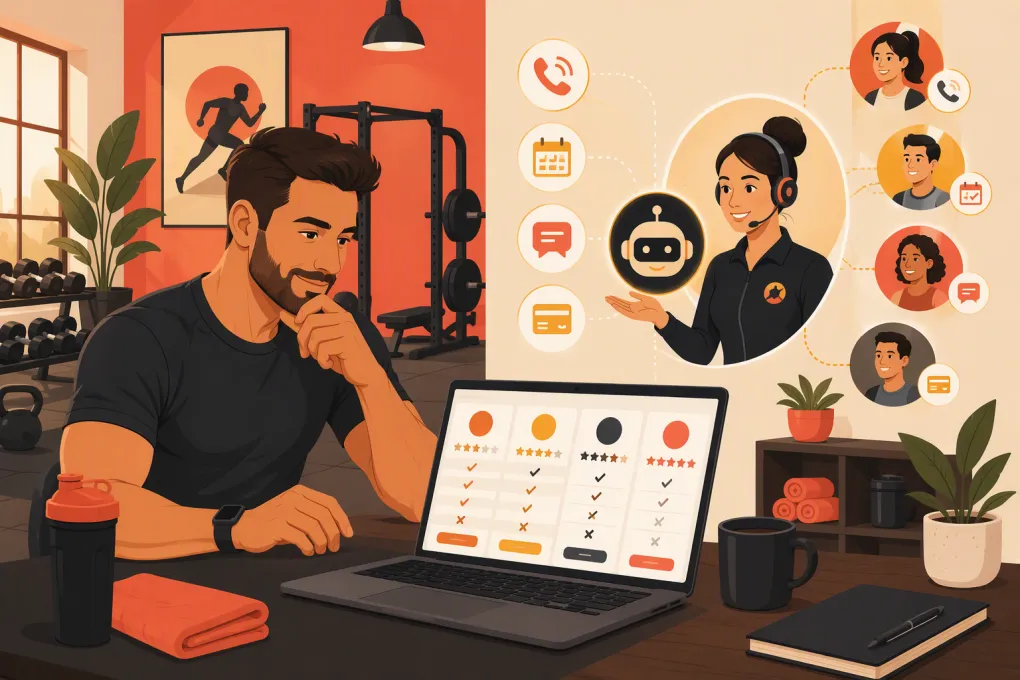
But coaching delivery is only one part of operating a personal training business. You may also need to answer new leads, schedule consultations, manage recurring appointments, chase failed payments, run follow-up campaigns and coordinate multiple trainers or locations. If those operational jobs are consuming your day, the right Trainerize alternative may not be another workout app. It may be a broader business operating system.
The best choice depends on where your business is breaking down—not which platform has the longest feature list.
See how Fitty handles personal training inquiries, bookings and follow-up 24/7 →
Why personal trainers look for a Trainerize alternative
A trainer usually starts comparing platforms for one of four reasons.
The business needs more than workout delivery
Workout programming software helps you serve clients after they join. It does not necessarily solve the work required to turn an inquiry into a paying client.
That distinction matters if you receive leads through calls, web forms, social campaigns or referrals. Someone still needs to:
- Respond while the lead is interested
- Answer questions about services and availability
- Book an assessment or consultation
- Send reminders
- Follow up after a missed appointment
- Collect payment or resolve an overdue balance
If those tasks live across a coaching app, calendar, phone, inbox and payment system, switching to another coaching-only platform may simply rearrange the same operational problem.
Programming feels slower than it should
Some trainers want faster workout creation, reusable templates, exercise libraries, client duplication or clearer progress views. In this case, a direct coaching-platform alternative such as TrueCoach, Everfit or PT Distinction may be the better fit.
Clients are not using the app consistently
A client app can have extensive capabilities and still be wrong for your audience. Consider how easily clients can find their workouts, record results, message you and complete assigned habits. A simpler client experience may outperform a feature-heavy one if it reduces confusion.
The business has outgrown a solo-trainer workflow
As you add trainers, services or locations, permissions and reporting become more important. You need clear ownership of leads, calendars, clients and follow-up. An online coaching tool and a multi-location operating system solve different problems.
Trainerize alternatives compared
The following options serve overlapping but distinct use cases. Product capabilities and packages change, so confirm current plan details and required integrations before signing a contract.
| Platform | Primary strength | Coaching and programming | Booking and CRM | Automation or AI | Multi-location fit | Pricing approach | Best for |
|---|---|---|---|---|---|---|---|
| ABC Trainerize | Online and hybrid coaching delivery | Strong workout delivery, habit tracking, client messaging and nutrition-related tools | Supports business and client-management workflows, but it is primarily coaching-centered rather than a full front-desk operating system | Includes automated coaching-related workflows; evaluate lead-response requirements separately | Can support teams, though larger operators should verify permissions and reporting needs | Tiered subscription model; costs vary by client capacity and selected services | Trainers who want a polished coaching app and structured client delivery |
| WTF Go + Fitty | Business operations and AI-powered front desk | Best evaluated as an operating system rather than a dedicated workout-programming replacement | Handles leads, booking, communication, follow-up and dues workflows | Fitty can answer inquiries, book, follow up and help collect dues around the clock | Designed for independent and multi-location fitness and wellness operators | Request current package details based on the business setup | Trainers whose main bottleneck is converting and managing clients, not writing workouts |
| TrueCoach | Streamlined workout programming and remote coaching | Strong programming, exercise delivery, messaging and progress tracking | Client administration is included, but operators may still need separate lead-generation and front-desk systems | Workflow automation is more coaching-oriented than receptionist-oriented | Better suited to coaching teams than complex club operations | Subscription tiers generally scale with active clients or business needs | Online trainers who prioritize efficient program delivery |
| Everfit | Coaching delivery with broad client-engagement tools | Workouts, habits, tasks, progress tracking and nutrition-related capabilities | Includes packages, client management and business tools; confirm how it fits your preferred scheduling stack | Offers automated tasks and coaching workflows; AI availability may depend on current product and plan | Suitable for solo trainers and teams; verify location-level controls | Tiered plans, often based on usage, clients or feature level | Trainers wanting coaching and engagement features in one client-facing platform |
| PT Distinction | Configurable online personal training delivery | Programming, assessments, habits, messaging and branded client experiences | Includes client-management and automation tools, though it is not positioned as a complete gym front desk | Strong rule-based coaching and communication automation | Can support teams; verify centralized controls for a larger location network | Subscription plans typically vary by capacity and feature access | Trainers who want extensive customization and automated coaching journeys |
| Mindbody | Broad scheduling and business management | Not a dedicated strength-training programming platform | Stronger focus on appointments, classes, staff, client records, payments and marketplace visibility | Provides marketing and operational automation; confirm current AI capabilities | Generally better aligned with established studios and multi-location businesses | Package-based pricing commonly requires evaluating the business’s requirements | Training studios that need scheduling and commerce more than detailed workout delivery |
How to choose based on your actual bottleneck
Do not begin with a product demo. Begin with a map of your client lifecycle.
Write down every step from first inquiry through renewal:
- A prospect calls, messages or submits a form.
- Someone qualifies the prospect and answers questions.
- The prospect books an assessment.
- The trainer conducts the assessment and recommends a service.
- The client signs, pays and schedules sessions.
- The trainer delivers sessions or remote programming.
- The business monitors attendance, progress and payment status.
- The client renews, upgrades, pauses or leaves.
Now mark where delays, manual work and missed handoffs occur. Your software shortlist should address those specific gaps.
Choose a coaching platform when delivery is the problem
Prioritize Trainerize, TrueCoach, Everfit or PT Distinction if your biggest issues involve:
- Building and reusing programs
- Delivering exercise videos and instructions
- Reviewing completed workouts
- Tracking measurements or habits
- Messaging active clients
- Managing remote coaching at scale
Test the platform from the client’s perspective, not only the coach dashboard. Assign a sample week, log in as a client and complete a workout. The friction your client experiences is more important than an impressive administrator feature list.
Choose an operating system when leads and administration are the problem
Prioritize a platform such as WTF Go when the work piles up before and around coaching delivery:
- Calls go unanswered while trainers are in sessions
- Web leads wait until the end of the day for a response
- Consultations are booked manually
- No-shows receive inconsistent follow-up
- Staff members do not know who owns each lead
- Failed or overdue payments require repeated outreach
- Each location follows a different process
Fitty, WTF Go’s AI receptionist and agent, is designed for those operational gaps. It can respond when trainers are coaching, help prospects book and keep follow-up moving instead of leaving every task for the owner.
See how WTF Go turns personal training inquiries into booked conversations →
Use two systems when each job requires specialist software
An all-in-one platform is not automatically better. If detailed programming is central to your service, you may prefer a specialized coaching platform alongside a broader system for CRM, booking and communication.
The tradeoff is integration and process discipline. Decide which system owns each record:
- Lead source and sales status: CRM or operating system
- Consultation and session availability: scheduling system
- Payments and account status: billing system
- Workout history and progress: coaching platform
- Client communication: one designated channel whenever possible
Without clear ownership, staff will update one system and assume another system changed with it.
What to test during a software trial
A trial should reproduce real operating conditions. Avoid spending the entire period building a perfect exercise library.
Run five practical tests
1. Submit a lead after hours.
Measure what happens next. Does the prospect receive a useful response? Can they book without waiting for you?
2. Book and reschedule a consultation.
Check calendar accuracy, confirmations, reminders and staff visibility.
3. Onboard a test client.
Count the steps required to sign an agreement, pay, schedule and access the service.
4. Create and deliver a representative program.
Use the type of programming you sell most often. Test substitutions, notes, progression and mobile usability.
5. Simulate a missed payment or missed appointment.
Determine what is automated, what becomes a staff task and whether the communication history remains visible.
Also test role permissions. A trainer should not necessarily have access to every financial report, while an owner needs a complete view of pipeline and performance.
Migration questions to ask before switching
Changing software can affect active clients, recurring schedules and staff routines. Ask each vendor:
- What client, booking and payment data can be imported?
- Who performs the import and who validates it?
- Can active waivers, notes and communication history move?
- How are stored payment methods handled?
- Will clients need to download a new app or reset credentials?
- Can old and new systems overlap during rollout?
- What onboarding and staff training are included?
- How can data be exported if you leave later?
Payment credentials often require special handling for security and processor reasons. Do not assume they will transfer like a spreadsheet of names and email addresses.
Create a written cutover plan with dates for the last booking in the old system, first booking in the new system, staff training and client communication. Keep read-only access to historical records when practical.
The bottom line
There is no universal best Trainerize alternative for personal trainers. Trainerize remains a credible choice when workout delivery and client coaching are the center of the decision. TrueCoach, Everfit and PT Distinction deserve consideration when you want a different programming workflow or client experience. Mindbody is more relevant when appointment scheduling and established studio operations take priority.
WTF Go is the stronger type of alternative when your constraint is operational: unanswered leads, manual booking, inconsistent follow-up and time spent collecting dues. It can also complement a dedicated programming platform rather than forcing your business to compromise on coaching delivery.
Explore WTF Go and put Fitty to work on your front-desk workload →
Frequently asked questions
What is the best Trainerize alternative for online personal trainers?
TrueCoach, Everfit and PT Distinction are credible options for online coaching. The best fit depends on your programming workflow, client experience, automation requirements and preferred business tools.
Can WTF Go replace Trainerize?
WTF Go can replace or consolidate lead management, booking, follow-up and dues workflows, but it should not be treated as a like-for-like workout-programming app. Trainers who need advanced program delivery may use WTF Go alongside a dedicated coaching platform.
What should personal trainer software include?
At minimum, it should support the workflows causing the most work in your business. Depending on your model, that may include programming, client messaging, scheduling, CRM, payments, reminders, lead follow-up and staff permissions.
How difficult is it to migrate away from Trainerize?
Migration difficulty depends on the data you need to preserve, including client profiles, programs, progress records and billing information. Ask vendors exactly what can be imported, what must be rebuilt and whether clients need new logins.
Should I use one platform or separate coaching and business systems?
Use one platform if it handles your core workflows well without major compromises. Use specialist systems when programming and business operations have different requirements, but define which platform owns each type of data.
Keep reading



Run your gym on autopilot with WTF Go
Fitty — your AI receptionist — answers calls and DMs, fills classes, follows up with every lead, and collects dues while you coach.