Comparisons
A Better Pike13 Alternative for Fitness Studios in 2026
Compare a Pike13 alternative for fitness studios by booking, CRM, payments, automation, migration, and support so you can choose with confidence and grow.
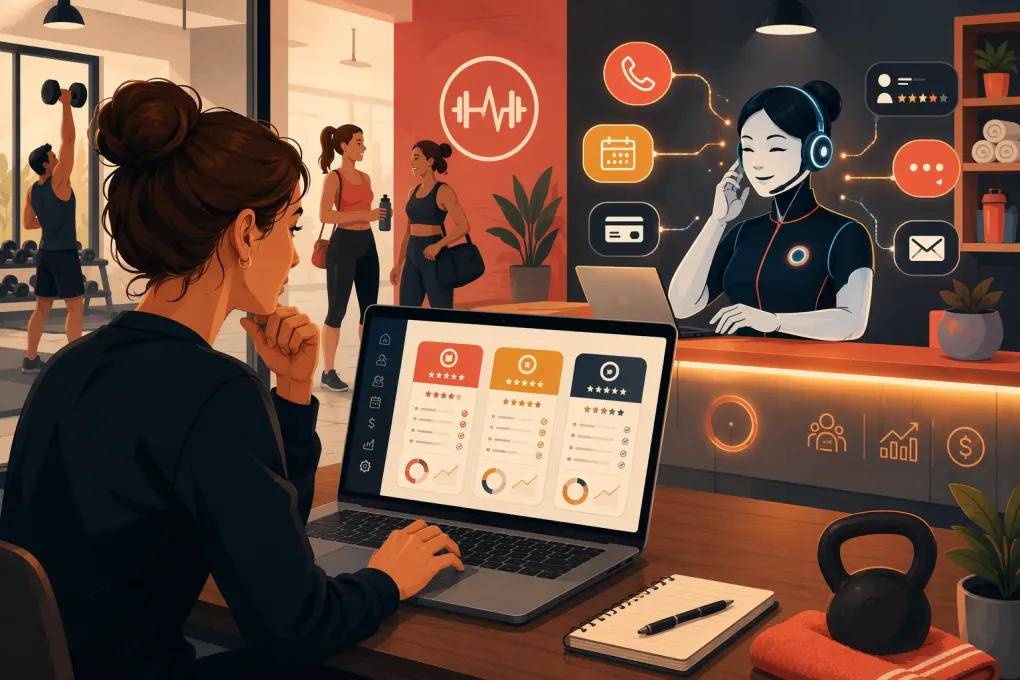 Watch · 20s
Pike13 handles essential studio operations: scheduling, client management, billing, and reporting. But software that worked when your business was smaller may become restrictive as lead volume grows, locations multiply, or your front desk starts spending too much time answering routine questions.
Finding a Pike13 alternative for fitness studios is not simply a feature-comparison exercise. The real question is whether another platform can reduce administrative work, improve the lead-to-member journey, and support your operating model without creating a painful migration.
Before requesting demos, identify why you are considering a switch. Common triggers include disconnected sales follow-up, limited after-hours coverage, complicated staff workflows, reporting needs, or the cost of combining multiple tools. A precise problem statement will keep you from buying a longer feature list that does not improve daily operations.
See how WTF Go and Fitty handle fitness studio inquiries, bookings, follow-up, and dues →
Pike13 alternatives at a glance
There is no universally best replacement. A yoga studio with appointments and workshops needs different workflows from a strength gym, martial arts academy, or multi-location boutique brand.
Product capabilities and packaging change, so confirm current pricing, payment requirements, integrations, and contract terms directly with each vendor.
| Platform | Core workflows and booking | Automation and AI | Multi-location considerations | Pricing approach | Best fit and limitations |
|---|---|---|---|---|---|
| WTF Go | All-in-one operating system for leads, members, classes, follow-up, and collections | Fitty acts as a 24/7 AI receptionist, answering leads, booking classes, following up, and collecting dues | Designed for independent and multi-location fitness and wellness operators | Confirm the current package directly with WTF Go | Best for operators who want front-desk automation tied to the operating system. Confirm any specialized integrations or niche workflows during the demo. |
| Pike13 | Client management, scheduling, enrollment, billing, and reporting | Supports operational automation, but operators should assess whether its communication workflows cover their sales process | Can support organizations with multiple staff, services, and locations; validate reporting and permission needs | Plans and available features should be verified with Pike13 | A practical baseline for service businesses. Switching may make sense when you need a different sales workflow, user experience, or automation model. |
| Mindbody | Broad scheduling, appointment, point-of-sale, marketing, and client-management capabilities | Marketing and communication tools are available; AI capabilities depend on the current product set | Established option for larger and multi-location wellness businesses | Package and add-on costs vary; obtain a complete quote | Strong breadth and consumer marketplace exposure. The platform can be more system than a small studio needs, so evaluate complexity and total cost. |
| Glofox | Memberships, class booking, sales, and branded member experiences | Lead-management and engagement automation are available by package | Often considered by boutique brands and growing multi-location concepts | Generally requires a sales conversation for a tailored quote | Strong fit for boutique fitness and branded digital experiences. Verify integrations, reporting depth, and which functions require higher packages. |
| Zen Planner | Membership management, billing, scheduling, attendance, and gym-oriented workflows | Includes communication and member-management tools; test automation against your exact lead process | Suitable for gyms and schools with structured memberships | Current plans and included features should be confirmed | Commonly evaluated by martial arts schools, functional fitness gyms, and membership facilities. Appointment-heavy businesses should test service scheduling carefully. |
| PushPress | Gym management, billing, class scheduling, member apps, and related sales tools | CRM and automation capabilities depend on the selected products and package | Can serve growing gym businesses; confirm consolidated reporting for your structure | Product tiers and optional tools affect total cost | Known for gym-focused workflows and usability. Studios with complex appointments, spa services, or resource booking should verify fit. |
| WellnessLiving | Classes, appointments, payments, client management, marketing, and loyalty features | Offers automated marketing and client communication tools | Broad feature set for fitness and wellness businesses with multiple locations | Packaging and add-ons vary | Useful for businesses wanting many functions from one vendor. Review setup complexity, add-on requirements, and staff usability. |
What to evaluate before leaving Pike13
1. Lead response, not just contact storage
A CRM record does not help if nobody responds until the next morning. Test how each platform handles a new website inquiry, missed call, social lead, and former member asking to return.
Ask vendors to demonstrate:
- How a lead enters the system
- Whether the lead receives an immediate, relevant response
- How questions about pricing, schedules, and prerequisites are handled
- Whether the system can book an intro session or class
- How unresponsive leads are followed up
- When a conversation is escalated to a person
- Whether staff can see the complete conversation history
Do not accept a slide showing that automation exists. Ask the salesperson to run one of your actual lead scenarios from start to finish.
2. Class, appointment, and resource booking
Fitness businesses use the word “booking” for very different transactions. A group class reserves one seat. Personal training may require a specific coach and room. A spa appointment can require a provider, treatment room, equipment, buffer time, and intake form.
Create a list of your hardest booking scenarios and test them in the demo. Include waitlists, recurring reservations, late cancellations, substitute instructors, capacity rules, intro offers, family accounts, and members using multiple locations.
A polished member app cannot compensate for a booking engine that forces staff to maintain workarounds.
3. Billing and collections
Evaluate the full payment lifecycle rather than asking whether a platform “does billing.” Your review should cover memberships, class packs, introductory offers, retail purchases, failed payments, freezes, prorations, refunds, and cancellation policies.
Also establish who owns the merchant relationship and what happens to stored payment credentials during migration. Payment data usually requires special handling and cannot be treated like a normal spreadsheet export.
If overdue-account follow-up consumes staff time, ask whether the platform merely reports failed payments or actively helps resolve them. Fitty is designed to collect dues as part of its 24/7 agent role, connecting collection work with the same system handling member conversations.
Explore how Fitty can reduce manual booking and dues follow-up →
4. Staff usability and permissions
Owners often choose software in a controlled demo, but coaches and front-desk staff use it during busy transitions. Give the platform realistic tests:
- Check in a member whose payment failed
- Move a client from a waitlist into class
- Reschedule an appointment with a different provider
- Sell a drop-in without creating duplicate records
- Restrict one employee from viewing financial reports
- Compare performance across locations
Count the steps and note where staff need administrator access. Poor permissions create risk; excessive clicking creates unofficial spreadsheets and inconsistent data.
5. Reporting you can act on
Start with the decisions you make every week. You may need to see lead source, booked intros, show rates, conversions, active memberships, failed payments, cancellations, attendance, utilization, and revenue by location or service.
Ask whether reports use consistent definitions and whether data can be exported. If a vendor shows a “conversion” dashboard, clarify the starting event, ending event, and date logic. Two systems can use the same label while measuring different things.
Why AI reception changes the comparison
Traditional studio software assumes a staff member will read the notification, contact the lead, answer questions, and make the booking. Automation may send a fixed text or email, but the employee still takes over when the prospect replies.
An AI receptionist changes that operating model. Fitty can answer leads, book classes, follow up, and collect dues around the clock. That matters when prospects contact you while coaches are teaching, the desk is closed, or the owner is handling another location.
The goal is not to remove people from high-value conversations. It is to stop using skilled employees as human notification systems. Staff should handle sensitive membership issues, complex sales conversations, and in-person hospitality—not repeatedly answer whether tomorrow’s beginner class has space.
During an AI demonstration, test boundaries as carefully as capabilities. Ask what happens when a prospect requests an exception, mentions an injury, disputes a charge, or asks something the agent cannot verify. A useful agent should escalate appropriately rather than invent an answer.
See WTF Go in action with a lead scenario from your own studio →
How to migrate from Pike13 without disrupting members
A software change affects billing, access, schedules, staff habits, and member communication. Treat it as an operational project rather than an IT task.
Build a data inventory
Identify what must move before signing a contract:
- Active and inactive client profiles
- Memberships, packages, and remaining visits
- Future bookings and recurring appointments
- Attendance history
- Account balances and credits
- Waivers, notes, and custom fields
- Staff profiles and permissions
- Gift cards or stored value
- Payment credentials, where transferable
- Reporting history required for accounting or operations
Ask both vendors which fields can be exported and imported. “Data migration included” does not necessarily mean every historical record will appear in the same format.
Clean before importing
Do not pay to move unnecessary clutter. Merge duplicates, standardize phone and email formats, identify expired packages, and document unusual membership arrangements. Keep an untouched source export as a backup before making changes.
Run parallel checks
Before launch, compare representative accounts in both systems. Verify membership status, next billing date, package balance, future reservations, and location access. Test examples from every major membership and service type.
Plan the cutover
Choose a period with lower booking and billing activity when possible. Define when staff must stop editing Pike13, when the final export occurs, and when the new system becomes authoritative. Assign one person to approve data and one escalation contact with the new vendor.
Communicate only what members need to know: when the change happens, whether they need a new app or password, and where to get help. Avoid turning a back-office migration into a confusing technology announcement.
Making the final decision
Score each option against outcomes rather than feature count. Weight the categories that affect your business most: lead response, booking fit, billing, collections, staff usability, reporting, multi-location controls, integrations, migration support, and total cost.
Then run the same scenarios in every finalist. Include the software subscription, required add-ons, payment terms, implementation work, and any separate tools you can remove.
If your main problem is that leads and payment issues wait for staff attention, prioritize an operating system with an active agent—not another passive database. That is where WTF Go and Fitty differ most clearly from a conventional scheduling platform.
Frequently asked questions
What is the best Pike13 alternative for fitness studios?
The best option depends on your booking model, billing rules, locations, and automation needs. WTF Go is a strong fit when AI-led response, booking, follow-up, and dues collection are priorities.
Can I migrate member and billing data from Pike13?
Many client, membership, booking, and balance records may be exportable, but exact fields and payment-token transfer require confirmation from both vendors. Request a written migration scope before signing.
How should I compare Pike13 competitors?
Use the same real-world scenarios in every demo, including a new lead, waitlist change, failed payment, membership freeze, staff permission change, and multi-location report. Compare total cost and migration support as well as features.
Can an AI receptionist replace fitness studio front-desk staff?
It can handle repetitive inquiries, booking, follow-up, and payment reminders, but staff remain important for sensitive issues, exceptions, sales conversations, and in-person service. The best setup uses AI for routine coverage with clear human escalation.
Keep reading



Run your gym on autopilot with WTF Go
Fitty — your AI receptionist — answers calls and DMs, fills classes, follows up with every lead, and collects dues while you coach.