Comparisons
Momence Alternative for Dance Studios: 2026 Buyer's Guide
Find the best-fit Momence alternative for dance studios. Compare registration, billing, recitals, AI follow-up, migration, pricing, and operational fit.
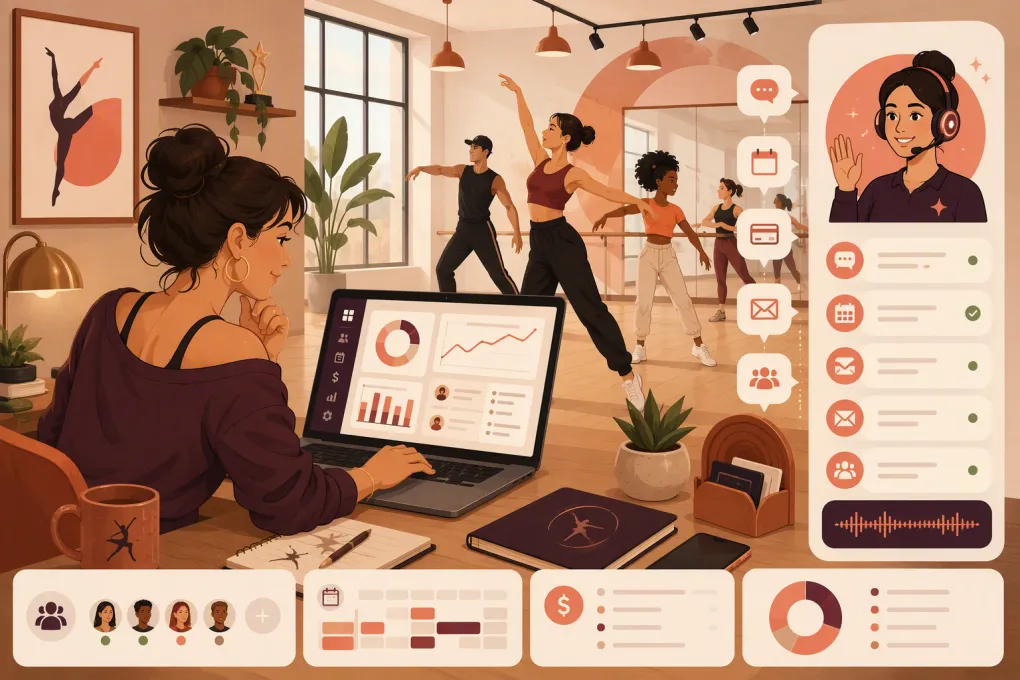 Watch · 20s
A dance studio rarely switches software because one button is missing. The breaking point is usually operational: registration takes too much staff time, families miss payment reminders, leads wait until the front desk reopens, or recital administration lives in a patchwork of spreadsheets.
That makes choosing a Momence alternative for dance studios more complicated than comparing feature lists. Momence covers broad customer management, booking, payments, memberships, communication, and digital content. A replacement must preserve the workflows you rely on while fixing the specific problems driving the switch.
Before booking demos, decide whether your studio needs a dance-specific administration system, a broader customer engagement platform, or an operating system built around lead response and automation. Those are different categories, even when vendors use similar language.
See how WTF Go and Fitty handle dance inquiries, bookings, follow-up, and overdue dues →
Why dance studios look for a Momence alternative
Momence may remain a reasonable fit for studios that want online booking, memberships, payments, communications, and customer-facing experiences in one platform. Switching only makes sense when another system solves an important operational gap.
Common reasons to evaluate alternatives include:
- Dance-specific administration: Recital planning, costume tracking, family accounts, sibling enrollment, skill levels, and season-based registration can require more specialized workflows.
- Lead response: Prospective families often inquire after school, after work, or on weekends. A slow response can leave trial classes unbooked.
- Billing control: Studios may need clearer tuition schedules, autopay rules, failed-payment follow-up, account credits, and family-level balances.
- Staff workload: Repetitive texts, enrollment questions, reminders, and payment collection can consume hours that should go toward instruction or studio management.
- Reporting: Owners need usable views of enrollment, capacity, revenue, outstanding balances, retention, and performance by class or location.
- Multi-location operations: Permissions, reporting, branding, schedules, and customer records become harder to manage as a studio expands.
Write down the three workflows that are forcing you to reconsider Momence. If a vendor cannot demonstrate those workflows live, it should not make your shortlist.
Momence alternatives for dance studios compared
Software changes frequently, and packaging can vary by plan. Confirm current functionality, payment requirements, onboarding costs, contract terms, and data migration directly with each vendor.
| Platform | Core strength | Dance-specific operations | Booking and billing | Automation and AI | Multi-location | Pricing approach | Best fit and limitation |
|---|---|---|---|---|---|---|---|
| WTF Go + Fitty | Unified operations with an AI receptionist and agent | Supports studio operations, but confirm any highly specialized recital or costume workflow during a demo | Class booking, customer management, payments, follow-up, and dues collection | Fitty answers leads, books classes, follows up, and helps collect dues 24/7 | Designed for independent and multi-location wellness businesses | Contact WTF Go for current packaging | Best for operators prioritizing fast lead response and reduced front-desk workload; studios needing deep costume inventory features should validate fit |
| Momence | Broad customer management and engagement | Suitable for many class-based businesses, though requirements vary for dance-specific seasonal administration | Classes, memberships, payments, communications, and related customer workflows | Includes automated communication and marketing capabilities; verify current AI features by plan | Supports growing businesses; confirm location-level controls | Packaging and included features can change, so review current plans | Strong broad platform; may feel less specialized than software built specifically around traditional dance schools |
| Jackrabbit Dance | Established dance school administration | Strong emphasis on family accounts, class enrollment, tuition, costumes, and recital-related workflows | Online registration, class management, billing, and parent access | Operational automation is available, but it is not primarily positioned as an AI receptionist | Supports organizations with more than one location | Pricing is generally structured around business size or student volume; verify current terms | Best for traditional dance schools with complex administration; lead handling may require additional tools or staff processes |
| DanceStudio-Pro | Dance-specific studio management | Built around dance registration, family accounts, tuition, recitals, costumes, and studio communication | Registration, schedules, billing, autopay, and parent-facing tools | Includes workflow and communication automation; confirm the scope of current AI capabilities | Multi-location suitability depends on configuration and reporting needs | Typically packaged for studios, with current pricing available from the vendor | Strong dance-specific option; evaluate whether its sales CRM and after-hours lead response meet your growth needs |
| The Studio Director | Registration and back-office administration | Supports dance and other class-based youth programs with family and student management | Online registration, tuition processing, scheduling, and customer accounts | Focuses more on administration than autonomous lead conversations | Ask for a demonstration using your location structure | Confirm current subscription, processing, and onboarding terms | Practical for established studios focused on enrollment and billing; marketing and AI requirements may need separate products |
| Mindbody | Large fitness and wellness ecosystem | Handles classes and appointments but is not centered on recital and costume administration | Scheduling, payments, memberships, point of sale, and customer management | Marketing and automation capabilities vary by package | Commonly considered by multi-location fitness and wellness operators | Tiered or quote-based packages may include add-ons; request a complete cost breakdown | Broad ecosystem and consumer discovery potential; dance-specific workflows and total software complexity should be tested carefully |
| WellnessLiving | Broad booking, client engagement, and business management | Works for class-based studios, though specialized dance workflows should be demonstrated | Classes, appointments, memberships, payments, client apps, and communication | Offers marketing and engagement automation; verify current AI functions and package requirements | Supports multi-location businesses | Request current package and payment-processing details | Useful for studios wanting a broad wellness platform; may not replace dedicated recital tools for every school |
Which alternative fits your operating model?
Choose dance-specific software for recital-heavy administration
Jackrabbit Dance, DanceStudio-Pro, and The Studio Director deserve close evaluation when your administrative calendar revolves around school-year enrollment, costumes, recital participation, family balances, sibling relationships, and level progression.
Do not settle for a slide that says the platform supports recitals. Ask the salesperson to show how staff would:
- Assign students to recital routines.
- Track costume sizes, orders, balances, and distribution.
- Manage siblings under one responsible payer.
- Move a student between levels without losing account history.
- Apply different tuition rules to classes, teams, camps, and private lessons.
The best system is the one your administrator can operate accurately during peak registration, not the one with the longest feature page.
Choose an AI-led operating system when response time is the bottleneck
Dance-specific administration does not automatically solve lead conversion. A parent who asks about beginner ballet at 8:30 p.m. still needs an answer, an appropriate class, and a clear next step.
WTF Go is built around that operational gap. Fitty acts as an AI receptionist and agent that can answer inquiries, book classes, follow up with prospects, and help collect dues around the clock. That can reduce the number of conversations waiting in an inbox for the owner or front desk.
A useful demo should test real scenarios rather than generic questions:
- A parent asks which class fits a six-year-old beginner.
- A prospective student wants a trial but cannot attend the first suggested time.
- A family starts registration and does not finish.
- An existing account has an overdue balance.
- A customer asks a question that should be escalated to a person.
Watch how Fitty can turn after-hours dance studio inquiries into booked classes →
Choose a broad wellness platform for mixed services
Mindbody, WellnessLiving, and Momence can make sense when a business combines dance classes with appointments, fitness sessions, workshops, memberships, or digital content. Their breadth may reduce the need for separate booking and customer engagement systems.
The tradeoff is specialization. A platform can be excellent at general scheduling and payments while still requiring manual work for costumes, recital lineups, or dance-family account structures. Map those processes before signing a contract.
What to test during every software demo
A polished dashboard does not prove that the system works for your studio. Give every vendor the same test script and compare the results.
Registration and scheduling
Ask the vendor to create a season, set age or level restrictions, cap enrollment, manage a waitlist, schedule a trial, process a makeup, and handle a mid-session enrollment. Check whether staff can complete each task without workarounds.
Billing and collections
Test recurring tuition, prorating, discounts, sibling rules, credits, refunds, failed payments, and overdue balances. Confirm who controls payment processing, how deposits reach your bank, and what happens to stored payment methods during migration.
Lead management
Trace an inquiry from first contact through trial booking, attendance, enrollment, and follow-up. Determine whether the software shows response status, conversation history, assigned staff, and the next action.
Communication controls
Confirm whether families can choose communication preferences and whether staff can send targeted messages by class, location, enrollment status, or balance status. Ask how consent, opt-outs, and message history are managed.
Reporting and permissions
Request live reports for class capacity, enrollment, outstanding balances, revenue, retention, and lead status. Multi-location operators should test consolidated reporting alongside location-specific access.
How to evaluate the real cost
The subscription price is only one part of software cost. Request a written breakdown covering:
- Base subscription and required add-ons
- Payment-processing terms
- Messaging or communication usage
- Branded app charges, if applicable
- Onboarding, training, and data migration
- Additional locations or staff accounts
- Hardware requirements
- Contract length, renewal, and cancellation terms
- Export access if you leave later
Also estimate the internal cost of the current process. Count the recurring tasks your team performs manually: answering routine questions, chasing unfinished trials, posting payments, sending balance reminders, and reconciling separate systems. The right platform should remove meaningful work, not merely move it to another screen.
Plan the migration before you sign
Migration deserves the same attention as features. Identify what can be imported, what must be rebuilt, and what should be archived.
Your checklist should include customer and family records, student relationships, waivers, class rosters, attendance history, account balances, credits, payment tokens, memberships, notes, communication consent, and reporting history. Payment details may be subject to processor and security restrictions, so never assume they will transfer automatically.
Run the new system in a controlled test before opening registration. Reconcile sample balances, verify tax and tuition rules, test customer emails, and have staff process common front-desk scenarios.
The practical shortlist
Start with Jackrabbit Dance or DanceStudio-Pro if recital, costume, and family administration are the center of your requirements. Consider The Studio Director for established class and tuition workflows. Evaluate Mindbody or WellnessLiving if your studio blends dance with broader fitness or appointment-based services.
Put WTF Go on the shortlist when your biggest constraint is not simply scheduling classes, but responding to leads, booking prospects, maintaining follow-up, and collecting dues without adding more front-desk work.
There is no universal best Momence alternative for dance studios. There is only the platform that handles your highest-friction workflows with the fewest manual steps. Build a test script, make vendors demonstrate it, and choose based on what your staff and customers will actually experience.
Frequently asked questions
What is the best Momence alternative for a recital-focused dance studio?
Jackrabbit Dance and DanceStudio-Pro are strong starting points because they emphasize dance-specific workflows such as family accounts, recital administration, costumes, registration, and tuition. Test each one using your actual recital process.
Can WTF Go replace Momence for a dance studio?
WTF Go is a strong option when lead response, class booking, follow-up, payments, and dues collection are priorities. Studios with highly specialized costume or recital requirements should confirm those workflows during a demo.
What data should I export before leaving Momence?
Export customer and family records, rosters, attendance, balances, credits, memberships, waivers, notes, consent records, and reporting history. Confirm separately whether stored payment methods can be transferred.
How should a dance studio compare software pricing?
Compare the full operating cost, including subscriptions, add-ons, payment processing, messaging, onboarding, migration, additional locations, contract terms, and staff time spent on manual work.
Do dance studios need an AI receptionist?
An AI receptionist is useful when inquiries, trial bookings, follow-up, and payment reminders arrive outside staffed hours or overwhelm the front desk. It should escalate sensitive or unusual issues to a person.
Keep reading



Run your gym on autopilot with WTF Go
Fitty — your AI receptionist — answers calls and DMs, fills classes, follows up with every lead, and collects dues while you coach.