Comparisons
The Practical Mindbody Alternative for Wellness Centers
Find the right Mindbody alternative for wellness centers. Compare booking, CRM, payments, AI, multi-location support, migration, and daily workflows.
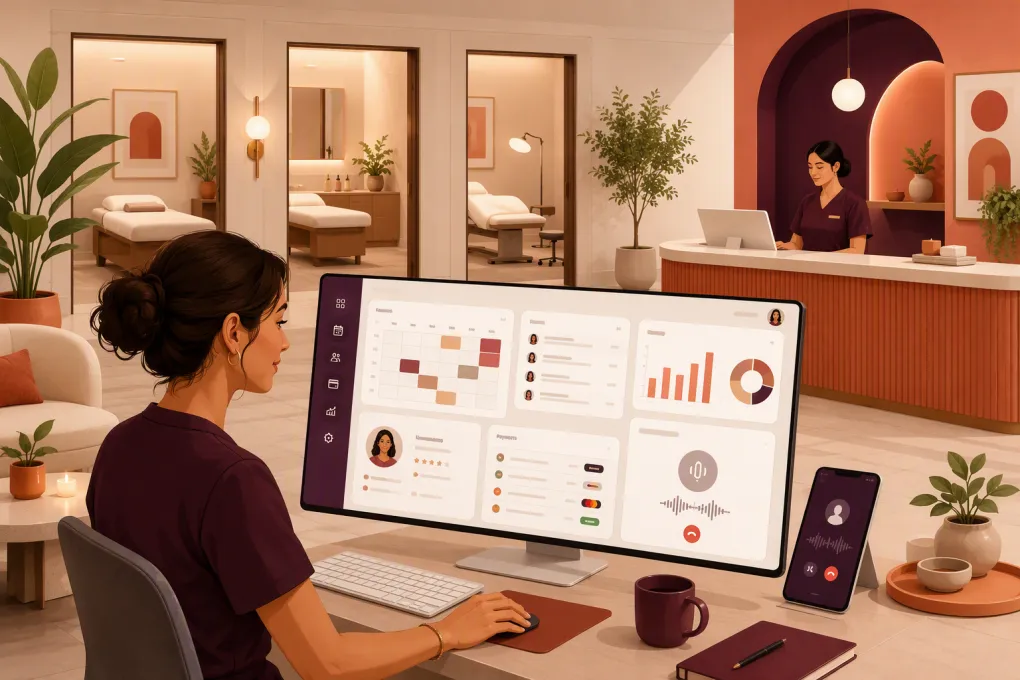 Watch · 20s
Searching for a Mindbody alternative usually means something in the current operating model is creating friction. It may be the cost of the full software stack, a front desk buried in repetitive calls, disconnected lead follow-up, difficult reporting, or a booking experience that does not match how your wellness center actually works.
The answer is not automatically to choose a smaller or cheaper platform. A wellness center may sell classes, private appointments, memberships, treatment packages, retail products, and recurring plans under one roof. Replacing Mindbody with software that handles only one side of that business can create more work than it removes.
The right alternative should fit your revenue model, staffing structure, client journey, and growth plans. Here is how to evaluate the main options without getting distracted by feature lists.
See how WTF Go combines wellness operations with Fitty, an AI receptionist →
What a Mindbody alternative needs to replace
Mindbody is an established platform with scheduling, payments, marketing features, reporting, staff management, and a consumer marketplace. Its breadth is a real strength, particularly for businesses that benefit from marketplace discovery or need a mature set of class and appointment tools.
That breadth can also make evaluation complicated. Before switching, document the specific Mindbody workflows your team uses today. Do not rely on a generic requirements list.
For most wellness centers, the replacement must account for:
- Appointments and classes: One-to-one services, group sessions, workshops, waitlists, recurring bookings, and cancellation rules.
- Resources: Practitioners, rooms, equipment, service durations, and turnaround time between appointments.
- Client records: Contact details, visit history, notes, waivers, forms, preferences, and communication consent.
- Revenue products: Memberships, packages, credits, drop-ins, gift cards, retail, and recurring billing.
- Lead management: New inquiries, response time, consultation booking, follow-up, and sales pipeline visibility.
- Payments and collections: Card processing, failed-payment workflows, refunds, chargeback records, and account balances.
- Staff operations: Availability, permissions, compensation inputs, schedule changes, and location access.
- Reporting: Sales, attendance, utilization, membership status, accounts receivable, and location-level performance.
A platform can look polished in a demo while failing on a small operational detail, such as assigning both a practitioner and a room to the same service. Test real workflows rather than asking whether the software “supports appointments.”
Mindbody alternatives compared
The following comparison focuses on typical fit. Product packaging and capabilities change, so confirm critical requirements directly with each vendor.
| Platform | Core strength | Booking and operations | Automation and AI | Multi-location fit | Pricing approach | Important limitation to test |
|---|---|---|---|---|---|---|
| WTF Go | Unified operating system for gyms, studios, spas, and wellness businesses | Classes, appointments, leads, memberships, payments, and daily workflows in one system | Fitty can answer leads, book, follow up, and collect dues around the clock | Designed for independent and multi-location operators | Contact WTF Go for current packaging | Confirm any specialized clinical, accounting, or niche integration requirements during the demo |
| Mindbody | Broad, established wellness management ecosystem and consumer marketplace | Strong class, appointment, staff, payment, and marketing coverage | Offers automation and business communication tools; exact access depends on the selected package | Suitable for businesses with multiple locations, subject to setup and plan | Package and add-on structure; request a current quote | Breadth can mean more configuration, training, or paid components than a simpler operator needs |
| WellnessLiving | Broad fitness and wellness management suite | Scheduling, memberships, payments, marketing, rewards, and client-facing tools | Includes automated marketing and communication features | Supports multi-location businesses | Tiered or quoted packaging; verify current terms | Determine which features, onboarding services, and branded experiences are included in the proposed plan |
| Vagaro | Appointment-led spa, salon, and wellness operations | Strong service scheduling, marketplace visibility, point of sale, forms, and client management | Provides messaging and marketing automation features | Can support multiple locations and service providers | Base subscription with optional features; verify current costs | Centers with complex class memberships or fitness-style access rules should demo those workflows carefully |
| Glofox | Boutique fitness and studio member experience | Strong class scheduling, memberships, member apps, and fitness sales workflows | Provides lead and member communication automation | Commonly considered by growing boutique and multi-site fitness brands | Quote-based | Appointment-heavy spa or treatment-room workflows may require closer validation |
| Zen Planner | Membership-based fitness schools and studios | Memberships, class scheduling, attendance, billing, and fitness-specific administration | Automation is more oriented toward standard member communications than an AI receptionist | Can serve organizations with more than one program or location; confirm structure | Request current package details | Often a stronger fit for gyms and martial arts schools than appointment-led wellness or spa models |
Where WTF Go differs from a standard booking platform
Most management systems begin with the calendar. WTF Go starts with the broader operating cycle: capture the inquiry, respond, book the person, collect payment, manage service delivery, and continue the relationship.
Fitty is the practical difference. It acts as an AI receptionist and agent for work that otherwise lands on the front desk or gets delayed until the next business day. That includes answering prospective clients, helping them book, following up, and pursuing outstanding dues.
Consider a lead who calls after the last employee has left. A conventional system may provide online booking, but only if the caller finds the correct page and completes the process alone. An AI receptionist can engage the inquiry when intent is high, answer routine questions based on the business’s setup, and move the person toward the appropriate booking.
This is particularly relevant when:
- Practitioners cannot interrupt sessions to answer calls.
- The front desk has limited evening or weekend coverage.
- Leads ask the same questions about pricing, availability, parking, or preparation.
- Consultation requests need follow-up before they convert.
- Failed dues consume staff time and create inconsistent outreach.
- Multiple locations make call routing and service matching harder.
AI should not operate without boundaries. During implementation, define approved answers, escalation rules, booking permissions, refund policies, and situations that require a human. The goal is not to remove judgment from sensitive interactions. It is to prevent routine revenue and service tasks from sitting untouched.
See how Fitty handles after-hours wellness inquiries and booking follow-up →
How to choose based on your wellness center model
Choose for appointments, classes, or both
Appointment-led spas need provider availability, room logic, buffers, intake forms, and service add-ons. Class-led studios care more about capacity, waitlists, recurring schedules, attendance, and membership access rules.
Hybrid wellness centers need both sets of workflows without maintaining duplicate client profiles. During every demo, ask the vendor to create one client who buys a membership, books a class, schedules a private service, and uses package credit. Then inspect the client record and reporting.
Separate marketing automation from operational automation
Email campaigns and birthday messages are useful, but they are not the same as operational automation.
Operational automation handles events that require action, including:
- A new lead asking for an appointment
- A missed call that needs an immediate response
- An incomplete consultation booking
- A cancellation that opens a valuable time slot
- A failed recurring payment
- An account requiring staff escalation
Ask what triggers are available, what channels the system can use, whether replies are two-way, and when a staff member takes over.
Calculate total operating cost, not subscription price
Software quotes are difficult to compare when one vendor bundles functions and another sells them separately. Build a cost worksheet covering:
- Base platform and location fees
- User, staff, or practitioner fees
- Payment processing terms
- Branded app or website booking add-ons
- Messaging, phone, email, or usage charges
- Data migration and onboarding
- Marketing automation or CRM modules
- Integrations required for accounting or reporting
- Staff hours spent on manual follow-up and collections
Do not treat labor as free. A lower subscription can still be expensive if managers spend hours rebuilding reports, chasing leads, or reconciling disconnected tools.
Verify privacy and permission requirements
Not every wellness center is a healthcare provider, and not every wellness software platform is intended to hold protected health information. If your services involve regulated clinical records or sensitive health data, ask vendors directly about data handling, access controls, auditability, retention, and whether they will enter into any required agreements.
Also review role-based permissions. A receptionist, practitioner, contractor, location manager, and owner should not necessarily see or change the same information.
A practical demo scorecard
Use the same script with every vendor. Score each task as complete, partial, requires an add-on, or unavailable.
- Capture a website or phone lead and show where it enters the pipeline.
- Respond to that lead after hours and book the correct service.
- Schedule a provider, room, and resource without a conflict.
- Sell a package and redeem one credit across the client journey.
- Place a client on a waitlist and fill a cancellation.
- Process a failed recurring payment and show the follow-up trail.
- Move a client or booking between locations.
- Restrict a staff member’s access to financial or client information.
- Produce daily sales, utilization, attendance, and receivables reports.
- Export client, transaction, and booking data in a usable format.
Include the employees who perform these tasks. Owners often evaluate dashboards, while front-desk teams discover the extra clicks and exceptions that determine whether a platform works in practice.
How to migrate without disrupting bookings
A clean migration is an operations project, not just a data import.
1. Inventory the current system
List active memberships, future appointments, packages, credits, gift cards, waivers, automations, staff permissions, integrations, and recurring reports. Archive anything that should not move.
2. Clean client and billing data
Remove duplicate profiles, standardize contact fields, identify expired packages, and resolve unexplained balances. Ask how stored payment methods are handled; they may not be transferable between processors or platforms.
3. Rebuild rules before importing volume
Configure services, durations, capacity, cancellation policies, taxes, membership access, rooms, and staff availability first. Test them with internal accounts.
4. Run parallel checks
Compare a sample of appointments, memberships, credits, and balances between systems. Validate revenue reporting and upcoming recurring charges before launch.
5. Train around exceptions
Show staff how to handle late cancellations, refunds, split payments, frozen memberships, provider substitutions, and escalations from automated conversations. Normal bookings are rarely where migrations fail.
WTF Go can be evaluated against this exact migration plan, including how Fitty fits into lead response, booking, follow-up, and dues collection instead of being added as another disconnected tool.
Review your wellness center workflow with WTF Go before you switch →
The bottom line
The best Mindbody alternative for a wellness center is not simply the platform with the longest feature list. It is the one that reliably handles your mix of appointments, classes, memberships, providers, locations, and follow-up with the least operational drag.
Mindbody remains a credible choice for businesses that value its broad ecosystem and marketplace. Vagaro deserves consideration for appointment-led spa operations. Glofox and Zen Planner are relevant when the business leans heavily toward fitness memberships and classes. WellnessLiving offers another broad management suite worth comparing.
WTF Go is the stronger candidate when you want the management platform and the work between bookings handled together. Fitty gives operators a way to respond, book, follow up, and collect dues even when the front desk is unavailable. For a wellness center losing opportunities to missed calls and inconsistent follow-up, that difference belongs near the top of the scorecard.
Frequently asked questions
What is the best Mindbody alternative for wellness centers?
It depends on whether the center is appointment-led, class-led, or hybrid. WTF Go is a strong option for operators who want booking and business management combined with an AI receptionist for lead response, follow-up, and dues collection.
Can I move future appointments and memberships out of Mindbody?
Many platforms support data migration, but the transferable fields and process vary. Confirm how future bookings, memberships, package balances, notes, waivers, and stored payment methods will be handled before signing.
How should I compare Mindbody alternative pricing?
Compare total operating cost, including location fees, payment processing, messaging, add-ons, migration, integrations, and staff time. Request a written quote based on your actual locations, users, and transaction volume.
Can an AI receptionist book wellness appointments safely?
Yes, when it is configured with approved services, availability, policies, permissions, and clear escalation rules. Sensitive, clinical, unusual, or disputed situations should be routed to qualified staff.
Keep reading



Run your gym on autopilot with WTF Go
Fitty — your AI receptionist — answers calls and DMs, fills classes, follows up with every lead, and collects dues while you coach.