Comparisons
Choosing the Best Mindbody Alternative for IV Therapy Clinics
Compare the best Mindbody alternative for IV therapy clinics across booking, memberships, intake, payments, automation, compliance, and migration plans.
 Watch · 20s
Mindbody can handle familiar wellness-business workflows, but an IV therapy clinic is not a conventional fitness studio or day spa. You have leads asking clinical eligibility questions, appointments tied to chairs and staff, intake and consent requirements, treatment documentation, inventory concerns, packages, memberships, and follow-up. A platform that only solves online booking leaves significant operational gaps.
The right Mindbody alternative for an IV therapy clinic depends on where those gaps sit. Some clinics need a clinically oriented electronic medical record and practice management platform. Others already have the clinical side covered and need a stronger system for lead response, sales, scheduling, payments, and retention. Many need both, whether in one platform or a deliberately integrated stack.
The short answer: choose around your operating model
Do not begin with a long feature list. Begin by deciding which of these models describes your clinic:
- Clinical-first: Documentation, orders, treatment records, medical inventory, and provider oversight drive the decision.
- Growth-first: The clinical system works, but missed calls, slow lead follow-up, scheduling friction, and inconsistent membership collection are costing the clinic business.
- All-in-one: You want the fewest possible platforms and are willing to validate whether one vendor can adequately cover both clinical and commercial workflows.
- Multi-location: Centralized lead handling, permissions, reporting, location routing, and consistent sales processes matter as much as the individual appointment.
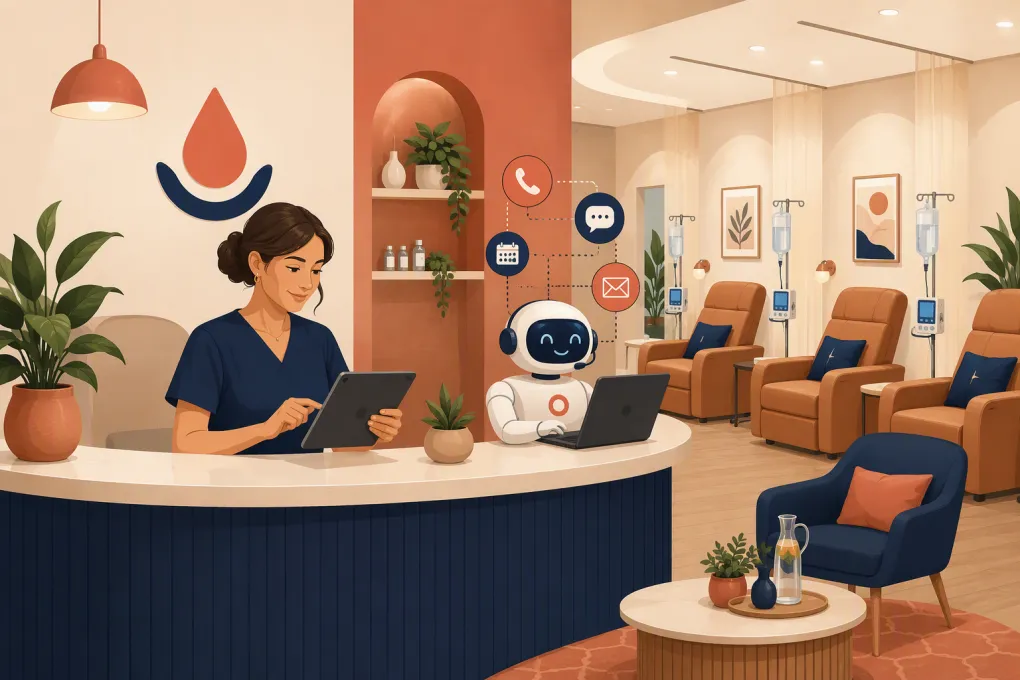
For growth-first and multi-location operators, WTF Go is worth evaluating because Fitty, its AI receptionist, can answer leads, book appointments or classes, follow up, and collect dues around the clock. Clinical documentation requirements should still be scoped separately rather than assumed.
See how Fitty can handle after-hours IV therapy inquiries and booking →
Mindbody alternatives for IV therapy clinics compared
The table below is a practical shortlist, not a claim that every product is interchangeable. Product capabilities, add-ons, integrations, and healthcare agreements can change. Ask each vendor to demonstrate your actual workflow and confirm current contract terms.
| Platform | Core booking and business workflows | Clinical record depth | Lead follow-up and automation | Pricing and migration considerations | Best fit and limitations |
|---|---|---|---|---|---|
| WTF Go with Fitty | Scheduling, lead management, payments, dues, and wellness-business operations | Do not assume it replaces a medical EHR; confirm how clinical records will be handled | AI receptionist answers leads, books, follows up, and supports dues collection 24/7 | Confirm scope, data import, integrations, and implementation directly | Strong for clinics prioritizing immediate lead response and front-desk automation; clinical documentation may require a separate system |
| Mindbody | Established scheduling, memberships, payments, marketing tools, and consumer discovery | Primarily wellness-business software rather than a purpose-built medical record | Offers communication and marketing functions, with capabilities depending on package and add-ons | Packages and add-on costs should be reviewed against the complete workflow | Familiar option for wellness operations; may require separate clinical tools and additional processes for IV-specific needs |
| Aesthetic Record | Practice management, booking, payments, patient engagement, and aesthetic-business workflows | Clinically oriented EMR capabilities for aesthetic practices | Patient communication and marketing capabilities are available; test lead-response speed and channel coverage | Review current plans, payment terms, training, and data migration support | Relevant to med spas and aesthetic clinics needing clinical documentation; evaluate whether its sales automation matches your lead volume |
| PatientNow | Practice management, scheduling, patient engagement, payments, and related medical-aesthetic workflows | EMR-oriented platform for medical aesthetic practices | Includes patient engagement and marketing capabilities, depending on selected products | Generally requires a tailored evaluation; clarify implementation and module costs | Stronger clinical orientation than general spa software; may be broader or more complex than a small hydration clinic needs |
| Boulevard | Client scheduling, checkout, forms, memberships, messaging, and front-desk workflows | Not a substitute for a full medical EHR unless the vendor explicitly supports your required records | Client communication and business automation features are available | Typically evaluated through a sales process; confirm migration and add-on scope | Polished client experience for appointment-based businesses; clinics must validate medical documentation and compliance needs |
| Vagaro | Booking, payments, forms, memberships, payroll-related tools, and marketplace visibility | General wellness and beauty orientation; validate any healthcare-specific requirements | Marketing and communication tools are available, often through selected features or add-ons | Publicly presented plans may still require add-ons; calculate the full configured cost | Accessible for appointment-driven clinics; can become fragmented if clinical records and advanced lead handling live elsewhere |
| Jane | Online booking, charting, payments, forms, reminders, and clinic administration | Stronger charting orientation than many salon or fitness platforms | Good for patient administration, but test advanced sales follow-up and AI reception needs | Pricing is generally structured around practice usage; confirm import support and required integrations | Good candidate for healthcare practices that value scheduling and charting; IV inventory and aggressive lead conversion may need other tools |
What an IV therapy clinic should evaluate before switching
1. Separate clinical records from sales operations
A lead asking about hydration options is not yet a patient receiving treatment. Those stages create different data and workflow requirements.
Map the journey from first inquiry through completed visit:
- Phone call, web form, text, or social inquiry
- Basic service and location questions
- Appointment booking
- Intake, screening, and consent
- Provider review or order when required
- Treatment documentation
- Payment, package, or membership processing
- Post-visit instructions and follow-up
- Reactivation or recurring appointment outreach
Mark which steps contain protected health information and which system owns the authoritative patient record. An AI receptionist can manage front-desk questions and scheduling, but it should not improvise medical advice or make eligibility decisions reserved for licensed staff.
2. Test the front desk after business hours
IV therapy demand does not arrive only while reception is staffed. Prospects may call after work, compare providers on weekends, or send a message while your team is treating patients.
During a demo, test whether the platform can:
- Answer common nonclinical questions using approved information
- Explain locations, hours, services, and booking policies
- Route clinical questions to the right person
- Book the correct appointment type and location
- Follow up when a prospect does not complete booking
- Escalate urgent or sensitive messages instead of generating an unsafe answer
- Record the conversation so staff can see what happened
A basic chatbot that captures a name and phone number is not the same as an operational receptionist. The value comes from resolving routine demand immediately while handing exceptions to qualified staff.
Explore an AI receptionist built to answer, book, and follow up for wellness businesses →
3. Verify resource scheduling, not just appointment scheduling
An available time slot does not necessarily mean your clinic can deliver the service. You may need to coordinate a treatment chair, an appropriately credentialed staff member, a room, and location-specific availability.
Build three realistic scheduling scenarios before every demo:
- A first-time patient who needs additional intake or review
- A returning member booking a standard treatment
- Two appointments requesting the same limited resource
Ask the vendor to show how buffers, appointment durations, staff rules, room or chair capacity, cancellations, waitlists, and multi-location routing work. Do not accept a verbal assurance when the workflow can be demonstrated.
4. Model packages, memberships, and payment exceptions
Recurring revenue sounds simple until a member pauses, changes locations, uses a credit, adds an upgrade, or has a failed payment.
Confirm how the software handles:
- Recurring memberships and stored payment methods
- Included visits or account credits
- Expiration and rollover rules
- Upgrades and service add-ons
- Freezes, cancellations, and refunds
- Failed-payment follow-up
- Use across multiple locations
- Reconciliation between completed treatments and collected revenue
If staff must track exceptions in spreadsheets, the platform is not actually managing the membership.
5. Treat compliance as a workflow, not a badge
No software selection automatically makes a clinic compliant. Your configuration, access controls, staff behavior, vendor contracts, integrations, devices, and messaging practices all matter.
Ask each vendor directly about:
- Whether it will sign an appropriate business associate agreement when required
- Which product modules and communication channels are covered
- Role-based access and audit history
- Data retention and export capabilities
- How intake forms and attachments are stored
- Whether third-party integrations receive patient information
- Consent management for email and text communication
- Incident response and account termination procedures
Have qualified legal or compliance counsel review requirements for your clinic and state. A sales representative’s general statement should not replace that review.
A practical demo scorecard
Invite the people who actually use the system: reception, a clinician, the person responsible for billing, and a location manager. Score each platform using the same live scenarios.
Use these categories:
- Lead conversion: Can a new inquiry get a useful answer and book without waiting?
- Clinical safety: Are medical questions escalated and records stored appropriately?
- Scheduling accuracy: Can the system coordinate staff, services, locations, and resources?
- Payment reliability: Can it handle memberships, packages, failed charges, and exceptions?
- Staff usability: How many screens and manual handoffs does a routine visit require?
- Reporting: Can you see lead source, booking status, attendance, revenue, outstanding balances, and location performance?
- Portability: Can you export client, appointment, payment, and communication data in usable formats?
Require vendors to show the workflow rather than present slides. Keep a written list of any process that depends on a workaround, external spreadsheet, or unreleased feature.
How to migrate without disrupting patient service
Switching systems is an operations project, not just a data upload. Start by deciding what must move, what must remain archived, and which platform becomes the source of truth.
A controlled migration plan should include:
- Exporting and cleaning client records
- Identifying duplicate profiles
- Separating marketing contacts from patient records where appropriate
- Reconciling active memberships, credits, gift cards, and balances
- Rebuilding services, durations, resources, and staff permissions
- Confirming future appointments after import
- Testing payment token migration rather than assuming it is possible
- Preserving records that cannot or should not be moved
- Running test bookings, cancellations, reminders, and payment failures
- Training staff on exception handling before launch
Avoid changing every process on launch day. Stabilize booking, records, and payments first. Then activate deeper automation and refine follow-up sequences based on real conversations.
If missed calls and inconsistent follow-up are driving the search for a Mindbody alternative, prioritize that problem during migration instead of recreating the same front desk in new software.
Talk with WTF Go about moving your booking and lead workflows to Fitty →
Which option is right for your clinic?
Choose Aesthetic Record or PatientNow when a medical-aesthetic EMR is the center of the operation and you want clinical and practice-management workflows evaluated together. Consider Jane when charting and conventional clinic administration are central. Boulevard or Vagaro may suit appointment-driven operators that value client experience and general business management but can address clinical requirements elsewhere.
WTF Go is the strongest candidate when your central problem is operational response: leads waiting too long, phones going unanswered, bookings leaking after hours, follow-up depending on staff memory, or dues requiring manual chasing. Fitty is designed to work those front-desk workflows continuously.
The best decision may be a connected stack rather than a single product. What matters is having clear ownership: one reliable clinical record, one controlled scheduling process, and one system that makes sure every legitimate inquiry receives a timely next step.
Frequently asked questions
Can general spa software be used by an IV therapy clinic?
It can support booking, payments, memberships, and marketing, but it may not satisfy clinical documentation or healthcare workflow requirements. Confirm those needs separately before selecting a platform.
Does an IV clinic need an EMR as well as booking software?
That depends on the clinic's services, providers, state requirements, and documentation obligations. Many operators use a clinical record system alongside a business platform for scheduling, sales, payments, and follow-up.
What data should be exported from Mindbody before switching?
Export client profiles, future appointments, service history, memberships, account credits, gift cards, transaction records, waivers, and relevant communication preferences. Confirm what payment and clinical data can legally and technically be transferred.
Can an AI receptionist answer medical questions for an IV clinic?
It should answer only approved administrative and nonclinical questions. Eligibility, diagnosis, treatment recommendations, and urgent concerns should be escalated to appropriately licensed staff.
What is the most important feature in an IV therapy booking system?
Reliable workflow coverage matters more than one feature. The system should coordinate the correct service, staff member, location, resource, intake process, payment method, and follow-up without relying on hidden manual work.
Keep reading



Run your gym on autopilot with WTF Go
Fitty — your AI receptionist — answers calls and DMs, fills classes, follows up with every lead, and collects dues while you coach.