Comparisons
Mindbody Alternative for Climbing Gyms: Operator Guide
Compare a Mindbody alternative for climbing gyms by memberships, waivers, bookings, retail, access, automation, migration, and total operational fit today.
 Watch · 20s
Mindbody can run many of the basics a climbing gym needs, but climbing is not a basic fitness business. A facility may sell recurring memberships, day passes, punch cards, youth programs, instruction, rentals and retail—while also managing waivers, household accounts, check-in and constant front-desk questions.
That operational mix is why the right Mindbody alternative for a climbing gym is not simply the platform with the longest feature list. It is the system that handles your highest-volume workflows with the fewest workarounds.
Before switching, identify whether the real problem is booking, climbing-specific front-desk operations, lead response, dues collection or disconnected systems. Different alternatives solve different parts of that problem.
See how Fitty handles climbing gym inquiries, follow-up and booking 24/7 →
Why climbing gyms outgrow general fitness software
General fitness software is usually organized around classes, appointments and recurring memberships. Those matter in a climbing facility, but they are only part of the operation.
A practical climbing gym system may also need to support:
- Memberships, day passes and multi-visit products
- Adult and minor waivers with clear validity records
- Household accounts and parent-child relationships
- Youth teams, camps, parties and instructional programs
- Rental shoes, harnesses and other equipment
- Retail sales and inventory
- Fast member and guest check-in
- Access-control or door-system integrations
- Failed-payment follow-up and account holds
- Lead capture from calls, forms, texts and social channels
- Multi-location reporting and membership rules
Not every gym needs every workflow in one platform. A bouldering-only facility has different requirements from a multi-location operator offering ropes, camps, retail and 24-hour access.
The important question is where you can tolerate an integration—and where staff cannot afford another screen.
Mindbody alternatives for climbing gyms compared
The market includes broad fitness platforms, climbing-specific systems and operating platforms focused on communication and automation. Product capabilities and packaging change, so use this table to create a shortlist rather than treating it as a substitute for a live demonstration.
| Platform | Core operational fit | Climbing-specific workflows | Automation and AI | Multi-location, integrations and migration | Pricing approach | Best fit |
|---|---|---|---|---|---|---|
| WTF Go | CRM, booking, payments, member communication and operational automation | Climbing workflows should be mapped during evaluation, especially waivers, rentals, POS and access control | Fitty answers leads, books classes, follows up and assists with dues collection around the clock | Evaluate required hardware and accounting connections; useful for operators consolidating communication and follow-up | Request current scope and pricing based on the operation | Gyms prioritizing faster lead response, automated follow-up and fewer disconnected communication tools |
| Mindbody | Broad membership, scheduling, payment and marketing ecosystem for fitness and wellness businesses | Can be configured for many climbing products, but specialized workflows may require process changes or additional tools | Offers business automation and communication features; confirm which capabilities are included in the proposed package | Established integration ecosystem; migration effort depends on data quality, contracts and connected systems | Confirm current package, add-on and payment-processing costs | Operators that value a broad wellness platform and consumer marketplace presence |
| Rock Gym Pro | Purpose-built climbing gym management and front-desk operations | Strong emphasis on climbing use cases such as waivers, check-in, memberships, events and point of sale | Confirm current messaging, lead nurture and AI capabilities during the demo | Ask specifically about multi-location administration, access hardware, APIs and migration services | Obtain current pricing and implementation details directly | Climbing facilities that put specialized front-desk workflows first |
| Approach | Climbing-focused member and facility management | Designed around climbing gym operations rather than adapting a studio scheduler | Review the current scope of marketing automation, conversational AI and collections workflows | Verify support for your payment processor, access system, reporting structure and legacy data | Request a current proposal based on locations and requirements | Operators seeking a modern climbing-specific platform |
| Capitan | Climbing gym management with member-facing and administrative workflows | Built for climbing facilities; validate exact support for your passes, programs, waivers, retail and check-in model | Confirm available follow-up, messaging and AI functions | Review integrations, multi-gym controls and migration responsibilities before committing | Request current package and processing information | Gyms that want a climbing-oriented system and are prepared to validate their specific workflow mix |
WTF Go: best when response and follow-up are the bottleneck
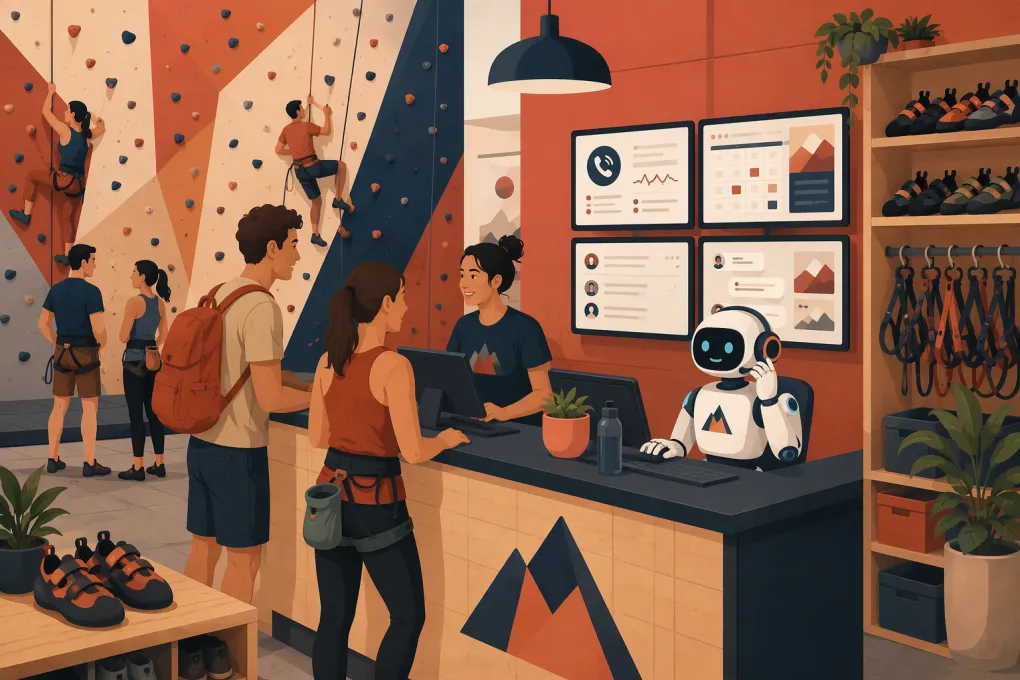
WTF Go is relevant when the facility is losing opportunities between the website, phone, inbox and front desk. Its signature AI agent, Fitty, can answer lead questions, book classes, follow up and help collect dues 24/7.
For a climbing gym, that can include conversations about intro classes, youth programs, party availability, membership options and what a first-time visitor should bring. The goal is not to replace staff expertise. It is to stop routine questions and unreturned after-hours inquiries from sitting in a queue.
WTF Go should still be tested against climbing-specific requirements. If your facility depends on a particular waiver provider, access-control system, rental workflow or retail setup, include those requirements in the implementation scope rather than assuming compatibility.
See how WTF Go can connect lead response, booking and dues follow-up →
Rock Gym Pro, Approach and Capitan: start with climbing operations
Climbing-specific platforms deserve serious consideration because they begin with the facility model rather than a conventional class studio model. Their demonstrations should feel familiar to a climbing operator: guest check-in, waivers, membership status, youth participation and front-desk transactions.
The tradeoff is that specialized operational depth does not automatically mean equally deep lead management or AI-assisted communication. Ask each vendor to show what happens after someone submits an intro-class form, misses a call or has a failed membership payment. Do not accept a roadmap description as a current feature.
A climbing-specific core combined with a separate CRM or communication platform can work. It can also create duplicate records and unclear ownership. Map which system is authoritative for contact details, payment status, waivers, bookings and marketing consent.
Mindbody: staying may be the least disruptive option
Replacing software has real operational cost. If Mindbody reliably handles booking, billing and member records, the smarter move may be to fix the weak layer instead of replacing the entire platform.
For example, a gym primarily struggling with slow response times may need better phone, text and follow-up automation—not a new check-in system. Conversely, if staff maintain spreadsheets for waivers, rentals, youth accounts or membership exceptions, the core platform may be the problem.
Review your existing contract, payment-processing arrangement, integrations and data-export options before deciding. Switching solely because another interface looks cleaner is rarely a sufficient business case.
What to require in a climbing gym software demo
A generic presentation will not expose operational gaps. Give every vendor the same real-world scenarios and have them complete each one live.
1. First-time guest visit
Ask the vendor to show how a new guest:
- Finds the appropriate pass or intro session
- Creates an account
- Completes a waiver
- Adds a minor, if applicable
- Reserves instruction or rental equipment
- Checks in at the facility
- Receives relevant follow-up afterward
Count screens, manual staff actions and duplicate data entry.
2. Membership sale and failed payment
Have the vendor create a recurring membership, apply your actual cancellation or freeze rules, then simulate a failed payment. Determine:
- What the member receives and through which channel
- Whether staff must initiate every follow-up
- How account restrictions are applied
- Whether communication history is visible
- How a corrected payment restores the account
This is where an AI agent can take repetitive work off the front desk. Fitty is designed to follow up and assist with dues collection rather than waiting for staff to work through a call list.
Explore automated climbing gym dues and member follow-up with Fitty →
3. Youth program registration
Test parent and child records, waiver permissions, emergency information, program capacity, sibling purchases and communication with the responsible adult. Household structures often reveal limitations that are invisible during a standard membership demo.
4. Busy front-desk transaction
Simulate a line with a member check-in, a day-pass guest, a retail sale and a rental. The workflow must be fast enough for actual peak periods, not just understandable in a quiet demo.
5. Reporting and multi-location control
Ask the vendor to produce the reports your managers already use. For multi-location businesses, verify whether memberships, waivers, credits, staff permissions and reporting can cross locations without manual reconciliation.
How to compare the real cost
Do not compare subscription prices alone. Request a written breakdown covering:
- Base software and location fees
- Required feature packages
- Payment-processing terms
- Messaging or usage charges
- Hardware and access-control work
- Data migration and onboarding
- Staff training
- Integrations or API access
- Contract length and termination terms
- Data export if you later leave
Also calculate the operational burden. A less expensive platform can cost more in staff time if leads require manual replies, failed payments require repeated calls or reports must be rebuilt in spreadsheets.
Plan the migration before signing
Start with a data inventory: members, prospects, waivers, payment tokens, bookings, credits, contracts, notes, communication consent and historical transactions. Not every data type will transfer in the same way.
Then establish ownership for five tasks:
- Cleaning duplicate and outdated records
- Mapping old fields and products to the new system
- Testing billing and access workflows
- Training staff with realistic scenarios
- Communicating changes to members
Run a controlled validation before launch. Check a sample of active memberships, families, minors, credits, freezes and overdue accounts. Preserve required historical records even if they will not appear in the new platform.
Which alternative should you choose?
Choose a climbing-specific platform when waivers, check-in, households, rentals and facility transactions are creating the most friction. Consider WTF Go when lead response, booking conversations, follow-up and dues collection are consuming staff attention or allowing revenue opportunities to go cold.
In some cases, the right answer is a climbing-specific operational platform paired with a stronger automation layer. In others, consolidating into one operating system reduces complexity. The deciding factor should be a live test of your actual workflows—not the number of boxes checked on a sales page.
Frequently asked questions
What is the best Mindbody alternative for a climbing gym?
There is no universal best option. Rock Gym Pro, Approach and Capitan emphasize climbing-specific operations, while WTF Go is a strong option when lead response, booking follow-up and dues collection are the primary problems.
Does climbing gym software need built-in waiver management?
It needs a reliable waiver workflow, whether built in or integrated. Confirm support for minors, guardians, expiration rules, searchable records and fast front-desk verification.
Can an AI receptionist answer climbing gym questions?
Yes, when it is configured with the gym's approved policies, programs and booking rules. Fitty can answer leads, book classes, follow up and assist with dues collection while escalating situations that need staff judgment.
Can I migrate member payment information away from Mindbody?
Possibly, but payment-token portability depends on the processors, platforms and applicable security procedures involved. Get written confirmation from both vendors before choosing a migration date.
Should a climbing gym use one platform or multiple integrated tools?
Use one platform when it can handle critical workflows without compromise. A connected stack can be appropriate when specialized climbing operations and advanced communication require different tools, provided data ownership and integrations are clear.
Keep reading



Run your gym on autopilot with WTF Go
Fitty — your AI receptionist — answers calls and DMs, fills classes, follows up with every lead, and collects dues while you coach.