Comparisons
How to Choose a Mindbody Alternative for Barre Studios
Compare each Mindbody alternative for barre studios across booking, payments, AI, migration, barre workflows, and total cost using a practical scorecard.
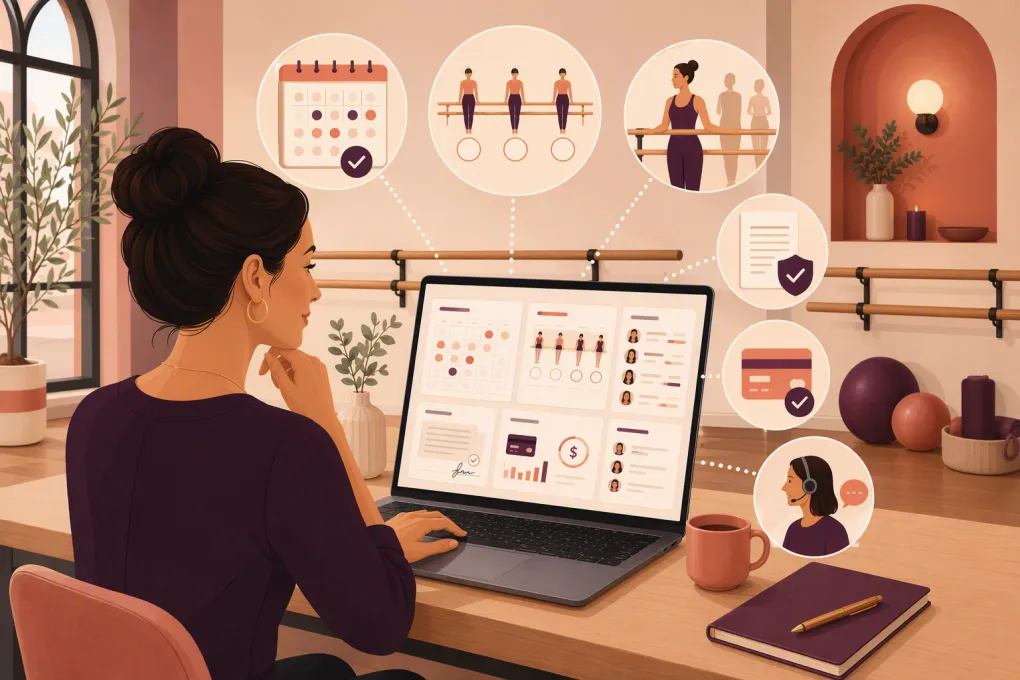 Watch · 20s
Mindbody can run many of the core workflows a barre studio needs. The reason to consider an alternative is not that Mindbody is inherently wrong; it is that your studio may need a different balance of booking simplicity, lead response, payment operations, multi-location control, support, and total cost.
A useful comparison must go beyond feature checklists. Barre operators need to know whether software can enforce class capacity, account for limited equipment, track intro-offer conversion, document waivers, support instructor compensation, and recover revenue without creating more front-desk work.
A transparency note: this is a buyer’s guide, not a claim of hands-on testing of every current plan or implementation. Vendor packaging, integrations, contracts, and migration services change. The comparisons below reflect established product positioning and publicly described capabilities, while identifying the details that require a live demonstration and written confirmation.
See how WTF Go approaches barre booking, lead response, follow-up, and dues workflows →
Start with the reason you are leaving Mindbody
Write down the operational problem before requesting demos. Common triggers include:
- Prospects waiting too long for an answer
- Too many steps between an intro offer and a booked class
- Manual follow-up after an intro visit
- Complicated front-desk administration
- Unclear software, add-on, messaging, or processing costs
- Weak visibility across multiple locations
- Disconnected booking, CRM, phone, and collections tools
- Support or implementation that does not match the studio’s needs
Separate configuration problems from platform problems. A poorly configured intro offer, abandoned automations, or inconsistent staff processes can follow you into the next system. Ask your current provider whether the problem can be fixed before accepting migration risk.
What barre studio software must handle
Capacity and equipment allocation
Barre classes are constrained by usable floor space, barre positions, and available props. Some studios also run equipment-dependent formats alongside traditional barre.
Confirm whether capacity is simply a number attached to the class or whether the platform can reserve specific resources. If it cannot allocate equipment directly, determine whether separate class types, rooms, or capacity rules provide a workable alternative.
Test these situations:
- One room has different capacities for barre, mat, and equipment-based formats
- A station is unavailable because equipment needs repair
- A member moves from a waitlist shortly before class
- An instructor wants to add one person without overriding the safety limit
- Two classes share the same room or equipment inventory
No software should be allowed to sell more spots than the room can safely support.
Intro-offer conversion reporting
A barre studio should be able to follow a prospect from source through purchase—not merely count leads and sales in separate reports.
At minimum, determine whether you can report on:
- Lead source
- Intro-offer purchase
- First class booked
- First class attended or missed
- Follow-up status
- Recurring membership purchase
Ask how the platform defines conversion. A purchase-based report and an attendance-based report answer different questions. Also check whether conversion can be viewed by location, campaign, instructor, offer, and acquisition cohort without manual spreadsheet matching.
Instructor compensation and administration
Barre instructors may be paid per class, by attendance, through a base-plus-headcount formula, or under another studio-specific arrangement. Do not assume scheduling software is payroll software.
Ask whether the system records the completed instructor assignment, attendance, substitutions, late cancellations, and non-class work. Then determine whether it calculates your exact compensation rules or exports clean data to payroll. Verify how corrections are approved after payroll has been prepared.
Waivers and member records
Confirm that waivers can be required before participation and retained with the signed version, date, and member record. Studios serving minors should ask how guardian signatures are handled. If waiver language changes, determine whether existing members can be required to sign the new version.
Also test access controls. Instructors may need to see attendance and relevant account alerts without seeing payment information or unrestricted member notes.
Membership and payment operations
Review recurring memberships, limited monthly plans, unlimited plans, class packs, freezes, credits, late cancellations, refunds, gift cards, and failed payments.
Payment processing deserves a separate review. Request written answers covering processor requirements, payout timing, chargebacks, refunds, hardware, cancellation terms, and stored-card migration. A low software fee can be offset by required add-ons or processing conditions.
Mindbody alternatives for barre studios compared
The table does not assign a universal winner. It identifies likely fit and the issues each vendor should prove in a scenario-based demo. Current proposals and contracts control over general product descriptions.
| Platform | Practical differentiation | Pricing and contract questions | Integrations and migration | Best candidate when | Validate before buying |
|---|---|---|---|---|---|
| WTF Go with Fitty | Combines studio operations with Fitty, an AI receptionist/agent for configured lead, booking, follow-up, and dues workflows | Pricing is sales-led; request a complete quote covering locations, messaging, implementation, payments, and AI usage | Confirm connections required for your booking, phone, messaging, payment, and existing data environment; migration scope should be documented | Unanswered inquiries and inconsistent follow-up are central operating problems | Which actions are native, which require integrations, what Fitty can modify, and how exceptions reach staff |
| Mindbody | Established fitness and wellness platform with booking, memberships, payments, marketing products, and consumer marketplace exposure | Request current plan, add-on, messaging, app, processing, term, renewal, and cancellation details | Broad ecosystem, but availability and data flow depend on the specific integration and account; obtain a field-level migration plan before leaving | Marketplace visibility and an established industry ecosystem provide real value | Whether your current pain is a platform limitation, plan limitation, or fixable configuration issue |
| Mariana Tek | Positioned around boutique fitness and branded member experiences, including growing and multi-location brands | Generally evaluated through a sales process; request implementation, support, location, branded experience, payment, and contract terms | Ask for the current integration catalog and precise data-import scope rather than assuming parity with an existing stack | Brand experience and centralized boutique-fitness operations are priorities | Cross-location privileges, complex pricing, permissions, compensation exports, and implementation resources |
| WellnessLiving | Broad scheduling, membership, payment, marketing, and client-management feature set | Compare plan-level access, add-ons, messaging, payment terms, onboarding, contract length, and support tier | Verify every required integration and whether the vendor or studio owns migration cleanup and validation | You want a broad studio-management suite and are willing to configure it carefully | Daily staff usability, reporting definitions, add-on dependencies, and support response paths |
| Momence | Strong candidate for businesses combining recurring classes with workshops, courses, events, or appointments | Review current plan, transaction, messaging, implementation, and payment conditions in the proposal | Confirm integrations and whether historical attendance, liabilities, future bookings, and billing data can be migrated | Events and varied offer types are a meaningful part of the business | Multi-location permissions, advanced reporting, instructor-pay inputs, and edge-case membership rules |
| Vagaro | Broad service-business platform spanning classes, appointments, point of sale, and marketplace-style discovery | Base and optional-feature pricing is commonly presented by configuration; calculate the complete setup, payment, hardware, and messaging cost | Confirm support for your accounting, marketing, access-control, and data-migration requirements | Your barre studio also operates appointment-based wellness or beauty services | Whether class waitlists, substitutions, intro reporting, and memberships are as strong as the appointment workflows you need |
How Fitty’s automation works—and where it needs boundaries
Fitty can answer leads, book classes, follow up, and collect dues, but those claims have operational prerequisites.
For booking, Fitty needs access to accurate schedules, availability, offer rules, and the member or lead record. Depending on the studio’s setup, that may be handled inside WTF Go or through a configured integration. An AI agent should not promise a spot if the source schedule is delayed, incomplete, or disconnected.
For follow-up, the studio must define triggers, approved messaging, timing, contact channels, consent rules, and stop conditions. Examples include following up after an incomplete intro booking or contacting an attendee who has not selected a membership.
For dues, “collect” does not mean Fitty should make unrestricted financial decisions. The workflow requires an authorized payment process, defined balance data, approved outreach, and rules for what the agent may do. Refunds, chargebacks, disputed balances, unusual account credits, hardship requests, and membership cancellations may require staff review.
Human escalation should be designed before launch. Decide where conversations go when:
- A prospect asks a medical or injury-related question
- A member disputes a charge
- The requested class is full and no approved alternative works
- A membership exception requires manager approval
- The AI cannot verify identity or account details
- The customer requests a person
Escalation can only work if routing, staffed hours, ownership, and response expectations are configured. During a WTF Go demo, ask to see the normal path, failure path, and handoff path for the same scenario.
Ask WTF Go to demonstrate Fitty’s booking, dues, and human-escalation paths →
Use a transparent scoring method
Do not declare any platform the “best” before equivalent testing. Build a 100-point scorecard and assign weights based on your actual priorities. A sample allocation is:
| Evaluation area | Suggested weight |
|---|---|
| Member booking, capacity, and waitlists | 20 |
| Lead response and intro conversion | 15 |
| Memberships, payments, and failed dues | 15 |
| Front-desk usability | 10 |
| Barre-specific reporting and instructor administration | 10 |
| Automation, controls, and human escalation | 10 |
| Multi-location management | 5 |
| Integrations and data access | 5 |
| Migration and implementation | 5 |
| Total contracted cost and support | 5 |
Adjust the weights before vendor demos. Score each category from 1 to 5, multiply the score by its weight, and retain written evidence for every score. Evidence can include a live demonstration, contract language, support documentation, a sandbox test, or a reference conversation authorized by the vendor.
Use the same scenarios for every platform:
- A new lead asks about beginner classes after the desk closes
- The lead buys an intro offer but does not reserve a class
- A first-time attendee misses class
- A waitlisted member gets a spot
- An instructor substitution affects compensation records
- A member’s recurring payment fails
- A customer disputes the balance and requests a person
- A manager needs location-level intro conversion reporting
Do not award points for “yes” answers. Award them for demonstrated completion, clear permissions, usable reporting, and documented ownership when something fails.
Compare total cost, support, and contract risk
Request a written cost worksheet from every vendor. Include software, locations, staff accounts, payment processing, messaging, phone usage, branded apps, hardware, integrations, implementation, data migration, premium support, and optional modules.
For support, ask who owns your implementation, which channels are available, whether support differs by plan, and what happens during a billing or booking incident outside normal hours. Avoid assuming that a dedicated sales contact becomes a dedicated post-launch contact.
Review term length, renewal, cancellation notice, data-export rights, payment-processing obligations, and post-termination access. Have qualified counsel review contract language when appropriate.
Protect the studio during migration
Require a written migration matrix showing whether each data type will be imported, archived, recreated, or lost. Cover member profiles, memberships, class packs, future bookings, waitlists, waivers, credits, gift cards, notes, attendance, transactions, staff permissions, and payment credentials.
Stored cards are a critical dependency. Their transfer may be affected by the processors, platforms, and security procedures involved. Do not promise members a seamless billing transition until the vendors confirm the process.
Before launch, reconcile active memberships, future reservations, unused liabilities, billing dates, and account balances. Test booking links, waiver enforcement, waitlist messages, failed-payment handling, compensation exports, and AI escalation. Keep secure exports from the prior system according to your record-retention obligations.
Talk with WTF Go about mapping your barre workflows before committing to a migration →
The practical recommendation
Keep Mindbody if its ecosystem, marketplace, and current configuration are producing enough value to justify the cost and administrative load. Consider Mariana Tek for boutique brand and multi-location needs, WellnessLiving for broad studio functionality, Momence for varied classes and events, and Vagaro for businesses combining classes with appointments.
Put WTF Go on the shortlist when lead response, booking follow-through, dues outreach, and front-desk coverage are high-weight problems. Do not choose it—or any alternative—on positioning alone. Require a demonstration using your barre schedule, intro offer, escalation rules, payment exceptions, reporting definitions, and migration data. The right platform is the one that completes those workflows with the fewest risky handoffs.
Frequently asked questions
What is the best Mindbody alternative for a barre studio?
There is no universal best option. Weight booking, intro conversion, payments, barre-specific administration, migration, support, and total cost, then require every vendor to complete the same scenarios.
Can Fitty book barre classes without an integration?
Fitty needs access to accurate schedule, availability, offer, and customer data. Whether that is native to the WTF Go setup or requires a configured integration depends on the studio's systems and should be confirmed during implementation.
Can Fitty handle every dues collection issue automatically?
No. Routine outreach and authorized payment workflows can be configured, but disputes, refunds, chargebacks, cancellations, unusual credits, and hardship requests may need human review.
What barre-specific features should I test?
Test format-specific capacity, equipment constraints, waitlists, waiver versioning, instructor substitutions, compensation exports, intro-offer conversion, failed payments, and location-level reporting.
What is the biggest risk when leaving Mindbody?
Billing credentials and incomplete data migration are major risks. Get written confirmation about stored cards, active memberships, balances, future bookings, waivers, liabilities, historical records, and post-termination data access.
Keep reading



Run your gym on autopilot with WTF Go
Fitty — your AI receptionist — answers calls and DMs, fills classes, follows up with every lead, and collects dues while you coach.