Comparisons
Best Jane App Alternatives for Sports Chiropractors 2026
Compare Jane App alternatives for sports chiropractors by charting, billing, booking, integrations, migration, AI reception, pricing model, and practice fit.
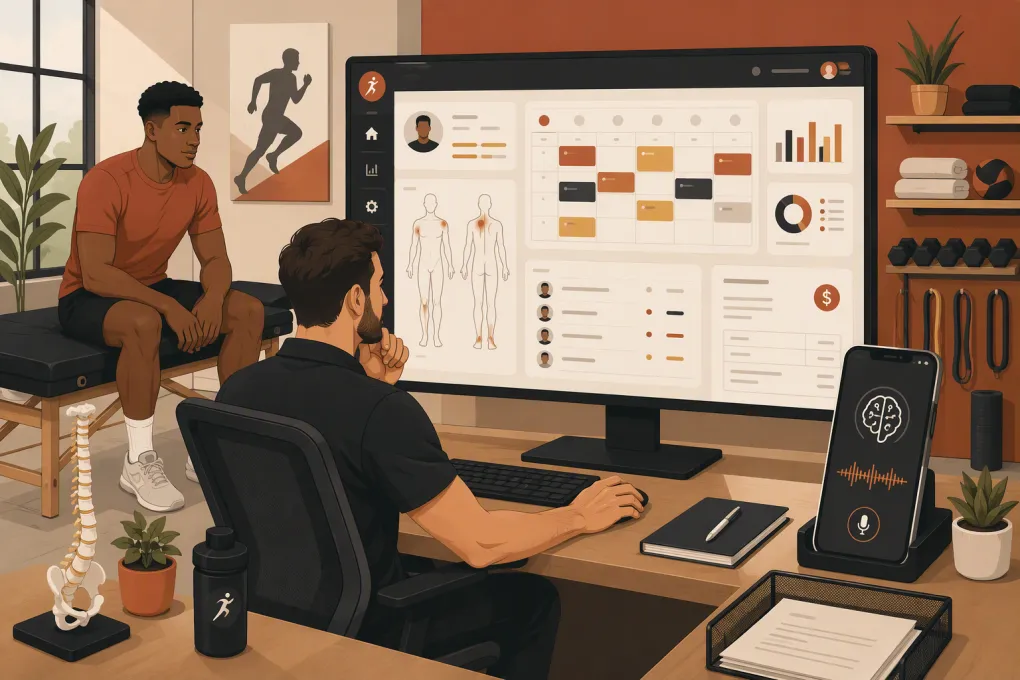 Watch · 20s
Jane App is a capable clinic platform, but sports chiropractic practices do not all operate like conventional clinics. A cash-pay performance center may need memberships and rapid lead follow-up. An insurance-based office may care more about chiropractic documentation and claims. A hybrid practice may need both—and discover that no single platform covers the full operation well.
That distinction matters when searching for a Jane App alternative for sports chiropractors. Some products can replace Jane’s clinical and scheduling functions. Others solve only the sales, membership, or front-desk layer. Comparing them as though they were interchangeable leads to expensive migrations and missing workflows.
Research note: Product details below were reviewed against the vendors’ public feature, pricing, and integration pages on September 10, 2026. This is an editorial comparison, not a hands-on laboratory test, and WTF Go has a commercial interest in Fitty. Vendor configurations change, so confirm critical capabilities in a live demo and written order form.
Decide whether you need a replacement or an added layer
Before evaluating software, identify the system of record for each workflow:
- Clinical notes, intake forms, consent documents, and patient files
- Insurance eligibility, coding, claims, remittance, or superbills
- Practitioner, room, equipment, class, and appointment scheduling
- Packages, memberships, recurring charges, and account balances
- New-lead calls, texts, web inquiries, and follow-up
- Multi-location permissions, reporting, and customer records
If Jane handles the clinical side adequately but inquiries go unanswered during treatment, replacing the EHR may not fix the real problem. A front-office automation layer may be the lower-risk move.
WTF Go belongs in that second category. It is not presented here as a chiropractic EHR replacement. According to WTF Go’s product information, Fitty is designed to handle lead conversations, booking, follow-up, and dues-related outreach. Actual behavior depends on configuration, connected calendars and payment workflows, approved scripts, and escalation rules.
See whether Fitty can cover the inquiry-to-booking gap around your current clinical system →
Jane App alternatives compared
Jane appears below only as the baseline. ChiroTouch, Cliniko, Noterro, Practice Better, and Mindbody are the actual alternatives, although Mindbody is appropriate only for a studio-led model.
| Platform | Clinical and billing focus | Booking and recurring revenue | Automation and integrations | Pricing visibility | Best fit | Important limitation |
|---|---|---|---|---|---|---|
| Jane App — baseline | Clinical charting, intake, scheduling, payments, and insurance-related workflows vary by market and plan | Appointments, classes, packages, and related payment workflows | Offers integrations and patient communications; review the current Jane integrations | Current tiers and included features are published on Jane’s pricing page | Multidisciplinary clinics wanting one clinic-centered platform | May not provide the sales-oriented, conversational front desk required by a high-volume performance business |
| ChiroTouch | Chiropractic-specific EHR, documentation, practice management, and billing options | Primarily appointment and patient-account oriented | Uses its own product ecosystem and connected services; validate external integrations during procurement | Sales-led pricing; request a written quote covering licenses, setup, billing tools, support, and contract term from ChiroTouch | Insurance-based or documentation-heavy chiropractic practices | Potentially more system than a lean, cash-pay practice needs; not built around boutique-fitness class operations |
| Cliniko | Treatment notes and patient records for allied-health clinics; not chiropractic-specific billing software | Online appointment booking, payments, reminders, and practitioner calendars | Its connected apps directory lists integrations by function, including accounting, exercise prescription, forms, and marketing tools | Public pricing is based primarily on practitioner count; see Cliniko pricing | Cash-pay, appointment-led clinics wanting a relatively focused clinical platform | Membership, class, lead-nurture, and insurance workflows require close evaluation or additional systems |
| Noterro | Clinic management with charting, forms, scheduling, billing, and patient-management tools | Online booking, payments, packages, and clinic communications vary by plan | Offers platform integrations and add-ons; verify the exact connection and data direction rather than assuming two-way sync | Public plan information is available from Noterro pricing | Independent and growing clinics comparing a broad clinic-management alternative | Chiropractic-specific claims requirements and advanced multi-location controls must be demonstrated, not inferred from general billing features |
| Practice Better | Client-management platform with forms, notes, programs, tasks, and telehealth-oriented workflows | Booking, packages, programs, invoicing, and recurring payment options vary by tier | Publishes an integration directory covering business and practitioner tools | Public tiers generally scale by features and client capacity; see Practice Better pricing | Cash-pay wellness practices combining care, coaching, programs, and remote support | Not a chiropractic-specific EHR or full insurance-claims platform |
| Mindbody | Wellness-business management rather than chiropractic clinical records | Strong emphasis on classes, appointments, memberships, packages, and consumer booking | Marketing, reporting, and integration access can depend on package and setup | Pricing is sales-led; request all software, messaging, branded-app, payment, and onboarding costs through Mindbody pricing | Sports chiropractic inside a recovery club, studio, or membership-led wellness facility | A separate clinical record and compliance workflow may still be required |
Where WTF Go fits
WTF Go is a different type of candidate. Consider it when you already have an acceptable clinical record—or plan to keep one—but need an operating layer for lead response, booking, memberships, follow-up, and collections activity.
Do not select it as the sole platform if your requirements include chiropractic chart templates, claim creation, remittance posting, or a complete designated clinical record. Instead, require a written data-flow plan showing which system owns the patient record, appointment, payment status, consent, and conversation history.
Pricing: compare total operating cost, not one subscription
Exact software costs depend on providers, locations, users, plans, add-ons, payment volume, and negotiated terms. Public starting prices alone do not reveal the cost of operating the stack.
Build a three-year comparison with these line items:
- Base subscription and additional practitioner or location fees
- Insurance billing, clearinghouse, or claims-related charges
- Text, phone, email, telehealth, or AI usage charges
- Payment-processing rates and whether processor choice is restricted
- Data migration, implementation, training, and premium support
- Branded apps, marketing tools, reporting, and API access
- Required third-party charting, membership, or automation software
- Contract term, annual increases, cancellation rules, and export fees
For publicly priced products such as Cliniko, Noterro, and Practice Better, calculate the tier that fits your actual provider and client count. For sales-led products such as ChiroTouch and Mindbody, insist on an itemized quote. For Jane, compare your current invoice and add-ons against the replacement’s full stack—not merely its advertised base plan.
Decision matrix by practice model
| Practice model | First platforms to evaluate | Likely system design | Demo priority |
|---|---|---|---|
| Cash-pay, appointment-led | Cliniko, Noterro, Jane | One clinic platform; add front-office automation if lead response is weak | Notes, forms, packages, online booking, reminders, exports, and payment workflow |
| Insurance-based chiropractic | ChiroTouch, Jane, other qualified chiropractic EHRs | Clinical and claims platform as the system of record; optional separate sales layer | Documentation, coding, claim lifecycle, remittance, payer workflow, audit trail, and reporting |
| Hybrid treatment, classes, and memberships | Jane or Noterro for clinical records; Mindbody or WTF Go for operational gaps | Often a connected two-system stack | Shared schedules, duplicate profiles, package ownership, failed payments, and handoffs between clinical and membership teams |
| Multi-location performance practice | Platforms with demonstrated location permissions and consolidated reporting; evaluate WTF Go for centralized inquiry handling | Clinical system plus a shared lead and communications layer | Cross-location booking, role permissions, lead routing, consolidated reporting, data segmentation, and offboarding access |
Explore how Fitty could support centralized lead response across services or locations →
Integration questions vendors must answer
An integration logo does not establish that a workflow will work. “Integrates with Stripe,” for example, may mean payment processing—not that stored cards, subscriptions, refunds, and failed-payment states sync between systems.
Ask vendors to diagram these specific events:
- A website lead becomes a booked new-patient evaluation.
- An appointment is rescheduled in the clinical calendar.
- A patient buys a recurring performance membership.
- A payment fails and follow-up begins.
- A patient opts out of marketing texts but still needs transactional reminders.
- A practitioner leaves and access must be revoked.
For every connection, document:
- Whether it is native, API-based, Zapier-style middleware, or manual
- Whether data moves one way or both ways
- Which system owns the original record
- How quickly updates appear
- What happens when a sync fails
- Whether protected health information enters the connected tool
- Who supports the integration when two vendors blame each other
An AI receptionist also needs boundaries. It can be configured to answer approved operational questions and facilitate booking, but it should not diagnose an injury, interpret symptoms, or promise a clinical outcome. Test human escalation before launch.
Migration constraints to verify before signing
The most consequential migration questions are usually not visible in a demo.
Clinical records may not import cleanly
Chart notes, signed forms, uploaded files, appointment histories, and audit trails may export in different formats. A vendor may import contact demographics while leaving historical records as read-only PDFs or archived files. Confirm retention and accessibility requirements with qualified counsel.
Stored cards usually are not a simple CSV transfer
Payment credentials are tokenized and controlled by payment providers. Moving recurring billing may require a processor-to-processor migration, customer reauthorization, or rebuilding subscriptions. Get the process in writing before announcing the switch.
Insurance data requires separate testing
Patient demographics transferring successfully does not prove that policies, authorizations, claim histories, balances, remittances, or payer mappings will transfer. Run sample claims through the complete workflow before cutover.
Future appointments need reconciliation
Import future bookings, then compare counts by practitioner, location, service, and date. Freeze schedule changes during the final cutover window or establish a manual reconciliation process.
Integrations can create duplicate people
Different systems may match records by email, phone, external ID, or exact name. Test families sharing contact details, returning leads, merged records, and customers who use multiple locations.
A practical demo script
Give every shortlisted vendor the same scenarios instead of accepting a standard presentation:
- Create a new lead from a missed after-hours call.
- Answer service questions and book the correct evaluation type.
- Complete intake, consent, and a sports-focused clinical note.
- Submit or document the required billing workflow.
- Sell a treatment package plus recurring mobility membership.
- Reschedule across practitioners or locations without duplicate records.
- Trigger appropriate follow-up after a no-show or failed payment.
- Export the complete customer and clinical history.
Score each task as native, integrated, manual, unavailable, or unclear. Then assign ownership to a staff role. A platform that technically supports a workflow but creates daily reconciliation work is not truly replacing it.
The strongest choice is the one aligned with your revenue and care model. Insurance-heavy practices should start with clinical and claims integrity. Cash-pay clinics can prioritize simple records and booking. Hybrid and multi-location operators should expect to evaluate a connected stack—and define exactly where a tool such as WTF Go adds front-office capability without pretending to be the clinical record.
Frequently asked questions
What is the closest full Jane App replacement for a chiropractor?
ChiroTouch is the most chiropractic-specific option in this comparison, while Cliniko and Noterro are broader clinic-management alternatives. The closest fit still depends on whether you need insurance claims, specialized charting, or mainly cash-pay scheduling and records.
Can WTF Go replace Jane App?
Not as a complete chiropractic EHR. WTF Go can complement a clinical platform by supporting lead conversations, booking, follow-up, memberships, and dues-related workflows, subject to configuration and integration.
Which Jane alternative is best for a cash-pay sports chiropractor?
Cliniko and Noterro are logical clinical-platform candidates for an appointment-led practice. Practice Better may fit a coaching-heavy model, while WTF Go can address lead-response and recurring-revenue workflows around the clinical system.
Can patient records and stored cards be migrated from Jane?
Contact data and some records may be exportable, but clinical histories, audit trails, attachments, stored payment tokens, and subscriptions can have separate constraints. Obtain a sample export and written migration plan before signing.
What should a multi-location sports chiropractic practice prioritize?
Prioritize location-level permissions, consolidated reporting, cross-location booking, record ownership, lead routing, integration monitoring, and clean staff offboarding. Require vendors to demonstrate these workflows with your actual location structure.
Keep reading



Run your gym on autopilot with WTF Go
Fitty — your AI receptionist — answers calls and DMs, fills classes, follows up with every lead, and collects dues while you coach.