Comparisons
How to Choose an iClassPro Alternative for Swim Schools
Compare an iClassPro alternative for swim schools across enrollment, skills, billing, integrations, migration, support, and AI-assisted lead handling.
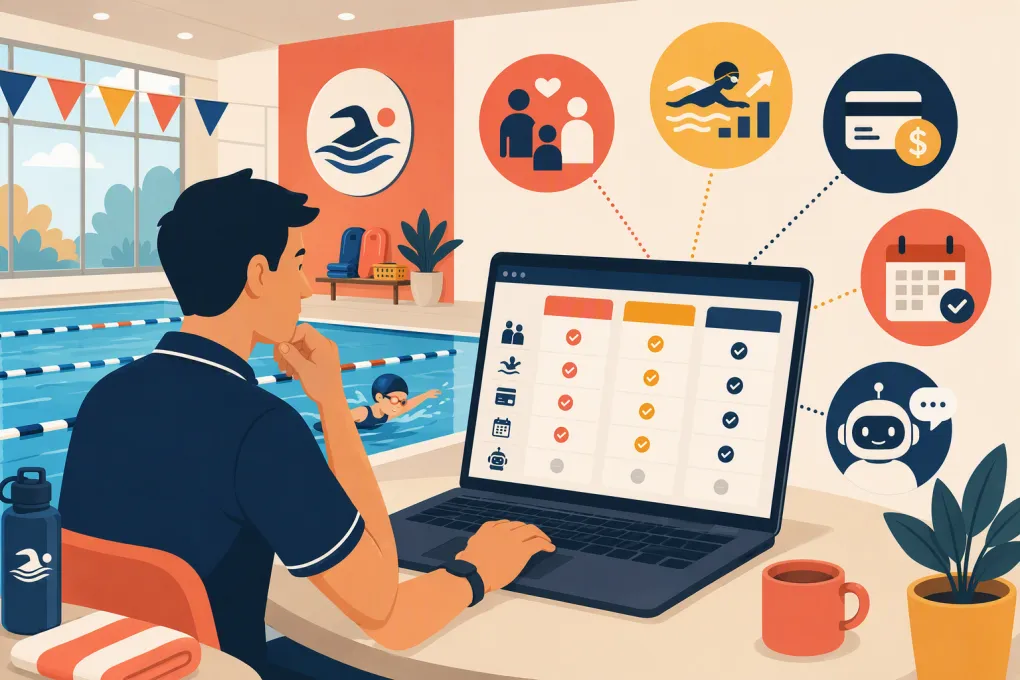 Watch · 20s
An iClassPro alternative for swim schools must do more than display a calendar and accept payments. It has to manage households, place swimmers at the right level, control class capacity, process recurring charges, document progress, and give instructors usable information on deck.
Some schools also need a better system for the work surrounding class management: answering calls, qualifying new families, following up on trial requests, and pursuing overdue balances. Those are related problems, but they are not the same software category.
That distinction matters. A platform with excellent lead automation is not automatically a complete replacement for a swim-specific class system. Conversely, a strong enrollment database may not solve missed inquiries or slow follow-up.
If your primary issue is unanswered calls rather than roster administration, see how Fitty handles swim school inquiries, booking follow-up, and dues conversations →. Depending on your operational requirements, WTF Go may be evaluated as either the main operating platform or a front-office layer alongside specialized swim software.
How this shortlist was selected
This comparison includes platforms that serve US class-based or recreation businesses and publicly describe support for scheduling, registration, billing, or child-focused programs. Swim-specific products were prioritized, followed by broader systems that can reasonably support lesson-based operations.
General-purpose gym CRMs were excluded when their public materials did not clearly emphasize household enrollment, youth programs, or multi-session classes. Enterprise municipal systems were also excluded because their procurement and facility-management scope usually differs from that of an independent or regional swim school.
The shortlist is not exhaustive. Products such as Active Network, CoursePro, SportsEngine, and local recreation platforms may belong in a specific school’s review depending on geography, governing organization, and program mix.
Capability summaries below are based on public vendor materials reviewed September 11, 2026. Sources include the official sites for iClassPro, Jackrabbit Swim, Amilia, Pike13, Sawyer, Uplifter, and WTF Go. Vendors can change plans and capabilities, so treat a live demonstration and written proposal as the final source of truth.
iClassPro alternatives at a glance
Pricing is described by model rather than quoted amounts because rates, processing terms, add-ons, and implementation fees can change. “Public pricing” means the vendor publishes at least some plan information online; it does not mean every cost is disclosed.
| Platform | Enrollment and swim operations | Payments and integrations | Migration and implementation | Commercial model and support | Best use case |
|---|---|---|---|---|---|
| iClassPro | Built for children’s activity centers; publicly promotes family accounts, online registration, attendance, skill tracking, evaluations, and customer-facing tools | Offers an integrated payments ecosystem and connected product modules; request the current integration directory and processor terms | Existing baseline rather than a migration target; schools leaving it should confirm exports for households, balances, skills, attendance, and documents | Plan and service details should be obtained directly; support resources and training materials are publicly available | Swim or gymnastics businesses that value established child-activity workflows |
| Jackrabbit Swim | Swim-specific class administration with registration, family records, attendance, billing, skills, and parent-facing workflows | Jackrabbit promotes integrated payment processing and connections with other business tools; verify required accounting, marketing, and access-control connections | Vendor offers implementation resources; obtain a written field-by-field conversion scope because historical skills, cards, and documents may be treated differently | Public pricing information has traditionally been tied to business size or active students; verify current tiers, processing costs, and support channels | Schools seeking the closest swim-focused alternative to iClassPro |
| Amilia SmartRec | Broad recreation platform for programs, memberships, facilities, and customer accounts; suitable when aquatics is one department among several | Integrated commerce and payments are central to the platform; its broader ecosystem is useful for recreation organizations, but specific connections require confirmation | Better suited to a planned implementation than a quick software swap; ask who configures programs, permissions, accounting, and facilities | Typically sold through a vendor-led evaluation; request implementation costs, payment terms, training, and support commitments | Multi-program recreation organizations with more complexity than swim lessons alone |
| Pike13 | Scheduling, client records, recurring billing, and reporting for service businesses; less swim-specific than iClassPro or Jackrabbit | Supports integrated payments and selected third-party connections; verify household structure, waivers, and accounting requirements | A simpler operating model may ease setup, but swim levels and historical progress may require redesign or custom fields | Publishes plan information online; confirm user limits, payment fees, onboarding assistance, and support coverage | Smaller schools with straightforward classes and limited progression requirements |
| Sawyer for Business | Designed for children’s activity providers, with registration, schedules, rosters, camps, and family-facing discovery tools | Includes online payment workflows and business integrations described by the vendor; confirm recurring billing and processor rules for continuous lessons | Ask for a sample import template and confirm whether rosters, siblings, credits, waivers, and historical attendance can be transferred | Public plan information is available, with feature differences by package; verify support and onboarding included in the selected plan | Youth-program operators that prioritize parent registration and program discovery |
| Uplifter | Registration and club management for activity organizations, with programs, members, billing, and administrative controls | Offers payment and integration capabilities within a broader club-management model; validate US processor, tax, and accounting requirements | Appropriate for structured implementation; require a conversion plan for member data, program history, balances, and permissions | Commercial details generally require vendor confirmation; document training, configuration, and response expectations | Larger clubs or organizations needing structured program administration |
| WTF Go with Fitty | Business operating platform centered on lead handling, booking, follow-up, and collections; deep swim workflows must be demonstrated against the school’s requirements | Fitty handles prospect and customer conversations around booking and dues; confirm payment, accounting, website, and class-system architecture during discovery | Implementation should define whether WTF Go replaces the current system or works beside it, plus which system owns schedules and customer records | Review current plans directly with WTF Go and obtain a written scope for setup, integrations, support, and data ownership | Schools whose main constraint is inquiry response, enrollment follow-up, or front-desk capacity |
Start with the decision: replacement or companion system?
Before booking demonstrations, decide whether you want one platform to own the entire swimmer record or whether you are willing to use connected systems.
A full replacement must own operational truth
A replacement for iClassPro should be able to serve as the authoritative source for:
- Parent and sibling relationships
- Swimmer levels and prerequisites
- Class capacity and waitlists
- Attendance and instructor evaluations
- Makeups, credits, freezes, and cancellations
- Waivers and policy acceptance
- Recurring charges, balances, and failed payments
- Staff roles and location permissions
- Operational and financial reporting
Do not call a product a replacement until it completes those workflows with your policies and data.
A companion system solves a narrower gap
A front-office or CRM layer can sit ahead of the class-management platform. It may answer inquiries, collect lead details, follow up, and direct a family into the correct enrollment workflow while the dedicated class system remains the record for rosters, skills, and attendance.
This can be sensible when the current platform manages enrolled swimmers adequately but the school is losing prospects before registration. It also creates integration questions: Which system controls availability? When is a lead converted to a customer? How are duplicate records prevented? What happens if an integration fails?
WTF Go should therefore not be assumed to replace iClassPro for every swim school. Evaluate it as a replacement only after validating household, progression, makeup, waiver, permission, and reporting requirements. Otherwise, evaluate Fitty as the agent handling front-office conversations around the dedicated class system.
Eight workflows every vendor should demonstrate
Feature checklists are too easy to satisfy with a vague “yes.” Give each vendor the same test cases and ask to see them completed live.
1. Family enrollment and placement
Use a household with two siblings at different levels. Have the vendor show prerequisite enforcement, schedule selection, discounts if applicable, waivers, payment, and the resulting staff record.
2. Instructor workflow on deck
Ask an instructor to open a roster on the device your team actually uses. Test attendance, notes, skill updates, substitute access, and poor-connectivity conditions. Clarify whether there is a native app, mobile-responsive site, or desktop workflow.
3. Makeups and waitlists
Provide your real expiration rules and capacity policy. Test an absence, makeup credit, full class, opened seat, parent notification, and unclaimed offer. Count the manual steps.
4. Payments and reconciliation
Ask which processor is required, whether you can choose another, how card updates work, and how deposits reach your bank. Demonstrate refunds, credits, chargebacks, failed recurring payments, and reconciliation with your accounting process.
Processor portability matters during migration. Stored cards generally cannot be treated like ordinary exported customer data. Obtain a written answer about token transfer or required card re-entry.
5. Integrations and data ownership
Request the current integration directory rather than relying on a sales slide. Check accounting, email, texting, website forms, access control, analytics, and any API or webhook needs.
Also ask for sample exports. You should know whether you can retrieve households, rosters, balances, attendance, skills, waivers, and communication consent in usable formats.
6. Waivers and compliance records
Test versioned waivers, timestamps, guardian identity, expiration, and retrieval. If different locations or programs use different terms, confirm that the correct document is assigned automatically.
7. Support and implementation
“Support included” is not specific enough. Put these questions into the proposal:
- Which channels are available and during what hours?
- Is launch support different from ongoing support?
- Is there an assigned implementation contact?
- What is the escalation process during a billing or registration outage?
- Which migration tasks belong to the vendor and which belong to your team?
- What conditions can move the launch date?
No vendor can responsibly promise a universal implementation timeline without seeing the data and configuration. Ask for a project plan with dependencies, acceptance testing, and a rollback procedure.
8. New-lead response
Call after business hours and submit a web inquiry. Measure whether the system merely records the lead or actually moves the conversation forward. Test common questions about age, level, availability, trial lessons, pricing, and required equipment.
If this is where your current process breaks, evaluate Fitty against your actual swim school inquiry script and booking rules →. Keep the class platform in place unless the broader replacement test also passes.
How to make the final choice
Score vendors in two stages. First, mark mandatory workflows pass or fail. A platform that cannot enforce your placement, billing, or safety-related rules should not advance because it earned extra points elsewhere.
Then compare the surviving options across:
- Parent effort from inquiry through payment
- Staff steps per enrollment, makeup, and level change
- Instructor usability on deck
- Payment and integration constraints
- Data export and contract terms
- Implementation responsibility
- Support availability and escalation
- Total software, processing, setup, and add-on costs
Jackrabbit Swim deserves close review when you want a direct swim-specific competitor. Sawyer may fit child-focused program operators, while Amilia and Uplifter are more relevant to broader or more structured organizations. Pike13 can work when scheduling and billing matter more than specialized progression.
WTF Go belongs on the shortlist when the central problem is front-desk responsiveness and follow-up. Whether it replaces iClassPro or complements it should be an outcome of workflow testing—not a marketing assumption.
Frequently asked questions
What is the closest direct alternative to iClassPro for a swim school?
Jackrabbit Swim is one of the closest direct comparisons because it is specifically positioned for swim school class management. Still test your exact billing, makeup, progression, reporting, and migration requirements.
Can WTF Go completely replace iClassPro?
Potentially for some operations, but it should not be assumed. Swim schools should validate family accounts, skill progression, instructor workflows, waivers, makeups, permissions, payments, and reporting before treating WTF Go as a full replacement; otherwise, Fitty may serve as a front-office companion.
What data should I export before leaving iClassPro?
Export households, contact permissions, swimmers, rosters, waitlists, balances, credits, attendance, skills, waivers, staff records, and reports. Confirm separately whether stored payment credentials can be transferred between processors.
How should I compare swim school software pricing?
Compare subscription fees, payment processing, implementation, data migration, messaging, add-ons, hardware, integrations, and contract terms. Ask each vendor for a written total-cost scenario based on your active swimmers, locations, staff, and transaction volume.
How long does a swim school software migration take?
There is no reliable universal timeline. It depends on data quality, payment migration, integrations, program setup, staff training, and testing, so require a vendor project plan before setting the cutover date.
Keep reading



Run your gym on autopilot with WTF Go
Fitty — your AI receptionist — answers calls and DMs, fills classes, follows up with every lead, and collects dues while you coach.