Comparisons
GymMaster Alternative for 24 Hour Gyms: A Buyer's Guide
Compare GymMaster alternatives for 24 hour gyms across access, billing, booking, AI follow-up, migration, and multi-location operations before you switch.
 Watch · 20s
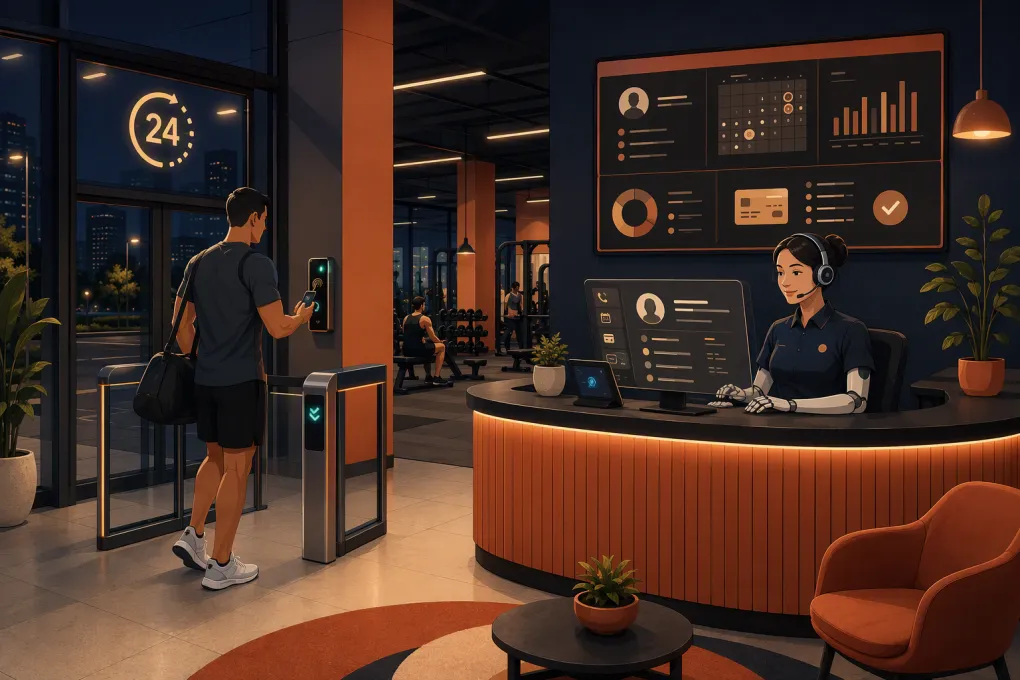
A 24-hour gym cannot choose management software on booking features alone. Your system has to control who gets through the door, keep billing and access status aligned, capture leads when nobody is at the desk, and give staff a reliable record of what happened overnight.
That makes finding a GymMaster alternative for 24 hour gyms a more demanding project than comparing feature lists. The right choice depends on whether you need to replace GymMaster’s full operating stack, improve one weak workflow, or add an AI front desk without disrupting access control that already works.
Before booking demos, identify the actual problem. Slow lead response, failed-payment follow-up, limited reporting, staff usability, multi-location administration, and door access are separate issues. Replacing everything to solve one of them can create more risk than value.
See how Fitty handles after-hours gym inquiries, bookings, follow-up, and dues →
What a 24-hour gym needs from its software
Most gym software can store members and process recurring payments. Unstaffed operations add another layer: the system has to make dependable decisions without an employee standing nearby.
Access and membership status must stay synchronized
When a membership expires, a payment fails, or an account is frozen, the access system should respond according to your policy. When a new member completes the required steps, access should be provisioned without an improvised staff process.
During a demo, ask the vendor to show these exact workflows:
- A new member purchases online and receives access.
- A recurring payment fails shortly before an overnight visit.
- A member freezes or cancels an account.
- A staff member grants temporary access without changing the membership.
- Internet service or a vendor connection goes down.
- A member uses credentials at more than one location.
Do not accept a simple yes to access control. Determine whether access is native, provided through an integration, or dependent on specific door hardware. Ask who supports the complete system when the software and door controller stop communicating.
Lead response cannot depend on staffed hours
Prospects often contact a 24-hour gym when the front desk is empty. A web form submitted at night should not sit untouched until the next shift. At minimum, your system needs to capture the inquiry, answer common questions, qualify the prospect, offer the correct next step, and preserve the conversation for staff.
Basic automated messages can acknowledge a lead. They usually cannot conduct a useful back-and-forth conversation. This is where an AI agent such as Fitty changes the operating model: it can answer leads, book classes, follow up, and collect dues around the clock instead of merely creating another task for the morning team.
Billing automation needs operating rules
Collecting a card is not the same as managing receivables. Look at how each platform handles retries, reminders, staff tasks, account status, and member communication.
Write your rules before selecting software. For example:
- What happens immediately after a failed payment?
- When is the member contacted, and through which channel?
- When does a staff member intervene?
- When, if ever, is access restricted?
- How is access restored after payment?
- Can staff see the full communication and payment history?
The software should support your policy. It should not force employees to maintain a separate spreadsheet to know who owes money and who has been contacted.
GymMaster alternatives compared
GymMaster is a legitimate benchmark for this category because it combines membership management, billing, scheduling, reporting, and access-control capabilities. An alternative should be judged against the workflows you use, not against the total number of features on a sales page.
Pricing, packaging, supported hardware, and integrations change. Treat this table as a shortlist, then verify your required configuration directly with each vendor.
| Option | Core strengths | Fit for 24-hour operations | Automation and AI | Important limitation to evaluate | Best fit |
|---|---|---|---|---|---|
| WTF Go with Fitty | All-in-one operations with lead handling, booking, follow-up, and dues collection | Strong for keeping the virtual front desk operating when staff are absent; confirm compatibility with your required physical access stack | Fitty is designed to hold conversations and take actions rather than only send scheduled messages | Verify door hardware, access-control requirements, and any location-specific integrations during discovery | Operators whose main gap is after-hours sales, service, follow-up, or collections |
| GymMaster | Memberships, billing, booking, reporting, member app functions, and gym access workflows | Built with 24/7 gym use cases in mind | Includes operational automation; assess whether its lead conversations match the depth you need | May already solve the core access problem, so replacing it solely for one workflow can be unnecessary | Gyms wanting established membership and access functions in one platform |
| Gymdesk | Straightforward membership management, billing, attendance, booking, and online sign-up | Can support lean gym operations; access options and hardware fit should be checked for each facility | Provides workflow automation, but AI-led phone and lead handling should be evaluated separately | Confirm advanced access, multi-location, and communication requirements rather than assuming they are included | Independent gyms prioritizing usability and a streamlined administrative system |
| PushPress | Gym-focused billing, classes, check-ins, websites, and lead-management products | Commonly considered by class-based and strength-focused facilities; verify the access setup required for unattended entry | Sales and communication tools are available across its product ecosystem; compare packaging and AI capabilities | Features may span multiple products or plans, and door access can require a separate solution | Functional fitness, martial arts, and boutique operators wanting gym-specific workflows |
| Mindbody | Broad class and appointment scheduling, payments, marketing tools, and consumer marketplace exposure | Stronger in scheduled service environments than in dedicated unattended-access operations | Offers marketing and communication capabilities; test the exact lead-response workflow | Physical access control may require a separate system, and the breadth of the platform can add complexity | Studios and wellness businesses that value marketplace discovery and appointment depth |
| Club Automation | Broad club management, billing, reporting, member engagement, and check-in capabilities | Relevant to larger health clubs and multi-department facilities | Supports extensive operational workflows; verify conversational AI and after-hours sales requirements | Implementation scope may be heavier than a small single-site gym needs | Larger clubs and multi-location operators with complex departments and reporting needs |
Should you replace GymMaster or add to it?
A complete migration is not always the best first move. Use this decision framework.
Replace it when the operating system is the problem
A replacement may be justified if several core workflows are failing at once: billing requires repeated manual correction, reporting is inadequate, staff cannot use the system efficiently, integrations are unreliable, or multi-location controls no longer fit the business.
The business case should account for the whole change, including data cleanup, payment migration, access testing, staff training, member communication, and temporary disruption.
Add an AI layer when response capacity is the problem
If access, billing records, and member administration are broadly stable, but leads go unanswered or staff spend too much time on repetitive conversations, start with that bottleneck.
Fitty is particularly relevant when your gym needs someone—or something—to respond after hours, answer routine questions, move prospects toward a booking, continue follow-up, and pursue dues without waiting for an employee to log in.
Explore WTF Go if your access system works but your after-hours front desk does not →
Keep GymMaster when it already handles the critical path
Switching software is not a win by itself. If GymMaster reliably controls entry, maintains billing status, and supports staff workflows, keeping it may be the better operational choice. You can still evaluate complementary tools for lead response or communication, subject to integration and data-flow requirements.
Questions to ask every vendor
Use the same scenario-based questions in every demo so you can compare systems rather than presentations.
Access control
- Which door controllers, readers, credentials, and mobile access methods are supported?
- Does the system make access decisions in real time?
- What happens during an internet outage?
- Can one member have different permissions by location or time?
- Who provides support when a member cannot enter overnight?
- Is there a complete access log, and how long is it retained?
Sales and communications
- Can the system respond outside staffed hours or only send an acknowledgment?
- Can it answer questions using our actual policies, classes, and membership options?
- Can it book the correct class or appointment during the conversation?
- Are calls, messages, bookings, and staff notes visible in one record?
- Can a human take over without making the prospect repeat everything?
Billing and collections
- How are failed payments retried and communicated?
- Can collection workflows vary by membership type?
- What event changes door access after nonpayment?
- Can a member resolve a balance without staff assistance?
- Are payment processing and software fees presented separately?
Multi-location operations
- Can memberships, waivers, pricing, and permissions differ by location?
- Can regional managers see consolidated reporting without accessing every site separately?
- Can leads be routed based on location, service, or schedule?
- Are duplicate member profiles prevented or merged safely?
Plan the migration around door access
For a staffed studio, a migration error may cause a booking inconvenience. For an unstaffed gym, it can lock out paying members or admit accounts that should not have access. That makes parallel testing essential.
A practical migration plan should include:
- Clean the data. Remove duplicate profiles and standardize membership, freeze, cancellation, and delinquency statuses.
- Map every status. Document how each old status translates into billing and access permissions in the new platform.
- Inventory credentials. Confirm whether cards, fobs, PINs, or mobile credentials can be retained.
- Test edge cases. Include frozen accounts, overdue balances, staff access, temporary passes, and multi-location members.
- Pilot before full rollout. Use a controlled group or one location where possible.
- Create an overnight fallback. Decide who receives access alerts and how legitimate members will be verified if entry fails.
- Audit after launch. Compare active memberships, billing status, and access permissions rather than assuming the import was complete.
Do not schedule the cutover based only on when member records can be imported. Schedule it when billing, communication, and physical entry have all been tested together.
The practical choice for a 24-hour operator
Choose the product that best protects your critical path: valid member, valid payment, reliable entry, visible activity, and immediate help when no employee is present.
GymMaster remains a credible option when integrated member management and access are the priority. Gymdesk and PushPress deserve consideration for leaner gym administration. Mindbody is stronger where classes, appointments, and marketplace visibility drive the business. Club Automation is more relevant to larger, complex clubs.
WTF Go stands out when the unattended front desk is the real constraint. Fitty gives a 24-hour gym a way to keep conversations, bookings, follow-up, and dues collection moving after employees leave the building. The next step is to validate how that operating layer fits your existing or planned access-control environment.
See whether WTF Go and Fitty fit your 24-hour gym workflow →
Frequently asked questions
What is the best GymMaster alternative for a 24-hour gym?
It depends on the bottleneck. Prioritize proven access-control compatibility for unattended entry, then compare billing, after-hours lead response, collections, multi-location support, and migration requirements.
Does gym management software include door access hardware?
Not always. Some platforms support native access workflows, while others connect to separate controllers or access vendors. Confirm the exact reader, credential, controller, outage behavior, and support responsibility.
Can I improve after-hours response without replacing GymMaster?
Potentially. If your membership and access workflows are reliable, adding an AI receptionist such as Fitty may address lead response, booking, follow-up, and dues collection without a full platform migration.
What should I test before switching 24-hour gym software?
Test new memberships, failed payments, freezes, cancellations, temporary access, internet outages, multi-location permissions, overnight support, and restoration of access after a balance is paid.
How should I compare gym software pricing?
Compare total operating cost, including software plans, payment processing, messaging, access hardware, integrations, implementation, data migration, staff training, and any add-on products required.
Keep reading



Run your gym on autopilot with WTF Go
Fitty — your AI receptionist — answers calls and DMs, fills classes, follows up with every lead, and collects dues while you coach.