Comparisons
Gymdesk Alternative for Wrestling Gyms: What Owners Need
Compare the Gymdesk alternatives for wrestling gyms by billing, family accounts, scheduling, lead follow-up, attendance, and migration before you switch.
 Watch · 20s
Switching gym software is disruptive, so dissatisfaction alone is not a good reason to leave Gymdesk. A better reason is a measurable operational gap: leads are waiting too long for replies, parents cannot complete registration easily, failed payments require too much staff time, or coaches are working from schedules that do not match the front desk.
Wrestling gyms also have requirements that generic fitness software can miss. You may serve minors under parent or guardian accounts, run both seasonal programs and recurring memberships, organize athletes by age or experience, and sell camps, clinics, private lessons or drop-ins alongside regular practices.
The right Gymdesk alternative should handle those workflows without forcing your staff to maintain separate spreadsheets, inboxes and payment lists.
If unanswered calls and inconsistent lead follow-up are driving the search, see how WTF Go and Fitty handle wrestling gym inquiries around the clock →.
Start With the Reason You Want to Replace Gymdesk
Gymdesk is a legitimate option for fitness and martial arts businesses. It combines common membership-management functions such as billing, scheduling, attendance and member administration. Replacing it only makes sense if another platform handles your gym’s highest-value workflows better.
Write down the three problems creating the most work or lost revenue. Use specific statements, such as:
- Parents cannot register multiple children without staff assistance.
- Trial inquiries received after practice are not answered until the next day.
- Coaches cannot quickly see who is expected at each practice.
- Failed recurring payments are tracked and followed up manually.
- Seasonal registration and year-round memberships are difficult to manage together.
- Reporting across locations requires spreadsheet cleanup.
These become your demo scorecard. Without one, every platform looks impressive because vendors control what you see.
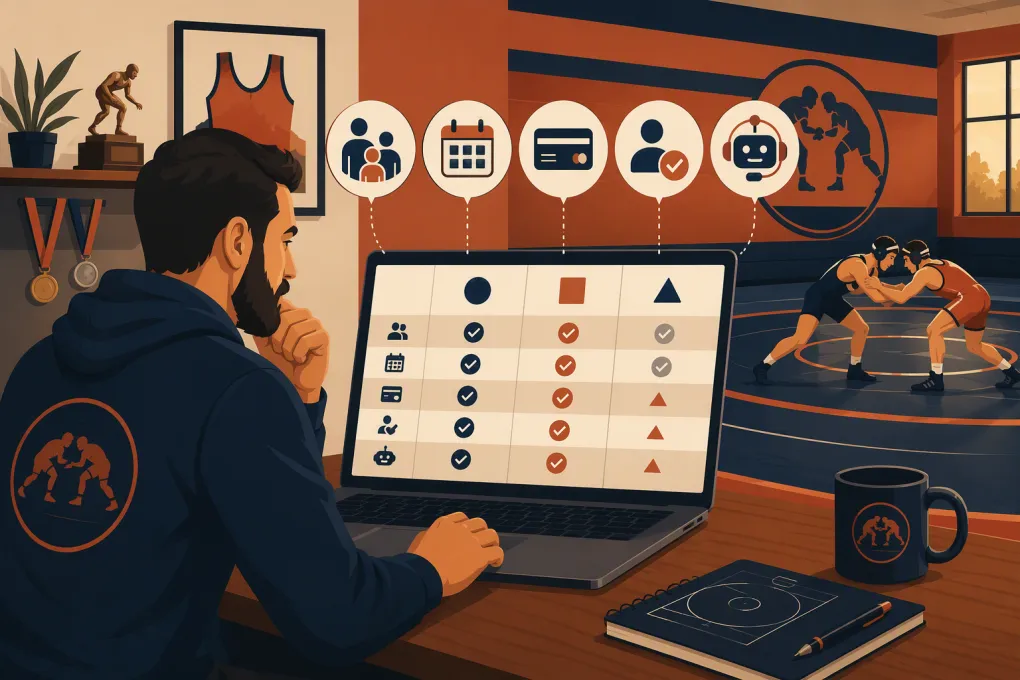
Gymdesk Alternatives for Wrestling Gyms Compared
There is no universal best platform. Some products focus on membership businesses, some on sports teams, and others on lead conversion and automation. Current features, packaging and integrations can change, so confirm critical requirements directly with each vendor.
| Platform | Core strength | Booking and operations | Automation and lead handling | Wrestling-specific fit | Pricing and buying model | Main limitation to evaluate |
|---|---|---|---|---|---|---|
| WTF Go | All-in-one gym operations with CRM, scheduling, billing and communication | Built for gyms, studios and wellness operators managing classes, appointments and members | Fitty answers leads, books classes, follows up and helps collect dues 24/7 | Strong when enrollment, parent communication and front-desk workload matter most | Contact WTF Go for current scope and pricing | Not tournament-bracket, match-statistics or wrestling video-analysis software |
| Gymdesk | Broad membership management for gyms and martial arts businesses | Memberships, scheduling, billing and attendance in one system | Includes business communication and management tools; test the depth of the specific follow-up sequences you need | Can support recurring wrestling club operations without being wrestling-only | Review current published plans and any usage-related terms | Determine whether its lead response, household and seasonal workflows match your operation |
| WrestlingIQ | Software designed around wrestling teams and clubs | Wrestling-oriented team administration, registration, calendars and communication | More focused on team coordination than acting as a general AI sales receptionist | Strongest wrestling-specific orientation in this group | Check current plans directly based on organization needs | Evaluate whether it replaces your full sales CRM, front desk and broader fitness-business stack |
| PushPress | Gym management and member experience | Common gym workflows including memberships, billing, classes and check-ins | Offers gym-focused engagement and business tools; confirm which capabilities require separate products or tiers | Suitable for clubs operating like membership-based gyms | Packaging varies by product and service level; request a current quote | Verify parent-child accounts, seasonal teams and wrestling-specific group structures |
| Zen Planner | Established member management used by fitness and martial arts businesses | Billing, scheduling, attendance and member administration | Includes marketing and communication capabilities, though workflow setup should be tested | Familiar model for recurring programs and martial arts-style operations | Obtain current pricing and implementation details | Assess usability, migration effort and whether automation meets your response-time goals |
| TeamSnap | Team scheduling, rosters and communication | Strong emphasis on team calendars, availability, registration and coordination | Primarily team communication rather than a full gym lead-conversion system | Useful for seasonal teams and parent communication | Plans and organization products vary; verify current packaging | May not replace a complete gym CRM, recurring-membership billing and sales pipeline |
A wrestling club centered on competitive team coordination may prefer a wrestling- or team-specific system. A gym selling ongoing memberships, trials, camps and private sessions usually needs stronger CRM, billing and lead-conversion workflows.
The Wrestling Gym Requirements That Matter Most
Parent, Guardian and Household Workflows
Many athletes are minors, but the buyer and legal contact is a parent or guardian. During a live demo, ask the vendor to show—not merely confirm—how the system handles:
- One guardian paying for multiple athletes
- Separate contact, athlete and billing information
- Waivers and required acknowledgments
- Sibling discounts or different membership terms
- Communication to a guardian, athlete or specific practice group
- An athlete moving from one program to another
Create a test family with two children in different groups. If the workflow becomes confusing during the demo, it will not improve on a busy registration night.
Seasonal Programs and Recurring Memberships
Wrestling businesses do not all operate on the same calendar. Some use monthly memberships, while others sell a defined season, camp, clinic or tournament-preparation block.
Your software should make the commercial terms clear: start date, end date, recurring or one-time charge, cancellation rules, capacity and eligible practice groups. Ask what happens when a seasonal athlete converts to a year-round plan. Staff should not need to rebuild the member record or lose payment and attendance history.
Billing and Failed-Payment Follow-Up
Payment processing is only one part of billing. Examine how the platform handles declined recurring payments, expiring cards, account balances, refunds, credits and membership changes.
Also establish who follows up. Software can identify a problem, but revenue still slips when nobody contacts the parent. The strongest workflow combines automatic reminders with a clear staff escalation path.
See how Fitty can follow up on outstanding dues without adding another front-desk task →.
Practice Scheduling and Attendance
Do not settle for a polished calendar. Test the actual practice-day workflow:
- Build groups for beginners, advanced athletes and a camp.
- Assign athletes and coaches to the correct sessions.
- Set capacity or eligibility rules where needed.
- Check athletes in from the device staff will really use.
- Pull an attendance history for one athlete and one group.
If you operate multiple rooms or locations, confirm that permissions, schedules and reporting remain separated where appropriate while ownership retains a consolidated view.
Leads, Trials and Fast Responses
A parent asking about age requirements, practice times or a trial class may contact you while every coach is on the mat. That inquiry should not sit untouched until someone closes the gym.
Fitty, WTF Go’s AI receptionist and agent, can answer leads, book classes, follow up and assist with dues collection 24/7. The practical value is consistency: every inquiry enters a process even when staff are coaching, cleaning or away from the desk.
Automation still needs boundaries. Define approved answers for pricing, trial eligibility, equipment, required forms and schedule questions. Set escalation rules for medical, disciplinary, refund or competition-specific issues that require a person.
How to Run a Useful Software Demo
Send vendors the same scenarios in advance and require them to perform each one live. A focused script might include:
- Register a parent with two athletes in different programs.
- Book a new lead into an introductory session.
- Show what happens when that lead does not attend.
- Create a recurring membership and a one-time camp registration.
- Process a failed payment follow-up.
- Move an athlete to a different practice group.
- Send a schedule update to one group without messaging everyone.
- Produce attendance and revenue reports for one location.
- Restrict a coach’s access to only the information required for the job.
Record whether each task is native, requires configuration, depends on an integration or cannot be completed. Also ask who performs setup, how support is delivered and what data can be exported if you later leave.
For an operational walkthrough rather than a generic feature tour, ask WTF Go to demonstrate your real wrestling gym registration and follow-up workflow →.
Plan the Migration Before Signing
A successful switch depends as much on data quality and timing as software features. Before committing, obtain written answers about what can be imported and who is responsible for cleaning it.
A practical migration plan includes:
- Exporting members, leads, attendance, membership status and account balances
- Identifying which payment credentials can be transferred securely, if any
- Removing duplicate and inactive records
- Mapping current plans to the new membership structure
- Rebuilding waivers, forms, schedules, permissions and automations
- Testing parent and athlete records with a small group
- Reconciling billing totals before and after launch
- Keeping read-only access to historical data when necessary
- Training coaches separately from administrators
Avoid switching immediately before your largest registration period. Run a controlled test, communicate the change to families, and assign one person to own launch-day decisions.
Which Option Should You Choose?
Choose based on the operating model you actually run.
If wrestling-specific team coordination is the center of the business, start by evaluating WrestlingIQ and team-management products. If you need a conventional membership system, compare Gymdesk, PushPress and Zen Planner against your household, billing and scheduling requirements. If your largest gap is turning inquiries into booked trials while reducing front-desk follow-up and collections work, put WTF Go and Fitty on the shortlist.
The winning platform is not the one with the longest feature page. It is the one that completes your most important workflows with fewer manual handoffs—and that your staff will consistently use.
Frequently asked questions
What is the best Gymdesk alternative for a wrestling gym?
It depends on your operating model. WrestlingIQ is oriented toward wrestling teams and clubs, while WTF Go, PushPress and Zen Planner focus more broadly on membership-based gym operations.
Should wrestling gym software support parent and child accounts?
Yes, especially when most athletes are minors. Test multiple athletes under one payer, waivers, sibling arrangements and group-specific communication during the demo.
Can I transfer payment information when leaving Gymdesk?
Payment credential portability depends on the processors, platforms and security requirements involved. Get written confirmation before signing, and prepare a card-update campaign if credentials cannot be transferred.
Does WTF Go include wrestling tournament management?
WTF Go focuses on gym operations, including leads, booking, billing, follow-up and member management. Use dedicated wrestling software when you need brackets, match statistics or competition-specific analysis.
How long should wrestling gym software run in parallel during migration?
There is no universal timeline. Keep the overlap long enough to test registration, schedules, permissions and billing reconciliation without charging families twice.
Keep reading



Run your gym on autopilot with WTF Go
Fitty — your AI receptionist — answers calls and DMs, fills classes, follows up with every lead, and collects dues while you coach.