Comparisons
Choosing an Acuity Scheduling Alternative for Fitness Studios
Compare an Acuity Scheduling alternative for fitness studios across booking, memberships, pricing, AI, payments, privacy, migration, and operational fit.
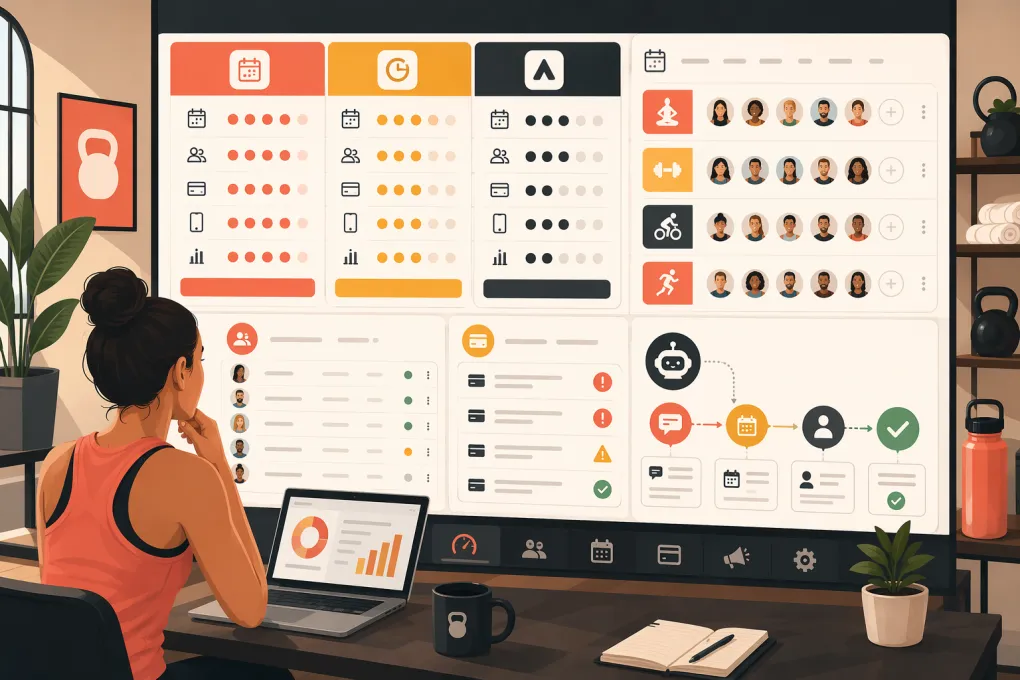 Watch · 20s
Acuity Scheduling handles appointment booking well, but appointment booking is only one part of operating a fitness studio. Class capacity, memberships, attendance, intro offers, lead conversion, waivers, overdue balances, and multi-location reporting can expose the limits of an appointment-first system.
There is no universal “best” Acuity Scheduling alternative for fitness studios. The right choice depends on your service model and which workflows you want one platform to own. A Pilates studio selling private sessions has different requirements from a group-fitness brand managing recurring memberships across several locations.
This comparison does not assign a winner or claim a hands-on benchmark. It evaluates publicly described product positioning and commonly available capabilities. Features, pricing, contracts, integrations, and payment requirements change, so verify every decision-critical item in a live demonstration and written proposal.
See whether WTF Go matches your studio’s actual booking and follow-up workflow →
Start with a transparent scoring method
Before scheduling demos, weight the categories that matter to your operation. A practical scorecard might use:
- Booking and attendance: 20 points
- Memberships and payments: 20 points
- Lead management and follow-up: 15 points
- Client communications and AI: 15 points
- Reporting and multi-location controls: 10 points
- Integrations and data access: 10 points
- Implementation and support: 5 points
- Total cost and contract flexibility: 5 points
Change the weighting before evaluating vendors. If appointments produce most of your revenue, increase the booking score. If missed leads and manual follow-up are the bigger problem, give CRM and automation more weight.
Score only workflows that the vendor demonstrates with your use cases. A feature mentioned on a pricing page should not receive full credit until you see who can use it, which plan includes it, and what happens when the workflow fails.
Acuity Scheduling alternatives compared
| Platform | Verified differentiator and fitness workflow | Pricing and commercial model | Payments and integrations | Important limitations to investigate | Best-fit operator |
|---|---|---|---|---|---|
| WTF Go | Positions itself as an operating system for gyms, studios, spas, and wellness businesses. Fitty is its AI receptionist for answering leads, booking classes, following up, and pursuing overdue dues. | Confirm current subscription, usage charges, onboarding, contract length, and location fees directly with WTF Go; do not assume every Fitty function is included in every package. | Ask which processors, phone or messaging services, accounting tools, access-control systems, and migration formats are currently supported. | Public product claims should be validated in a live demo. Test edge cases, escalation, data retention, AI oversight, payment handling, and workflows Fitty cannot complete automatically. | Studios wanting scheduling connected to lead response, follow-up, and collections rather than a standalone calendar. |
| Acuity Scheduling | Squarespace’s appointment-scheduling product. Supports self-scheduling, intake forms, packages, subscriptions, reminders, multiple calendars, and group classes. Its natural workflow is client-to-appointment rather than lead-to-long-term gym membership. | Public tiered subscriptions are generally available. Confirm current limits for calendars, locations, reminders, and advanced features, plus whether annual billing changes the rate. | Common payment connections include Stripe, Square, and PayPal, with availability depending on setup and region. It also connects to Squarespace and third-party automation services. | Fitness operators should test waitlists, attendance history, membership exceptions, failed-dues workflows, access control, and cross-location reporting. Some needs may require separate systems. | Appointment-led Pilates, yoga, personal training, recovery, or wellness businesses with relatively simple member operations. |
| Mindbody | Combines classes, appointments, memberships, staff management, point of sale, marketing options, and exposure through the Mindbody consumer marketplace. It can support class rosters, waitlists, recurring memberships, and appointment services in one ecosystem. | Pricing is typically sales-led and package-dependent rather than a simple self-serve purchase. Request line items for implementation, marketing products, branded app options, messaging, locations, and payment services. Review term and renewal language. | Offers an established partner and integration ecosystem alongside integrated payment capabilities. Confirm processor requirements, rates, data access, and whether a needed integration is native or third-party. | Its breadth can mean more configuration, training, and total cost than a small studio needs. Marketplace visibility is a differentiator, but it should not replace ownership of your client relationships and first-party marketing. | Established studios and multi-service wellness businesses that value a broad ecosystem and consumer discovery. |
| Glofox | Fitness-specific management platform owned by ABC Fitness. Its workflows center on leads, memberships, class schedules, member booking, and branded digital experiences rather than general appointment scheduling. | Pricing is generally quote-based. Ask for separate costs covering onboarding, locations, branded applications, messaging, integrations, hardware, and any CRM or marketing components. Verify contract duration and exit terms. | Payment and integration availability can vary by market and package. Confirm processor rules, payout reporting, access control compatibility, API availability, and ownership of exported data. | Operators should test appointment-heavy services, complex spa resources, custom reporting, and the exact division between included features and add-ons. | Boutique gyms and class-led fitness brands prioritizing a fitness-specific membership and mobile booking experience. |
| WellnessLiving | Broad wellness platform covering classes, appointments, memberships, events, marketing, client engagement, and business reporting. Its wide service model can suit studios mixing classes with private services. | Offers packaged software with feature and add-on differences. Obtain a written quote for setup, messaging, merchant services, branded applications, locations, and required modules; review cancellation and renewal terms. | Provides integrated payment and third-party connection options, but availability and cost should be confirmed for your plan and region. Ask how accounting, door access, and marketing connections exchange data. | A large feature set can increase configuration complexity. Verify reporting definitions, support response paths, migration scope, and whether specialized functions require higher tiers. | Fitness and wellness operators wanting a broad suite for classes, appointments, marketing, and client engagement. |
| Vagaro | Serves beauty, wellness, and fitness businesses through appointments, classes, memberships, forms, point of sale, and a consumer marketplace. It is particularly relevant when a studio also sells treatments, recovery services, or retail. | Public pricing is commonly structured around bookable calendars or business configuration, with optional features adding cost. Confirm current location charges, add-ons, messaging, marketplace terms, hardware, and processing commitments. | Offers integrated payments and business tools, with connections and add-ons varying by configuration. Confirm whether processor choice is flexible and how transaction and payout data can be exported. | Fitness-first operators should examine recurring membership controls, class attendance, lead pipelines, workout-specific workflows, and multi-location reporting depth. | Hybrid fitness, spa, recovery, and appointment businesses that need retail and service scheduling together. |
Test the workflows Acuity may not own
Lead inquiry to first visit
Do not begin the demo with a client already on the booking page. Start with a missed phone call or website inquiry at 9 p.m.
Ask the vendor to show:
- Where the lead record is created.
- How the system identifies the right class or intro offer.
- Whether it can answer policy questions without staff involvement.
- How the booking is completed and attributed.
- What happens if the lead does not book.
- Which employee can review the conversation and take over.
Acuity can receive the resulting appointment, but studios often use another CRM, inbox, or staff phone to manage everything before and after it. That handoff is where leads can be delayed or lost.
Fitty is intended to cover this gap inside WTF Go by handling inquiries, booking, and follow-up. That is a vendor-stated capability, not proof that it fits every studio. During a demonstration, test your real intro offers, age restrictions, prerequisites, location questions, cancellation rules, and escalation scenarios.
Ask WTF Go to demonstrate Fitty with your real studio policies →
Membership status, attendance, and failed payments
Run one member through the following sequence:
- Purchase a recurring membership.
- Book a class with limited capacity.
- Join and clear a waitlist.
- Arrive and check in.
- Miss a later payment.
- Attempt another booking.
- Update the payment method.
- Review the account history as a manager.
Look for one continuous record. If attendance, balance status, conversations, and staff notes appear in separate tools, employees will still have to reconstruct what happened.
Ask each vendor whether failed-payment recovery is automatic, rule-based, or staff-driven. Confirm the number and type of attempts, pause conditions, staff notifications, member opt-out handling, and how disputes are escalated.
Put controls around AI conversations and collections
An AI receptionist should not be treated as an unsupervised employee. Before allowing any platform to answer prospects or contact members about overdue dues, establish written controls.
Privacy and consent
Determine what client data the AI can access, where conversation data is stored, how long it is retained, and which subprocessors receive it. Ask whether data is used to train shared models and whether that use can be disabled.
For SMS and automated calls, obtain appropriate consent and preserve the consent record. Marketing and transactional communications may be treated differently. Your workflows should honor opt-outs promptly and comply with applicable federal and state requirements, including telephone and text-message rules.
Call recording and transcription laws vary by state. If conversations are recorded, get legal guidance on disclosure and consent requirements for the states where your business and clients are located.
Escalation and human review
Define when the AI must stop and transfer the conversation. Typical triggers include:
- Injury, medical, or accessibility questions.
- Threats, harassment, or distressed callers.
- Refunds, disputes, and cancellation demands.
- Unclear identity or account ownership.
- Exceptions to membership contracts.
- Questions outside approved studio policies.
Require a visible transcript, ownership status, timestamp, and next action. Staff should be able to correct information and prevent repeated contact.
Payment security
Do not let an AI collect raw card details in open chat, text messages, transcripts, or staff notes. Payment updates should move through a processor-hosted or properly tokenized payment flow designed for PCI DSS obligations.
Ask whether the AI can send an authenticated payment link rather than handling card data directly. Confirm identity checks, role-based access, audit logs, dispute handling, and whether sensitive payment information is redacted from transcripts.
Fitty’s dues-follow-up capability should be evaluated against these controls. Ask WTF Go to demonstrate consent records, opt-outs, escalation, payment-link behavior, conversation access, retention settings, and audit history—not only the successful collection path.
See how Fitty handles follow-up, escalation, and overdue-dues workflows →
Calculate the actual purchase cost
Sticker price is only one line in the comparison. Request a written three-year cost worksheet, even if you ultimately choose a shorter agreement. Include:
- Base software and required package.
- Additional users, calendars, and locations.
- Onboarding, training, and data migration.
- SMS, voice, email, and AI usage.
- Branded app and marketplace fees.
- Payment-processing rates and hardware.
- Required CRM, marketing, accounting, or access-control integrations.
- Premium support and reporting modules.
- Contract renewal, termination, and data-export fees.
Do not assume a platform permits your preferred payment processor. Ask whether processing is mandatory, what happens to stored credentials during migration, how chargebacks are managed, and how quickly funds are paid out.
Make vendors prove the fit
Give every shortlisted vendor the same demo script and your anonymized sample data. Require them to show the workflow live rather than describe what the product “can” do.
Document each answer as available now, requires an add-on, requires an integration, requires custom work, or not supported. Then apply your predetermined scorecard.
Keep Acuity if it still wins on the workflows that matter and additional tools do not create a meaningful burden. Choose a fitness-specific alternative when memberships, attendance, lead conversion, collections, or multi-location control are central to the business. Consider WTF Go when consolidating those workflows with an AI receptionist is a priority—but validate Fitty’s boundaries, controls, integrations, and commercial terms before deciding.
Frequently asked questions
Is Acuity Scheduling suitable for a fitness studio?
Yes, particularly for appointment-led studios needing self-scheduling, forms, packages, and payments. Class-heavy or membership-led studios should test attendance, waitlists, recurring dues, CRM, and multi-location workflows carefully.
How should I compare Acuity Scheduling alternatives fairly?
Weight your requirements before seeing demos, then give every vendor the same workflow script. Score only capabilities demonstrated as available now, and separate included features from add-ons, integrations, and custom work.
Can an AI receptionist safely follow up on overdue studio dues?
It can assist when consent, opt-outs, human escalation, identity controls, audit logs, and secure payment links are configured. Raw card details should never be collected through ordinary chat, text, transcripts, or notes.
What pricing details should I request from scheduling vendors?
Request written costs for software, locations, users, onboarding, migration, messaging, AI usage, branded apps, integrations, hardware, and payment processing. Also review contract length, renewals, termination terms, and data-export rights.
Can payment information move from Acuity to a new platform?
Client and appointment records may be exportable, but stored payment credentials are not always portable between processors. Confirm token migration options with both platforms and their payment providers before setting a launch date.
Keep reading



Run your gym on autopilot with WTF Go
Fitty — your AI receptionist — answers calls and DMs, fills classes, follows up with every lead, and collects dues while you coach.